
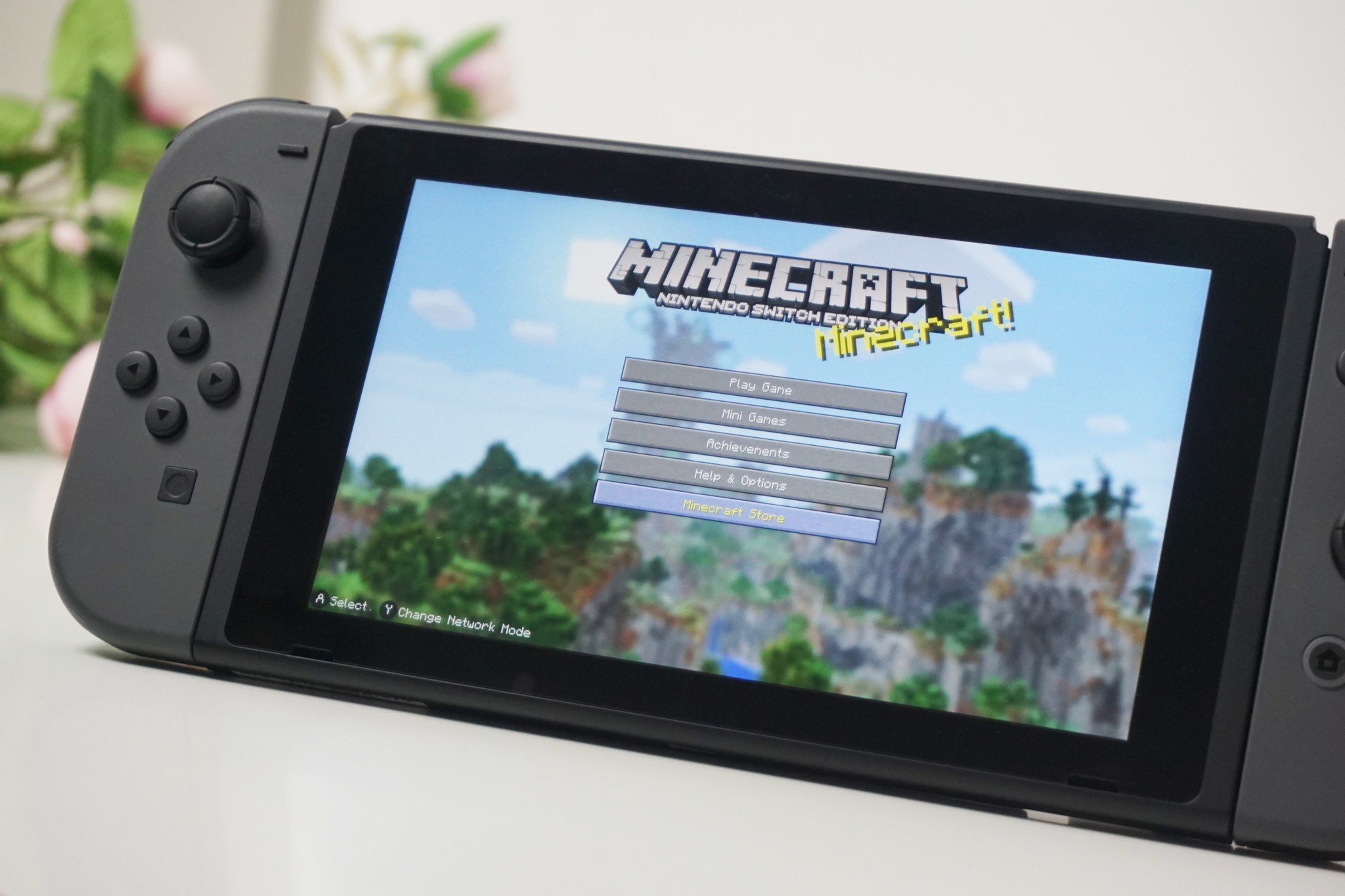
Minecraft is playable on a wide range of game consoles including Nintendo Switch, PlayStation (PS4 & PS5), and Xbox (Xbox One & Xbox Series X/S).
Ever wondered what game console can you play Minecraft on? The possibilities might surprise you. This block-building adventure isn’t limited to just one platform. You can enjoy crafting and exploring in various ways with family and friends.
Whether you prefer handheld gaming or a bigger screen experience, Minecraft has you covered. The game is available across multiple platforms, allowing you to pick the console that best suits your gaming preferences. You will find your fun in it.

What Game Console Can You Play Minecraft On?
Minecraft is like a box of LEGOs, but on a screen! You can build anything you imagine, explore crazy worlds, and even play with your friends. Because it’s so popular, lots of different game consoles can play it. Let’s explore all the options so you know exactly which one you can use to jump into the Minecraft fun!
Minecraft on the Home Consoles: Big Screen Fun
Home consoles are what you usually see hooked up to the big TV in your living room. These are perfect for playing with family and friends on a larger screen. Minecraft looks amazing and plays great on these systems. Let’s dive into the specifics.
Playing Minecraft on Xbox
Microsoft’s Xbox is a fantastic choice for Minecraft fans. Several versions of the Xbox can play the game, each offering slightly different experiences. Here’s a look at the most common Xbox consoles that support Minecraft:
- Xbox One: The Xbox One is a very popular console and plays Minecraft beautifully. You can download the game from the Microsoft Store and start building. You will find that Minecraft runs very smooth and you will have lots of fun. Also you can connect your controller and enjoy the multiplayer gaming with your friends easily.
- Xbox Series X/S: The newest Xbox consoles, the Series X and Series S, offer the best possible Minecraft experience. They boast better graphics and faster loading times. If you want the game to look its absolute best, the Xbox Series X is your top pick. The Xbox Series S is a more affordable option which is also a great option for the new players.
The great thing about playing on Xbox is that you can connect and play with friends on other devices, this is thanks to ‘Bedrock Edition’ of Minecraft. Xbox also has Xbox Live, which is a service you need to play with others online.
Playing Minecraft on PlayStation
Sony’s PlayStation is another great choice for playing Minecraft. Like the Xbox, different PlayStation consoles offer their own unique experiences. Let’s look into them.
- PlayStation 4 (PS4): The PS4 is a very common console and supports Minecraft. Just head to the PlayStation Store, download the game, and start your adventure! With smooth graphics and an engaging experience, the PS4 offers endless hours of entertainment.
- PlayStation 5 (PS5): The PS5 provides the highest quality Minecraft experience on PlayStation. The graphics look incredible, and the game runs super fast. If you can get your hands on one, it is a great way to play the game.
The PS4 and PS5 versions of Minecraft also belong to the ‘Bedrock Edition’, so you can play with friends on other consoles and devices. To play online with others, you need a PlayStation Plus subscription.
Playing Minecraft on Nintendo Switch
The Nintendo Switch is a super versatile console, you can play on your TV or take it on the go. It is very popular with families and Minecraft plays great on this system.
- Nintendo Switch: The standard Nintendo Switch is a fantastic way to experience Minecraft. You can play on the go in portable mode, or connect it to your TV for a more traditional gaming experience.
- Nintendo Switch Lite: The Switch Lite is a smaller, more affordable version of the Switch. It only plays in handheld mode. However it can also play Minecraft, this make it super handy to play the game anywhere.
The Nintendo Switch version of Minecraft is also the ‘Bedrock Edition’ meaning you can connect with players on other devices. You need a Nintendo Switch Online subscription to play with others online.
Minecraft on Handheld Devices: Gaming On-the-Go
Sometimes you just want to play on the go. Minecraft is also available on a variety of handheld devices, letting you build and explore wherever you are.
Playing Minecraft on Mobile Phones and Tablets
Yes, you can carry Minecraft in your pocket! Minecraft is available for both Android and iOS (Apple) devices. You will need to purchase the game from either the Google Play Store for Android or the App Store for iOS. It is called “Minecraft” in both stores.
Here’s what you need to know:
- Android Devices: You can play Minecraft on most Android phones and tablets. Make sure your device meets the minimum requirements.
- iOS Devices (iPhone and iPad): Minecraft runs great on iPhones and iPads. Like Android, make sure your Apple device is compatible.
The mobile version of Minecraft is also part of the ‘Bedrock Edition’. This means you can play with friends who are using other consoles or devices. You can connect through the internet with your phone’s data or wifi.
Playing Minecraft on Older Handheld Consoles
Before the Switch, other handheld consoles existed. You might be wondering if these can play Minecraft. Let’s take a look.
- Nintendo 3DS and 2DS Family: Yes, some versions of Minecraft can play on the Nintendo 3DS and 2DS family of handhelds, but the performance is not as good as newer devices. It is a bit different experience. This is an older version of the game and does not connect with players of ‘Bedrock Edition’.
- PlayStation Vita: The PS Vita also had a version of Minecraft. But it is an old version and not compatible with other devices.
If you still own these older systems, you can give these versions a try. But if you want the best experience, choose a newer console or your mobile device. These versions do not connect with the Bedrock edition, so you can only play with others using the same platform as you.
Minecraft Versions: Java Edition vs. Bedrock Edition
It can get a bit confusing, so it’s important to know that there are different versions of Minecraft. The two main ones are: Java Edition and Bedrock Edition. Knowing the difference will help you understand what devices can play together.
Minecraft: Java Edition
The Java Edition is the original version of Minecraft. It is designed for computers and laptops, such as Windows, macOS, and Linux. It also contains mod support, and gives the players different experience.
- Platform Availability: Available on Windows, macOS, and Linux computers.
- Cross-Play: Limited cross-play with other Java Edition players. It does not connect to the ‘Bedrock Edition’.
- Mod Support: Allows for modifications (mods), adding more gameplay experiences.
Minecraft: Bedrock Edition
The Bedrock Edition is designed to work across multiple devices, such as consoles, phones, and tablets, and Windows computers. This version of Minecraft ensures you can connect with players on different devices.
- Platform Availability: Available on Xbox, PlayStation, Nintendo Switch, mobile devices, and Windows computers.
- Cross-Play: Supports cross-play with other players using the Bedrock Edition.
- Consistent Gameplay: Provides similar features and gameplay experience on all devices.
Essentially, if you want to play with your friends regardless of what device they are using, you need to be playing the Bedrock Edition. The Java Edition is mostly for computer users that want the flexibility and mod support.
Choosing the Right Console for You
So, how do you pick the perfect console for Minecraft? Think about these things:
- Budget: Some consoles are more expensive than others. Figure out how much you can spend.
- What do you already own?: You might already own a device you can use to play.
- Do you want to play on a TV or on the go?: If you want to play on the big screen, a home console is a good fit. If you want to play wherever you are, a portable device like a Switch or a phone might be better.
- Do you want to play with friends?: If you want to connect with your friends, make sure they have the ‘Bedrock Edition’.
Here’s a simple table to help compare your options:
| Console/Device | Type | Minecraft Version | Pros | Cons |
|---|---|---|---|---|
| Xbox One | Home Console | Bedrock Edition | Affordable, plays on TV, online play | Older graphics and slower loading compared to Xbox Series X/S |
| Xbox Series X/S | Home Console | Bedrock Edition | Best graphics, fastest loading times, online play | More expensive |
| PlayStation 4 (PS4) | Home Console | Bedrock Edition | Plays on TV, online play, affordable | Older graphics and slower loading compared to PS5 |
| PlayStation 5 (PS5) | Home Console | Bedrock Edition | Best graphics, fastest loading times, online play | More expensive |
| Nintendo Switch | Hybrid Console | Bedrock Edition | Portable, plays on TV, online play, versatile | Graphics and performance not as strong as Xbox/PlayStation |
| Nintendo Switch Lite | Handheld Console | Bedrock Edition | Affordable, Portable, online play | Cannot play on TV |
| Android Phones and Tablets | Mobile | Bedrock Edition | Portable, affordable, widely available | Controls can be tricky, performance depends on device |
| iOS Devices (iPhone, iPad) | Mobile | Bedrock Edition | Portable, widely available, performs well | Controls can be tricky, needs apple ID to download. |
| PC (Windows, macOS, Linux) | Computer | Java Edition/Bedrock Edition | Best graphics if good specs, mod support, Java for better flexibility | Java and Bedrock Edition is separate Purchase, can be expensive |
This should give you a good idea of which system works for you.
No matter which system you use, Minecraft offers a very fun experience. You can explore and build and play with your friends online. Choose the system that suits you best, then have fun in your creative adventure.
Minecraft’s versatility and wide availability mean that you’re likely to have a device ready to play. Whether you want the big-screen experience of a home console, the portability of a handheld device, or the customizability of a computer, there’s a way for everyone to enjoy the block-building fun. Pick your platform, gather your friends, and let the Minecraft adventures begin!
MINECRAFT 🤓
Final Thoughts
Minecraft is widely available. You can play on many different platforms. This makes it easy to jump in and start building.
So, what game console can you play minecraft on? You can play on PlayStation, Xbox, and Nintendo Switch consoles. These platforms offer different ways to experience the game.

