
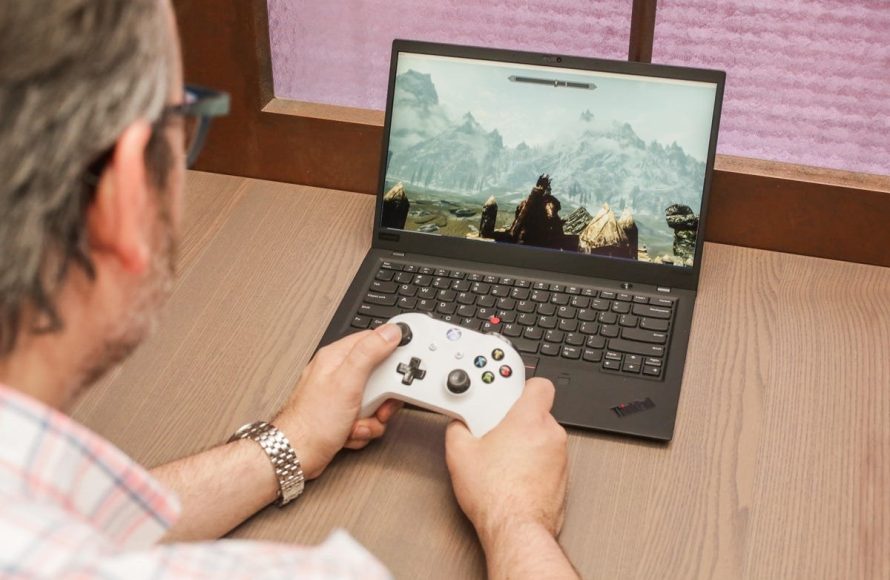
The games you can play on your laptop depend entirely on its specifications! Check your processor, RAM, and graphics card to see if they meet the minimum requirements for specific titles.
Ever wondered, “What games can I play on my laptop?” It’s a common question! The good news is, you likely have more options than you think, even without a high-end gaming rig.
Finding the right game for your laptop comes down to knowing its capabilities. Don’t worry; we’ll guide you through assessing your laptop’s power.
We’ll explore various game genres that run well on different laptop configurations. Get ready to game!

`
What Games Can I Play On My Laptop?
`
The answer depends heavily on your laptop’s specifications. Newer laptops with dedicated graphics cards can handle much more demanding games. Older or integrated graphics solutions limit you to less resource-intensive titles.
Game compatibility also hinges on your operating system. Windows is the most compatible, while macOS and ChromeOS have fewer options.
`
Understanding Your Laptop’s Specs
`
Knowing your laptop’s specifications is key to determining what games it can run. The core components impacting gaming performance are the CPU, GPU, and RAM.
The CPU (Central Processing Unit) processes instructions from the game. A faster, multi-core CPU allows for smoother gameplay.
The GPU (Graphics Processing Unit) renders the game’s visuals. A dedicated GPU significantly improves graphics performance compared to integrated graphics.
RAM (Random Access Memory) allows your laptop to quickly access data. More RAM allows you to run more demanding games and applications concurrently.
`
Checking Your Laptop’s Specifications
`
Finding your specs is simple. On Windows, search for “System Information.”
This panel displays your CPU, RAM, and operating system. To find your GPU, search for “Device Manager.”
Expand the “Display adapters” section to view your GPU. On macOS, click the Apple menu, then “About This Mac.”
`
Games for Low-End Laptops (Integrated Graphics)
`
Many excellent games are perfectly playable on laptops with integrated graphics. These titles typically feature lower graphical fidelity or are older releases.
Indie games are often optimized for a wide range of hardware. This makes them ideal for less powerful laptops.
`
Popular Choices for Integrated Graphics
`
Here are some well-regarded games that run well on low-end laptops:
These games are designed for accessibility. They prioritize gameplay over cutting-edge graphics.
`
Games for Mid-Range Laptops (Dedicated GPUs)
`
Laptops with dedicated GPUs open up a wider range of gaming possibilities. You can play more visually demanding games at reasonable settings.
However, expectations must still be realistic. These are not high-end gaming rigs.
`
Exploring Mid-Range Gaming Options
`
Consider these titles if your laptop has a dedicated GPU like an MX series NVIDIA card or an equivalent AMD Radeon GPU:
Experiment with graphics settings to find the optimal balance between performance and visual fidelity. Aim for a stable frame rate.
`
Games for High-End Laptops (Powerful GPUs)
`
High-end laptops with powerful GPUs, such as RTX or Radeon RX cards, can handle demanding modern games. You can expect high or ultra settings at reasonable resolutions.
However, even the most powerful laptops may struggle with the absolute newest titles at maximum settings.
`
Pushing the Limits on High-End Laptops
`
Explore these graphically intensive games if you own a high-end laptop:
Even with a high-end laptop, consider enabling DLSS or FSR. These technologies improve performance without significantly impacting visual quality.
`
Cloud Gaming Services
`
Cloud gaming offers a way to play demanding games on less powerful hardware. Games are streamed from powerful servers.
This eliminates the need for expensive hardware. However, a stable and fast internet connection is crucial.
`
Popular Cloud Gaming Platforms
`
Several cloud gaming services are available:
Cloud gaming services offer access to a vast library of games. Check the service’s compatibility with your laptop’s operating system.
`
Emulation
`
Emulation allows you to play games from older consoles on your laptop. The performance depends on the emulator and the game being emulated.
Some emulators are more demanding than others. Research the requirements before attempting to emulate a particular console.
`
Emulation Considerations
`
Emulating more recent consoles requires a powerful laptop. Older consoles, like the NES or SNES, can be easily emulated on most systems.
It is important to acquire ROMs legally. Only download ROMs for games you own.
`
Game Streaming From Your PC
`
You can stream games from your desktop PC to your laptop using Steam Remote Play or similar software. This allows you to play games that your laptop couldn’t normally handle.
Your desktop PC handles the processing. Your laptop acts as a display and input device.
`
Setting Up Game Streaming
`
Steam Remote Play is built into the Steam client. Other options include Parsec and Moonlight.
Both computers must be on the same local network. A wired connection is recommended for optimal performance.
`
Optimizing Game Performance
`
Regardless of your laptop’s specs, you can improve game performance by optimizing settings. Reducing graphics settings can significantly increase frame rates.
Closing unnecessary background applications frees up system resources. Keep your drivers updated.
`
Graphics Settings to Adjust
`
Lowering resolution can have a significant impact on performance. Reduce texture quality, shadow quality, and anti-aliasing.
Disable motion blur and other post-processing effects. Experiment with different settings to find the optimal balance between performance and visuals.
`
Driver Updates
`
Outdated drivers can cause performance issues and compatibility problems. Regularly check for driver updates from your GPU manufacturer.
NVIDIA and AMD provide drivers on their websites. You can also use their respective software to manage driver updates.
`
Game Availability by Operating System
`
Windows is the most gaming-friendly operating system. Most PC games are designed for Windows.
macOS has a smaller selection of games. ChromeOS has limited gaming options, primarily through cloud gaming and Android games.
`
Gaming on Windows
`
Windows offers the widest selection of games. Steam, Epic Games Store, and GOG are popular platforms for purchasing and downloading games.
DirectX is a crucial component for Windows gaming. Ensure you have the latest version installed.
`
Gaming on macOS
`
macOS has a growing number of games available. Steam and the Mac App Store are sources for Mac games.
Metal is Apple’s graphics API. Games optimized for Metal tend to perform better on macOS.
`
Gaming on ChromeOS
ChromeOS primarily relies on cloud gaming and Android games from the Google Play Store. The selection is limited compared to Windows and macOS.
Android games may not be optimized for ChromeOS. Performance can vary depending on the device.
`
Free-to-Play Games
`
Many excellent free-to-play games are available across various platforms. These games offer a cost-effective way to enjoy gaming on your laptop.
The business model typically involves in-app purchases. You can often enjoy the core gameplay without spending any money.
`
Popular Free-to-Play Titles
`
Consider these free-to-play options:
`
Game Recommendations by Genre
`
Different genres cater to different hardware capabilities. Strategy games often require less graphical power than action games.
Puzzle games and visual novels can run on almost any laptop. Consider your preferences when choosing a game.
`
Strategy Games
`
Strategy games emphasize tactical thinking and resource management. These games often run well on less powerful hardware.
Examples include:
`
Puzzle Games
`
Puzzle games challenge your problem-solving skills. These games are typically not graphically demanding.
Examples include:
`
Visual Novels
`
Visual novels are interactive fiction games with a focus on storytelling. These games typically have minimal graphical requirements.
Examples include:
`
External Graphics Cards (eGPUs)
`
An external graphics card (eGPU) allows you to connect a desktop-class GPU to your laptop. This can significantly improve gaming performance.
However, eGPUs require a Thunderbolt 3 or 4 port. They can be expensive.
`
eGPU Setup
`
Connecting an eGPU involves purchasing an enclosure. You also need a compatible graphics card.
Install the necessary drivers for the eGPU. Performance can vary depending on the laptop and the graphics card.
`
Using Game Compatibility Checkers
`
Websites like “Can You Run It?” analyze your system specifications and compare them to the minimum and recommended requirements for specific games. This can help you determine if a game is likely to run well on your laptop.
These tools are not always 100% accurate. They provide a general estimate of performance.
Top 10 Games You Can Play on Your School Computer #gamingsetup #gaming #lostgamerio #geoguessr #tech
Final Thoughts
Essentially, what games can i play on my laptop hinges on its specifications. Integrated graphics generally handle indie games, older titles, and simpler simulations quite well.
You must consider processor and RAM. Laptops with dedicated graphics cards can tackle more demanding games, like newer action or strategy titles.
Ultimately, adjust your game selection to match your laptop’s capabilities for optimal enjoyment. Always check minimum and recommended specs before purchase to know what games can i play on my laptop effectively.

