
The Fortnite game folder is the directory on your computer where all the game files for Fortnite, like its executable, textures, and other assets, are stored.
Ever wondered where all the magic happens when you play Fortnite? It’s not just floating around in cyberspace; it actually resides in a very specific location on your computer. Understanding what is Fortnite game folder can be very helpful for troubleshooting issues or even just managing your game files. This folder holds everything needed for the game to run.
It is quite vital to know where these folders are. So, if you ever need to delve into its depths, you’ll know exactly where to go.

What is Fortnite Game Folder?
Okay, let’s dive into the digital world of Fortnite and explore a super important place: the Fortnite game folder! Think of it like the secret headquarters where all the important Fortnite stuff lives. It’s not a place you normally visit while you’re playing the game. Instead, it’s a place on your computer or gaming device that holds all the files and information that makes Fortnite work. Understanding this folder can help you do things like fix problems, free up space, or even change certain settings. So, let’s explore this fascinating space together!
Why is the Fortnite Game Folder Important?
Imagine you’re building a Lego castle. You wouldn’t just have all the bricks in a big pile, right? You’d organize them somehow. The Fortnite game folder is like that organizer for the game. It holds everything from the cool character outfits (skins) to the maps where you battle it out. Without this folder, Fortnite simply wouldn’t exist or work! Here’s why this folder is so vital:
- Game Files: It contains all the game’s code, which is like the instructions that tell the game how to run. These files make the characters move, the guns shoot, and the building work.
- Assets: Inside are images, sounds, and 3D models of all the cool things you see in Fortnite. This means every character skin, every weapon, and every building piece has its home here.
- Configuration: Your personal game settings are also stored here. This includes things like how loud the game is, how good the graphics look, and what keys you use to move.
- Updates and Patches: When Fortnite gets a new update with new stuff, these files also get saved in the game folder. This helps make sure you have the newest and best game experience.
- Troubleshooting: If your game is acting up, sometimes the solution can be found in the game folder. You might be asked to look here to delete a broken file or copy a file to fix a problem.
Finding Your Fortnite Game Folder
The location of the Fortnite game folder depends on the device you use to play. It is stored in different paths or locations based on whether you’re on PC, PlayStation, Xbox, or Nintendo Switch. Locating it is like finding a hidden treasure – you need the right map! But don’t worry, it’s not that difficult.
For PC Users
If you play on a computer (PC), the folder is usually located somewhere on your hard drive. It’s easiest to find if you followed the default installation path. Here’s how to find it, generally:
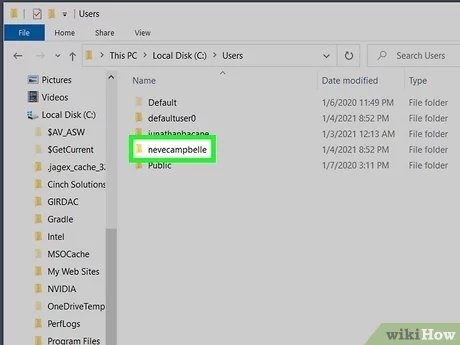
- Open File Explorer: Click the folder icon on your taskbar or press the Windows key + E.
- Navigate to your Drive: Usually, Fortnite is on your C drive but could be on another drive depending on your settings.
- Find Program Files: Look for either “Program Files” or “Program Files (x86)”. Double click the folder to open it.
- Look for Epic Games: Inside, find a folder called “Epic Games.” Double click the folder to open it.
- Locate the Fortnite folder: Inside Epic Games folder, there is a “Fortnite” folder. double click the folder to open it.
- Game Folder: And finally inside the Fortnite folder, you will find a subfolder named “FortniteGame.” double click to open it. Now you are inside the main game folder.
Example Path: The exact location on your C drive may look something like this: C:\Program Files\Epic Games\Fortnite\FortniteGame
If you installed Fortnite on a different drive, like D, then you’ll need to look for it there instead of C drive.
For PlayStation Users
On PlayStation consoles (PS4 or PS5), you don’t directly access the game folder the same way as on a PC. The operating system handles this in a different way. However, the game folder still exists in a way, stored within the console’s internal system storage. The system manages all the file operations in the background, and you do not need to go there for any modification. Here’s what you should know:
- It’s Automatic: You don’t have to find the game folder manually like on a PC.
- Manage from System Settings: If you need to make space, you can manage the game’s data (installation files, updates) through the console’s “Storage” or “Data Management” settings.
- Updating Through the Console: You will get automatic updates from the console’s software and won’t need to worry about any manual updates.
For Xbox Users
Similar to PlayStation, Xbox (Xbox One or Xbox Series X/S) also doesn’t let you browse game files directly. It also automatically handles these files in a user friendly way and you don’t have to worry about anything. Here’s the scoop:
- System Management: Xbox manages the Fortnite game folder automatically.
- Access through Storage Settings: If needed, you can manage the game size, move it, or uninstall it from the console’s storage management settings.
- Update from the Console: All the updates and patching will happen with the console’s in-built update functionality.
For Nintendo Switch Users
Nintendo Switch users also don’t have direct access to their game folders, similar to PlayStation and Xbox. The Switch OS handles the file management for you. This is what you need to know:
- No Direct Access: The Nintendo Switch has no user-friendly method of browsing game files directly.
- Manage from Settings: You can check and manage your storage and game data from the “Data Management” or “System Settings” menu.
- Auto-Updates: Just like other consoles, the Switch will also keep your game updated.
What’s Inside the Fortnite Game Folder?
The Fortnite game folder is like a treasure chest full of files that make the game work. While you don’t need to know every single file, it’s interesting to see what makes the game tick! This is especially useful for PC players who can see their file structure more easily. Some important sub folders and file types in your game folder can be:
Important Folders
- Binaries: These are executable files that allow the game to run. Here you will find the main application for Fortnite.
- Content: This is where the core game resources are stored. Inside you can find folders with assets.
- Paks: This folder contains package files (.pak) with important game data like skins, weapons, and map info.
- Audio: All the game sounds, music, and dialogue are kept in this folder.
- Movies: Video files or short movies that you sometimes see within the game are present here.
- Config: This folder has configuration files. Here, you can find the settings for how the game runs.
- Saved: This folder contains data like your game settings, replays, screenshots, and other saved information.
Important File Types
- .exe: The main program file that starts the game on Windows PCs.
- .pak: These package files contains game assets like character skins, weapons, and maps.
- .ini: Configuration files that control game settings like graphics and sound.
- .log: Log files which store information about how the game runs and can be helpful for troubleshooting.
Caution: It’s important to be careful while handling the files inside the game folder. Avoid changing or deleting any files unless you’re absolutely sure about what you’re doing. Messing with the wrong files could make your game stop working or cause other issues. Always double check before making any changes, or when following tutorials to make changes to the game folder. There are many tutorials available online to get some advantage from the game or enhance the game experience, but you have to take extra caution, as some of them might cause harm to the game.
Why Might You Need to Access the Fortnite Game Folder?
Most of the time, you can play Fortnite without ever needing to touch the game folder. However, there are a few situations when knowing about the game folder can come in handy:
Troubleshooting Game Issues
If Fortnite isn’t working correctly, knowing where the game files are can help with fixing it. Here are some examples:
- Corrupted Files: If a file is damaged, sometimes deleting it and re-downloading it from the game launcher can fix the problem.
- Game Crashes: Log files in the folder can help you (or a support technician) find out why the game is crashing.
- Performance Issues: Occasionally, changing graphics settings directly in config files can help improve game performance.
Freeing Up Disk Space
As Fortnite updates, it can take up a lot of space on your computer. Knowing the location of the folder can help you manage the space used by the game:
- Check the Size: You can easily see how much disk space the game uses by right-clicking the folder and selecting “Properties.”
- Uninstalling: It’s easier to uninstall or move the entire game folder using file explorer.
Customization (with caution!)
Some players like to tweak or customize their game. This may involve editing files in the game folder. This practice is not recommended for regular users. These types of customization may include:
- Custom Settings: Some players want to change graphic settings that aren’t available through the regular game menus.
- Replays: Replay files are also saved within the game folder and you can access and share them from there.
Note: It’s important to always proceed with caution and follow reliable guides while doing any of the customizations in game folder. It’s best to avoid changing files directly unless you really know what you’re doing.
Frequently Asked Questions about Fortnite Game Folder (as a quick recap)
Alright, let’s quickly address some of the common questions we’ve discussed in the article:
What exactly is the Fortnite game folder? It’s the central location on your computer or console where all the files for Fortnite are kept, including the game’s code, images, sounds, and settings.
Where is it located on a PC? Usually, it is in: C:\Program Files\Epic Games\Fortnite\FortniteGame. However, it can be on a different drive, based on where you installed the game.
Can I find the game folder on consoles like PlayStation, Xbox, and Nintendo Switch? No, these platforms don’t let you browse the folder directly, they manage it for you automatically.
What kind of files are in the Fortnite game folder? The folder has lots of files, like the main executable (.exe), game data (.pak), config files (.ini), and log files (.log).
Is it safe to change files inside the game folder? You should be very careful. Do not change files unless you are sure what you are doing. Editing the wrong files might break the game.
Can I free up space by deleting stuff in the game folder? You can manage space the game takes up, but you need to be very careful not to delete required files. It is advisable to use the console or launcher’s “uninstall” feature if you want to make space.
Understanding the Fortnite game folder can be very helpful, especially for PC players. Even if you play on console, knowing this place exists helps to know a little bit more about how the game works in the background. Whether you’re looking to fix problems, free up space, or even modify some settings, this folder holds a key to the game’s inner workings. Just be cautious when making changes, and always make sure you know what you’re doing. Happy gaming!
How To Find Fortnite Config file | How To Find Missing Game User Settings Fortnite & Valorant
Final Thoughts
The Fortnite game folder contains all the game’s files. These files are essential for running the game. They include game assets, configuration files, and executable programs.
Essentially, ‘what is fortnite game folder’ is a repository of data needed for gameplay. Modifying files within this location can cause problems. It’s best to avoid manual changes unless you know what you are doing.

