
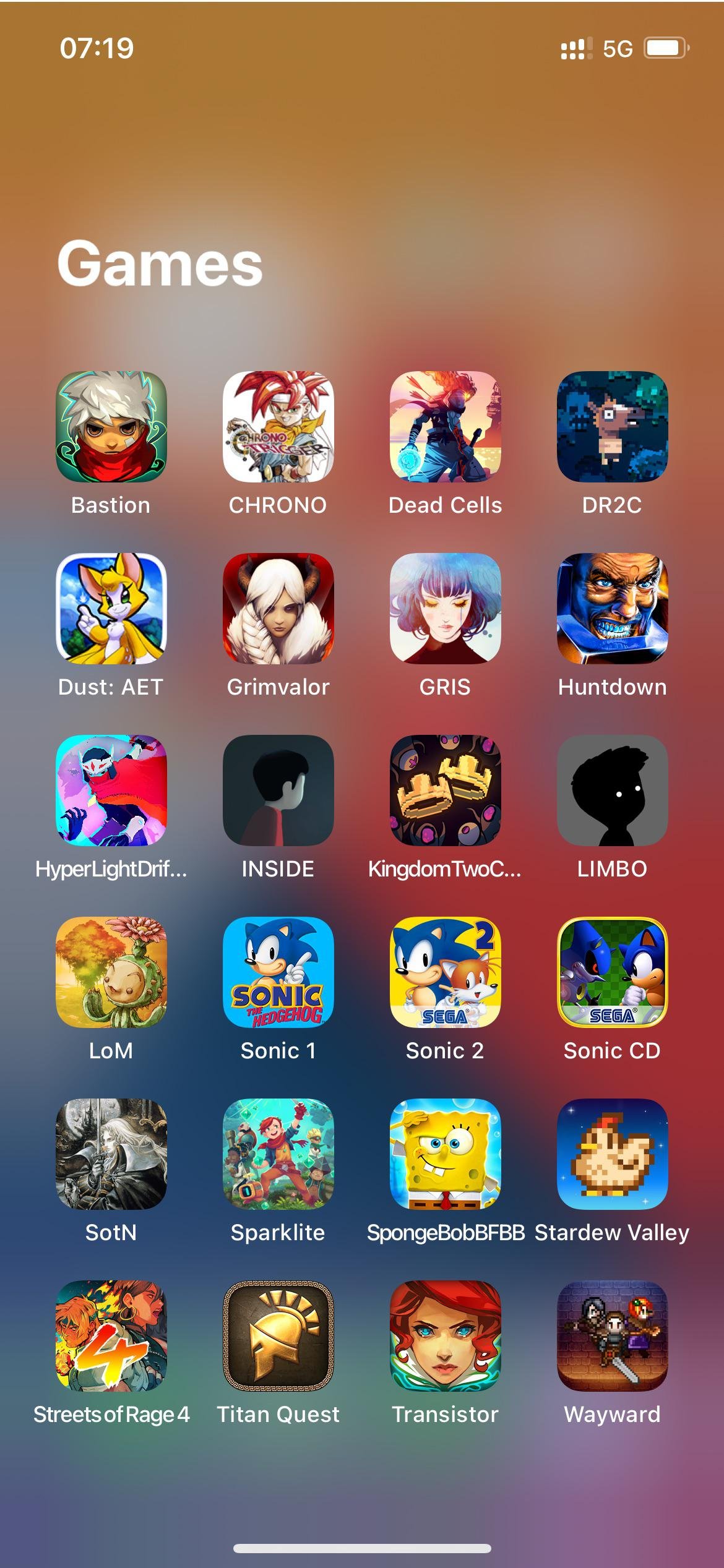
Many mobile games, especially those in genres like racing, action, and platformers, support controllers via Bluetooth or USB.
Tired of thumb-cramping touchscreen controls? You’re not alone! Many gamers seek better control schemes for their mobile gaming experiences. The good news is that the mobile gaming world is adapting.
More and more games now offer controller support. If you have wondered “what mobile games support controller”, you’ll find a growing list available across various app stores. This means you can enjoy a console-like feel while on the go.

What Mobile Games Support Controller?
So you’ve got a cool controller, maybe one you use for your console, or maybe a brand new one just for your phone or tablet! That’s awesome! But now you’re wondering: what mobile games actually let you use it? It’s a great question! Not every mobile game works with a controller, but many do, and more and more are being made all the time. Let’s jump into this exciting world and explore the types of games you can play with a controller on your mobile device. Using a controller can make your mobile gaming experience much more like playing on a console or PC. It can make it easier to control your character, aim precisely, and generally have more fun! We will look at different genres, famous game titles and will figure out exactly how to get set up. Let’s dive in!
Why Use a Controller for Mobile Gaming?
Using a controller with mobile games offers a bunch of advantages. Think about it – your fingers are sometimes covering the screen, or you might accidentally touch the wrong spot. A controller gives you physical buttons and joysticks. This means you have more precise control and can react much quicker in a game.
Better Control: Analog sticks are great for smooth movement in 3D games, offering far more control compared to tapping the screen.
Tactile Feedback: Physical buttons give satisfying clicks and immediate responses that touchscreens just can’t provide.
Reduced Screen Obscuration: Your fingers won’t be blocking your view of the action!
Enhanced Comfort: Holding a controller can be more comfortable for longer gaming sessions than holding your phone.
More Immersive Experience: A controller makes mobile games feel more like console or PC games.
These reasons make a big difference in how you experience a game. It’s all about having a more comfortable and immersive gaming session! Now that you understand why controllers are so beneficial, let’s check out the types of games that take advantage of them.
Genres That Commonly Support Controllers
Many different types of mobile games now support controllers. Here are some of the most common and popular genres:
Action Games
Action games are one of the best genres to play with a controller. These games often involve quick movements, precise aiming, and lots of button presses. Think fast-paced shooting, sword fights, and intense battles. Using a controller allows for precise controls and a much more responsive experience. Titles like Call of Duty: Mobile, PUBG Mobile, and Fortnite are excellent examples. They all benefit greatly from the accuracy and comfort a controller provides, and you’ll notice a definite improvement in how you play.
Racing Games
Racing games feel so much better with a controller. Steering with an analog stick provides a finer level of control than tilting your device or using on-screen buttons. The added precision can be the difference between winning and crashing in a challenging race. Games like Asphalt 9: Legends and GRID Autosport are great examples. A controller’s triggers can even be used for acceleration and braking, making the experience more similar to driving a car.
Platformers
Platformers benefit immensely from the precise movement a controller provides. Jumping between platforms and pulling off tricky maneuvers are just easier with physical buttons and joysticks. Games like Dead Cells, Evoland, and many classic retro platformers available on mobile are just better with a controller. The tactile response and clear controls help you get into the rhythm and conquer those hard jumps.
RPG and Adventure Games
Many role-playing games (RPGs) and adventure games also offer controller support. Often, these games have complex controls that are easier to manage with a controller. Think about navigating menus, using different skills, and interacting with the game world. Genshin Impact and Minecraft are two popular examples of RPGs that work well with controllers. You can explore, fight, and interact with the game world much more naturally with controller input.
Fighting Games
Fighting games are another genre where controllers make a huge impact. Precise movements and special attacks require precise input, which a controller delivers effortlessly. Games like Street Fighter IV Champion Edition and Skullgirls are greatly improved with a controller. Executing combos and special moves becomes much simpler, and you’ll feel more in control of your fighter.
Emulators
If you enjoy retro games, many emulators let you play classic games from old consoles right on your phone. Almost all emulators support controllers, so you can experience old favorites the way they were meant to be played. It is really enjoyable experience. Think about playing old Mario games, Sonic and others using a controller.
Popular Games That Support Controllers
Now let’s look at some specific examples of popular games that you can play using a controller:
Call of Duty: Mobile: This is a huge name in mobile gaming. The fast-paced shooting and action are perfect for a controller, giving you better aim and movement.
PUBG Mobile: Another popular battle royale game. A controller will make looting and aiming much more efficient in this exciting game.
Fortnite: A game that needs no introduction! A controller in Fortnite can greatly improve your building and combat skills.
Minecraft: Whether you’re building structures or exploring dangerous caves, a controller feels much more natural than using the touch screen.
Genshin Impact: This sprawling action RPG really comes to life with a controller. Explore the world and fight enemies with better precision and control.
Asphalt 9: Legends: Experience the thrill of high-speed racing with the better control that a controller gives you.
GRID Autosport: Enjoy this realistic racing simulation with all the handling you need from a controller.
Dead Cells: A challenging platformer that benefits from the precision of a controller.
Evoland: This adventure game makes its world much more interesting to explore using a controller.
Street Fighter IV Champion Edition: A controller can truly elevate your fighting skills in this classic fighting game.
Skullgirls: A stylish fighting game where controllers make combos much easier to execute.
Grand Theft Auto Series: A number of games in the Grand Theft Auto series have controller support on mobile, making them much more comfortable to play.
Terraria A highly regarded action-adventure sandbox game, Terraria is known for its complex controls. Playing this game on mobile devices with a controller really takes this game to the next level.
Stardew Valley Stardew Valley, the farming simulation role playing game is another popular choice for controller support on mobile. It provides better gameplay experience.
Rocket League Sideswipe: The mobile version of Rocket League, which is fast-paced and benefits from a controller for precise car control.
Implosion: Never Lose Hope: This sci-fi action game plays well with the better control you get from a controller.
Oceanhorn: This adventure game offers you an immersive and detailed experience that is more enjoyable using a controller.
This is just a starting point. The number of mobile games that support controllers is increasing rapidly! Keep an eye out for games that you want to try with your controller.
How to Connect a Controller to Your Mobile Device
Connecting a controller to your phone or tablet is usually pretty straightforward. Here’s how you do it:
Bluetooth Controllers
Most wireless controllers connect via Bluetooth. Here’s the general process:
1. Put Your Controller in Pairing Mode: This usually involves holding down a button on the controller, often the “PS” or “Xbox” button, until a light starts flashing. The exact button and process may vary depending on your controller.
2. Open Your Device’s Bluetooth Settings: On your phone or tablet, go into the Bluetooth settings.
3. Scan for Available Devices: Your phone or tablet will search for nearby Bluetooth devices.
4. Select Your Controller: Find your controller on the list and tap on it to connect.
5. Test Your Connection: Once connected, open a game that supports controllers to test if everything is working correctly.
Wired Controllers
If you have a wired controller, you can connect it directly to your device using a USB cable and a USB adapter, depending on your phone or tablet port. For example, if you have an Android, you might need a USB-C to USB-A adapter. If you are using Apple devices you might need a Lightning to USB adapter. After connecting your controller, open a compatible game and start playing.
Controller Compatibility
PlayStation Controllers (DualShock, DualSense): These controllers work great with mobile devices via Bluetooth.
Xbox Controllers: Xbox controllers also connect easily through Bluetooth.
Third-Party Controllers: Many third-party controllers that are built for mobile gaming work similarly. Check for instructions included with the controller.
MFi Controllers (Made for iPhone): These controllers are specifically designed for Apple devices.
Gamevice: Gamevice are controllers that physically attach to your device, making it more like a portable console.
Make sure your controller is charged and ready to go! Also, keep your phone or tablet’s operating system updated to get the most compatibility.
Settings and Customizations
Once your controller is connected, most games that support controllers offer settings to change controls to your preference. This can include:
Button Remapping: You can change the function of each button to suit your play style.
Sensitivity Adjustment: Adjust how sensitive the analog sticks are.
Inversion Settings: You can change whether the up-down movement is inverted.
These customization options give you much better control over your gaming experience and let you set things up exactly how you like.
Tips for an Optimal Controller Gaming Experience
Here are some things that you should keep in mind to make your mobile gaming experience even better with a controller:
Update Your Device Software: Make sure that your device software is up-to-date. Updates can improve controller compatibility and fix bugs.
Keep Your Controller Charged: Nothing is more annoying than having your controller die in the middle of an exciting game.
Try Different Controllers: If you have the option, try out different controllers to see what is most comfortable and works best for you.
Experiment with Settings: Don’t be afraid to mess with the control settings. Everyone has their preferred way of playing.
Use a Phone Mount: Consider using a phone mount that attaches to your controller for easier viewing. It can make your gaming experience feel closer to a handheld console.
Be Aware of Battery Consumption: Bluetooth connection and playing games can drain your battery quicker. Make sure to have a charger handy or be mindful of how much time you are playing.
By keeping these in mind, you’ll be sure to have a better gaming experience with your controller.
The Future of Controller Support in Mobile Gaming
Mobile gaming is constantly evolving. We can expect even more games to support controllers in the future as both developers and players are demanding a console like gaming experience on mobile devices. This can open the door for new possibilities for mobile games, with experiences getting more and more like console and PC games.
With more games implementing controller support, using a controller with your mobile device will become even more standard. The ease of use and benefits controllers provide makes them a must for gamers. So get yourself a controller, try out different games, and have fun exploring the world of mobile gaming!
This is an exciting time for mobile gamers. With more and more games supporting controller gameplay, you have a wealth of fun experiences available. Just remember to pick a comfortable controller, get everything connected correctly, and try different games. You might find a whole new way of enjoying your favorite mobile games.
Top 10 mobile games with controller support
Final Thoughts
Many games across different genres support gamepads. Action, racing, and platformers frequently have controller options. First-person shooters and RPG titles are also increasingly adding controller compatibility.
Ultimately, the list of titles is constantly growing. If you are asking, ‘what mobile games support controller?’, you will find numerous options within popular app stores. This functionality enhances the gaming experience greatly.

