
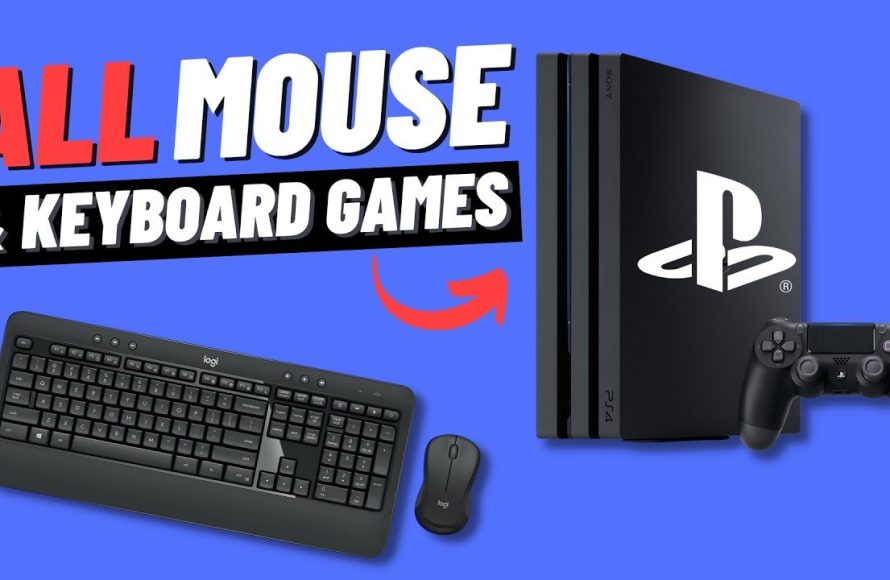
Several PS4 games support keyboard and mouse input, including popular titles like Fortnite, Call of Duty: Modern Warfare, and Final Fantasy XIV Online.
Ever wondered what ps4 games support keyboard and mouse? It’s a question many players have when looking to switch up their gaming experience. The good news is, some games do provide this alternative input method.
It’s not a standard feature across all titles, so knowing which ones offer the option can enhance your gameplay. Using keyboard and mouse can give some players a competitive advantage too.

What PS4 Games Support Keyboard and Mouse?
Alright, gamers, let’s talk about something cool: playing PlayStation 4 games with a keyboard and mouse! You might be thinking, “Wait, can I really do that?” The answer is yes, but it’s not for every game. Using a keyboard and mouse can sometimes give you better control, especially in games where aiming is important, like shooters. It’s like trading in your trusty controller for a super-powered setup. But how does it all work, and which games actually let you use this awesome combo? Let’s dive in and find out all about which PS4 games support keyboard and mouse!
Why Use a Keyboard and Mouse on PS4?
Before we get into the games themselves, let’s talk about why you might want to use a keyboard and mouse instead of a controller. For a lot of people, it just feels more natural. Think about playing games on a computer – you’re probably used to using a mouse to move and aim, and a keyboard to move your character and perform actions. That muscle memory can make a big difference in your gameplay. Here are a few more reasons why you might switch to a keyboard and mouse:
- Improved Aiming Accuracy: Mouse aiming is often much more precise than using analog sticks on a controller. This is especially helpful in first-person shooters where you need to be quick and accurate. Think of it like comparing painting with a big brush to painting with a tiny one – you have more fine-tuned control with the smaller brush (the mouse).
- Faster Reactions: Quick, snappy movements can be easier to pull off with a mouse and keyboard. When you need to turn around fast or quickly switch between targets, the responsiveness of a mouse and keyboard can be very helpful.
- Comfort and Customization: Some people find a keyboard and mouse setup more comfortable for longer gaming sessions. You can often arrange them the way you like, and you might find that using different key binds makes the gameplay easier for you personally.
- Familiarity: If you’re used to playing games on PC, using a keyboard and mouse on your PS4 can make things feel more familiar and comfortable.
How to Connect a Keyboard and Mouse to Your PS4
Connecting a keyboard and mouse to your PS4 is generally pretty straightforward. You’ve got two main ways to do it – wired and wireless. Let’s explore both options:
Wired Connection
This is the easiest way. For a wired setup, you’ll need a USB keyboard and a USB mouse. Just plug them into the USB ports on the front of your PS4. Your PlayStation 4 should recognize them automatically. That’s it! Simple, right?
- Find the USB ports on the front of your PS4 console.
- Plug your keyboard’s USB cable into one of the USB ports.
- Plug your mouse’s USB cable into the other USB port.
- Your PS4 should automatically detect the devices.
Wireless Connection
If you prefer no wires, you can connect using Bluetooth. Most Bluetooth keyboards and mice should work with your PS4. However, you will have to pair the devices with the PS4 in the settings menu first.
- Make sure your keyboard and mouse are in pairing mode (check their manuals if you are not sure how to do this).
- Turn on your PlayStation 4.
- Go to Settings from the home screen.
- Select “Devices”.
- Select “Bluetooth Devices”.
- Your PS4 will start searching for Bluetooth devices. Select the keyboard and the mouse one at a time to pair them to your PS4.
- Enter any code if prompted.
After connecting either way, you can test it by navigating menus using the keyboard and mouse, or jumping straight into a game that supports this method of play.
List of PS4 Games with Keyboard and Mouse Support
Now, for the main event! Which PS4 games actually support keyboard and mouse? It’s important to know that not all games support this. Here’s a breakdown of some of the most popular games that do:
First-Person Shooters
This is where keyboard and mouse support really shines! Games where you need to aim precisely, like shooters, often feel much better with this setup. Here are some notable examples:
- Call of Duty: Modern Warfare/Warzone: The Modern Warfare games on PS4 allow you to use a keyboard and mouse, improving your reaction time and accuracy, especially in Warzone.
- Fortnite: This is another very popular game that allows keyboard and mouse. It gives you great precision and is perfect for building and combat.
- Overwatch: The highly competitive hero shooter works well with a mouse and keyboard, allowing for fast reflexes and pinpoint accuracy.
- Paladins: Another team based shooter where you can use a keyboard and mouse, and is considered to be one of the better options for the genre.
These FPS titles greatly benefit from keyboard and mouse because of the precise aiming they allow. The quick turns and snappy actions are all enhanced with this setup.
MMORPGs (Massively Multiplayer Online Role-Playing Games)
If you are diving into a huge virtual world with tons of menus and controls, keyboard and mouse is a great option. These games often have many shortcuts and actions, and using a keyboard makes it easier to access and use all of these efficiently. Below is a selection of MMORPGs that offer this option:
- Final Fantasy XIV Online: This is a very popular MMORPG, and it fully supports using a keyboard and mouse, making navigating menus and combat much easier.
- Elder Scrolls Online: Explore the vast world of Tamriel and battle monsters with improved control using a keyboard and mouse.
The keyboard and mouse is super helpful for handling these games. Navigating menus, performing complex actions, and controlling your character’s movement is made much easier.
Other Games with Keyboard and Mouse Support
While FPS and MMORPG titles make great use of keyboard and mouse, other genres also offer this functionality:
- War Thunder: This vehicle combat game uses many controls and is much easier with keyboard and mouse setup for vehicle management.
- DayZ: Navigate the vast post-apocalyptic open world with your choice of peripherals for more comfortable and effective gameplay.
- They Are Billions: Enjoy this strategy game with the ability to manage your base with easy movement using keyboard and mouse.
- Minecraft: Explore and build your world with all of the controls you are used to on PC.
These games often combine different genres and can greatly benefit from having both keyboard and mouse support.
Important Considerations and Limitations
It’s important to keep a few things in mind when you consider using a keyboard and mouse on your PS4.
Not All Games Support It
The most crucial thing to remember is that not all PS4 games support keyboard and mouse. Many games are designed specifically to be played with a controller, and they won’t let you use a keyboard and mouse at all. Sometimes you just have to use the controller.
Developer Decisions
Whether a game supports keyboard and mouse comes down to a developer decision. They decide how their games are best played, and if they want this option to be available. This can depend on many things, from the game’s design to the desired experience they want players to have. So it’s not a simple decision of enabling the feature and it works, they actually have to program the keyboard and mouse controls into the game. This is why some games have it, and many do not.
Inconsistent Support
The way keyboard and mouse work can vary from game to game. Some games may have better support than others. For example, some games will have full customization options, while others might only have basic functionality. It is very dependent on the developers to provide that functionality. The in-game keyboard and mouse support is dependent on the game’s developers, so expect some to have better support than others.
Potential for Unfair Advantage
Some players believe that using a keyboard and mouse gives an unfair advantage in games like first-person shooters. Because of this, some multiplayer games match players using keyboard and mouse with others using the same input method, whereas controller players are matched against controller players. This is an attempt to keep gameplay fair.
It is also worth noting that there are third-party devices called adapters. These devices will “fake” the keyboard and mouse input to look like controller input and can be used in any game. While they may work in some situations, they are not an ideal way to play, and are not officially supported. They could also be considered cheating in online games and are often frowned upon by the gaming community, as they are not an officially supported input method.
Tips for Using Keyboard and Mouse on PS4
Here are a few helpful tips to make your experience using keyboard and mouse on your PS4 even better:
- Adjust Settings: Make sure you go into the game settings and tweak your mouse sensitivity. This will make sure it feels just right and that you are in full control.
- Experiment with Keybinds: Many games allow you to change the key bindings. Experiment and set them up in a way that feels most comfortable and efficient for your playstyle. This can make a big difference for complex actions.
- Practice, Practice, Practice: Using a keyboard and mouse on a console is a different feel than using a controller, so take some time to practice and get used to how everything works.
- Keep Firmware Updated: Keep your devices firmware updated so they work correctly.
- Use a Mousepad: If you use a mousepad for PC gaming, then use the same mousepad for PS4 gaming. The muscle memory will make the experience much better for you.
By taking these tips into account, you can get the most out of your keyboard and mouse setup on your PS4 and improve your gaming experience.
So, to wrap it up, using a keyboard and mouse on your PS4 is a fantastic option, especially for games that require precision aiming. While not every game supports it, the ones that do can really provide you a great way to enjoy playing. So plug in those peripherals, try out some of those games, and see how it feels to play with this alternative control scheme. Happy gaming!
ALL Playstation 4 games that support Mouse and Keyboard (2024)
Final Thoughts
Many PS4 games offer keyboard and mouse support, providing players with alternative control options. Popular titles include Call of Duty: Modern Warfare, Final Fantasy XIV Online, and Overwatch. This feature often enhances precision in certain game genres.
So, what ps4 games support keyboard and mouse? The list isn’t exhaustive but it covers major releases. Always check a game’s specifications before playing. You may find this control method enhances your gaming experience.

