
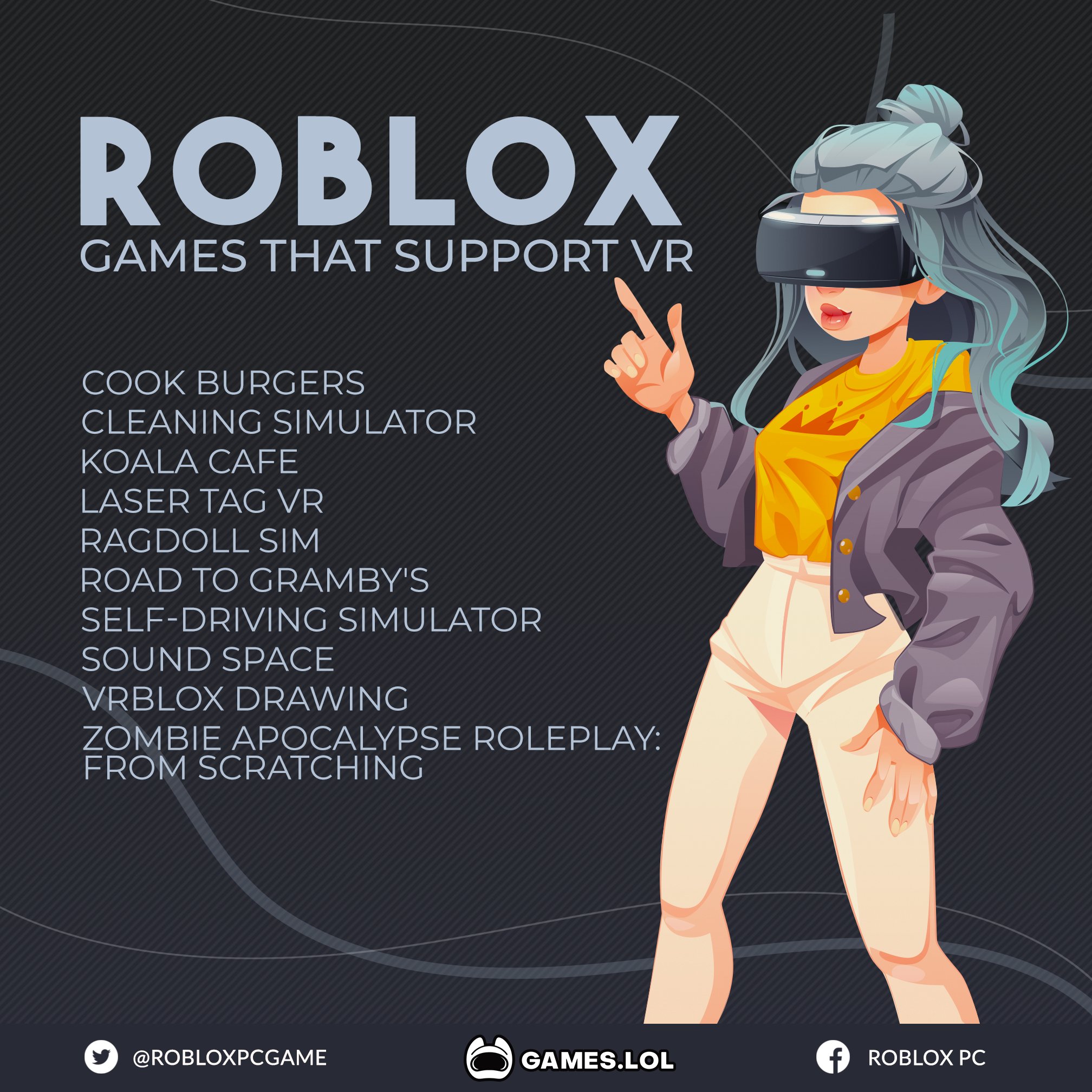
Many Roblox games support VR, indicated by a VR icon on their game page. Popular examples include experiences like “Vibe Train” and “REMM” which offer immersive gameplay in virtual reality.
Stepping into the world of Roblox takes on a whole new dimension when you can physically inhabit your avatar, but what Roblox games support VR? It’s a common question for those wanting a more immersive experience. Thankfully, plenty of creators have embraced the technology.
Finding these games is quite simple, keep an eye out for the VR headset icon on a game’s thumbnail. When you see it, you know you’re in for a treat that will take full advantage of your headset.

What Roblox Games Support VR?
So, you’ve got a cool VR headset and you’re itching to jump into the world of Roblox? That’s awesome! But before you dive in, you might be wondering, “Which Roblox games actually work with VR?” It’s a great question, and the answer isn’t always super obvious. Not every Roblox game is ready for the immersive experience of virtual reality. Let’s explore which games are VR-friendly and how you can start playing them.
Finding VR-Ready Roblox Games
The first step is knowing where to look. Roblox doesn’t have a special “VR games” category, so you need to be a little bit of a detective. Here are a few ways to find games that support VR:
- Roblox Game Pages: Look for the VR icon on the game’s page. It’s usually a small headset symbol. This is the easiest way to tell if the game’s creator has made it VR-compatible. If you see it, the game should work with your VR headset.
- Community Lists: Many Roblox players are dedicated to finding great VR experiences. They often make lists and share them in forums or on websites. Check out places like Reddit, Discord servers dedicated to Roblox VR, or even YouTube channels where people showcase VR games.
- Experiment and Explore: Sometimes, a game might not advertise VR support, but it actually works great in VR. It’s worth trying out games that look interesting to see if they happen to work. Just remember, not all games will be perfect in VR, even if they do technically support it.
What to Look For in VR Games
When you’re trying out a Roblox game in VR, pay attention to a few things that make a big difference to the experience:
- Comfort: Some games have a lot of fast movement or sudden changes in perspective. This can make some people feel a little queasy. Look for games that have smooth movement options or let you teleport from place to place.
- Controls: Using your VR controllers should feel natural. Good VR games have intuitive control schemes. If the controls are clunky or hard to learn, the game might not be a great VR choice.
- Interaction: The best VR experiences let you really interact with the world. Look for games that let you grab things, push buttons, or manipulate objects in a meaningful way. This makes the experience feel much more engaging.
- Clear Visuals: Text and other important game elements should be easy to see in VR. If the text is too small or blurry, it will be hard to understand what’s happening in the game.
Popular Roblox VR Games
Let’s get into some specific games you might want to try. These titles usually get good reviews from VR players in the Roblox community. Please remember that availability might change, and it is always best to verify VR compatibility on the game’s page directly. This list is not exhaustive, and the Roblox platform is constantly being updated with new and interesting experiences.
Action & Adventure VR Games
Do you love jumping into action-packed adventures? Here are a few to try out:
- Vibe NYC: This open-world adventure allows you to explore a virtual recreation of New York City. This game has generally very positive reviews and it looks amazing with VR headset.
- Natural Disaster Survival: Get ready for crazy weather! Dodge floods, fires, and other disasters in this chaotic game. When playing in VR, the feeling of the scale of disasters is amplified.
- Super Bomb Survival: Run for your life as bombs drop all around you! This game is full of fast-paced action and it can be very thrilling in VR.
Simulation & Role-Playing VR Games
If you enjoy immersing yourself in different roles, check out these VR options:
- Brookhaven RP: This game is a popular choice for role-playing. Explore a town, own a house, and make new friends in this virtual world. The immersive aspect of VR adds another layer to the gameplay.
- Livetopia: Another great game for role-playing, this virtual world offers more opportunities to interact with the environment and socialize with other players.
- Restaurant Tycoon 2: Start your own restaurant and manage everything from the menu to the staff. This can be strangely addictive in VR, as you get to feel like you’re really in the kitchen.
Puzzle & Mystery VR Games
Do you like to solve puzzles and unravel mysteries? Here are a few options in the VR space:
- Escape Room: Test your problem-solving skills in these virtual escape rooms. The challenge of the puzzles are significantly amped up by the immersive aspect of VR.
- The Mimic: Inspired by Japanese folklore, this horror game will give you the chills. Playing this in VR definitely adds to the atmosphere!
Creative & Building VR Games
If building and creating things is your jam, explore these options:
- Build a Boat for Treasure: Create your own boat and sail the seas. The immersive quality of VR can enhance your building process.
- Theme Park Tycoon 2: Design your own dream theme park and experience it from the ground up in VR. It’s great to ride your own rollercoasters virtually!
Setting Up Roblox for VR
Once you’ve found some VR-ready games, here’s how to set things up.
System Requirements
First, make sure your computer is powerful enough to run both Roblox and your VR headset. Here are some general requirements you’ll need to consider:
- Operating System: Windows 10 or higher.
- Processor: Intel Core i5 or AMD equivalent.
- RAM: At least 8GB of RAM.
- Graphics Card: A dedicated graphics card (like an Nvidia or AMD card). Check the minimum requirements of your VR headset.
Connecting your VR Headset
Each VR headset has its own setup process. Here are the general steps:
- Install VR Software: Download and install the software that comes with your VR headset (like Oculus software for Oculus headsets, or SteamVR for HTC Vive, Valve Index etc).
- Connect your headset: Connect your headset to your computer, follow the provided instructions to set up and calibrate your headset.
- Launch Roblox: Once the headset is set up properly, you can launch the Roblox app on your computer. Make sure to log in to your Roblox account.
- Enable VR: Usually, Roblox will detect your VR headset. If it doesn’t, there is usually a toggle option in the settings to enable VR.
- Launch the VR Game: Click on a VR-compatible game, and it should launch into VR. You will need to put on your VR headset.
Troubleshooting Common Issues
Sometimes, things don’t go smoothly. Here are some common issues and fixes:
- Game not launching in VR: Check if the game has VR support indicated by the VR icon. Ensure that VR is enabled in Roblox settings and that the VR software is running correctly on your computer.
- Poor Performance: Make sure your computer meets the system requirements. Try lowering the graphics settings in Roblox to improve performance. If you have many applications running, make sure to close them.
- Controller Issues: Make sure your controllers are properly paired. Some games might have specific control instructions. Double check in game settings or community forums, if other players have experienced the same issue.
- Motion Sickness: Start with games that have smooth movement. Take breaks if you start feeling unwell. Try the teleport movement method if its an option in the game.
The Future of VR on Roblox
The world of VR on Roblox is always growing and changing. More developers are making their games VR-compatible, and the experiences are getting more immersive and refined. As technology gets better and more users join the platform in VR, you can expect even cooler and more amazing VR experiences on Roblox in the future.
It’s also really important to check community forums and YouTube channels to learn what are currently great games and understand what to expect from a game. The community is very active and usually very helpful if you need any technical help or recommendations.
Jumping into Roblox in VR is a great way to add an extra layer of fun to the games you love. With so many great options out there, you’re sure to have an amazing experience. Now go, have fun, and explore the world of Roblox in VR!
The TOP Quest 2 ROBLOX VR Games Part 3!! 😱 #shorts #robloxvr
Final Thoughts
Many Roblox experiences offer VR support, ranging from immersive simulators to action-packed adventures. You will find a growing number of titles that allow playing in virtual reality. Check each game’s details before jumping in.
Finding out what roblox games support vr can be a fun experience. Several popular choices work well. Always check for VR compatibility in the game description.
Roblox continuously adds VR support to more games. These experiences provide exciting ways to play with your headset. Many users have a lot of fun using this feature.

