
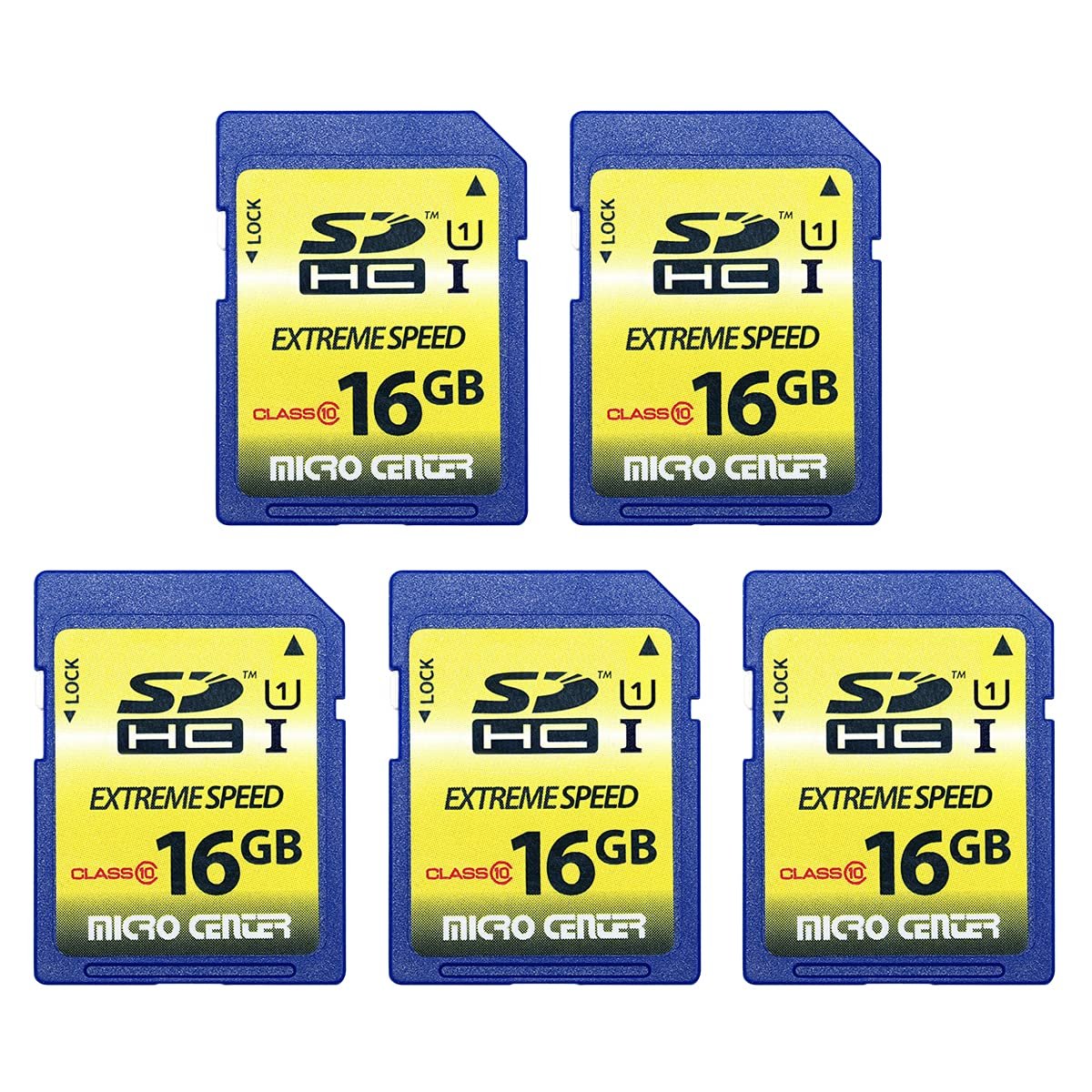
For most game cameras, a 32GB SD card offers sufficient storage. However, consider a 64GB or 128GB card if you anticipate high-resolution images or videos, or prolonged periods between card swaps.
Choosing the correct storage can be a crucial step when setting up your trail cam. The question, “what size SD card for game camera,” often pops up for both beginners and seasoned users. It’s a simple question with a few important factors to consider. Let’s explore some key aspects of selecting the right memory capacity for your needs.
Factors such as the image resolution and video quality settings impact the space occupied on your card. These factors directly affect the amount of photos or video clips your game camera can store. Selecting a card that appropriately accommodates your specific usage is crucial to a successful monitoring experience.

What Size SD Card for Game Camera? Finding the Right Fit
Picking the right SD card for your game camera can feel like a tricky puzzle. You want to make sure it stores all the amazing photos and videos of deer, foxes, or whatever critters visit your backyard or hunting spot, without running out of space. But how do you know what size is best? Let’s break it down and make it super easy to understand.
Understanding SD Card Basics
Before we dive into sizes, let’s talk a little bit about what an SD card actually is. SD stands for Secure Digital, and it’s a tiny, removable memory card that stores digital information, like pictures and videos. Game cameras use these to keep the images they capture. There are different types of SD cards, but the most common ones for game cameras are SDHC and SDXC. The letters are important because they tell us about capacity.
SDHC vs. SDXC: What’s the Difference?
SDHC stands for Secure Digital High Capacity, and these cards range in storage from 2GB to 32GB. SDXC means Secure Digital Extended Capacity, and these can store a whole lot more, from 64GB all the way up to 2TB (2000 GB!). Think of it like this: SDHC is like a smaller backpack, perfect for a day trip, and SDXC is a big camping pack, ready for a long adventure. The main difference is the storage size and they use different formatting systems which can be important when choosing the correct card for your camera. Also, SDXC is typically faster in its data transfer capabilities but that is rarely a limiting factor in game cameras.
Why Size Matters: Storage Needs
The size of your SD card directly impacts how many pictures and videos your camera can hold. Different things influence how much space a picture or video takes up. For example, if your camera takes really detailed high resolution pictures or shoots long videos in 4k resolution, they will take up much more space than smaller or shorter videos. You’ll need a larger card if you plan to capture many or high quality images. Let’s explore what can influence the size of the file.
Resolution: The Clarity of Your Images
The resolution of your camera’s images has a big impact on the file size. Resolution is measured in megapixels (MP). More megapixels mean more details in the image, which is great for seeing every hair on a deer’s back, but each of those images will take up more space on the SD card. If your camera has a 12MP setting, the file size will be smaller than if you shoot with a 20MP setting. If your goal is to have high clarity, you should go for a bigger card.
Video Length and Resolution: Recording Time
Video recording, especially at high resolution like 1080p or 4K, will quickly fill up your card. The longer the video and the higher resolution you are using, the more space it takes up. Consider how long you want to record. If you’re just looking for a quick clip of an animal walking by, you don’t need as much space as if you are trying to capture a full interaction. In general, video files are much bigger than image files. You will need to estimate how much space you will need. Many game cameras have different video quality settings, and if you don’t need high quality videos you could use that to reduce video file sizes.
The Number of Photos
Think about how many pictures your camera takes at a time and how often it might get triggered. If it’s in a busy spot with lots of wildlife passing by, or you are using the burst mode (which can take multiple pictures at once), you will need more space on your card than a camera in an area where animals visit infrequently.
Time-Lapse Mode: Capturing Change
Time-lapse photography is when your camera takes photos at set times over a long time period. If you plan on doing this for days or even weeks, you’ll need a larger SD card to store all those photos. This is especially true if you are capturing higher resolution time-lapses.
Recommended SD Card Sizes
So, what SD card size is best for your game camera? Let’s explore a few common scenarios.
Smaller Cards (Up to 32GB): A Good Start for Light Use
If you’re new to game cameras or plan to use yours sparingly (like in a quiet area or a small backyard), a 16GB or 32GB SDHC card can work great. These cards are good for taking basic photos and short video clips. A smaller SD card is better if you will be checking it very frequently. You can transfer the pictures from the smaller card to your computer often and you won’t have to worry too much about filling it up before you check it. If your camera is in an area that won’t see a lot of action, this is likely the best choice.
- Pros: Cheaper, easy to manage for light use, great for basic photography and short clips.
- Cons: Fills up quickly with lots of photos or video, may not last long if the camera is used heavily, requires more frequent maintenance.
Mid-Range Cards (64GB to 128GB): A Solid Choice
Most people find that a 64GB to 128GB SDXC card is the perfect fit for average use. These cards are big enough to hold lots of photos and videos and it doesn’t require the extra cost of the biggest cards. If you use your camera somewhat regularly and record some videos, this might be the right choice for you. This is likely the most common size people use.
- Pros: Good balance between storage and cost, allows for more photos and longer videos, less maintenance than smaller cards.
- Cons: Can still fill up with lots of high resolution photos and videos over time.
Larger Cards (256GB and Up): Maximum Storage
If you’re serious about recording lots of high-quality videos and photos, or you plan to leave your camera in the field for a long time without checking it, 256GB SDXC or bigger cards are the best choice. These cards give you plenty of room to capture everything you want and not worry about running out of space.
- Pros: Lots of storage, no need to change or empty cards often, great for heavy use.
- Cons: More expensive.
Factors Affecting Card Choice
Choosing the correct card size depends on how you use your camera and what kind of footage you are capturing. However, there are other factors to consider beyond the size of the card.
Camera Compatibility: Knowing Your Camera’s Limits
Before buying any SD card, it’s really important to check your game camera’s manual or website. Some cameras have limitations on the maximum SD card size that they can support. If you buy an SD card that is bigger than what your camera is designed to use, it will not work. For example, some older cameras are designed for SDHC, and won’t read SDXC cards. Make sure that you get the correct type and the correct size.
Card Speed: The Data Transfer Rate
SD cards also have speed ratings, often written as a class number or with a UHS rating (U1, U3, etc.). This number tells you how fast the card can write data. A higher class number and a higher UHS rating means the card can save the picture or video faster. This is especially important when you take lots of pictures in a row or when shooting videos at high resolution. For most game cameras, especially if they don’t take 4K video, speed is generally not important. But if you want the highest video quality it’s best to pick a card with U3 written on the label. Cards with a speed class rating of 10 and a U3 rating are generally the best.
Budget: How Much Do You Want to Spend?
SD cards can range from relatively inexpensive to quite expensive depending on their size and speed. Determine your budget and pick a card that fits it. There is a good chance that you can find sales on SD cards so it might be good to keep an eye out for sales if you are on a tighter budget.
Environmental Factors
If you are placing your camera in very cold environments or very hot environments, it might be a good idea to pick an SD card designed to withstand extreme temperatures. The card has to operate in the temperature range, so it may be important to look at the temperature operating limits. Also, extreme cold or extreme heat might damage the camera itself so be aware of your camera’s temperature operating range too.
Formatting Your SD Card
Once you get your new SD card, you should always format it in your game camera before use. Formatting erases all the data on the card and prepares it specifically for your camera. This helps make sure the card works well with your camera. Check your camera’s manual for the correct formatting procedure. You generally can find the format button under camera settings. This important first step will prevent a lot of issues and it should be done before any images are taken.
Tips for Managing Your SD Card
Here are a few extra tips to keep your SD card happy and your camera working well.
- Regularly Check: Look at your photos and videos regularly and download them to your computer. This will free up space on your SD card and help you avoid losing your precious footage if your camera or SD card fails.
- Keep It Safe: Store your SD card in a safe place when you are not using it, like its case or a small plastic bag. This will prevent accidental damage and keep the card clean.
- Clean The Card: Make sure that the gold contacts are clean from dirt or other contaminants. You can use a soft brush or compressed air to clean them.
- Avoid Overwriting: If your card is very full, it might overwrite your oldest images with the newer ones. Make sure you don’t lose important content by regularly backing it up.
- Have a Backup: Having an extra SD card is also a good idea to have in case one fails.
Choosing the perfect SD card for your game camera doesn’t have to be overwhelming. Think about how you will use your camera, what kind of pictures and videos you will capture, and how often you will check the camera. By considering these factors, you can find the perfect SD card for your needs and enjoy all the great footage your game camera can get.
The BEST SD Cards For TRAIL CAMERAS!!!
Final Thoughts
Selecting the right SD card size depends on your camera’s resolution and how often it records. For most trail cameras, 32GB offers a good balance of storage capacity and cost. You should check your camera’s manual for its specific maximum supported size.
A larger card like a 64GB can be ideal if you record a lot of video. However, it might be overkill for most still images. Therefore, the answer to “what size sd card for game camera” really depends on your needs. Consider your budget and the frequency of your checkups.

