
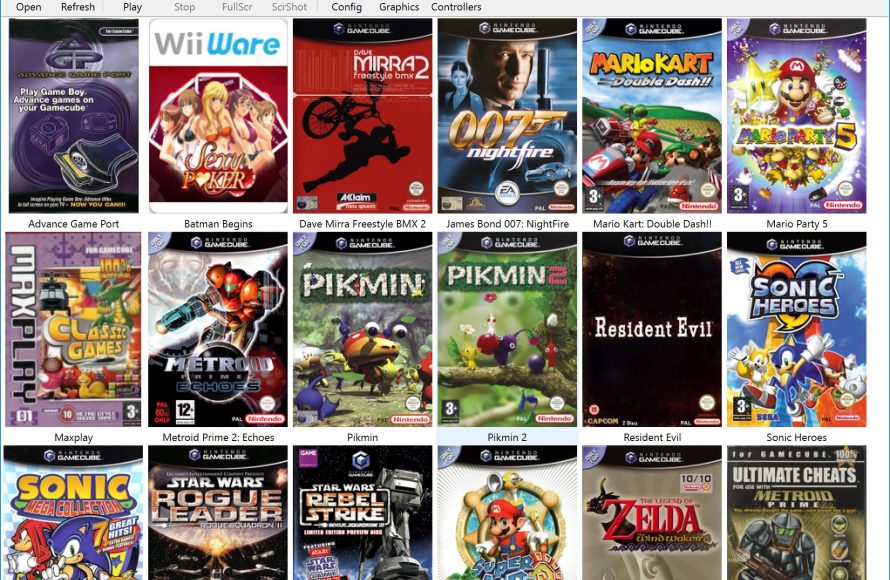
ROM sites, which you can easily find using your preferred search engine, are generally where to get games for dolphin emulator.
Ready to revisit your favorite GameCube and Wii titles? Many people are curious where to get games for dolphin emulator. It’s a common question for those exploring the world of emulation.
Finding these games usually involves exploring online sources. You’ll want to be cautious and ensure you are downloading from reliable locations for safe experience.

Where to Get Games for Dolphin Emulator
So, you’ve got the Dolphin emulator all set up and ready to go! That’s awesome! But now comes the big question: where do you actually find the games to play? It’s a super important part of the whole experience, and it’s something a lot of people wonder about. Finding games for Dolphin is different from getting them on a regular console, so let’s break down all the places you might look.
Understanding Game Formats
Before we dive into where to find games, let’s quickly talk about the different types of files you’ll encounter. Games for the GameCube and Wii usually come in a few different formats. Knowing these will help you understand what you’re downloading.
ISO Files
Imagine an ISO file like a perfect copy of a game disc. It’s a complete and uncompressed image of the disc, just like you had it straight from the store. These files are often larger in size, since they contain all the data exactly as it was on the original disc. Because of this, ISO files tend to be really reliable when you want to play the game using Dolphin emulator.
WBFS Files
WBFS stands for Wii Backup File System. These files are compressed versions of ISOs. This means they take up less space on your computer. So if you’re worried about storage space and have lots of games, then these file types are generally good choice. However, Dolphin emulator does a great job at running ISO files as well, and you don’t always need to have a WBFS file of the game.
Other Formats
You may sometimes see other types, like GCM (GameCube) or RVZ (a compressed format similar to WBFS). Dolphin can handle a variety of formats, so generally, you won’t have to convert files to make them work. But it’s good to be aware of these.
The Importance of Legality
Now, let’s talk about the most crucial thing: legality. It’s super important to only get games you actually own. Downloading or sharing games you don’t own is a form of stealing called “piracy,” which is against the law. Just like you wouldn’t walk into a store and take a game off the shelf without paying, you shouldn’t download games you haven’t purchased. You should always have a physical copy of the game disc, to be able to play it in the emulator.
Remember: Respect the game developers and publishers. They put a lot of effort into creating these games we love. Supporting them fairly is essential so they keep making more games.
Where to Find Games (Legally!)
Okay, so where do you get the game files if you own the game? Here are a few options you can think about:
Ripping Your Own Discs
This is the safest and most ethical way to obtain games for the Dolphin emulator. When you legally purchase a GameCube or Wii game, you have the right to make a personal backup. This means using your computer’s disc drive to create an ISO or WBFS file of the game. This is called “ripping.”
How to Rip Discs:
- Make sure you have a compatible disc drive: Not all computer disc drives can read GameCube or Wii discs. Look for a drive that can read DVDs, or consult an online compatibility list of different DVD drives and their models.
- Use ripping software: You’ll need specific software designed to rip game discs. Programs like CleanRip (for Wii) can create an image of your disc.
- Follow the software’s instructions: Each software is different, so make sure you read through the instructions. The process is usually pretty straightforward. Place the disc into the drive, pick the software setting according to that and press the start button to start the process.
- Store the ripped game file properly: Once the ripping process has finished, make sure to store the file properly, so that you can easily locate it. It’s generally a good idea to name your files with the name of the game, so that you can easily find it, when you need it.
Purchasing Used Games
Buying used game discs can also be a good method to obtain games. Look for second-hand copies at stores or online. Once you have the disc, you can use the ripping process we talked about above to make a digital copy of the game. There are several places to buy used games, both online and locally. They are generally cheaper than the new games, which is a good option for people who are starting out. Here are some places where you can find the used game discs for Wii and GameCube:
- Local game stores: These stores often have a section of used video games, where you can find your old favorites.
- Online Marketplaces: Sites like eBay, Facebook Marketplace, or Craigslist may have good deals on used GameCube and Wii games.
- Pawn shops: These places also carry used games sometimes, so they can be great place to check out if you have one nearby.
Game Rental Services
If you have an active game rental service near you, you can also rent the physical copy of the game you want, and then rip the copy of the game. This is a great method if you don’t want to purchase the physical copy of the game, and want to try the game out using the emulator. However, not a lot of game rental places are available now, due to advancements in the game industry.
Avoiding Illegal Downloads
Now, let’s talk about places you should absolutely avoid. The internet has many websites that offer game downloads, but many are sources of piracy. Downloading games from these kinds of sites is illegal and carries various risks. Here are some of the issues you should keep in mind:
Risks of Downloading From Unofficial Sources
- Malware and Viruses: Some shady sites might bundle viruses or malware into their downloads. These viruses can damage your computer.
- Legal Trouble: Downloading copyrighted games is a crime, and you can face serious legal penalties and fines.
- Unreliable Files: Files from these sources may not work properly, they might be incomplete, or contain errors. That would make them unplayable in the emulator, and waste your time.
Sites to Avoid
You might come across various websites with names like “ROMs,” “ISOs,” or “Emulators,” offering game downloads. Stay away from these! Remember, if a site is offering free downloads of copyrighted games that you haven’t bought, then it is a pirating site. It is always better to be safe than sorry. So, you should stick to only ripping your own game discs.
Organizing Your Game Library
Once you have the game files, a clean and organized library will make playing much easier. Imagine searching for a particular game in a giant pile of papers. Organizing game files is like putting those papers in folders. So, here’s what you need to do:
Creating Folders
Create separate folders on your computer for GameCube and Wii games. You can also organize games based on genres (like action, sports, or puzzle) or by alphabetical order. This makes it easier to quickly find the game you want.
Renaming Files
If the downloaded files have random names, rename them so they are easy to recognize. Use the title of the game, along with the format. For example: “Super Mario Galaxy (ISO)”.
Using Dolphin’s Game Library
Dolphin has an interface where you can set up your game library. Go to the settings, and tell the emulator which folders to look at. Dolphin will find the games, and display them nicely, so that you can pick and play whichever game you want.
Using Different Game Controllers
One of the fun things about Dolphin is that you can use different types of controllers to play games, not just the originals. You can even use keyboards and the mouse for some games, which is great for customization!
GameCube Controllers
To have the most authentic experience, you can use GameCube controllers if you have the appropriate adapter for your PC. This setup works great for playing GameCube games. Here are the ways to connect a GameCube controller:
- USB Adapters: You can buy a USB adapter which connects to your computer. It has ports to connect the original GameCube controllers.
- Using an adapter with other controllers: Some adapters allow you to connect other types of controllers through them, allowing more versatility.
Wii Remotes and Nunchucks
Playing Wii games with a Wii Remote and Nunchuck can add a lot to the experience. You can get a Bluetooth adapter for your computer, and pair with the Wii controllers. You can use them wirelessly in the emulator.
Other Controllers
Dolphin can support different kinds of gamepads that are compatible with your PC, like Xbox, PS and generic gamepads. Just set them up in the Dolphin settings, and start gaming.
Optimizing Dolphin Settings
Dolphin has a lot of settings that you can adjust to make your games look and run even better. However, depending on your computer’s hardware, not all settings will work great.
Graphics Settings
You can change the resolution of your games to make them look sharper, you can also tweak other settings for a better experience. Generally, higher settings require a more powerful computer.
Audio Settings
You can adjust the audio to fix any sound issues, or enhance the sound quality according to your choice.
Controller Settings
In the Dolphin settings, you can also assign different actions and buttons of your controller, to the specific button or action in the game. You can also save specific configurations for certain games, so that you don’t have to set it up every time.
Finding games for the Dolphin emulator is like taking a trip through your old game collection. By sticking to legal methods, organizing your files well, and setting up your emulator properly, you can really enjoy these classic games!
How to Add Games to Dolphin (Updated)
Final Thoughts
Finding games for the Dolphin emulator requires navigating legal and safe resources. You can acquire game files by ripping them from your own physical copies. This is the most legitimate method and ensures you respect copyright.
Another option involves searching for game ISOs online, which is more risky. Be cautious, as such downloads might contain malware. Always prioritize your security when finding game files.
Ultimately, you must find legitimate sources to enjoy gaming with Dolphin. It is essential to know where to get games for dolphin emulator safely and legally.

