
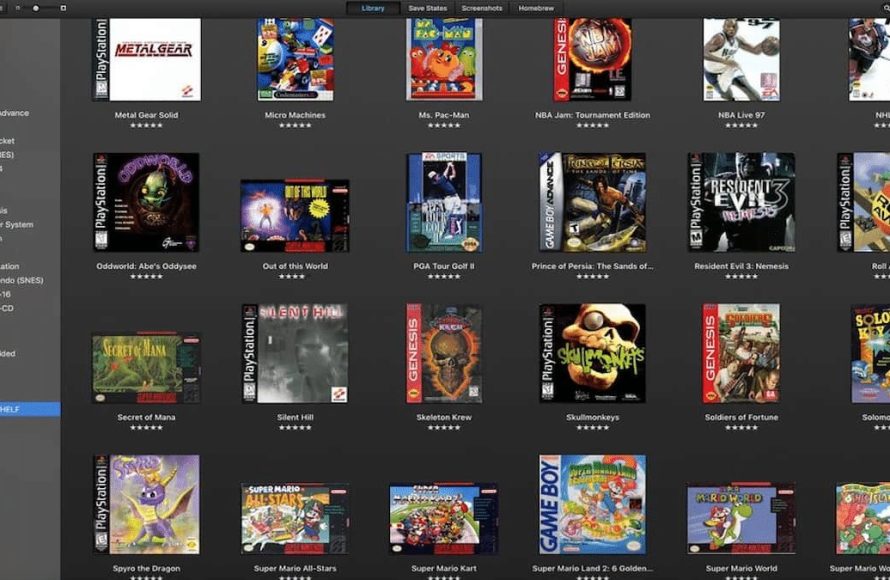
Finding game ROMs for emulators typically involves searching online archives and communities dedicated to retro gaming. Exercise caution and ensure you only download games you legally own to avoid copyright issues.
So, you’ve got your emulator set up, ready to relive those classic gaming moments, but then the question hits you: where to get games for emulators? It’s a common hurdle for anyone venturing into the world of retro gaming emulation.
Finding these files requires a little bit of research. Remember to prioritize legal and ethical methods while searching. You’ll be enjoying your favorite titles in no time!

Where to Get Games for Emulators
So, you’ve got an emulator set up, ready to play all those amazing classic games. That’s fantastic! But now you’re probably thinking, “Okay, where do I actually get the games?” It’s a super common question, and thankfully, there are a few ways to go about it. Let’s explore the different options available to find the games that will get you reliving your favorite memories or trying out something totally new. We will cover everything you need to know about finding those classic game files, also known as ROMs, and ISOs, and how to do it the right way.
Understanding ROMs and ISOs
Before we dive into the where-to-get part, let’s quickly talk about what you’re actually looking for. For emulators, you’ll generally need either ROM files or ISO files. These files are digital copies of the games you want to play.
What are ROMs?
Think of ROMs as the digital versions of cartridges. Remember those plastic game cartridges you used to slot into your older game consoles? A ROM is a file that has all the information from that cartridge stored inside. These are usually for systems like the NES, SNES, Sega Genesis, Game Boy, and other older consoles that used cartridges. These tend to be smaller files since the older games were less complex. You might see these files with extensions like .nes, .smc, .gen, .gb, and more, depending on the console.
What are ISOs?
ISOs are the digital versions of discs. For consoles that used CDs or DVDs, like the PlayStation, PlayStation 2, GameCube, and Wii, the games are often stored as ISO files. An ISO file contains everything that was on the game disc. These files can be much larger than ROMs because the games on these consoles were generally more detailed. These files often have extensions such as .iso, .bin, or .mdf.
Understanding these differences is important because it can impact what you download and also how you use the files with your emulator.
The Importance of Legality
Here’s the most important thing to discuss. When it comes to getting games for emulators, you need to be aware of copyright laws. It’s really important to get games for emulators the right way, and often that means that you can only use games that you actually own, which means that you have already purchased the game for the original console.
Owning the Original Game
The most legal and safe way to get game files is to create your own personal backups. If you own an original game cartridge or disc, you may be able to create a digital copy, ROM or ISO, of it for use with an emulator. This means you are not downloading a copy of a game from somewhere else that you do not own. In the world of technology, this process is commonly called “dumping” your own games. This is the most ethical way to get games for an emulator. There are devices that can help with the dumping process, or sometimes a computer with the right type of drive can be used to create the ROM or ISO file.
Why Downloading Can be Risky
Downloading ROMs or ISOs from random websites can be risky for several reasons. First, it’s often against the law. Copyright laws protect game developers, so sharing or downloading their games without permission is illegal. Secondly, you are at risk of getting viruses or other harmful things on your computer from unreliable sources, which can make your computer not work properly or even damage the data on your computer. Many sites also have so many advertisements and confusing download links that make it difficult and frustrating to use. It’s always best to be cautious and stay away from those kinds of websites.
Where to Find Legal Options
Okay, now we will move to the more practical side of things. We will explore ways to find games the proper way. Let’s look at your legal and safe choices for finding emulator-compatible game files:
Dumping Your Own Games
As mentioned, making your own backups is the most ethical and legal way to enjoy your games on emulators. Here are the steps involved:
- Gather your equipment: You’ll need a way to transfer the game data from your original media to your computer. This could involve specific hardware like a cartridge dumper for old games, or a disc drive for CDs or DVDs.
- Install the necessary software: Many programs are available to help you perform the dumping process. Look for programs that are designed for the console and game type you want to back up.
- Follow the instructions carefully: Each device and software has its own process. Make sure you carefully follow the instructions to ensure you get a perfect backup of your game.
Dumping your own games can seem a bit technical at first, but with the right equipment and some patience, it is absolutely doable. Plus, it’s very rewarding to know that you have all the resources you need to play games without any legal concerns.
Digital Re-Releases and Virtual Consoles
Another option to consider is looking into digital re-releases of classic games. Many game companies have been making their older games available again, either as individual downloads or through virtual console services on modern consoles and PC.
- Nintendo Switch Online: If you have a Nintendo Switch, you can access a growing library of classic NES, SNES, and N64 games with the Nintendo Switch Online subscription.
- PlayStation Network: PlayStation often has classic PS1 and PS2 games available for download on its newer consoles. You can get access to PlayStation classics with a PlayStation Plus subscription.
- Steam and GOG: Platforms like Steam and GOG offer many older games that have been re-released to be played on modern PCs. Some games are updated to be easier to play on modern computers.
- Other Digital Stores: Other digital marketplaces may have re-releases. So it’s always worth checking out stores from the console’s manufacturer or other providers of digital games.
Purchasing these official re-releases supports the game developers and gives you a legitimate way to play older games. While these may not be the same as using an emulator, they offer a hassle-free way to play the games you love without any legal or technical complications.
Homebrew Games
Homebrew games are games created by independent developers, usually fans of older consoles. These games are completely legal to download and use with emulators because they are not owned by large companies. They can be a great way to experience something new and enjoy the creativity of other gamers. These can be great to try out when you are just starting to use an emulator.
- Websites and forums: Many websites and forums dedicated to retro gaming have sections where homebrew games are shared.
- Indie developers: Sometimes, individual indie developers may create games and share them on their own websites.
- Community support: Many communities are also very welcoming to new people, so if you have trouble, there is usually a group that can help you.
Homebrew games show how dedicated the retro gaming community is to keeping these consoles alive. They are a wonderful way to find games that are often completely unique and creative.
Finding Reputable Resources
While the safest path is to make backups yourself or purchase re-releases, let’s discuss what happens when you are looking for homebrew games or when you already own the original game but are looking for a ROM that is pre-dumped. It’s absolutely essential to use reliable sources to avoid malware or copyright issues. This is where some careful searching and attention to detail are required. When you are on the hunt for homebrew or pre-dumped games, take care to avoid certain sites.
What to Avoid When Searching for ROMs
- Shady Websites: Websites full of pop-up ads, confusing download links, or suspicious-looking files are a major red flag. These can often contain harmful things like malware or computer viruses. It is much better to look at websites that have a lot of community backing and support.
- Torrent Sites: Torrent sites are a common place where people share files, and while some may be safe, they are also very risky. Because these files are being shared by a lot of different people, it makes it more likely that the files have been changed, or that they include viruses.
- Anything that Sounds too Good to be True: If a website claims to have every game ever made and offers it for free, that is a sign to be cautious. In this case, you should look somewhere else.
Tips for Identifying Safe Sources
- Look for Trusted Communities: Often, forums or communities dedicated to emulators and retro gaming will have lists of safe resources for homebrew games.
- Check Reviews: Look at reviews of a website or a resource. If a lot of users are talking about having issues or problems, it is most likely a website to avoid.
- Use Anti-Virus Software: Before you download anything, make sure that your anti-virus software is up to date.
- Scan Files: Scan all the files you download, with your antivirus program, before running them.
- Pay attention to your gut feeling: If something seems suspicious, it is almost always better to just avoid it.
Being cautious and paying attention to the details will go a long way to making sure you are using safe resources to play the games you want to play on emulators.
Organizing Your Game Library
Once you start building your collection of game files, it’s also a good idea to keep everything well-organized. This will help you find the games you want to play more easily.
File Naming Conventions
- Use Clear Names: It is always a good idea to make the game names clear. For example, “Super Mario Bros.nes” is better than just “smb.nes”
- Keep Files Together: If you have multiple files for the same game, try to put them in one folder together. For example, if you have a disc-based game, the game will often be in several files.
- Use Folders: Make folders for each console and try to keep all the ROMs and ISOs for that console within that folder. For example, a folder named “NES” would hold all the games that play on the NES emulator.
Using Game Launchers
Some emulators can be difficult to use, so there are programs that can make it easier. Game launchers are programs that can help you organize and launch games without going through the emulator file manager every time. This type of program can make it easier to see all your games at once. Some popular examples of this are LaunchBox and RetroArch.
- Simplified Interface: Game launchers provide a user-friendly way to browse and start your games.
- Artwork and Information: Many launchers automatically download box art and game information, making your library look organized and professional.
- Multiple System Support: Many game launchers also have the ability to support multiple emulators at once, making it easier to play games on many different consoles.
Keeping your game files organized can make your gaming experience so much more fun. It can also save you a lot of time by making it easy to find the games you want to play without any extra searching.
Additional Tips for a Great Emulation Experience
Before we finish up, here are some extra tips to make your emulation journey even better:
Explore Emulator Settings
Most emulators allow you to customize the experience. You can often change the graphics settings, use different controller options, and even make save states in most modern emulators. Don’t be afraid to try different settings to see what works best for you.
Join Communities
The emulation community is huge. There are tons of forums and social media groups where people are talking about retro games and how to use emulators. Getting involved in these groups can be a great way to learn new tricks and tips.
Stay Updated
Emulators are always being improved. Keep an eye on the emulator’s website for new versions that may fix bugs or add new features. Keeping your emulator updated will keep you playing your games as smoothly as possible.
Getting games for emulators can be fun, especially when you get to enjoy so many of your favorite games. Always keep in mind the importance of staying legal and safe when getting your games and you will be ready to enjoy them!
How to Find Retro Game ROMS
Final Thoughts
Finding games for emulators requires careful navigation. Many sites offer ROMs, but ensure they are from reliable sources. Be mindful of copyright laws; downloading games you don’t own is illegal.
Legitimate options include backing up your own physical game cartridges. Several online archives may also offer public domain games. Remember that ‘where to get games for emulators’ involves responsibility and legality.

