
There are several reasons why you can’t play some games on Roblox, including device incompatibility, game age restrictions, or private game settings set by the creator.
Have you ever excitedly clicked on a Roblox game, only to be met with disappointment? It’s frustrating when you wonder “why cant i play some games on roblox.” Often it’s because the device you’re using isn’t compatible with the game’s requirements.
Another common reason is age restrictions set by the game’s creator. These controls help keep players in age-appropriate experiences. Finally, some games are simply set to private, only allowing specific players access.

Why Can’t I Play Some Games on Roblox?
Okay, so you’re super excited to jump into a new Roblox game, but… it’s not working. You click the play button, and nothing happens, or maybe you see a weird error message. It’s really frustrating when you can’t join the fun! There are actually a bunch of reasons why you might be having trouble playing certain Roblox games. It’s not always a simple fix, but let’s explore some common causes and how you might be able to get back into the game.
Age Restrictions: Not Every Game is for Everyone
Just like movies and TV shows, some Roblox games are made for older players. Roblox uses a system to rate games based on their content. Games with more intense action, slight scary elements, or more complex themes might be marked for older users, for example some Roblox games feature content that may be more appropriate for teens. If your account age doesn’t match the age rating of a game, you simply won’t be able to play it. Think of it like a movie theater that checks your ID for certain movies – Roblox does something similar to keep everyone safe and make sure you see content that is right for you. If your parents set a restriction on your account it may prevent you from playing certain games.
How to Check the Age Rating of a Game
It’s easy to see the age rating of a game. Just go to the game’s page on Roblox. Right underneath the game title and creator’s name, you will see a little icon that looks like a circle with a number inside, this signifies its rating based on the content of the game. This rating tells you who the game is suitable for, you can also check the content description, it will give you an idea about the gameplay. If the rating is above your account age, you won’t be able to play. If your age is not verified in Roblox, then you may face problem playing any type of game on Roblox.
Adjusting Account Settings
If your account age isn’t correct, you can ask your parents to help you adjust it. This is often done in the settings section of the Roblox platform or website. Keep in mind, though, that Roblox might require verification to make sure the age is accurate. An accurate age in your profile can help a lot when playing games. If your parents have set up parental controls, this may also affect what games you can play. It is a good idea to talk with them, if they have set up restrictions for you.
Internet Connection Issues: The Need for Speed
A slow or unstable internet connection is a big reason why Roblox games don’t work well, or don’t load at all. Roblox needs a good connection to send information back and forth between your device and its servers. If your internet connection is having trouble, the game may get stuck while loading, or the game will give you errors when playing. This can result in a really choppy game play, or in a total disconnect from the game. Imagine trying to fill up a bucket with water that has a hole in it. The water going in is the game’s data, and the hole is your weak internet. You will have a hard time filling it up, because water will be leaking from the bottom. Similar way, with poor internet connection, the game will not be working properly.
Testing Your Connection
You can quickly check if your internet is working properly by going to some other website or use an app to check your internet connection speed, if the website or other apps not working or loading properly, then your internet may be having some issue. If the issue is with your internet, then try restarting your router, or you can talk to your internet provider if you have a consistent slow speed problem.
Tips for Better Connection
- Move Closer to Your Router: If you’re using Wi-Fi, try getting closer to your router to get a stronger signal. Walls and other objects can block the Wi-Fi signal and weaken your connection.
- Avoid Peak Hours: Sometimes, the internet gets really busy when many people in your house or neighborhood are using it at the same time. Try playing Roblox during off-peak hours.
- Close Other Apps: If other apps or devices are using your internet bandwidth, close those apps to make sure that Roblox has a good share of your internet’s connection.
Device Compatibility: Is Your Device Up to the Task?
Roblox can be played on many different devices, like computers, phones, tablets, and even some game consoles. However, some games are very large and need a device that can handle the work required to run the game. If your device is old or not very powerful, it might struggle to run some of the more complicated or demanding Roblox games. The older your device, the more difficult time it will have running newer games because there are higher graphical requirements. Some game features may not work on older devices too.
Checking Device Specifications
Most of the time, you do not need a super powerful device to play a Roblox game. But if you’re having a hard time running some games, you can check online to see what the minimum requirements are for running Roblox. For most games, you probably just need to worry about having enough storage space and having a recent operating system update. If your device is not up-to-date or have less storage space, that may cause an issue when loading a game on Roblox.
Tips to Improve Device Performance
- Close Background Apps: Close any apps that are running in the background on your device. These apps use up valuable memory and processing power.
- Update Your Software: Make sure your device’s operating system is up to date with the most recent update. Software updates often include fixes that improve performance.
- Free Up Storage: If your device is running out of storage space, that can also make it slow. Delete some old photos, videos, or unused apps to free up some space.
Game Server Issues: Sometimes It’s Not You, It’s Them
Sometimes, the problem isn’t on your end at all. The Roblox game servers are like giant computers that host the game. Sometimes, these servers get overloaded or face technical difficulties. When this happens, games might not load, might kick you out of game, or might be glitchy. This is normal, but it can be frustrating when you are ready to play.
Checking Server Status
Roblox usually has some type of place where they announce server problems. You can check their social media pages like Twitter or look at online forums where users will post about server status. If you see many people complaining about the same issue, it might be a Roblox server problem, not a problem with your computer or your connection. If the problem is with the Roblox server, you may need to wait until the server problem is fixed.
What to Do When Servers Are Down
If the Roblox servers are facing technical issues, all you can do is be patient. Roblox developers usually work to solve these problems as fast as possible. You can keep an eye on their social media or official platform status pages for updates. Once the issues are fixed, you should be able to play again.
Game-Specific Bugs or Glitches: Games Can Have Problems Too
Like any software, Roblox games can sometimes have bugs or glitches. These can cause the game not to load properly, stop working or even kick you out mid-game. These bugs might be from the game developers or from the platform itself. This is one of the common issues on Roblox that occurs frequently, which is not in the player’s hands.
How to Identify Game Bugs
If you can join other games, but one specific game is giving you trouble, there’s a chance that the issue is within that specific game. Pay attention to any error messages you see, or if the game is just freezing or acting in a weird way. If it looks like something is not right or something out of the ordinary is happening, it can be a game bug. If other people are also facing the same problem in that game then it means that this game has a bug and the developers of the game are responsible for fixing these game related bugs.
Reporting Game Bugs
If you think a game has a bug, it is helpful to report this bug. You can sometimes report in-game via the option provided by game developers. You can often contact the developers through their social media pages, like Twitter or game’s community forum. When you report, include what you were doing and what happened, this will help the developers to solve the issue. Reporting bugs helps make Roblox games better for everyone.
Account Restrictions: When Your Account is Limited
Sometimes, your Roblox account might have restrictions that prevent you from playing some games. These restrictions may be the result of a rule violation, parental controls, or other issues. If your account has any kind of limitation on it, you may not be able to join some specific games or all of them. This is Roblox way to keep the community safe.
Checking for Account Restrictions
You can usually check your account settings to see if you have any restrictions. You may get some type of notification on your account if any restrictions are placed on your account. If you think there is a restriction on your account but you don’t see any notification, you can reach out to Roblox customer service for clarification. They can tell you if your account has any restriction that might be preventing you from joining games.
How to Address Account Restrictions
If your account has restrictions, Roblox will usually tell you why. It might be because you violated one of the community guidelines or some other reason. You might have the ability to remove those restrictions, this depends on the issue you had. If you were restricted by your parents, you can speak to them to know the reason and potentially ask them to remove it. In severe cases, account restrictions may be permanent, but Roblox usually has some process for appeal.
Roblox Updates: Staying Up to Date
Roblox releases updates regularly to improve the platform, fix bugs, and add new features. If you have not updated Roblox recently, you might have problems playing certain games. Some new games and features may require you to have the latest version of the Roblox software. This is something that can impact the game play of all users, it’s important to make sure your software is up to date.
How to Check for Updates
Roblox updates usually install automatically on most devices. However, if your game is not updating automatically you might have to manually update it through your App Store or the Microsoft Store if you are on a computer. It is good to check regularly if any new updates are available. By keeping the Roblox app updated on your device, you will likely avoid some of the game loading issues.
Why Updates Are Important
Updates are very important because they often include bug fixes and performance improvements. They also add new features, which can improve the gameplay experience, or it may have new graphical requirement that your old Roblox version does not support. If you have not updated Roblox in a while you may face problems when joining a Roblox game.
It can be frustrating when a Roblox game isn’t working, but by understanding the possible reasons, you can usually troubleshoot and get back to gaming. From age restrictions and internet issues to device problems and server glitches, there are many factors to consider. So next time you have trouble joining a game, try going through these steps. Hopefully, you’ll be back in the game in no time!
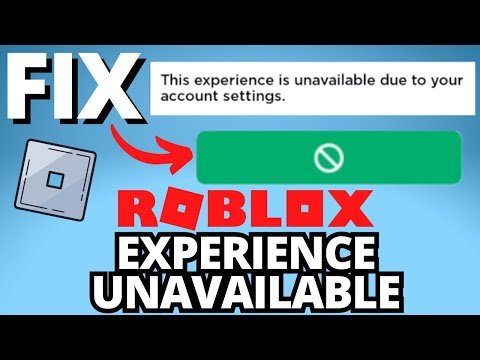
Fix Roblox "This Experience is Unavailable Due to Your Account Settings" Error
Final Thoughts
Game restrictions often stem from age settings, device incompatibility, or specific game requirements. These limitations exist to ensure a safe and enjoyable environment. Sometimes, developers restrict access due to server issues or updates.
If you encounter a game you can’t join, consider checking the game description and your account settings. A poor internet connection can also prevent loading. Therefore, the reasons behind ‘why cant i play some games on roblox’ are diverse, but most have a fix.

