
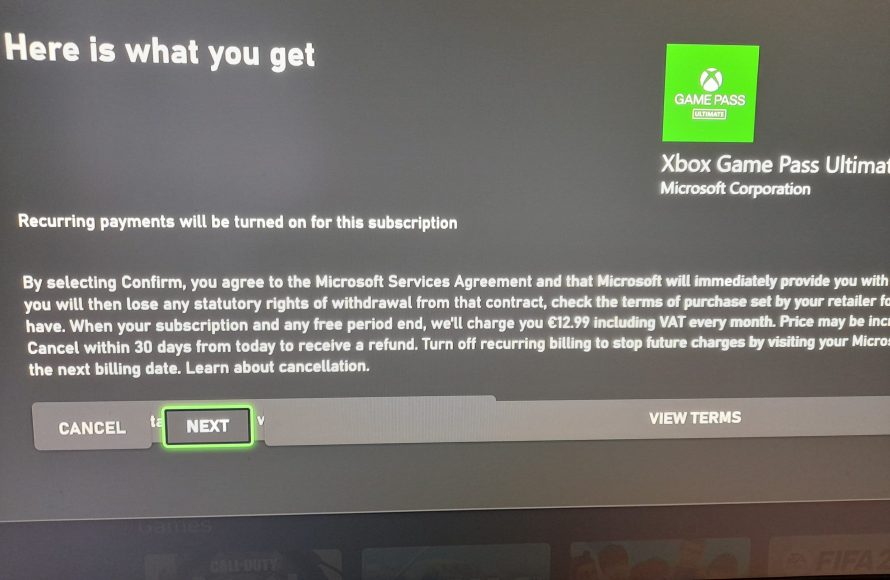
Your Game Pass code may be invalid, already redeemed, region-locked, or have expired.
Frustration mounts when you eagerly try to use a Game Pass code and it simply won’t work. You might be wondering, ‘why cant i redeem my game pass code?’ It’s a common issue and we understand how annoying it can be when this happens.
Several factors can cause this problem, and thankfully, most have simple solutions. Let’s explore the potential reasons behind this hurdle and get you back to gaming.

Why Can’t I Redeem My Game Pass Code?
So, you’ve got a shiny new Xbox Game Pass code, ready to dive into a world of awesome games. But when you try to redeem it, you hit a snag. Frustrating, right? You’re not alone! Many people run into issues trying to get their Game Pass subscription started. Let’s explore the common reasons why your code might not be working and, most importantly, how to fix it!
Common Reasons for Redemption Failures
There are several reasons why you might have trouble redeeming your Xbox Game Pass code. It’s like a puzzle, and we need to find the right pieces to solve it. Let’s look at some of the usual suspects.
Incorrect Code Entry
It may sound simple, but a typo is one of the most frequent reasons for code redemption problems. Game Pass codes are usually long and contain a mix of letters and numbers. One wrong character, and the system won’t accept it.
Here’s what you need to do:
- Double-check the code: Look at it very carefully. Are all the letters and numbers correct? Sometimes “I” can look like a “1,” or “0” can look like “O.”
- Case Sensitivity: Sometimes, codes are case-sensitive. It’s always worth trying with uppercase and lowercase letters if you’re having problems.
If you’re sure your code is exactly right, and it’s still not working, there may be another issue.
Code Expiry
Like milk in your fridge, Game Pass codes can expire. If you’ve had the code for a long time, it might simply be past its use-by date.
Here’s how to check:
- Check the Fine Print: Look closely at the card or email where you received the code. There should be an expiry date written somewhere.
- Too Old? If the expiry date has passed, the code won’t work. You will need to contact where you purchased the code to get a replacement.
Expired codes cannot be redeemed. Even if you try to enter the code, it simply will not work. If this is your case, your only solution is to get a new code.
Region Restrictions
Game Pass codes are often specific to a certain region. If your code comes from a different country than your Xbox account, it won’t work. Imagine trying to use a UK plug in the USA – it just won’t fit!
What you can do:
- Check your account region: Make sure your Xbox account’s region matches where the Game Pass code is from.
- Locate the region code: Check the back of the gift card or the fine print of the digital code. Most times, the code will have a clear region indicated.
If your account region doesn’t match the code’s region, you will need to create a new account in the region of the game pass code or purchase a new code from your current region.
Already Redeemed
Maybe someone else already used the code! If a friend or family member has access to your code, they may have already redeemed it before you had the chance. This is why it’s crucial to keep your code safe.
Here’s what to consider:
- Check if you or a family member already redeemed it: If anyone else has access to the code, ask them if they have already redeemed it.
- Look for game pass confirmation: If the code was previously redeemed, you will see the active game pass in the account.
Unfortunately, if the code was already used, you will need to obtain another code.
Account Issues
Sometimes, the problem isn’t the code itself, but your Xbox account. Some account issues can stop you from redeeming a code.
Subscription Conflicts
If you currently have an active Game Pass subscription, redeeming certain codes may be tricky. For example, you can’t stack the same type of subscription on top of an existing one.
Here’s the general idea:
- Check your active subscriptions: In the settings, look at your current subscriptions. If you already have Game Pass, that might be the reason.
- Stacking Issues: You can’t stack multiple codes of the same type. You often must wait until the end of your current subscription.
If you already have a subscription, it is likely that you will need to wait until your current subscription expires to use the new code. Some codes may also only be for new accounts.
Account Standing
If your Xbox account has any issues, like an unpaid balance or temporary ban from Xbox Live, it might prevent you from redeeming a code. It’s like having a red light on your Xbox.
What should you do?
- Check your account status: Go to the Xbox website or app and review your account’s standing. Make sure you have paid any unpaid fees.
- Address the issue: If there is an issue, follow the prompts to resolve it. If you have a ban, you will have to wait for it to expire.
You will not be able to redeem the game pass code until any issues with your account are fixed.
Service Outages
Sometimes, Xbox services have outages. When that happens, even if your code is perfect, it won’t redeem. It’s like a traffic jam on the internet highway.
What to do:
- Check the Xbox Service Status: Go to the official Xbox website or use an app to check for service issues.
- Wait and Try Again: If there is an outage, you’ll need to wait until it’s resolved to redeem your code.
A service outage is out of your control. The only solution is to wait for the Xbox services to return to normal.
Code Type Limitations
Sometimes the issue lies in the type of code you’re trying to use. There are different kinds of Game Pass codes, and not all codes work the same way.
Trial Codes vs. Full Subscription Codes
Trial codes and full subscription codes have different rules. A trial code, as the name implies, often only works if you’ve never had Game Pass before.
- Trial Code Restrictions: If you’ve used a free trial before, another trial code will not work.
- Full Subscription Codes: If you already have a subscription, a new full subscription code may not be redeemable.
It is always important to know what type of game pass code that you have. Reading the fine print of the code will inform you of any limitations associated with the code.
Platform Specific Codes
Some Game Pass codes are designed for specific devices. For example, a code for Xbox consoles may not work on a PC. It’s like trying to put a square peg in a round hole.
- Check the Platform: Make sure the code is for the device you want to use.
- Read the Details: Look for any indication about platform restrictions.
If the code is for a different platform, you will need to redeem it on the platform it is intended for.
Third-Party Resellers
If you purchased your Game Pass code from a third-party reseller, the code may not be valid. It’s important to buy codes from official sources or reputable sellers.
Here’s what you should consider:
- Unreliable Sellers: Some third-party sellers may offer illegitimate codes.
- Fake Codes: In some cases, the code may be completely fake.
Purchasing from unofficial sellers carries risks. If you have issues with the game pass code, you will need to contact the reseller, which can be problematic. Purchasing from official sources such as the Microsoft store is always recommended.
Redeeming your Game Pass code can be frustrating when it doesn’t work the first time. By checking these common issues, you’ll be able to pinpoint the problem and get your subscription up and running in no time. Remember to double-check the code, keep an eye on the expiry date, be aware of region restrictions, and ensure you’re redeeming it on a compatible account. With a little troubleshooting, you’ll be back to gaming in no time! If you continue to have issues, do not hesitate to contact Xbox Support to further address your issue.
How to Fix Issues With Xbox Gift Card Codes | not working error, wasn't found, already been redeemed
Final Thoughts
Ultimately, the reason “why can’t i redeem my game pass code” often boils down to simple problems. The code might be entered incorrectly, already used, or expired. Also, your region or account restrictions can cause issues.
Another common culprit involves platform limitations. Verify that you attempt redemption on the correct device or service. Double-check for any typos during code input and ensure the subscription remains valid.

