
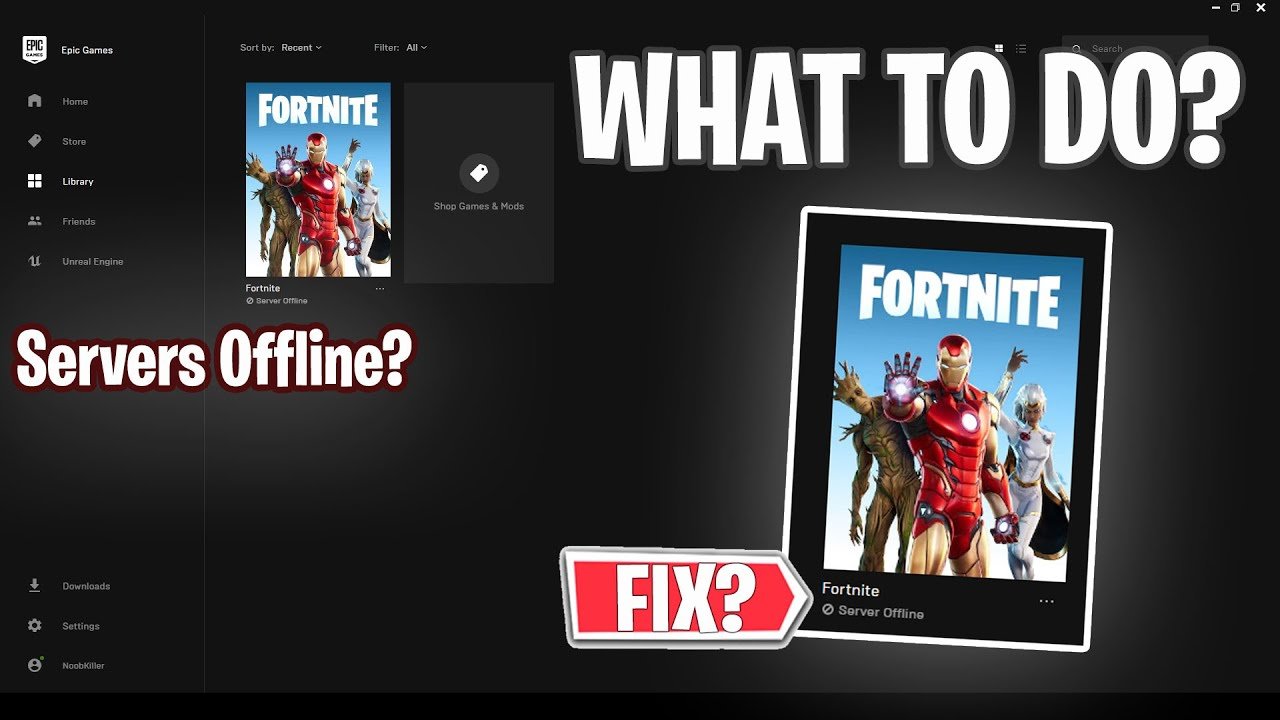
The “server offline” message in Fortnite on Epic Games usually indicates that the game servers are undergoing maintenance, experiencing an outage, or you have internet connectivity problems.
Frustration mounts when you see that dreaded “server offline” message while trying to jump into a Fortnite match. Why does Fortnite say server offline on Epic Games, you might wonder? This issue is fairly common and it can happen for a few different reasons.
Often, the game’s servers need regular upkeep which means they go offline for maintenance. These periods are necessary to improve the gaming experience. It could also mean that the servers are currently experiencing an unexpected issue.

Why Does Fortnite Say Server Offline on Epic Games?
It’s super frustrating when you’re ready to jump into Fortnite, build awesome forts, and snag that Victory Royale, only to be met with the dreaded “Server Offline” message on the Epic Games launcher. It can feel like your gaming plans just got totally derailed! But don’t worry, it’s a common issue, and there are usually understandable reasons behind it. Let’s dive deep into why this happens, so you can get back to the action as soon as possible.
Understanding Fortnite Servers
First, let’s talk a little about how Fortnite works. Fortnite isn’t just a game on your computer; it’s a big online world. That world lives on powerful computers called servers. These servers are like the giant brains behind the game, keeping track of everything from player movements to the location of loot llamas. When you play, your computer connects to these servers so you can interact with other players and the game environment. When those servers go offline, well, that’s when we see that dreaded message.
Scheduled Maintenance: Keeping Things Running Smoothly
One of the most common reasons for the “Server Offline” message is scheduled maintenance. Just like your car needs a check-up, the Fortnite servers need regular maintenance too. This might involve installing new updates, fixing bugs, adding cool new features, or just general upkeep to keep everything running smoothly.
What to expect: During scheduled maintenance, Epic Games will usually give players some notice on their social media channels and on the Epic Games launcher. You might see a countdown timer letting you know when the servers will be back online.
Why it’s necessary: Think of it like cleaning a giant classroom. If you never cleaned, things would get messy and not work as well. Server maintenance is like that cleaning process for Fortnite, keeping the game healthy and fun for everyone.
How long does it last?: These downtimes vary, they can be a few hours or if it’s a major update, even more.
Where to check for schedules: The best place to find out about maintenance times is by visiting Epic Games’ official status page, social media profiles (like X, formerly Twitter), or even within the Epic Games Launcher itself.
Unexpected Server Issues: Glitches and Hiccups
Sometimes, things go wrong unexpectedly. Just like a power outage can knock out the lights in your house, unexpected server issues can cause Fortnite to go offline. These problems might be due to:
Hardware problems: Servers are machines, and sometimes machines break down. These can be anything from a faulty hard drive to a network card that is acting up.
Software issues: There could be a bug in the game’s software itself, or even an unexpected problem with the software used by the servers. Sometimes, a small mistake in coding can have a big impact.
Network congestion: If too many players are trying to connect to the servers at the same time, it can cause a traffic jam of data. This is most common during the launch of a new season or a very popular event.
Identifying an Unexpected Server Issue
No prior notice: If you didn’t see any announcements about maintenance, it’s likely an unexpected server problem.
Widespread reports: Check the Fortnite community online on sites like Reddit or social media. If many people are experiencing the “Server Offline” message, it is most probably due to an issue on Epic Games’ side.
Error messages: Sometimes, you may see a specific error code along with the “Server Offline” message which may help identify the exact issue.
What You Can Do
Patience is key: The best thing to do during unexpected outages is to be patient. Epic Games is likely working hard to fix the issue as quickly as possible.
Check social media: Keep an eye on Epic Games’ social media accounts for updates on the problem and when the servers are expected to be back online.
Do not panic: It is frustrating, but panic won’t solve it. Just wait and check for updates from Epic Games.
Your Connection: Making Sure It’s Not You
Sometimes, the “Server Offline” message is not because of problems at Epic Games, but a problem with your own internet connection. If your internet is not working properly, you won’t be able to connect to the Fortnite servers even when they are online.
Common Internet Issues
Wifi Problems: If your wifi signal is weak or unstable, your connection to the Fortnite servers can be interrupted.
Router issues: Your router can sometimes malfunction, causing problems with your internet connection.
Internet Service Provider Outages (ISP): Sometimes, your internet service provider may have an outage in your area, causing you to not be able to access online services like Fortnite.
Troubleshooting Your Connection
Here are some simple things you can try to fix problems with your internet connection:
1. Check your wifi: Make sure you are connected to your wifi network. If your connection is spotty, try moving closer to your router.
2. Restart your router: Sometimes restarting your router can fix temporary connection problems. You can do this by unplugging it for 30 seconds and then plugging it back in.
3. Check your internet speed: Visit a website that checks internet speeds to see if your speed is what it should be. If it’s very slow, contact your ISP.
4. Try using an Ethernet cable: Connecting your computer to your router with an Ethernet cable can give you a more stable internet connection than using wifi.
5. Other Devices: If your other devices are also facing the same issue with internet connection, the problem is most likely on your internet provider’s end.
Game Updates and Patches
Fortnite is a game that is constantly changing. Epic Games often releases updates and patches to add new content, fix bugs, and make changes to the gameplay. Sometimes, these updates require the servers to go offline for a short period.
Types of Updates
Major Updates: These updates are the biggest and often include new seasons, new maps, new modes, and big changes to the game.
Minor Updates: These smaller updates can be fixes to bugs, small balance changes, or small additions to the game.
Patches: Patches are used to quickly fix issues that are found in the game. These are usually released as soon as possible.
Update Impact on Servers
Downtime is expected: When a major update is released, the Fortnite servers will always go offline so the new update can be installed correctly.
New Game Files: Major updates often include new game files that must be downloaded and installed by every player before they can play.
Change in Game Data: Sometimes, updates may cause small change in-game data, or add a new element in the data.
What You Can Do
Download the update: Make sure your game is completely updated with all the latest files.
Be patient: While it may be frustrating to wait, the updates are what make Fortnite better!
Check for announcement: Keep an eye on Epic Games’ social media channels for announcements of updates, they often announce the release date and time.
Regional Server Issues
Fortnite has servers all around the world so that everyone can play with the lowest possible lag. However, sometimes the servers in one region might have problems, while other regions are working just fine.
Why Regional Servers?
Speed and Lag: Connecting to a server that is closer to where you live can help minimize lag and latency, which results in a better game experience.
Peak Times: Game server are sometimes designed for particular times when maximum users will be online in that region.
Maintenance Schedules: Some regions might have their maintenance scheduled at a different time than other regions.
Identifying Regional Issues
Local Outage: If you see that your friend in another region can play but you cannot, then there is a possibility that there is a regional issue.
Community Reports: By following social media or forums, you will quickly come to know if the issue is only occurring in your region.
Check Server Status Page: The official server status page will mention if a particular region is experiencing a problem.
What You Can Do
Check Server Status: Epic Games will typically report regional server issues on its server status page, which is a good place to look first.
Be Patient: It is possible that the regional issue will be resolved soon, just be patient and check for updates.
Change Region: Although this is not a recommended fix, you might be able to switch to another server region temporarily to play, if it is available.
Epic Games Launcher Issues
Sometimes, the problem isn’t with the Fortnite servers themselves, but with the Epic Games Launcher. The launcher is how you start the game, so if it is experiencing problems, it can also give you the “Server Offline” message.
Common Launcher Issues
Outdated Launcher: If your launcher is not the latest version, you may have issues connecting to the Fortnite servers.
Corrupted Files: Sometimes, the files of the Epic Games Launcher can get corrupted and cause problems.
Login Issues: If you have trouble logging into your Epic Games account, the launcher might not be able to connect to the servers.
Troubleshooting Launcher Issues
Restart the launcher: Close the launcher and restart it to see if this resolves the issue.
Update the launcher: Check to see if an update is available. Go to Settings and see if there’s an update available there.
Reinstall the launcher: If there is a problem with the files, reinstalling the launcher may fix it.
Login and Logout: Sometimes you can fix your login issues by logging out of the launcher and then logging back in.
Third-Party Software Conflicts
Sometimes, other programs running on your computer can interfere with Fortnite and cause connection problems. This is particularly true for programs that might monitor your computer for certain types of activities, or which might affect your connection.
Potential Software Conflicts
Antivirus Software: Sometimes, antivirus programs can mistake Fortnite as a threat, blocking its access to the internet.
Firewall Issues: Firewalls can sometimes block Fortnite from connecting to the servers.
VPNs: Virtual private networks can sometimes interfere with your ability to connect to game servers.
Background Applications: Some other running applications might be conflicting with Fortnite files, causing the issue.
What You Can Do
Temporarily disable: Try temporarily disabling your antivirus software or firewalls to see if this solves the problem.
Close Background Apps: Close the apps you aren’t using to minimize the possibility of conflict.
Whitelist Fortnite: Make sure that Fortnite is added to the whitelist of your antivirus software or firewalls to allow it to run smoothly.
The “Server Offline” Message is Often Temporary
It is important to remember that the “Server Offline” message is not usually a permanent thing. Most of the time, it is just a temporary problem that is being worked on by Epic Games. The company always strives to ensure that the game runs as smoothly as possible for all players.
Here’s a quick recap:
Scheduled Maintenance: The servers have to go down for upgrades and fixes.
Unexpected Issues: Sometimes there are server problems.
Your Connection: Check your internet.
Game Updates: Updates can cause brief downtime.
Regional Issues: Sometimes a specific area has a problem.
Launcher Problems: The Epic Games launcher might need fixing.
Software Conflicts: Other programs can interfere with Fortnite.
The most important thing is not to panic. Check the sources of information mentioned earlier, and keep trying. When servers come back up, you will be ready to play again.
Experiencing the “Server Offline” message in Fortnite can be frustrating, but understanding why it occurs helps you handle it more effectively. By checking the Epic Games status page, your internet connection, and any potential software conflicts, you’ll be better prepared to get back into the game as quickly as possible. Remember, patience is key, and Epic Games is usually working hard behind the scenes to ensure the game is up and running smoothly for everyone.
FORTNITE SERVER OFFLINE How to Fix? Fortnite Server Offline Epic Games Launcher FIX WORKING
Final Thoughts
Fortnite servers often go offline for maintenance or updates. Planned downtimes allow developers to improve the game and fix bugs. Sometimes, unexpected issues cause server outages, preventing access.
‘Why does Fortnite say server offline on Epic Games?’ The primary reason involves scheduled maintenance or unexpected technical difficulties. Epic Games work to bring servers back online quickly. Keep an eye on their status page for updates.

