
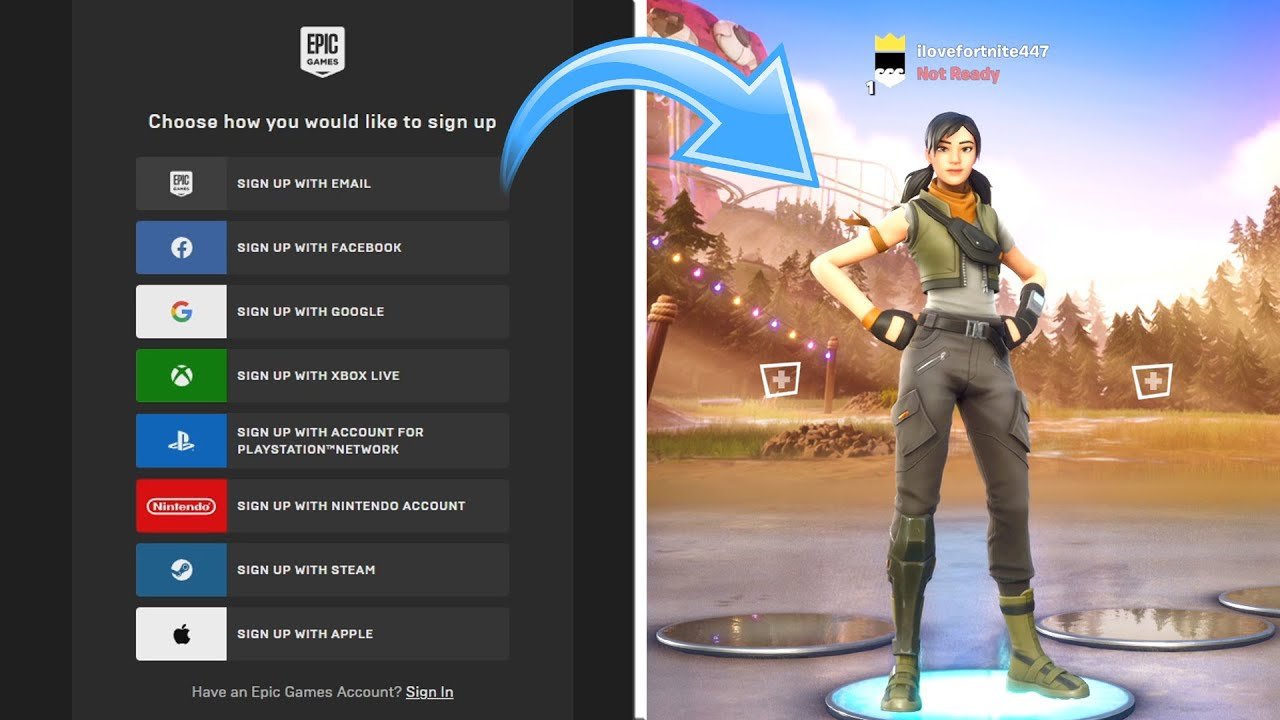
The system requires a new Epic Games account if you are attempting to use a platform-specific login that is not yet associated with an existing Epic Games account.
Frustrating, isn’t it? You just want to jump into your favorite game, but Epic Games is asking you to create a new account. You’re probably wondering, “why is epic games making me create a new account?” It can feel like an unnecessary hurdle, especially if you’ve used your console or another platform to play before.
It often happens because Epic needs to link the specific login you are using with their system. They cannot use that console login alone, It needs an account on their system. This helps keep your progress and game data consistent across different platforms.

Why is Epic Games Making Me Create a New Account?
Have you ever tried to play Fortnite or another awesome game on Epic Games and been asked to create a brand new account, even though you thought you already had one? It can be super frustrating! It feels like you’re going through the same steps all over again, right? Let’s dive into why Epic Games might ask you to set up a fresh account and explore what could be happening behind the scenes. It’s not always as simple as Epic wanting to give you extra work; there are several reasons why this can occur.
Understanding Different Account Types
First off, it’s important to know that Epic Games has multiple ways you might have created an account before, and this plays a big part in why you may need a new one. It’s not always just an email and password setup.
The ‘Quick Start’ Account Conundrum
One common reason you’re asked to create a “new” account is related to how you might have started playing games previously. Sometimes, when you first jump into a game like Fortnite on a console (like PlayStation, Xbox, or Nintendo Switch), or even on a mobile device, the game lets you start really quickly, without creating a full Epic Games account using an email and password. Instead, the game might use your existing platform account (like your PlayStation Network ID). These quick-start accounts, while easy to start with, don’t have all the features of a fully fledged Epic Games account.
- They’re often called “headless accounts” because they don’t have direct email associations or passwords directly set within the Epic system.
- If you try to access the Epic Games website, or play another game with your Epic account on a different system, the system needs to get all the details. In cases where it only knows your platform ID, it will prompt you to set up a proper account.
- Think of it as having a guest pass at a theme park. It gets you in, but you need to get your proper ticket to use all the rides and services!
Why Epic Needs More Information
Epic needs certain information to properly manage your gaming details. These details help with many important things:
- Keeping Your Progress Safe: Linking your platform account to a full Epic account helps Epic save your game progress and purchases in the cloud, not just on one device. This lets you play anywhere, anytime, and keeps all your hard-earned progress and skins!
- Cross-Platform Play: To play with your friends, regardless of whether they are using a PlayStation, Xbox, PC, or phone, you need a proper Epic account that ties all your gaming activities together.
- Enhanced Security: Setting up a complete Epic account with an email and password makes it much harder for anyone else to access it without your permission. This is a really important security measure.
- Accessing Epic Services: A proper account also lets you do other things like use the Epic Games Store to buy new games, or take part in any contests or events Epic runs.
Account Linking: Connecting Your Worlds
Sometimes, the issue isn’t that you don’t have an account; it’s that your game account and your Epic Games account aren’t linked correctly. When they aren’t, the system may ask you to take steps that feel like creating a new account, when you are just getting everything connected together.
How Linking Works
Think of account linking like connecting Lego bricks. You have a piece of Lego that represents your gaming account on Playstation, and another piece representing your Epic Games account. Linking them makes a single, strong structure. Here’s how this works:
- Platform Accounts: This refers to the account you have with Xbox Live, PlayStation Network, Nintendo, or even your Google or Apple account if playing on mobile.
- Epic Games Account: This is the central account you need to use across the Epic Games ecosystem.
- The Link: When you correctly link your accounts, your progress, purchases, and friends list should work across all the places where you play Epic games.
When Linking Goes Wrong
Problems with linking are common. For example, some users try playing on a new device and it asks for login details, or they might have linked an old email to an Epic Account and forgotten about it. In these cases, It can look like you’re starting from scratch, which can cause confusion, so you need to remember which email and what account your game progress is stored on. When linking is not working properly:
- Forgotten Link: You may have linked your platform account to an Epic account previously, but forgotten which email or password it’s associated with.
- Multiple Accounts: You might have inadvertently created multiple Epic accounts with different emails over time.
- Linking Errors: The link between your platform account and your Epic account might have failed for some unknown reason. This sometimes happens if there’s a glitch or a temporary server issue.
Email Verification and Why It Matters
Email verification is another critical step in the account creation or linking process. It makes sure that you are who you say you are and that you own the email that’s associated with the account.
The Importance of Verification
Email verification is not just another annoying step. It’s a necessary part of keeping your accounts safe and secure. Here’s why it’s so important:
- Account Recovery: If you forget your password, a verified email is how you’ll get it reset. Epic will send you a password reset link that you can use to get back into your account.
- Account Security: Verification ensures that it’s you, and not someone else, making changes to your account.
- Official Communications: Epic Games uses email to send you important updates, account information, and special offers.
- Account Linking: Verification makes sure that you’re linking your platform account to the correct email address and Epic Games account.
What Happens If You Don’t Verify
If you create an account but don’t verify your email, you will have very limited access to certain Epic Games functions, like some of the ways to link your games, some of the special events, or it might trigger this need to make a new account later on. The system will see you have an unverified account, which it might want you to fix to avoid issues.
The Role of Cache and Cookies
Sometimes, the issue isn’t directly related to your Epic account or its linked accounts, but rather with your browser or computer. Your browser stores temporary data (cache) and files (cookies) that help websites load faster, but these can sometimes interfere with the process of logging into your existing Epic account.
How Cache and Cookies Can Cause Problems
Here’s a simple breakdown of how these files can sometimes cause problems:
- Outdated Info: Your browser might have saved old login details or account information that conflicts with your current setup.
- Conflicting Data: If you’ve used different emails or accounts on the same device, the cached data might mix them up.
- Login Issues: The stored cookies can sometimes block a smooth login, making the system seem like you don’t have an account.
Clearing Cache and Cookies
Clearing your cache and cookies is a quick way to fix these problems, it is just like refreshing your memory. When you do this:
- Fresh Start: Your browser forgets old saved data and has to load everything fresh.
- Fix Login Issues: Clearing stored data can help make sure that your current account details are recognized.
- Get Rid of Conflicts: It removes any conflicting data that could be confusing Epic Games’ system.
The “New User Experience” Factor
Epic Games, like many big companies, sometimes changes how new users get started to make the process better. If they change the way that new accounts work, sometimes the system can get confused between older accounts and newer account setup processes, this could make you feel like you’re being asked to create a brand new account, even if you aren’t a new user.
Evolution of Account Creation
The process for creating an Epic Games account hasn’t been exactly the same since it launched. There have been changes over time. Here’s what that means for users:
- Changes in System: Sometimes, Epic makes changes to their account creation system.
- Improved Process: These changes are usually to make things more user-friendly and more secure.
- Possible Glitches: When systems are updated, they sometimes have glitches, which might cause you to think you need a new account.
Why You Might See It
The reason this might happen is that older accounts might not quite fit into the newer systems, and the system might ask you to update the account to the new process. It’s not about forgetting you, it’s about making sure everything is correct and fits into the improved system.
When to Contact Epic Games Support
Sometimes, no matter what you do, you might not be able to solve the problem. If you’ve tried linking your accounts, verifying your email, and clearing your browser’s data, and you still can’t access your Epic Games account and feel like you are still being asked to create a new one, you might need to get help.
Recognizing the Need for Help
If you’ve gone through all the troubleshooting steps and still feel lost, here’s how to know it’s time to reach out:
- Confusing Errors: If you keep getting errors you can’t understand, or you don’t know what to do, get help.
- Repeated Issues: If you’ve gone through all the steps a few times and it still doesn’t work, get help.
- Uncertainty: If you’re just not sure what’s happening with your account or you need help to know where your progress is saved, get help.
How to Contact Support
Epic Games has a support team that can help you sort these problems out. Here’s how to get in touch with them:
- Epic Games Website: Go to the official Epic Games website and find the support section.
- Support Tickets: You can submit a support ticket where you explain your problem in as much detail as possible. Try to include the details of what account you had and any error messages you are seeing.
- Account Information: Make sure you have your email address and your platform account usernames ready to give to the support team.
By understanding the different reasons why you might be asked to create a new Epic Games account – from quick start accounts to linking problems and even browser issues – you can tackle these issues head-on. Remember, Epic isn’t trying to make things difficult; they just need to have your account information correct so that they can save your progress, keep your account safe, and let you play across all the devices you choose. Hopefully, this has helped you understand a little bit more about what’s happening behind the scenes!
How to CREATE AN EPIC GAMES ACCOUNT (EASY METHOD)
Final Thoughts
Essentially, Epic Games asks users to create a new account when their existing platform accounts don’t fully integrate with their ecosystem. This ensures their user data management is consistent across their services.
This new account creation, while seemingly inconvenient, is a must for a unified experience. Therefore, if you have issues, this explains why is epic games making me create a new account. It aids better cross platform play.

