
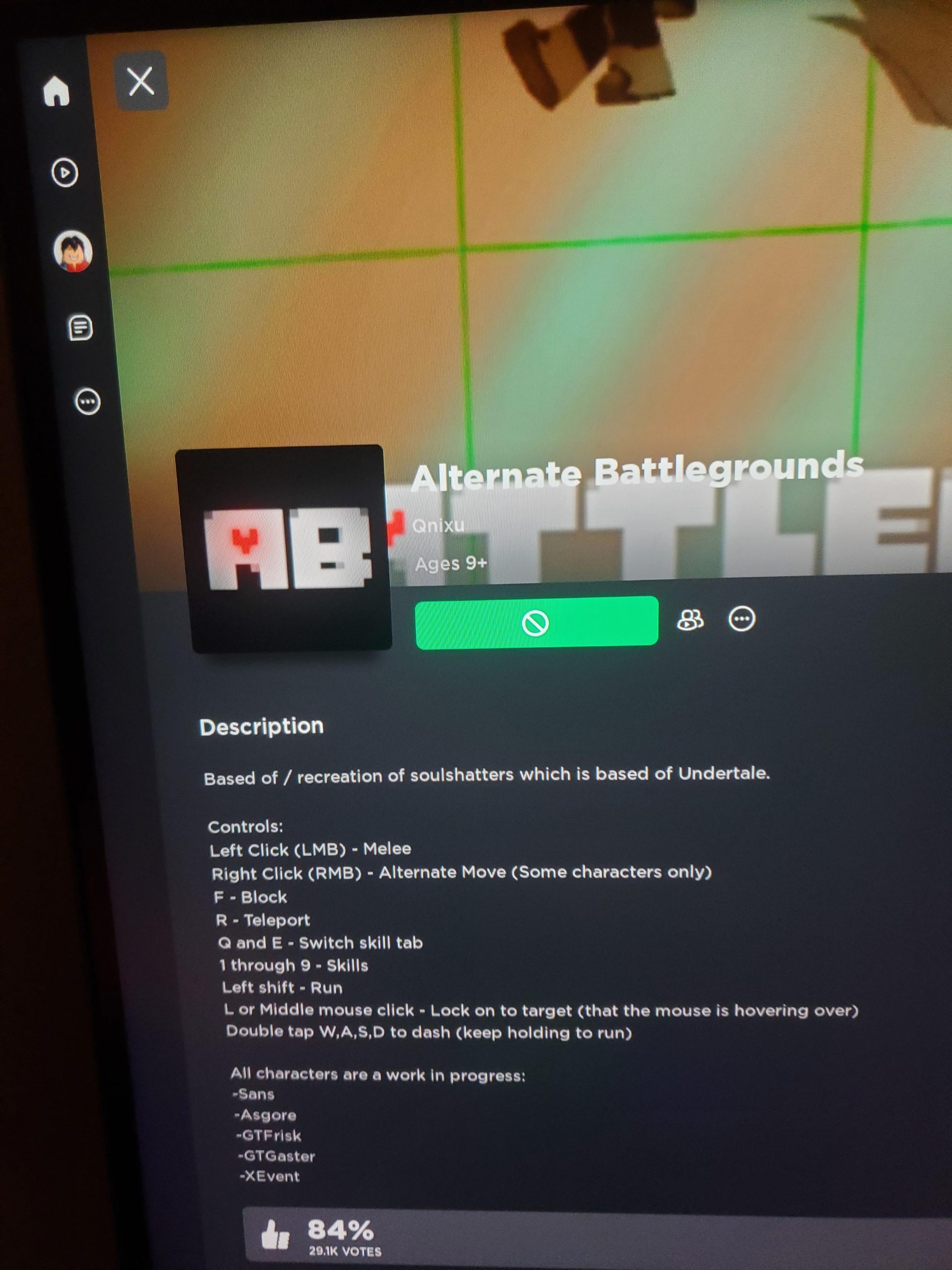
The inability to play certain Roblox games often stems from age restrictions, game settings, internet connection problems, or the game’s server being down.
Frustration bubbles when you eagerly anticipate a game only to find you can’t access it. Why is my roblox not letting me play certain games? This question echoes across the community, leaving many players bewildered. Several factors can prevent access, and they’re usually easy to resolve.
Age restrictions are the most common issue. A game might have content deemed inappropriate for younger users. Internet connectivity can also hinder your ability to join games. Server outages, while infrequent, also create roadblocks in playtime.

Why is my Roblox not letting me play certain games?
It’s super frustrating when you’re ready to jump into a fun Roblox game, but the game just won’t load or you see an error message. You’re not alone! Many Roblox players face this issue, and there are several reasons why this happens. Let’s explore all the possible reasons and how you can get back to playing.
Roblox Server Issues
Sometimes, the problem isn’t on your end; it’s with Roblox itself. Roblox, like any online platform, relies on servers to run smoothly. If the servers are experiencing problems, it can prevent you from joining games. These issues can include:
- Outages: Sometimes Roblox servers go down completely for maintenance or due to unforeseen problems.
- High Traffic: During popular times, like weekends or holidays, many players try to join games at the same time. This can cause overload on the servers and make it difficult to connect.
- Updates: When Roblox is updating, they often need to take servers offline. This means you may not be able to play during these times.
How to check if Roblox servers are down
Before you try troubleshooting other things, it’s a good idea to check if the Roblox servers are working correctly. Here’s how:
- Visit the Roblox Status Page: Roblox usually has a status page where they post updates about server issues. You can find this page on their official website.
- Check Social Media: Often, Roblox will announce server problems on platforms like Twitter.
- Ask Other Players: Chat with friends or other Roblox players to see if they’re having trouble too.
If you discover that the issue is with Roblox, all you can do is wait. The Roblox team is always working hard to get things back to normal.
Internet Connection Problems
A stable internet connection is crucial for playing online games like Roblox. A poor connection can definitely prevent you from joining certain games. Here are common connection issues:
- Weak Wi-Fi Signal: If your Wi-Fi signal is weak, it can cause problems when connecting to games. Try moving closer to your Wi-Fi router or consider using an Ethernet cable for a more stable connection.
- Slow Internet Speed: If your internet speed is slow, it can take a long time to load games, or they may not load at all. Run a speed test to check your internet speed and consider upgrading your plan.
- Intermittent Connection: Sometimes your internet connection might drop out for a short time, which is called an intermittent connection. This can cause you to get disconnected from a Roblox game and may prevent you from joining a new one.
Troubleshooting your Internet
Here are some steps you can take to check your internet connection:
- Restart your Router: Sometimes restarting your router can resolve connection issues. Turn it off, wait a minute, and then turn it back on.
- Move Closer to the Router: If you are using Wi-Fi, try moving closer to your router to see if that improves your connection.
- Use an Ethernet Cable: If possible, try connecting your computer directly to your router using an Ethernet cable. This usually provides a more stable connection than Wi-Fi.
- Run a Speed Test: Use a website like Speedtest.net to check your internet speed. Compare your results to the speed you are supposed to get from your provider.
Game-Specific Issues
Sometimes, the problem isn’t with Roblox or your internet; it’s something specific to the game you are trying to play. These problems could include:
- Game Bugs: Every game, even Roblox games, can have bugs. A bug could prevent a game from loading correctly, especially after an update.
- Game Server Full: Some Roblox games have a limited number of players that can join at once. If the server is full, you may not be able to join, even if the game is working fine.
- Age Restrictions: Some games have age restrictions set by the game creator. If you are underage for a game, you will not be able to play it.
- Game is Under Development: Sometimes developers make changes to their games, and during this time, they may temporarily disable the game or parts of it.
Checking Game Information
Before assuming your setup is at fault, consider checking these aspects of the game:
- Game Page: Visit the Roblox game page. Developers may post information about known issues or updates that may prevent you from joining the game.
- Player Count: See how many players are currently in the game. If the player count is at its limit, you might have to wait before joining.
- Game Age Rating: Review the game’s age rating. If you don’t meet it, you won’t be allowed to play.
- Developer Groups: Join the developer’s Roblox group. They often post status updates or information about issues with their game.
Outdated Roblox App or Software
If you are not running the latest version of the Roblox app or your device’s software, it could cause compatibility problems and stop you from playing certain games.
- Outdated Roblox App: Make sure your Roblox app is updated to the newest version. If you’re using an older version, it might not work correctly with some of the newer games.
- Outdated Device Software: Make sure your computer or mobile device software is up to date. Outdated software can cause compatibility issues with games and lead to loading problems.
Updating Roblox and Device Software
Keeping everything up to date is essential for things to run smoothly:
- Update the Roblox App: On your computer, Roblox typically updates automatically, but you can check for updates in your settings. On mobile, you need to go to the app store.
- Update Your Device Software: Check for updates in your device’s settings, whether that’s Windows, MacOS, Android or iOS.
Firewall and Antivirus Issues
Your computer’s firewall or antivirus software could sometimes interfere with Roblox. They might mistakenly block Roblox from connecting to the internet, causing games not to load.
- Firewall Blocking Roblox: Sometimes, your firewall may see Roblox as a threat and block it from accessing the internet.
- Antivirus Interference: Similar to a firewall, your antivirus software can mistakenly identify Roblox as a threat and prevent it from functioning correctly.
Adjusting Firewall and Antivirus Settings
You can adjust your settings to allow Roblox to run without interference. Here’s how:
- Add Roblox to Exceptions: Add Roblox to the list of exceptions in your firewall settings and antivirus software settings. This tells your security software that Roblox is safe.
- Temporarily Disable Security: As a test, you can temporarily disable your firewall or antivirus software. However, it’s important to re-enable them as soon as possible to keep your computer protected. Don’t do this while you are logged in to your Roblox account.
Device Compatibility Issues
Not all devices are created equal. Sometimes, the device you are using to play Roblox might not be able to run certain games because of hardware or software limitations. This is especially true for older devices.
- Outdated Hardware: If your device has older hardware, it may not meet the requirements to run some Roblox games, especially those with complex graphics.
- Software Incompatibility: Sometimes, certain operating systems or software versions are not compatible with the game, which could prevent you from playing.
Checking Device Requirements
Before getting too deep in troubleshooting, you can check these things:
- Game Description: Check the game page for any specific device requirements the developer may have listed.
- Minimum Requirements: Look up the game’s minimum hardware requirements on the official Roblox website or third-party fan sites.
Account Restrictions
Sometimes, your Roblox account might have restrictions that prevent you from joining certain games. These restrictions could be set by a parent or guardian or by Roblox. Common account restrictions include:
- Parental Controls: Parents may set up restrictions on what games their kids can play. If you are under a certain age, these restrictions can prevent you from playing specific games.
- Account Bans or Suspension: If you have violated Roblox’s terms of service, your account might have a temporary ban or suspension. During a ban or suspension, you might not be able to join games at all.
Checking Account Settings
To make sure you don’t have any restrictions on your account, you should:
- Parental Controls: If you use parental controls, ask your parent or guardian to check them, they can see any games you are blocked from playing.
- Account Status: If you suspect a ban or suspension, you can check your Roblox account status to see if there are any messages or alerts.
Browser Issues
If you are playing Roblox through a web browser instead of the app, your browser might cause problems. Here’s how:
- Outdated Browser: Older browsers can have problems running newer Roblox games or features. Make sure your browser is up to date.
- Browser Extensions: Sometimes browser extensions can interfere with how Roblox works. Some of these extensions may block certain elements of the game, preventing it from loading correctly.
- Cached Data: Old cached data in your browser can cause problems with loading games. Clearing your browser’s cache can sometimes help.
Troubleshooting Browser
Here are some quick fixes to try:
- Update Your Browser: Always ensure you have the latest version of your browser installed.
- Disable Browser Extensions: Try disabling your browser extensions one by one to see if they are causing any issues.
- Clear Your Browser Cache: Clear the cached data and cookies in your browser settings.
- Try a Different Browser: If the problem persists, try using a different browser to see if that makes a difference.
Figuring out why you can’t play a certain Roblox game can be a bit like detective work, but by looking at each of these potential causes, you should be able to identify the problem. Once you find out the root of the problem, you can fix it and get back to playing your favorite games. Remember to be patient and systematically try each solution. Happy gaming!
Fix Roblox "This Experience is Unavailable Due to Your Account Settings" Error
Final Thoughts
Several factors can cause you to experience issues joining Roblox games. You might face restrictions due to game settings, parental controls, or network problems. These issues often result in specific games being unplayable.
Age restrictions set by the game developers can block access. Furthermore, your account’s settings can also prevent you from playing games. If you face ongoing difficulties, check these areas to identify the cause of why is my roblox not letting me play certain games.

