
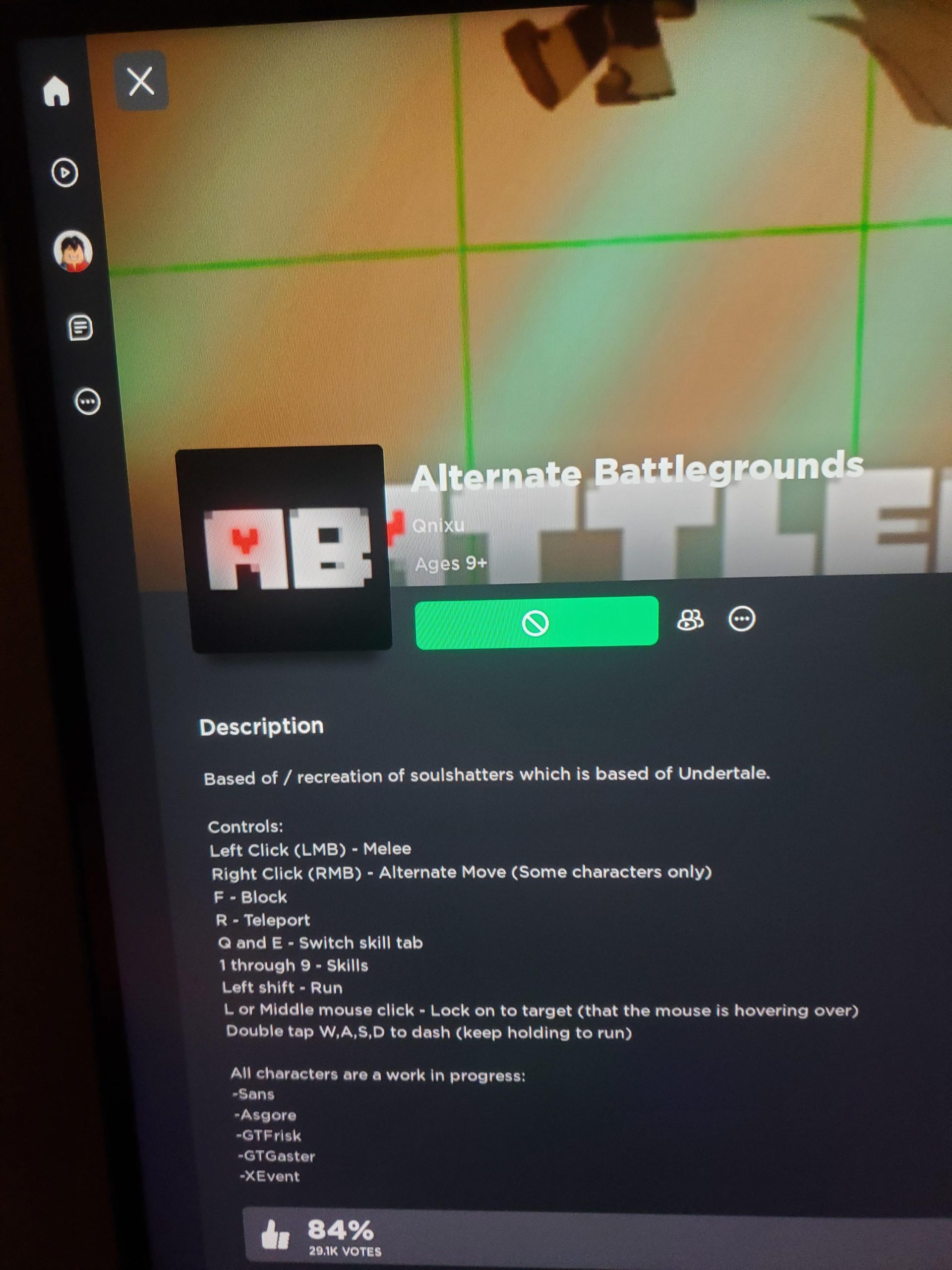
‘You cannot play certain Roblox games because of age restrictions set by the game creators, your account’s privacy settings, or if the game is private, unfinished or experiencing server issues.’
Frustrating, isn’t it? You’re ready for some Roblox fun, but some games are just out of reach. It can be quite annoying when you see that “this game is unavailable” message. The question then pops up: why is Roblox not letting me play certain games?
Several reasons cause this, ranging from the game creator wanting only specific age groups to access their experience to server problems. Sometimes your account settings might just not align with the game’s requirements.

Why is Roblox Not Letting Me Play Certain Games?
Ever tried jumping into your favorite Roblox game only to be met with a frustrating error message or a screen that just won’t load? It’s a super common problem, and there are lots of reasons why Roblox might not be letting you play certain games. Let’s dive into all the possibilities and figure out what’s going on!
Age and Account Settings
One of the most common reasons you might be blocked from a game is your age and the privacy settings on your Roblox account. Roblox has different age categories, and some games are only meant for older players. Think of it like movies – some are rated for everyone, while others are only for grown-ups. If your account is set to a younger age, you might not be able to play games that are meant for older kids or teens.
What are Age Recommendations?
Roblox games often have age recommendations that the developers choose. These recommendations are like a guide for parents and players to help pick the right games. A game might be marked as suitable for “All Ages,” “9+,” or “13+,” and if your account’s set age is below the recommended age, you will likely be blocked from playing that game. These age restrictions are there for a good reason, as some games might have content or themes that are not suitable for younger players.
How to Check and Change Your Account’s Age Setting
If you think your age setting might be the issue, you can easily check it. To check, simply log in to your Roblox account on a web browser. You’ll see the settings menu which looks like a gear icon, and then look for “Account Info” where you’ll find your current age setting. If the age is incorrect, or if you’d like to update it you can update it. However, it’s important to know that if your account is linked to a parent’s email, they might need to help with this change. Once your age setting is correct, many games may become available to you!
Account Privacy Restrictions
Another important aspect is your account’s privacy settings. Roblox lets you control who can message you, who can follow you, and more importantly, which games you can play. Some settings will block you from accessing games with certain types of content or games made by people who are not your friends.
To check your privacy settings, just go into the settings menu. There you’ll see an option that’s labeled “Privacy”. Look for game settings, and there should be ways to adjust which games are available to you. If you see the setting “Who can join me in experiences?”, you should check what that is set to. If it is set to “Friends” only, then you won’t be able to join games if you are not friends with the people in the game. If it is set to “No One” then you won’t be able to join anyone in experiences. Setting this to “Everyone” is one of the fixes to try.
Game-Specific Issues
Sometimes, the problem isn’t with your account but with the game itself. Games can have problems, just like any other software. Here are some things that could be going on:
Game is Currently Under Maintenance
Developers often need to update their games to fix bugs, add new features, or make improvements. During this time, the game might be taken offline for maintenance. When this happens, you won’t be able to play it. Usually, there will be a message saying that the game is under maintenance if you try to join. This maintenance is temporary, so you’ll just need to wait until the game is back online.
Game Has Technical Problems
Sometimes a game might have internal problems that stop people from playing, these issues can include bugs, glitches, or errors. Sometimes the developer has to take the game offline, or they might just try to fix the problem as quick as possible. In this case, you may not be able to do much except just wait for the developers to solve the issue.
Game is Private or Invite-Only
Some Roblox games aren’t open to everyone. They might be private, which means only the creator and their friends can access them, or invite-only where you can only join if the creator invites you. If you try to join a private or invite-only game and you’re not invited, you’ll likely be blocked from playing. In some cases, you might need to ask the game’s creator to invite you, or you may have to become friends with the creator.
Game Has Been Shut Down by the Creator
Sometimes, game creators decide to shut down their games for various reasons. They might want to work on a new version, or they may have other reasons for closing a game. When a game is shut down, it will be unavailable to play. Unfortunately, there is no way to play a game that has been shut down unless the creator decides to make it public again.
Connectivity and Network Issues
Your own internet connection can play a big role in whether or not you can play Roblox games. Even if your account is perfectly set up and the game is working well, you may still have problems due to your network.
Poor Internet Connection
A weak or unstable internet connection can definitely stop you from playing games on Roblox. If you are using Wi-Fi, make sure that the connection is strong. You can try moving closer to your router or trying to connect to another network. If you have bad internet, it will be hard to load the game, and it will likely kick you out after you get in.
Firewall or Router Issues
Sometimes, your internet’s firewall or router might be blocking Roblox. Firewalls are designed to protect your device, but sometimes they might accidentally block safe applications. You might need to check your firewall settings and make sure that Roblox is allowed. Also, restarting your router might help if there’s a problem with your internet connection.
Server Problems
Roblox uses servers to host its games. If the Roblox servers are having problems, you might experience trouble playing. If there is a very big amount of players all playing a single game, then there might be server overload issues. This can cause lag and disconnect you, or even stop you from being able to join at all. Unfortunately, server issues are beyond your control and you will have to wait until they are fixed.
Device-Related Problems
The type of device you’re using to play Roblox can sometimes cause problems.
Outdated Device or Software
If your computer, phone, or tablet is old or running older software, it may have trouble running newer or more complex Roblox games. If you have an outdated device, it might be hard for it to load all the different aspects of the game. Making sure your device and software is up to date can often solve the issue.
Insufficient Storage Space
Roblox games can take up a fair amount of storage space on your device, especially if they are large and complex. If you don’t have much storage space available, it might stop you from downloading and running the game. You can fix this issue by deleting some unused files to free up space, or by moving large files to another device.
Device Not Meeting Minimum Requirements
Each game on Roblox may have its own minimum system requirements. This means your device may need to have a certain amount of processing power, RAM, and graphics capability to run it smoothly. If your device doesn’t meet these minimum requirements, you might not be able to play the game. If this is the case, then you might not be able to play some of the more complex games.
Parental Controls and Restrictions
If your parents have set up parental controls on your Roblox account or on your device itself, this can limit the games you can play.
Parental Controls on Roblox Account
Parents can control what their children play on Roblox through parental control settings. These controls can limit the types of games, block specific experiences, and restrict access to certain features. If your parents have set up these kinds of restrictions, that will be why you aren’t able to join some games. If this is the case you should talk to your parents about changing the settings, if you believe that they are too strict.
Device Level Restrictions
Sometimes, parents might put restrictions at the device level on your computer or phone. This means that your parents could block specific apps like Roblox, or even block access to certain types of websites and content. If you are having this problem, talk to your parents about relaxing some of the restrictions so you can play your favorite games.
Other Reasons
There could be some other less frequent reasons why you can’t access games:
Account Bans or Suspensions
If you break the Roblox community guidelines, your account may be banned or suspended. A ban usually means you cannot access any part of Roblox, including games, while a suspension can stop you from playing for a set period of time. You should be notified by Roblox if you have been banned or suspended.
Game Being Removed by Roblox
Sometimes, Roblox may remove a game for breaking the community guidelines. If a game has offensive content or is against Roblox rules, it can be taken down. If that happens, you can not play the game.
Bugs in the Roblox Platform
Sometimes, Roblox can have bugs or glitches in its own code. While this is not very common, you may see these glitches, causing problems with access to certain games. In this case, just make sure your Roblox app or web browser is fully up to date, and that the game developer hasn’t put the game under maintenance.
So, there are a lot of potential reasons why you might be having trouble playing some of your favorite Roblox games! The best thing to do is go through these possibilities one by one to figure out what is going on. Checking your age and privacy settings is usually the best first step, but always remember to be patient and look at all possible issues!
Fix Roblox "This Experience is Unavailable Due to Your Account Settings" Error
Final Thoughts
In short, game access issues on Roblox often stem from age restrictions set by developers. Sometimes, the game simply has too many players, or it is undergoing maintenance. Your account settings, especially privacy and parental controls, also affect playability.
Content moderation might restrict games based on your region or because of violations. Therefore, why is roblox not letting me play certain games often has several reasons to consider, and each must checked to troubleshoot. Always check game requirements too.

