
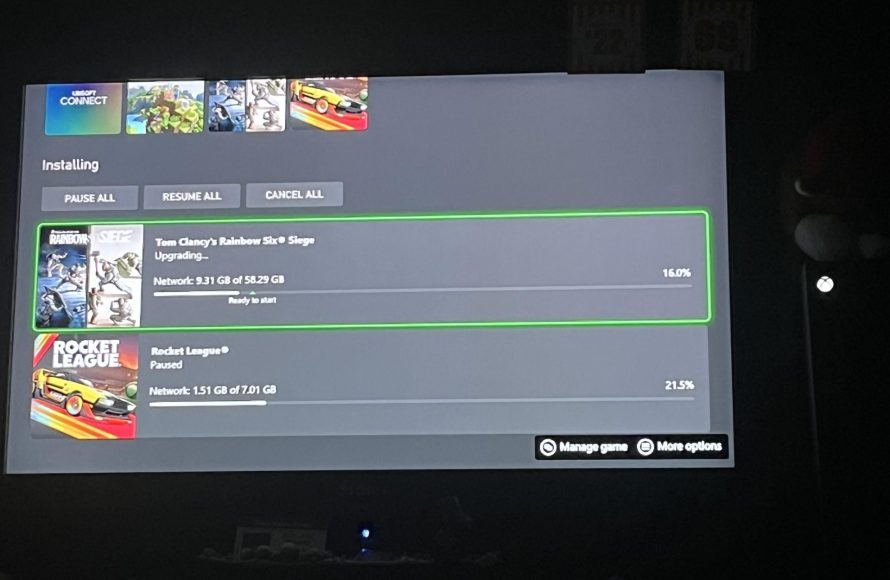
Xbox game update failures usually stem from a poor internet connection, insufficient storage space, or a glitch within the console’s software.
Frustration mounts when you’re ready to dive into a new game, but it just won’t update. You’ve been waiting, staring at that progress bar, only for it to stall. Why wont my xbox update games? This is a common issue many gamers face.
Several factors could be at play, causing your update woes. We will explore these possibilities and help you get your games updated and running smoothly. Let’s get that console working!

Why Won’t My Xbox Update Games?
It’s super frustrating when you’re ready to jump into your favorite game, only to be met with a message saying it needs an update – and then the update just doesn’t happen! You’re not alone; many Xbox users run into this problem. Let’s explore the common reasons why your Xbox might be having trouble updating games, and what you can do to get back to playing.
Internet Connection Issues: The Most Common Culprit
First off, let’s talk about the most likely cause: your internet connection. Just like your phone or computer, your Xbox needs a stable and strong internet connection to download updates. Here’s a breakdown of the different ways your internet might be the problem:
Slow Internet Speeds
Sometimes, your internet speed isn’t fast enough to quickly download updates. Think of it like trying to fill a big swimming pool with a tiny garden hose; it’s going to take a long time. Check your internet speed using a speed test website or app. If the results show really slow speeds, that could be your problem.
- What to do: Contact your internet service provider to see if you can increase your internet speed. Also, consider using an ethernet cable instead of Wi-Fi for a more stable connection.
Unstable Wi-Fi Signal
Wi-Fi signals can sometimes be a little unreliable. Imagine a radio station that sometimes gets static. That’s how your Wi-Fi can sometimes behave. If your Xbox is far from your router, or if there are lots of walls and objects in between, your connection might get weak or drop out. This can halt the updating process.
- What to do: Try moving your Xbox closer to the router, or use a Wi-Fi extender to improve the signal. You can also try restarting your router; this can often fix temporary problems with your Wi-Fi.
Internet Outages
Occasionally, your internet service itself might be down. It’s like when a traffic light stops working; everything gets a bit messed up. This could happen in your area due to technical problems with your internet provider.
- What to do: Check with your internet provider or on their website to see if there are any known outages in your area. If there is an outage, you’ll have to wait until it’s fixed.
Xbox Network Problems
Sometimes, the problem isn’t your internet, but the Xbox network itself. The Xbox network is like a giant highway system that your console uses to access online services, including updates.
Xbox Server Issues
Like all computer systems, Xbox servers can sometimes have problems. Imagine if the big store where the updates live gets temporarily closed; you can’t get to the updates. Xbox servers can be offline for maintenance or experience technical issues. This can prevent your games from updating.
- What to do: Check the official Xbox status page to see if there are any reported server problems. If there is an issue with the servers, you’ll need to wait for Microsoft to fix it. You can also find out about server issues by checking on social media or forums dedicated to gaming.
Network Settings Problems
Sometimes, your Xbox settings might be configured in a way that prevents it from connecting to the network correctly. This can happen if you’ve changed network settings recently or if there’s a glitch.
- What to do: Check your Xbox network settings. You might need to reset them, or use the network troubleshooting tools available in your Xbox settings. These tools help you find and fix common network issues.
Insufficient Storage Space
Just like your backpack or closet, your Xbox has limited storage space. If your hard drive is nearly full, it might not have enough room to download and install game updates.
- What to do: Go to your Xbox settings and check your storage. Delete any games or apps you’re not using to create more space. You can also use an external hard drive to increase your storage capacity.
Game Update Problems
Sometimes, the problem isn’t with your Xbox or internet, but with the update itself. This doesn’t happen very often, but is still something to think about.
Corrupted Update Files
Sometimes, the files that make up the update can get messed up during the download process. Imagine a jigsaw puzzle where some pieces are bent; it won’t fit together correctly.
- What to do: Try cancelling and restarting the update. If the problem continues, you might need to clear the local saved games and downloaded update files. This can help ensure you’re getting a fresh copy of the update. You can find these options in your storage management settings.
Game-Specific Issues
Certain games might have specific problems that prevent them from updating. These could be glitches in the game’s code or specific update issues that the game developer needs to fix.
- What to do: Check the game developer’s website or social media to see if they have reported any known update problems. You might need to wait for the developer to release a fix.
Xbox System Issues
Rarely, the issue might stem from your Xbox console itself. Here are a couple of system related issues that may impact game updates.
Outdated System Software
Just like apps on your phone, your Xbox’s system software needs to be updated regularly. If you’re using an old version of the Xbox software, it might have compatibility issues that prevent game updates from working properly.
- What to do: Go to the Xbox settings and check for system updates. Make sure your Xbox has the latest software installed. If you’ve been putting off updating your Xbox for a while, that could be the issue.
Console Errors
Occasionally, your Xbox can run into internal errors that might interfere with the update process. This is like when your computer has a temporary glitch; sometimes a simple reset is all it needs.
- What to do: Try restarting your Xbox. Sometimes, a simple restart can fix temporary glitches. If the problem continues, consider a power cycle; turn off your Xbox completely, unplug it for a few minutes, and then plug it back in. This can clear some of the system errors.
Tips to Prevent Update Issues
To make sure you keep your games updating without problems in the future, try these things:
- Keep your Xbox and games updated regularly: By making sure your console and games are on the most recent software, you will lower your chances of having problems.
- Keep your internet connection strong: Use an ethernet cable if you can or make sure your Wi-Fi signal is strong.
- Keep your Xbox storage from getting too full: Delete games you’re not playing anymore and use an external hard drive if you can.
- Regularly restart your Xbox: Power cycle it sometimes to clear away system glitches.
Troubleshooting Steps to Take
Here’s a checklist of troubleshooting steps you can follow when game updates won’t download:
- Check your internet connection: Run a speed test and see if it’s stable.
- Restart your router: Unplug it for a minute and plug it back in.
- Restart your Xbox: If that doesn’t work, power cycle it.
- Check the Xbox status page: See if there are any reported server problems.
- Check your storage: Make sure you have enough free space.
- Cancel and restart the update: Give the update process a fresh start.
- Check for Xbox system updates: Ensure your system software is up to date.
- Check game update information: Look for problems on game developer’s pages.
If you’ve tried all of these steps and your games still won’t update, it may be time to get help. Contact Xbox Support; they have many resources and experts who can assist you.
Getting game updates on your Xbox can be annoying. However, by knowing the common reasons why games do not update, you can take steps to resolve the problems. This should help you to spend more time playing and less time troubleshooting. By following these tips you should get back to gaming in no time.
How to Download & Update Games Faster in 2023 on Xbox One, Xbox Series S, & Xbox Series X
Final Thoughts
Connectivity issues, insufficient storage, or system glitches often cause game update problems. Check your internet connection, free up space on your hard drive, and restart your console. These steps may help resolve update interruptions.
If the problem persists, verify your Xbox Live subscription is active and that the console’s software is up to date. It’s crucial to address these potential underlying causes when asking ‘why wont my xbox update games’.

