
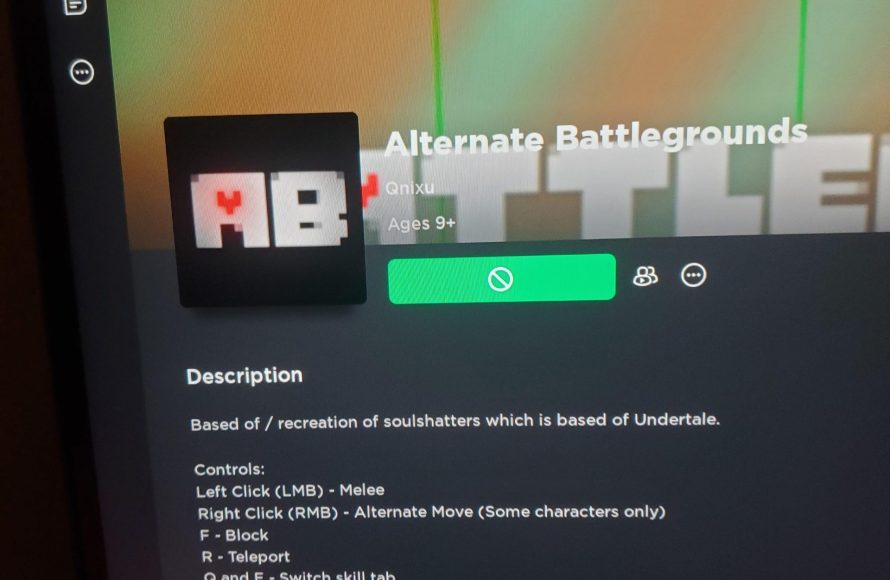
Roblox restricts game access due to age restrictions set by the game creator, account settings, or if the game violates Roblox’s community guidelines.
Ever find yourself staring at a greyed-out game icon, wondering why wont roblox let me play certain games? It’s a frustrating experience, but there are typically logical reasons behind it.
Roblox employs different systems to ensure a safe and enjoyable experience for its users. These systems sometimes restrict access. Age settings, the game’s content, or potential violations of rules can all prevent a player from joining a particular game.

Why Won’t Roblox Let Me Play Certain Games?
So, you’re excited to jump into a new Roblox adventure, but then… BAM! You hit a roadblock. The game you were so eager to play is suddenly off-limits. It’s frustrating, right? You’re not alone! Many players face this issue. Let’s explore the common reasons behind why you might not be able to play certain Roblox games. We’ll go over all the different factors that can prevent you from joining a particular experience. Knowing these reasons will help you figure out what’s going on and what, if anything, you can do about it.
Account Restrictions and Age Settings
One of the most common reasons you might be blocked from playing a game is due to account restrictions. Roblox has different settings to protect younger players. If your account is set up with an age lower than the game’s recommended age, you won’t be able to access it. Think of it like watching a movie – some are rated PG, some are PG-13, and some are for adults only. Roblox uses similar ratings and age controls to keep players safe. If your birthday is entered wrongly, this might be the reason why you are being restricted from playing some games. Make sure the birthday you entered is correct.
How Age Settings Work
Roblox uses your birth date to determine your age bracket. This information is used to filter content that’s appropriate for different age groups. Here’s a breakdown:
- Under 13 Accounts: These accounts have stricter privacy settings and content restrictions. They can only play games deemed suitable for younger audiences.
- 13 and Over Accounts: These accounts have fewer restrictions and can access a wider range of games, including those with more complex themes or challenges.
It’s important for parents or guardians to set the correct age when creating an account. If the age is incorrect, it can limit access to appropriate games for older players, or expose younger players to unsuitable content. Always double check the birthday entered in account settings.
Privacy Settings
Besides age, your account’s privacy settings can also limit access to some games. Roblox allows you to customize who can interact with you, invite you to play, or join your games. If your settings are very restrictive, you might miss out on some games. You need to look into these settings, if you have set very restrictive privacy settings, chances are your friends won’t be able to join you, as well as you might not be able to join others. If you are not playing with anyone and playing solo, this doesn’t matter, but if you have friends and want to play with them, privacy setting needs to be set accordingly.
To adjust your privacy settings:
- Go to the Roblox website or app.
- Log in to your account.
- Click on the Settings icon (it looks like a gear).
- Go to “Privacy” settings.
- Adjust the settings to your preference.
If you are facing issues in joining a game or experiencing issues related to age restrictions, it’s the best to review your privacy settings and set it up according to your preference.
Game-Specific Restrictions
Sometimes, it’s not about your account settings, but the game itself. Game creators have the power to set up specific rules and restrictions on who can play their creations. These rules can vary widely depending on the game’s theme, complexity, or target audience. Think of it like some board games are designed for older players and some are for younger players. Similarly, some games are made for certain age groups and player types.
Age Recommendations Set by Game Creators
Roblox allows game developers to specify age recommendations for their games. This is usually a suggested age range, and the platform often uses this information to make sure that a player of a specific age is only suggested age-appropriate games. If a game creator rates their game for older users, or it has content that might not be appropriate for younger players, Roblox will automatically filter it out from the recommendations and will restrict younger players from playing such games. While Roblox age settings play a vital role in preventing young players from playing certain games, game specific age settings are equally important to make the content safe for all players.
Geographical Restrictions
Believe it or not, some games are restricted to specific regions or countries. This usually happens because of licensing agreements, cultural reasons, or content regulations. It is also possible that the game is not fully translated into the language of the player. In some cases, a game developer might only launch their games in a specific country or location. So, if you are living in some specific countries, you might not be able to access certain games. If the game developer has not planned to launch their game in your location, you won’t be able to play it.
Private Servers and Access
Some games might not be available for everyone because they are private. Private servers are special game versions made by the creator for a limited number of players. If you don’t have the special invite or access to this server, you won’t be able to get in. This is usually used for beta testing of new games or allowing a close group of friends to play together. Imagine like playing with your cousins but no one else is allowed to join, in private servers, it’s kind of same thing.
Beta Testing
Many games start as beta testing before officially launching the game. During the beta testing phase, only a specific amount of people can join. If you are not part of beta testing group or the access is not granted to you by the game developer, you won’t be able to join that game. The purpose of beta testing is to identify bugs and glitches in the game, once they are identified, and the game is stable, then the game is fully released for all.
Technical Issues and Server Problems
Sometimes, the reason you can’t play isn’t about your account or the game rules, but rather technical problems. These are usually temporary and will be fixed by the Roblox team. Server issues can affect all games or specific games depending on the issue. Many users will experience similar issues during this time. Let’s have a look at some of these technical reasons.
Server Maintenance
Like any online platform, Roblox needs regular maintenance. During maintenance periods, certain games or even the entire platform can become unavailable. This is usually scheduled to make improvements to the platform. It is necessary to update the servers to improve the gameplay experience for all. These maintenances are usually very short, however, during this time, you might not be able to join certain games. These server maintenances usually happen during early morning times of Pacific Standard Time (PST) to avoid disrupting peak gaming hours.
Game Server Overload
When many people try to play a game at the same time, it can lead to server overload. This means the game servers are struggling to keep up with the demand. It can lead to slowdowns, crashes, or simply an inability to join the game. Imagine a pizza shop that suddenly gets too many customers and can’t handle all the orders. The pizza shop is similar to server overload.
Internet Connection Problems
A stable internet connection is vital for playing online games. If your internet connection is weak or unstable, you might face problems joining or playing games. Make sure your internet connection is good when you are planning to play a Roblox game. If you are using Wi-Fi, make sure it’s working correctly and the connection is strong enough. If you are using wired connection, check if your cable is properly plugged in. You can also try to switch to a different internet network to check if the problem is from the network.
Roblox Platform Issues
Sometimes, the problem isn’t on your end, but on Roblox’s. There might be platform wide issues or bugs that are impacting a large number of users from joining games. Such bugs and issues are mostly fixed by the platform itself. The Roblox team regularly works on fixing such issues and bugs to improve the experience for its users. If the issue is on the Roblox platform, all you can do is wait until the team fixed the issues.
Game Bugs or Glitches
Every now and then, games can have bugs or glitches, and they can prevent users from being able to play. These glitches are usually reported to the developers who will work on fixing the issue. Developers need to regularly check for bugs and glitches so they can provide smooth and uninterrupted gameplay for all its users. If you find any bugs or glitches, you can report them to the developers.
Device Compatibility
Not every game is designed to work perfectly on every device. Roblox is designed to be accessible on many devices, but some games might have specific hardware requirements that your device might not meet. This is mostly applicable to mobile devices or older PCs.
Operating System and Updates
Make sure your device operating system is up to date. Older operating systems may have problems running newer games, as they might not support newer features required by the game. Regularly update your devices to avoid such issues. If you are having problems running a Roblox game, make sure you have upgraded to the latest operating system. It’s important to have the correct and latest operating system in your device.
Hardware Requirements
Some games have high requirements for graphics card, processor, and RAM. This means, that to play these games smoothly, you must have devices with more capable hardware. If your device does not meet these requirements, it might not be able to run the game. It is always a good idea to check if your device is compatible with the game or not. If the requirements of game are higher than your device capabilities, it might be the reason why you are facing issues while joining the game. If you are playing the game on your phone, make sure your phone has necessary resources to run the game smoothly.
Parental Controls
If you are under age, your parents or guardians can set controls on your Roblox account. These parental controls include who you can play with, which games you can access, and how much time you spend playing. They do this to make sure you stay safe while playing online games.
Restricted Games and Communication
Parental controls often have the option to block certain games or communication features. Your parents can prevent you from joining specific games, and this is usually based on the game ratings and your age. They can also restrict who you can chat with or play with. If you are facing issues with joining games, always check in with your parents or guardians.
Time Limits
Some parents might also use parental controls to set up time limits. If you have reached the maximum game time, you might not be able to play until the next day or when the set limit expires. This is done to ensure that you are getting enough sleep and not spending too much time playing online games.
In conclusion, many different reasons can stop you from playing certain games in Roblox. Some reasons are related to your account settings, while others can be related to game specific restrictions, server issues, device compatibility, and even parental control settings. By understanding these reasons, you will be able to understand the cause for not being able to play certain games. It is always best to check for each of these issues whenever you are not able to play your favorite game. Often these issues are temporary, but if you keep facing the same issues, you should try to identify the root cause of the problem.
Fix Roblox "This Experience is Unavailable Due to Your Account Settings" Error
Final Thoughts
Roblox game access depends on age settings, account restrictions, or the game’s own compatibility. Sometimes developers use platform-specific rules that limit game play based on your device. These factors can affect which experiences you can join.
Why wont roblox let me play certain games often comes down to developer settings and your own account settings. Make sure your date of birth is correct and that no account restrictions prevent you from playing.

