
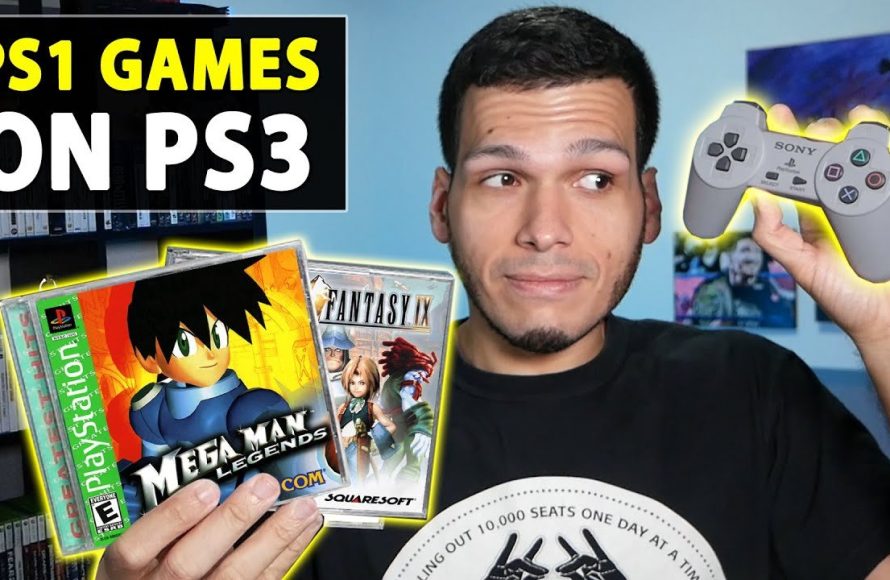
Yes, most PS1 games will work on a PS3, but there are some exceptions depending on the PS3 model.
Curious about dusting off your old PlayStation 1 classics and playing them on your PS3? Many gamers wonder if their cherished PS1 titles will function on the newer console. The compatibility question, ‘will ps1 games work on ps3’ is quite common among fans.
Thankfully, the PS3 offers backward compatibility for the majority of PS1 games. However, it’s worth noting that not all PS3 models play every single PS1 game perfectly, so check your console details. Certain very early models had full compatibility due to hardware, while others rely on software emulation.

Will PS1 Games Work on PS3?
So, you’ve got a stack of awesome PlayStation 1 games, and a shiny PlayStation 3 sitting right next to them. You’re probably wondering, “Can I play these old classics on my newer console?” It’s a very common question for gamers, and the answer isn’t a simple yes or no. Let’s dig into the details to see exactly which PS1 games will work and why some might not.
The Good News: Backward Compatibility
The best thing to know right away is that most PS3 models have a special feature called “backward compatibility.” This means they can play games from older PlayStation consoles. The PS3 was designed to read and play PS1 game discs. So, generally, yes, your PS1 games should work on your PS3. That’s fantastic news for those looking to revisit old favorites or experience them for the first time!
However, the situation isn’t quite that straightforward. It’s not a blanket “all PS1 games will work.” There are some important exceptions and things you need to know. Let’s explore these a bit further.
Understanding PS3 Models and Backward Compatibility
Not every PS3 model is made the same! The level of PS1 backward compatibility depends heavily on which specific PS3 model you own. Early PlayStation 3 models had better backward compatibility compared to later versions.
The Original “Fat” PS3 Models
The very first PS3 consoles that came out, often called the “fat” models, are the most capable when it comes to PS1 games. These consoles were made with special hardware that allows them to play both PS1 and even some PS2 games.
- Full Hardware Emulation: The launch models had actual PS2 hardware chips inside. This made playing PS1 games very easy because the PS2 was completely compatible with PS1 games.
- Model Numbers: Look for model numbers like CECHAxx, CECHBxx, CECHCxx, and CECHExx. These are the magic numbers that indicate full hardware emulation for PS1 games.
The Slim PS3 Models
The PS3 Slim came later. These models still generally provide great PS1 game compatibility, but they took a slightly different approach. They don’t have the full PS2 hardware chips inside like the original models. They still provide PS1 support using software emulation.
- Software Emulation: The Slim models use special software on the PS3 to translate PS1 game code into something the PS3 can understand. This works really well most of the time.
- Model Numbers: Look for model numbers like CECH-20xx, CECH-21xx, CECH-25xx, and CECH-30xx for those having software based emulation for PS1.
The Super Slim PS3 Models
The last version of the PS3, the Super Slim, is where things get a little more limiting. These models, unfortunately, do not support playing PS2 games, and their PS1 compatibility is where it gets quite similar to the Slim models.
- Software Emulation Only: Like the Slim models, the Super Slim relies solely on software emulation for PS1 games.
- Model Numbers: These models often have model numbers starting with CECH-40xx.
How to Check Your PS3 Model
It’s easy to check which PS3 model you have. You can usually find the model number on a sticker on the back of your console. Look for something like “CECH-xxxx.” This number tells you exactly what kind of backward compatibility to expect.
Once you know your model number, you can easily see if your console should be able to run PS1 games correctly, using the list of model numbers we gave earlier.
Playing PS1 Games on PS3: The Process
Okay, so you know your PS3 model supports PS1 games. Now, what’s the process for getting started? It’s very simple! Here’s a step-by-step guide:
- Insert the PS1 Game Disc: Take your PS1 game disc and place it into the disc tray of your PS3 console.
- Power On Your PS3: Turn on your PlayStation 3 console.
- Navigate to the Game: On the PS3’s main menu (XMB), use your controller to move through the game icons. You should find that the PS1 game will appear as its own disc icon. If your PS3 does not detect the PS1 game, then please try a different game disc to see if the problem is with the disc itself, or the PS3 console.
- Select and Play: Select the PS1 game icon using the X button. The game should start up just like it would on a PS1.
That’s pretty much it! It’s very user-friendly and simple. You’ll be gaming in no time!
Potential Issues and Things to Consider
While the process is mostly simple, there are a few potential problems or considerations to know about that might occur. Here are some common ones:
Disc Reading Problems
Sometimes, the PS3 might have trouble reading a PS1 game disc. This can happen if the disc is scratched, dirty, or damaged. Try cleaning the disc with a soft cloth. If that doesn’t help, try playing the game on another PS3, if available, or a PS1, to see if the problem is the disc, or your current PS3 console.
Game Compatibility Issues
Although most PS1 games will work on the PS3, a small number of titles may not play correctly due to emulation issues. These issues can range from minor graphical glitches to the game not loading at all. This is more likely to occur on the slim and super slim models due to software emulation. If this does occur, check for a specific game incompatibility list online.
Controller Compatibility
You can use your standard PS3 controllers to play PS1 games. This works without any problems at all.
Graphical Differences
You may notice some differences in how PS1 games look on a PS3 compared to a PS1. Emulation can sometimes have an impact on visual quality. These differences are usually not significant, but it is something to keep in mind.
Memory Cards
One big difference from the original PS1, is that PS3 does not use physical memory cards. The PS3 automatically creates virtual memory card data for every game, so you will not need to worry about inserting PS1 memory cards into the console. The console will manage everything itself.
Why Backwards Compatibility Matters
Backward compatibility is very important for gamers. It means you can keep playing old favorites without needing to keep multiple consoles around. It also lets newer players experience classic games without the cost and hassle of older hardware. Having backward compatibility is a great feature to have!
The Benefits of Playing PS1 Games on a PS3
There are some great reasons why playing PS1 games on a PS3 is really cool. Here are some benefits:
- Convenience: Having all your games playable on one console is fantastic. It keeps your setup tidy.
- Better Graphics: The PS3’s improved hardware may slightly improve the look and feel of the PS1 games. This could be just minor differences, but they can make the experience feel a bit more polished.
- HD Output: You can connect your PS3 to newer TVs via HDMI, providing a better picture compared to the older composite cables used on the PS1, especially with higher-definition televisions.
- Digital Library: The PSN store on PS3 provides access to a wider library of PS1 games. This can allow you to buy and play digital versions of PS1 classics without the use of a disc, for certain games.
A Note About PS1 Classics on the PlayStation Store
The PS3 also has its own PlayStation Store where you can buy and download classic PS1 games. These games are usually very affordable and do not require the use of a disc. This is great for anyone that might not have all the PS1 games they want. It allows players to buy and play those classic games easily. Here is a quick look at advantages of buying from the digital store over using a disc:
- No Discs Needed: Playing digital copies means no need to use discs that may be damaged or prone to damage.
- Easy Access: Once purchased, you can download and install the games onto your console without the need to physically change the discs.
- Portability: Since the games are stored digitally on the console, you don’t have to worry about transporting the physical discs when using your PlayStation.
Troubleshooting Common Problems
If you’re having problems playing PS1 games on your PS3, don’t worry! Here are some steps to help you troubleshoot common issues:
- Check Your Disc: Make sure your PS1 disc is clean and free of any scratches. Try cleaning it gently using a soft microfiber cloth. Wipe from the center of the disc outwards.
- Try Another Game: Test if the same issue occurs with other PS1 games. If only one disc has the problem, then the disc is probably the problem, not the console.
- PS3 System Updates: Make sure your PS3 system is fully up to date with the latest system updates. If it is not, update it and then try again.
- Reset Console: Sometimes, turning the PS3 off and on can solve problems. If this still does not work, unplug the console for around 1 minute, and try again.
- Check for Game Compatibility Lists: Search online for compatibility lists that show if your game is known to have compatibility problems with the PS3.
If these troubleshooting tips do not solve the problem, it could mean the problem is with the hardware of your PlayStation console itself, which may require it to be serviced by a professional console technician.
In conclusion, yes, most PS1 games will work on a PS3, especially if you have one of the early “fat” models with full hardware emulation. The later Slim and Super Slim models still offer excellent PS1 compatibility via software emulation. Playing these classic games on a PS3 is a great way to revisit your old favorites, and explore the classics of the PS1 library on a modern television. Just remember to double check your model number, and keep your discs in good shape for the best gaming experience!
How to Play PS1 Games on PS3 – ALL Playstation 3 Consoles Play PS1 Games!! – PlayerJuan
Final Thoughts
Yes, most PS1 games will work on PS3 consoles. The PlayStation 3 includes backwards compatibility for PlayStation 1 discs. However, not every single PS1 title is guaranteed to function.
Some less common games might not play, due to emulation issues. It is always best to test specific titles to confirm compatibility. So, you must check before you buy a specific game.
Ultimately, ‘will ps1 games work on ps3’ is mostly a yes, but with a small caveat about some specific games.

