
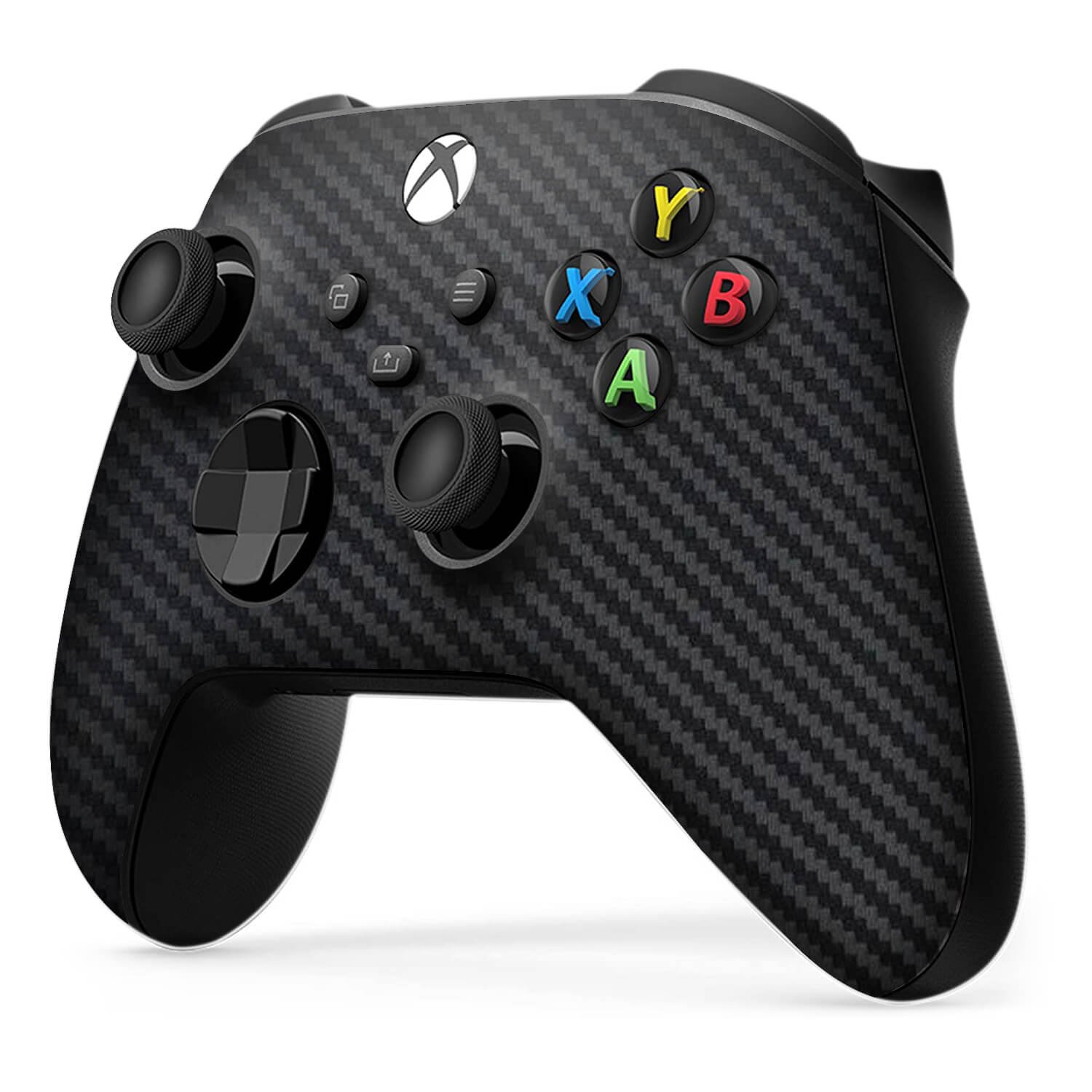
Xbox controller skins provide a way to personalize and protect your controller with various designs and materials.
Want to give your Xbox controller a fresh new appearance? Many gamers personalize their setups, and controllers are a great place to start. Xbox controller skins offer an easy method to change up the style of your device.
You can find skins in many different colors, patterns, and even textures. These skins not only offer a custom design but also a layer of protection from scratches and everyday wear. Applying them is typically simple and doesn’t require any disassembly.

Xbox Controller Skins: Customize Your Gaming Experience
Your Xbox controller is like your best friend in the gaming world. It helps you score goals, win races, and explore amazing lands. But sometimes, that same old black or white controller can feel a little…boring. That’s where Xbox controller skins come to the rescue! Think of them as cool outfits for your controller, letting you show off your personality and make your gaming setup truly yours.
What Exactly Are Xbox Controller Skins?
Simply put, Xbox controller skins are like stickers or decals designed to fit perfectly onto your Xbox controller. They’re made from thin, durable materials like vinyl, and they come in all sorts of colors, designs, and even textures. They’re not just about looks, though. Controller skins can also protect your controller from scratches and everyday wear and tear, keeping it looking newer for longer. Many gamers believe they improve the grip on the controller as well, providing a more comfortable gaming session.
Types of Xbox Controller Skins
The world of Xbox controller skins is vast and exciting. Let’s explore some of the different types you can find:
- Solid Color Skins: If you like things simple and classy, solid color skins are for you. They come in every color imaginable, from bright neon shades to cool, subtle tones. These are great if you want to match your controller to your gaming setup or just prefer a clean look.
- Patterned Skins: Want to add a little more excitement? Patterned skins feature all kinds of designs, like camouflage, geometric shapes, animal prints, and more. You can find one to match almost any style.
- Character & Game-Themed Skins: Are you a huge fan of a particular game or character? Show it off with character and game-themed skins! You can find skins featuring your favorite superheroes, game characters, or even logos from popular titles.
- Textured Skins: These skins not only add visual appeal but also a different feel. Textured skins might have a grip-enhancing pattern, a raised surface, or a smooth, almost leather-like touch.
- Customizable Skins: For the truly unique gamer, some companies offer customizable skins. You can upload your own photos, logos, or designs to create a one-of-a-kind skin.
- Glow-in-the-Dark Skins: Add some extra flair to your gaming with glow-in-the-dark skins. These skins usually feature a phosphorescent layer that absorbs light and then emits a soft glow in the dark, making your controller look awesome in low-light gaming setups.
Why Use Xbox Controller Skins?
Okay, so they look cool, but why else should you consider using controller skins? Here are a few great reasons:
Protection
Even if you take great care of your controller, it can still get scratched, scuffed, or worn down over time. Controller skins act as a protective layer, helping to keep your controller looking fresh and new. It’s a small investment to protect your valuable gaming hardware from daily use.
Personalization
This is where controller skins truly shine. They let you show off your personality and style. Whether you want to match your favorite game, support your team, or simply have a unique-looking controller, skins make it happen. They offer a chance to be creative and express yourself.
Improved Grip
Some controller skins, especially textured ones, offer an improved grip. This can help you play better, especially during intense gaming sessions where a slippery controller can cause you to lose control. Enhanced grip means more precise movements and more control over your character.
Easy Application and Removal
Controller skins are designed to be easy to apply and remove. Most skins use an adhesive backing that sticks securely but can be peeled off without damaging your controller or leaving any residue. This means you can change your skin whenever you want, without any hassle.
How to Choose the Right Skin for Your Xbox Controller
With so many options available, choosing the right skin can feel a bit overwhelming. Here are some tips to help you make the best choice:
Consider Your Style
What kind of style do you like? Do you prefer simple and clean, or bold and bright? Are you into specific games, characters, or color schemes? The best skin for you will be one that matches your personal taste and what makes you happy to hold in your hands.
Think About Material
Controller skins are made from different materials, so consider which one will suit your needs best. Vinyl is a popular option because it’s durable and easy to apply. Some skins have an extra laminate layer for more protection against scratches and wear. Consider if you want texture or if you just want a smooth finish for your controller.
Check the Fit
Before buying a skin, make sure it’s designed for your specific Xbox controller model. Xbox controllers have gone through several versions, and the skins are not all the same, so it must be designed specifically for your model. Skins that are not correctly sized might not fit well and can look awkward or even interfere with your controller’s buttons. Check compatibility carefully!
Read Reviews
Before you purchase, check out what other gamers are saying about the skin you are considering. Pay attention to reviews regarding the ease of application, durability, and fit. Learning from other people’s experiences can help you avoid buying a low-quality product.
Consider Your Budget
Controller skins come at various price points. While some offer high-quality materials and custom designs, others might be more affordable and practical. Set a budget and research skins within your range. While the most expensive one isn’t always the best, be sure to balance price with quality.
Applying an Xbox Controller Skin: A Step-by-Step Guide
Applying a controller skin is usually quite simple, but it’s still important to do it carefully to avoid any bubbles or misaligned pieces. Here’s a general guide:
Step 1: Clean Your Controller
Before applying the skin, make sure your controller is clean and free of any dust, dirt, or grease. Use a microfiber cloth and a bit of isopropyl alcohol to clean it. This will help the skin stick better and will give a smooth appearance.
Step 2: Peel and Align
Carefully peel the skin from its backing. Align it with the controller using the buttons, joystick holes, and other features as a guide. Most skins are precut to fit perfectly, so this process will not take you too long.
Step 3: Apply Slowly and Smoothly
Once aligned, gently press the skin onto the controller, starting from one end and moving to the other. Use your fingers or a credit card to smooth out any air bubbles as you go. Be patient and take your time to achieve a seamless finish. Go over all edges and buttons to ensure the skin has stuck down completely and there are no air bubbles anywhere.
Step 4: Adjust and Reapply If Needed
If you notice any misalignment or bubbles, you can carefully peel the skin back and reapply it. Don’t hesitate to do this for a proper fit. Some manufacturers make their skins reusable, so it’s okay to peel it off and try again.
Step 5: Final Inspection
After you’ve applied the skin, take a moment to make sure it’s smooth and sits evenly on the controller. Press down on the edges to make sure they’ve all adhered. You’re ready to game in style!
Maintaining Your Xbox Controller Skin
Once you have applied your new awesome skin, you want to ensure it stays in good condition. Here are a few care tips:
Regular Cleaning
Clean your controller skin regularly with a microfiber cloth to remove dust and fingerprints. If you need more cleaning, use a slightly damp cloth and wipe it gently. Avoid using harsh chemicals or abrasive cleaners.
Avoid Sharp Objects
Be careful with sharp objects that can scratch or tear the skin. Do not set down or put your controller near anything that could damage the skin. Avoid scratching at the skin.
Keep Away From Extreme Temperatures
Keep your controller away from extreme heat or direct sunlight, which can cause the skin to peel off or fade. Extreme temperatures can also weaken the adhesive layer. This is especially relevant during the hot summer months.
Where to Buy Xbox Controller Skins
You can find Xbox controller skins in many places. Here are some popular options:
- Online Marketplaces: Websites like Amazon and eBay offer a wide variety of skins from different brands and independent sellers. You’ll find a lot of options here, so take time to browse.
- Gaming Retailers: Stores that specialize in video games usually stock skins as well. Check out your local gaming shop or large electronic stores.
- Official Brand Websites: Some companies that make controllers or other accessories also make skins. Check out their websites for skins that go well with their products.
- Custom Skin Websites: If you’re after custom designs, visit companies that offer custom skin printing. They often have software you can use to create a personalized skin.
The Impact of Controller Skins on Gaming
Controller skins do more than just make your controller look good; they can actually change how you game. Think about:
Improved Comfort and Grip
A well-made textured skin can improve your grip, allowing for more precise control. This might allow you to get better in the game because you feel more confident with the controller in your hand. Better grip means less chance of accidental movements.
Increased Player Confidence
When you have a controller that you’re proud of, it can increase your confidence. Personalizing your controller with a skin can make you feel more invested in your gaming sessions. Having a visually appealing controller can provide a sense of connection to your games.
A Unique Gaming Identity
Having a unique controller lets you show off your gaming identity. It sets you apart from other gamers and adds a personal touch to your setup. It makes your gaming station your own.
The Future of Xbox Controller Skins
The world of Xbox controller skins keeps getting better. Here are some things we might see in the future:
More Advanced Materials
Expect to see skins made of even more durable and comfortable materials. Perhaps with improved grip or even self-healing technology that can fix minor scratches. Research and development on new materials will always improve controller skins.
Increased Customization Options
We can anticipate even more customization options, such as user-created 3D-printed skins, or designs that can dynamically change based on game events. The level of personalization should increase drastically.
Integration with Gaming Platforms
In the future, we might see controller skins that work with gaming platforms or profiles to create a more immersive experience. Imagine a skin that changes colors based on your game progress or even provides feedback through light or vibration.
Xbox controller skins are a fantastic way to add personality, protection, and grip to your gaming gear. With so many options available, there’s a perfect skin out there for everyone. Whether you’re looking to match your favorite game or create a completely unique look, controller skins let you make your mark on the gaming world. Give them a try and see how they can change the way you game!
you can customize your xbox controller with these
Final Thoughts
Ultimately, Xbox controller skins provide a great way to personalize your gaming setup. They offer protection against daily wear and tear, extending controller lifespan.
These custom skins also let you show off your style. Choose from various designs and colors, easily switching them as desired.
Finding the perfect fit among the many Xbox controller skins is straightforward. They’re an inexpensive way to improve both feel and appearance.

