
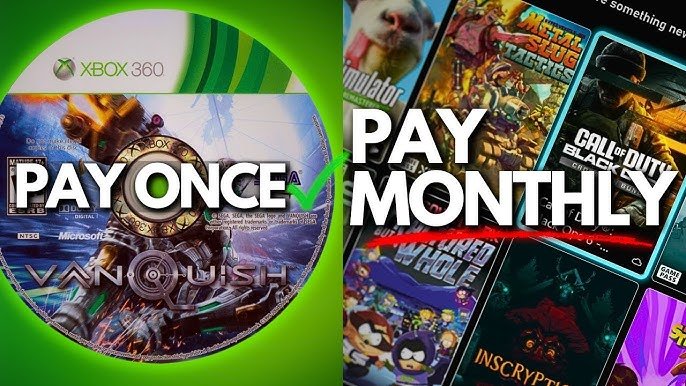
Xbox digital game ownership grants you a license to play a game on your console and associated accounts; it does not provide full ownership of the game itself.
Ever wondered exactly what you’re getting when you buy a digital game on your Xbox? It’s easy to assume you fully own a title after purchase, but the reality is a bit more nuanced. Understanding the concept of Xbox digital game ownership is important for any avid gamer.
The terms and conditions often define the parameters for these digital purchases. Knowing these details can help you manage your games better and avoid surprises later. Let’s explore this topic further.

Understanding Xbox Digital Game Ownership
So, you’re diving into the world of Xbox and thinking about buying games online? That’s awesome! Digital games are super convenient, but it’s good to know exactly what you’re getting. When you buy an Xbox game digitally, you’re not getting a physical disc. Instead, you’re purchasing a license that lets you download and play the game on your Xbox. Let’s break down what that really means.
What You Actually Own When You Buy Digital
It’s important to know that when you buy a digital game, you’re not buying the game itself like you would a book or a toy. Instead, you are buying the right to use that game. This right is often called a “license.” Think of it like renting a movie, except you can play it as much as you want. The company that made the game still owns the game itself; you own the permission to play it.
The Role of the Xbox Account
Your Xbox account is super important when it comes to digital games. This account is where your game licenses are stored. It’s like your own personal library of games but on the computer. When you buy a game, it’s linked to your Xbox account. That means if you log in to a different Xbox console with the same account, you can download and play your games there too. Cool, right?
Think about it this way: if you move houses, you pack up your books and take them with you. If you change Xbox consoles, your game licenses move with you when you sign in with your account. Your games are tied to you, not to one specific Xbox machine.
Benefits of Digital Ownership on Xbox
There are lots of great reasons to choose digital games on Xbox. Here are some of the biggest perks:
- Convenience: No more trips to the store! You can buy and download games from the comfort of your couch.
- Instant Access: Once you buy a digital game, you can usually start playing it right away, provided your internet speed is okay. No waiting for delivery!
- Game Sharing (with limitations): Xbox lets you share some of your digital games with family and friends, depending on the specific console setup.
- No Physical Clutter: No more cases piling up. Digital games take up no space on your shelves, just on your Xbox storage.
- Pre-Loading: You can often download a game a few days before it comes out, so you can play it right when it launches.
- Deals and Sales: You can find great sales on digital games throughout the year.
Xbox Game Pass and Digital Ownership
Xbox Game Pass is a subscription service that gives you access to a large library of games. You might be wondering how it connects to digital ownership. When you have Game Pass, you can download and play games from the library, but you don’t own those games. If you cancel your Game Pass subscription, you won’t be able to play those games anymore unless you buy them separately. Game Pass gives you access, but not ownership.
Understanding the Limitations of Digital Ownership
While digital ownership is convenient, it’s good to know about some of the limitations:
No Reselling
Unlike physical games, you can’t resell your digital games. Once you’ve purchased a digital game, it’s yours to use, but you can’t sell it to someone else.
Reliance on Internet
You’ll need a good internet connection to download games. If your internet is slow, it might take a while to get your games. Also, for some single player games or to initially authenticate the ownership for some games, you might need to be connected to the internet from time to time. This is because your ownership is tied to your Xbox account, which is an online account.
Account Security
Your digital game library is connected to your Xbox account, so it is very important to keep your account secure and safe. This will help make sure nobody else uses your account.
Changes in Game Availability
Occasionally, games might be removed from the digital store for different reasons like licensing or publisher decision. While this is rare, it is a good thing to be aware of. If you already have the game downloaded when it gets removed, you should still be able to play it. But if you delete it, you might not be able to re-download it.
How Digital Game Ownership Works on Different Xbox Consoles
Your Xbox digital games can travel with you. Let’s look at the different ways you can access your games on various Xbox consoles.
Xbox Series X|S
The Xbox Series X and Series S are the newest Xbox consoles, and they play digital games brilliantly. Simply log in with your Xbox account, and you’ll see all your purchased games available for download. The new consoles are designed to give you a smooth experience with both the best graphics and speed.
Xbox One
If you have a previous generation Xbox One console, that is not a problem either. Your purchased digital games work on Xbox One as well, just like on the new Xbox Series consoles. The game you buy will work across both the Xbox one and Xbox Series console generations.
Console Sharing and Home Xbox
Xbox has a system called “Home Xbox” that lets you share your digital games with others on one console. By designating one of your consoles as your Home Xbox, anyone who uses that console can play games from your digital game library. This is a great option for families.
Here’s how it works:
- Log into your Xbox account on the console you want to be your Home Xbox.
- Go to Settings and find Personalization.
- Select “My Home Xbox”.
- Make that console your Home Xbox.
It’s important to know that you can only have one Home Xbox at a time. If you change which console is your Home Xbox, others on the previous Home Xbox will no longer have access to your digital games unless they sign in with your account.
You can play your games anywhere else by signing in with your own account. Remember, your licenses travel with your account.
Managing Your Digital Games
Keeping track of your digital games is pretty simple on your Xbox. You can see all your purchased games in the “My games & apps” section. From here, you can install, uninstall, and manage your games.
Finding Your Games
Here’s how to find your games:
- On your Xbox dashboard, go to “My games & apps.”
- Go to the “Owned games” section.
- All your purchased digital games will be listed here.
Installing and Uninstalling Games
To install a game, just select it and choose the “Install” option. If you need space, you can uninstall a game. This will delete the game from your Xbox storage but doesn’t delete your license. You can re-download it any time you want as long as it’s still available.
Game Updates
Digital games often receive updates. These updates make the games better, fix any issues, and sometimes add new content. Make sure to let your games update to have the best gaming experience.
What Happens if You Change Your Gamertag?
Your gamertag is your online name on Xbox, and sometimes you might want to change it. The good news is, changing your gamertag doesn’t impact your digital game licenses. All your purchased games remain linked to your Xbox account, not just to your gamertag. So you can change your name without worry!
Xbox Digital Ownership and the Future
Digital games are becoming increasingly popular and are part of the future of gaming. This trend is not likely to change. With faster internet and bigger storage options, more gamers are choosing digital games over physical ones. It’s an easy way to buy games, making gaming more convenient and fun. Game ownership might feel different than it did when people only used discs, but the license-based system offers lots of new options.
Tips for Buying Digital Games on Xbox
Here are some tips to make the most of your digital game purchases:
- Check for Deals: Look for sales and discounts before buying games. The Xbox store often has great deals throughout the year.
- Read Reviews: Before buying a game, read reviews from other players. This can help you make sure you’re buying a game you will like.
- Use Gift Cards: If you receive gift cards for the Xbox store, they’re perfect for buying digital games.
- Manage Your Storage: Digital games can take up a lot of storage space. Make sure you have enough space available, and you can always delete games you’re not playing anymore.
- Understand Your Home Xbox Settings: Before buying, be very sure of your console sharing settings if you are planning to share with family or friends. This is key to enjoying the full experience.
Understanding Xbox digital game ownership is important for every gamer. Digital games offer lots of benefits, like convenience and instant access, but also have some limitations like no reselling. By knowing all the details, you can make the best decisions and have fun playing your games!
Microsoft Shutting Down Xbox in 2027?!
Final Thoughts
Ultimately, players value control over their digital libraries. Xbox digital game ownership provides convenience and accessibility, letting you play anywhere. Digital games offer instant access without physical media.
However, ownership rights and future platform transitions remain important conversations. Gamers must consider these factors when choosing digital purchases. Xbox digital game ownership comes with its own benefits and considerations.

