
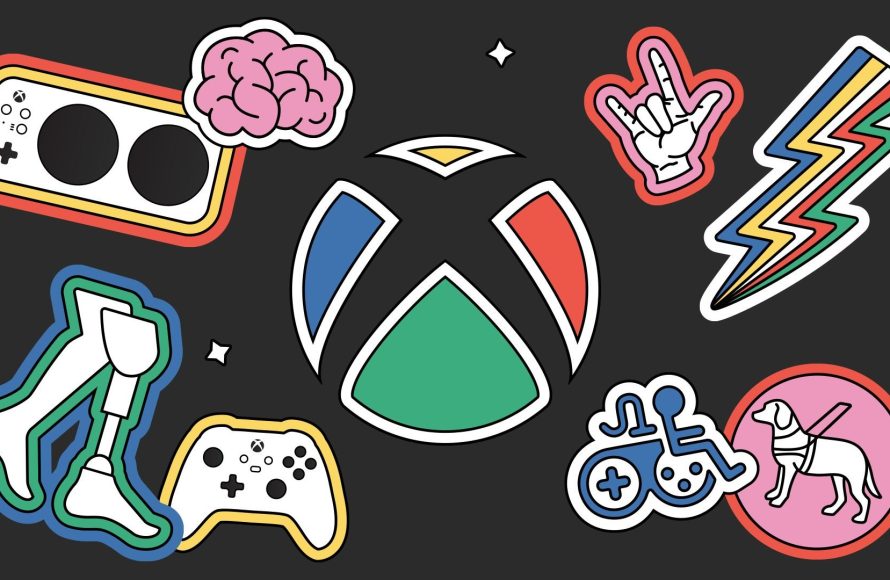
Xbox gaming for disabilities uses specialized controllers and accessibility settings to enable a wider range of players to enjoy video games.
Video games offer fun and social connection, but access isn’t always equal. Barriers sometimes exist, preventing participation. Xbox gaming for disabilities directly addresses these barriers.
Microsoft actively develops tools and features. These advancements allow individuals with diverse needs to play. This makes Xbox a more inclusive platform.
This includes customizable controllers and various software options. It ensures everyone has a better and more enjoyable gaming experience.

Xbox Gaming for Disabilities: A World of Accessible Fun
Video games are a fantastic way to have fun, relax, and even connect with friends. But for some people, traditional controllers and gameplay can be a challenge. That’s where accessible gaming, especially on Xbox, comes in. Microsoft has worked hard to make Xbox gaming more inclusive, ensuring everyone, regardless of their abilities, can join in the fun. This article will explore the many ways Xbox makes gaming accessible for players with disabilities, touching upon hardware, software features, and community support.
The Xbox Adaptive Controller: Changing the Game
The heart of Xbox’s accessibility efforts is the Xbox Adaptive Controller. This isn’t your standard game controller. Instead, it’s a central hub that allows players to connect a wide range of external devices like buttons, joysticks, and switches. Think of it like a customizable control panel for your game. It breaks down barriers by letting people play games using whatever method works best for them.
How the Adaptive Controller Works
The Adaptive Controller has several ports on the back, each corresponding to a traditional controller button or control stick. Players can plug in their preferred input devices into these ports. For instance, if a player has difficulty using a standard joystick, they could connect a larger, more easily manipulated joystick. If pressing small buttons is a problem, they might use large, easy-to-press buttons. The possibilities are really limitless! This level of customization is crucial because every person’s needs are different.
- Versatile Input Options: Players can connect switches, buttons, joysticks, and more.
- Customizable Layouts: The controller allows for the arrangement of inputs to perfectly match individual needs.
- Standard Connections: It uses widely available 3.5mm jacks and USB ports, making it compatible with numerous assistive devices.
- Easy Setup: Setting it up is simple, and Microsoft provides plenty of helpful guides.
The Adaptive Controller isn’t a magic bullet, but it gives many more people the opportunity to enjoy Xbox games. It levels the playing field, removing a major barrier that previously existed.
Xbox Accessibility Settings: Software That Makes a Difference
Beyond the Adaptive Controller, Xbox offers a host of software-based accessibility settings. These adjustments are available on all Xbox consoles and in many games, making the experience more comfortable and enjoyable for players with a range of challenges. These settings are designed to help people with various difficulties including seeing, hearing, or moving the controller effectively.
Visual Accessibility Options
For players with visual impairments, Xbox offers several features to enhance gameplay.
- Narrator: The narrator reads text on screen, including menus and settings. This is helpful for players with low vision or blindness.
- High Contrast Mode: This mode makes text and menu elements more visible by using higher contrast colors. This is beneficial for individuals who are sensitive to certain colors or have some visual impairments.
- Magnifier: A built-in screen magnifier allows players to zoom in on any part of the screen for better visibility. This is helpful for players with mild to moderate visual impairments.
- Text Size Adjustment: Players can change the size of text in games and menus. This is especially useful for individuals who find small text difficult to read.
- Colorblind Filters: These filters help people with colorblindness differentiate colors, improving the gaming experience.
Audio Accessibility Options
Xbox also includes several features to help players who are deaf or hard of hearing.
- Closed Captions: Captions for in-game dialogues and cutscenes are essential for players who have difficulty hearing. Most games offer subtitle support.
- Mono Audio: This setting combines all audio into a single channel, which can be helpful for individuals who have hearing loss in one ear.
- Volume Control: Players can independently adjust the volume of different audio elements, like game sound effects, music, and voice chat.
Control and Interaction Options
Beyond just the Adaptive Controller, other options can greatly improve how people interact with Xbox games. These features make the playing experience more accessible to many players.
- Button Remapping: The ability to change the buttons that do specific actions allows players to adjust the controls to what they find most comfortable. This is very useful for those who may struggle with the standard controller configuration.
- Controller Vibration Settings: Players can adjust or turn off controller vibration. This is important for people with sensory sensitivities.
- Stick Sensitivity Adjustment: Players can adjust the sensitivity of the control sticks, making movement in games easier for those who have difficulty with fine movements.
- Input Buffering: This feature allows for a little leeway in the timing of button presses. It makes the game more forgiving for players with motor control challenges.
Game-Specific Accessibility Features
While Xbox has its own system-wide accessibility options, many game developers are now including their own accessibility features within the games themselves. This is a fantastic trend, because specific accessibility options can greatly enhance certain aspects of the game that a person may struggle with. These include:
- Difficulty Options: Many games now offer a range of difficulty options, allowing players to choose a level of challenge that suits them best. Some games offer even more flexibility with settings to customize specific game mechanics.
- Adjustable Speed and Time Limits: Games sometimes provide adjustments for game speed or reaction time, which make the gameplay experience less difficult for those with motor or cognitive impairments.
- Tutorials and Hints: Games often include more in-depth tutorials and hints, making them more approachable for players who might need a little extra guidance.
- Customizable HUDs (Heads-Up Displays): Players may be able to adjust the size, position, and elements on their screen, making the game less confusing for them.
Examples of Games with Excellent Accessibility Features
Many games these days are going above and beyond in accessibility features. Here are just a few examples of those leading the charge.
- The Last of Us Part II: This game is considered a gold standard in accessibility, offering a wide array of options for visual, audio, and motor accessibility. This game features over 60 accessibility options, including high contrast mode, text-to-speech, combat assists, and even a feature that allows for players to skip puzzle elements that they may be having difficulty with.
- Forza Horizon Series: The Forza series features robust settings like adjustable driving assists, text-to-speech features, and colorblind options. These options allow players of all skill and ability levels to enjoy the fast-paced racing.
- Minecraft: With its wide variety of gameplay mechanics, Minecraft offers a diverse set of accessibility options, including text-to-speech, customizable controls, and options for adjusting the game’s speed. This flexibility allows for players to fully immerse themselves in the world of Minecraft.
- Gears 5: Features adjustable difficulty, customizable controls, high contrast and other features that cater to players with varying levels of abilities.
Community and Support for Xbox Accessibility
The Xbox community is known for its welcoming nature. This includes the support offered for players with disabilities. Numerous online communities, forums, and groups are dedicated to helping each other with accessibility challenges in gaming. Whether it’s sharing custom controller setups, advice for navigating specific game options, or simply offering encouragement, the community plays a vital role. These are great spaces to ask questions and to meet other people who may experience the same challenges.
Microsoft’s Commitment to Accessibility
Microsoft, the company behind Xbox, has made a firm commitment to accessibility. This is seen in the ongoing development of new hardware and software accessibility options. The company also partners with accessibility organizations to ensure that the needs of gamers with disabilities are kept in the forefront of development. The Microsoft Accessibility team consistently collects feedback from disabled gamers. They use this feedback to improve the products, features and services that they offer. This commitment shows that Microsoft aims to make gaming accessible for everyone. This has led to the Xbox becoming one of the most accessible gaming consoles on the market.
The Future of Xbox Accessibility
The push for greater accessibility in video games is far from over. We are constantly seeing the improvement in accessibility features across the board. We are also witnessing the development of new tech designed to help people with disabilities enjoy games. As technology continues to evolve, we can expect even more innovative solutions. These will make gaming an even more inclusive experience for everyone.
The movement toward accessibility in games is not just about adding features, it is about building a world where everyone has the chance to experience the joy of gaming. Xbox has set a high standard, and that standard will continue to grow with time, offering more and more opportunity to play video games.
Xbox is leading the way in ensuring everyone can play. From the Adaptive Controller to comprehensive software settings and increasing efforts from game developers, Xbox has shown that gaming is for everyone. These advancements are not just about making games accessible; they are about giving everyone a chance to participate, connect, and have fun. Whether it’s through hardware innovation or software improvements, Xbox has made video games more inclusive and is continuing on this journey. The goal is to ensure that everyone is invited to play.
How I Game As A Quadriplegic #DisabledGamer
Final Thoughts
Xbox provides excellent accessibility options, benefiting many players. Adaptive controllers and software features create personalized experiences. These changes allow more people to engage with games.
These tools increase participation for diverse gamers. Ultimately, Xbox gaming for disabilities improves inclusion within the community. It ensures everyone enjoys the fun and challenge of video games.

