
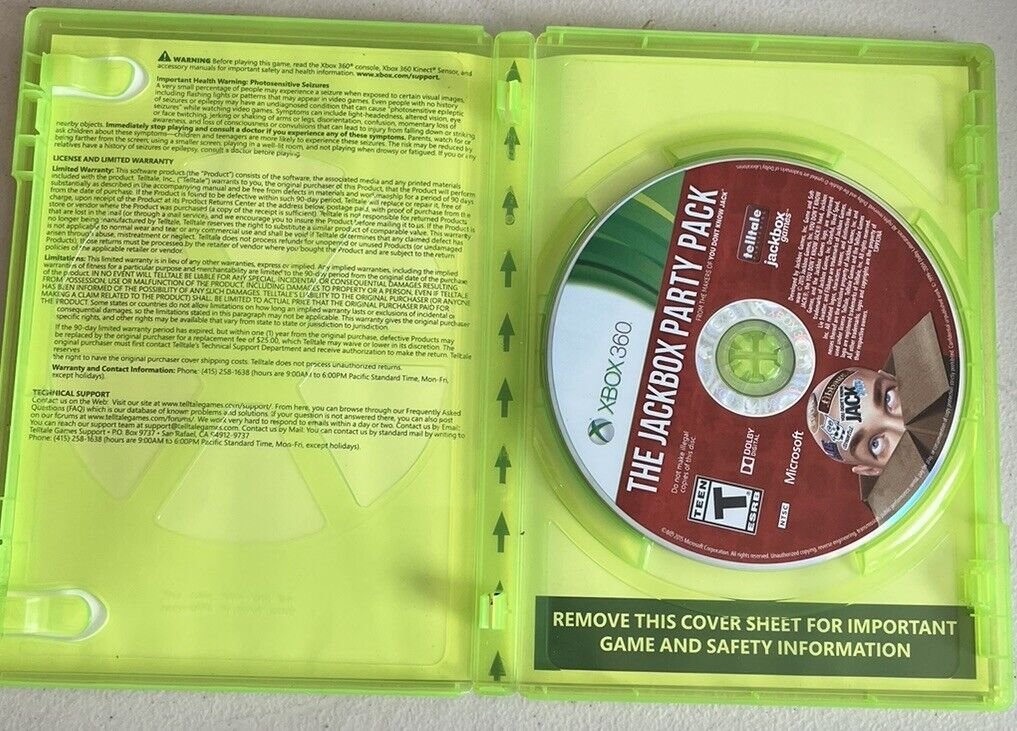
Xbox health and safety standards prioritize user well-being through guidelines on proper setup, play breaks, and prevention of physical strain.
Playing video games should be fun, and ensuring everyone enjoys them safely is very important. This brings up the topic of Xbox health and safety standards. These standards are in place to protect players of all ages. They cover several aspects of gaming.
This includes the proper way to set up your console and the importance of taking regular breaks. It also addresses how to avoid physical strain during extended play sessions. Adhering to these guidelines helps promote healthy gaming habits.

Xbox Health and Safety Standards
Playing video games is super fun, but it’s also important to be safe! Just like you need to wear a helmet when you ride your bike, there are things you should know about playing Xbox to keep yourself healthy and happy. Xbox, made by Microsoft, has many rules and guidelines to make sure everyone has a good time without getting hurt. Let’s dive into all the cool things they do to keep us safe while we play.
Understanding Potential Health Risks
It’s not just about fun and games; there are a few things to be aware of when using your Xbox. Spending too much time gaming or using it the wrong way can sometimes cause problems. We need to understand these things so we can enjoy our Xbox in the best and safest way possible. Some common risks include:
Eye Strain and Fatigue
Have you ever felt your eyes get tired after looking at a screen for a long time? That’s eye strain! It happens when your eyes work too hard to focus on something close up, like your TV or monitor.
Why it happens: Looking at screens for long periods without breaks can make your eye muscles tired. The bright light can also make your eyes feel dry.
How to prevent it:
Take breaks! Look away from the screen every 20 minutes for about 20 seconds. Look at something far away.
Make sure the room is well-lit. Don’t play in the dark.
Adjust the screen brightness. It shouldn’t be too bright or too dim.
Sit a comfortable distance away from the screen. About an arm’s length is usually good.
Physical Discomfort and Repetitive Strain Injuries
Sitting in the same position for a long time or using the controller too much can sometimes make your body feel sore. This can lead to something called repetitive strain injuries (RSIs).
Why it happens: RSIs happen when you do the same movements again and again without breaks. It can affect your hands, wrists, arms, and back.
How to prevent it:
Change your position often. Don’t sit in the same way for a long time.
Take breaks! Get up, stretch, and move around.
Use good posture. Sit up straight with your feet flat on the floor.
Hold the controller gently. Don’t grip it too tightly.
Seizure Sensitivity
Some people might be sensitive to flashing lights and patterns in video games. This can sometimes trigger a seizure, which is like an electrical storm in the brain.
Why it happens: Some games have fast-moving flashing images that can affect some people. It doesn’t happen to everyone, but it’s important to be aware of.
How to prevent it:
If you know you’re sensitive to flashing lights, talk to a doctor.
Pay attention to how you feel while playing. If you start feeling strange, stop playing right away.
Take breaks. Don’t play for long periods without resting.
If you’re playing a game with flashing lights, try to reduce the brightness and contrast on your TV.
Hearing Damage
Loud sounds, especially through headphones, can sometimes hurt your ears. Playing games with the volume turned up too high for too long can cause hearing damage.
Why it happens: Our ears are delicate and loud noises can hurt tiny parts inside them. Too much loud sound can lead to problems later in life.
How to prevent it:
Keep the volume at a safe level. Don’t play your games very loudly.
Use headphones responsibly. Take breaks and keep the volume down.
If your ears are ringing after playing, turn the volume down.
Xbox Hardware Safety Guidelines
The Xbox itself is built with safety in mind, but it’s still important to treat it with care and follow some simple rules. Here’s what you need to know:
Proper Setup and Placement
Where you put your Xbox matters! Just like you wouldn’t put your favorite toy in a hot place, the same applies to your game console.
Ventilation is Key: Your Xbox needs to breathe! Don’t put it in a closed cabinet or under blankets. The air needs to flow around it to prevent it from getting too hot. Make sure there is space all around it.
Keep it Stable: Place your Xbox on a flat, stable surface. This will stop it from falling and getting damaged. A shelf or a desk is good, but not on a wobbly surface or near the edge.
Avoid Liquids and Food: Keep drinks and food far away from your Xbox. Spills can damage the inside and stop it from working. Keep the area around the Xbox clean.
Safe Wiring: Keep all the cables and cords organized and out of the way. This stops people from tripping on them. Make sure they are not frayed or broken.
Controller Safety
The Xbox controller is how you control the games, but it’s important to use it properly.
Gentle Handling: Don’t throw, drop, or smash your controller. It might break if you treat it roughly.
Clean Hands: Keep your hands clean when using the controller. Food, grease, or dirt can cause problems.
Batteries: If using batteries, make sure to use the right type, follow the correct instructions for putting them in, and take them out when done if needed. Don’t mix old batteries with new ones.
Preventing Overheating
Overheating is like having a fever for your Xbox. It can cause big problems.
Airflow: Let air move freely around the console. Don’t block the vents.
Don’t Stack: Don’t put anything on top of your Xbox, like books or other consoles. They can block the airflow.
Room Temperature: Keep your gaming space at a normal temperature. Don’t let it get too hot.
Shut Down Properly: Always shut down your Xbox the correct way. Don’t just unplug it.
Xbox Software Safety Features
Microsoft has also included cool features in the Xbox software to keep us safe.
Parental Controls
These are tools that help parents manage how much and what kids play.
Screen Time Limits: Parents can set how many hours a day or week kids can play. This helps make sure kids don’t play too much.
Content Filters: Parents can choose which games or apps are okay for kids. This way, kids only see games that are right for their age.
Spending Limits: Parents can control how much money kids spend in the Microsoft Store. This stops kids from buying games or add-ons without permission.
Communication: Parents can decide who kids can talk to online. This can help protect kids from bad people.
Online Safety Settings
The internet is a big place, and it’s good to be careful online. Xbox helps us stay safe while playing games with friends.
Privacy Settings: Choose who can see your profile and game activity. Decide who can send you messages or invites.
Reporting Tools: If you see something bad online, you can report it. Microsoft will look into it and take action if needed.
Blocking Users: If someone is not nice or making you uncomfortable, you can block them. You will not hear or see them anymore.
Chat Filters: The system can filter out bad language and messages from being shown. This helps keep things friendly.
Updates and Security Patches
Microsoft is always working to make Xbox safer by sending out new updates.
Automatic Updates: The console automatically gets updates with bug fixes and security improvements.
Keeping Safe: It’s important to let the updates install. They help keep the console and our data secure.
Strong Password: Use a hard-to-guess password for your Microsoft account. This stops people from getting into your account without permission.
Ergonomics for Comfortable Gaming
Ergonomics is about setting things up so they are comfortable and good for your body.
Proper Posture
How you sit matters! Sitting with good posture can help you stay comfortable while playing.
Sit Upright: Keep your back straight. Don’t slouch or lean over too much.
Feet Flat: Put your feet on the floor or a footrest. Don’t let them dangle.
Shoulders Relaxed: Keep your shoulders down and relaxed. Don’t shrug them.
Head Up: Look straight ahead at the TV or monitor. Don’t tilt your head.
Screen Distance and Height
Your screen should be at the right distance and height to help keep your eyes comfortable.
Distance: Sit about an arm’s length away from the screen. You shouldn’t have to squint or strain to see things.
Height: Make sure the screen is at eye level. You shouldn’t have to look up or down too much.
Taking Breaks and Stretching
It’s really important to give your body and eyes a break while gaming.
Short Breaks: Stand up and move around every 20-30 minutes.
Stretches: Do easy stretches to loosen your muscles, especially your hands, wrists, and neck.
Eye Rest: Look away from the screen and focus on something far away.
Responsible Gaming Habits
Having a healthy gaming experience also depends on having good habits.
Balancing Play with Other Activities
Gaming is fun, but it’s important to do other things too.
Schoolwork: Always finish your homework and chores before playing games.
Exercise: Make sure you play outside and be active every day. This helps keep your body healthy.
Social Time: Spend time with your family and friends. Don’t just sit in front of a screen all day.
Sleep: Get enough sleep. Playing games late at night can make you tired the next day.
Setting Time Limits
It is easy to lose track of time while gaming. Setting limits can help.
Use a Timer: Set a timer to help you keep track of how long you have been playing.
Follow the Limits: Once the timer goes off, stop playing.
Communicate with Parents: Talk with your parents or guardians about what is a good amount of playing time for you.
Proper Communication and Online Etiquette
Being nice online is just as important as being nice in real life.
Be Respectful: Treat others with kindness and respect. Don’t say mean or bad things.
Don’t Share Personal Info: Keep your personal information private online. Don’t share your name, address, or other personal details with strangers.
Report Bad Behavior: If you see someone acting badly online, report them. This helps keep online gaming safe for everyone.
Communicate Nicely: If you are playing with other people online, keep the language polite. Don’t curse or argue.
By understanding and following these Xbox health and safety standards, you can enjoy your games and still keep yourself safe and healthy. Remember, it’s all about having fun in a smart way!
Playing responsibly and taking care of yourself is the key to enjoying everything Xbox has to offer. By following the tips mentioned above, you can ensure that gaming stays a fun and safe part of your life. Remember to balance gaming with other important activities, take breaks, and always be kind to others online. This way, you can get the most out of your Xbox experience!
Here's How To Get The Best Settings On Your #Xbox
Final Thoughts
Xbox prioritizes user well-being. They implement rigorous testing and design protocols for all hardware. These actions aim to minimize any potential harm.
Following safety guidelines is vital for a good experience. Users must operate consoles correctly. They should also maintain proper ventilation to prevent overheating.
Ultimately, responsible usage is paramount. These practices ensure compliance with Xbox health and safety standards. Adhering to these standards promotes a safe playing experience for everyone.

