
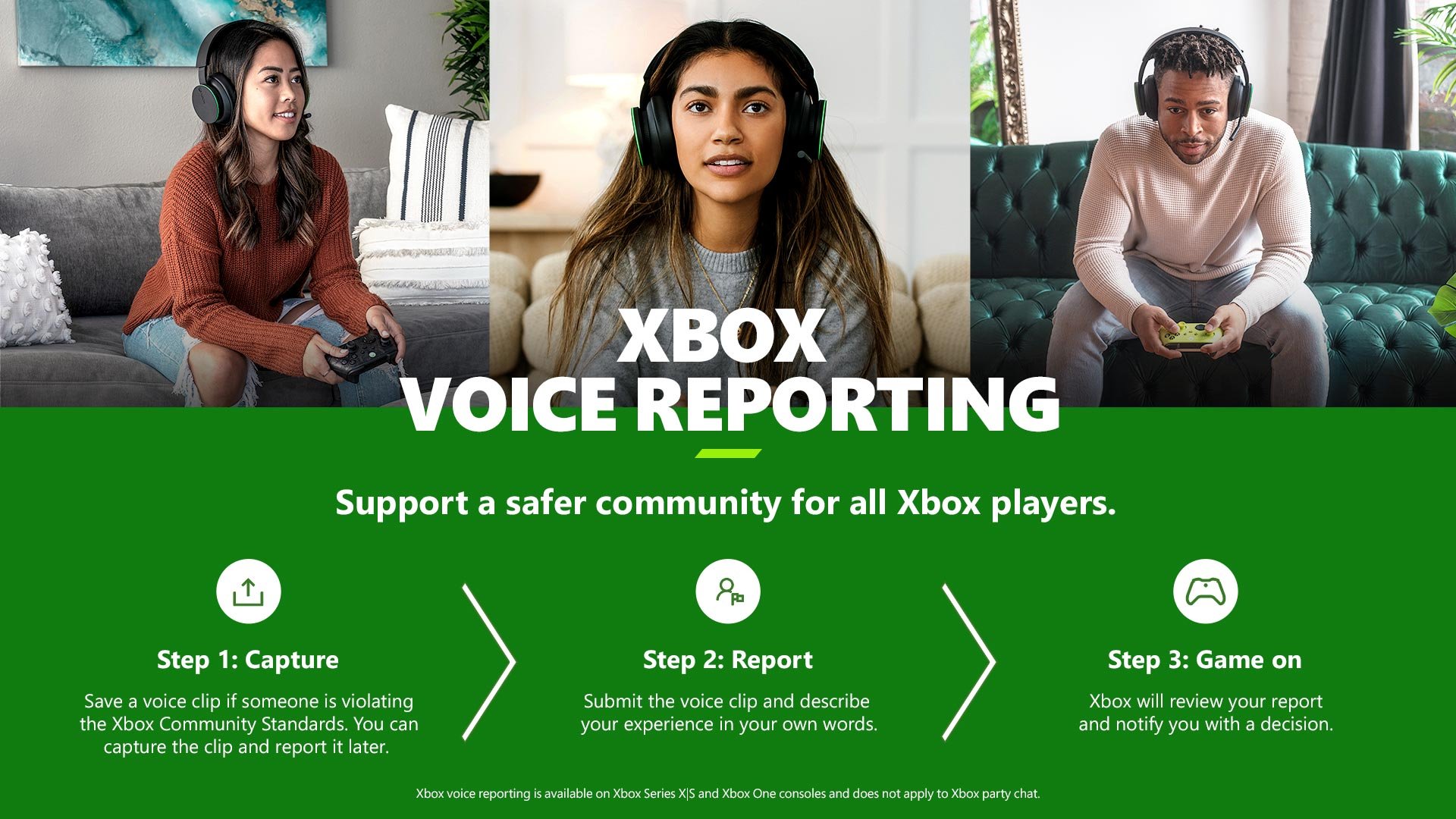
Xbox incident reporting processes involve using the console’s built-in features or the Xbox app to submit reports about inappropriate content or behavior.
Encountering an issue while gaming can be frustrating, but thankfully, the Xbox ecosystem provides ways to address those situations. Understanding how to use Xbox incident reporting processes is vital for maintaining a safe and enjoyable environment for everyone. You can easily file reports directly on your console.
These processes exist to help moderate online interactions and ensure everyone adheres to community standards. Utilizing these reporting tools creates a positive gaming experience.

Xbox Incident Reporting Processes
Have you ever played an Xbox game online and encountered someone not playing fair? Or maybe you saw something that made you feel uncomfortable or unsafe? It’s important to know that Xbox has ways to help keep things fun and fair for everyone. These ways are called incident reporting processes, and they’re there to help you when things go wrong. Let’s take a look at how you can use them!
Why Report Incidents on Xbox?
Before we jump into how to report something, let’s talk about why it’s important. Think of the Xbox community like a big playground. Just like at a real playground, there are rules to make sure everyone can have fun. When someone breaks those rules, it can make the experience not so fun for others. Reporting incidents helps keep the Xbox community friendly and fair. When you report an incident, you are helping to make sure everyone can enjoy playing together without worry. It also lets Xbox know that something isn’t right, and they can take action.
- Keeps the Xbox community safe
- Helps make online gaming fair
- Lets Xbox know when something is wrong
- Protects you and other players
- Encourages positive gameplay
By reporting, you’re not just helping yourself, but also helping countless other players on the network enjoy a better experience. It’s like being a superhero for the gaming world!
Types of Incidents You Can Report
So, what kind of things should you report? There are different kinds of rule-breaking that can happen on Xbox. Let’s explore some common examples:
Cheating or Game Exploitation
This happens when someone uses tricks or glitches to gain an unfair advantage in a game. They might use software to see through walls or make their character super powerful. This type of behavior ruins the game for everyone else who is playing fairly.
- Using modified game files to get ahead.
- Exploiting glitches in the game.
- Using outside programs to cheat.
Inappropriate Behavior or Harassment
This includes things like being mean or disrespectful to others. It could be someone sending hurtful messages or making fun of other players. Remember, it’s never okay for someone to make you feel bad while playing games.
- Sending mean or rude messages
- Bullying other players
- Using hate speech or insults
- Making threats
- Spreading rumors or lies about someone
Inappropriate Gamertags or Profile Content
Sometimes, people choose gamertags or use profile pictures that are offensive or mean. If you see a gamertag or picture that makes you feel uncomfortable, you can report it. This helps keep the community respectful.
- Using a gamertag with swear words
- Using offensive imagery in profile pictures
- Posting inappropriate content on their profile
Voice Chat Issues
Voice chat can be a lot of fun, but it can also be a place where people are not kind. If you hear someone being mean or using bad language over voice chat, this can also be reported. It helps Xbox make voice chat safe for everyone.
- Screaming or making loud noises to bother others
- Using offensive language
- Making threats through voice chat
Real-World Threats
If someone is talking about hurting themselves or others in real life, it’s very important to report it right away. Xbox takes these kinds of threats very seriously. It is important to report these types of incidents even if you are unsure.
- Threatening physical harm to another player
- Threatening harm to themselves
- Revealing personal information about someone else with ill intent
How to Report an Incident on Xbox
Now that we know what to report, let’s learn how to do it! The process for reporting incidents on Xbox is fairly easy, whether you are using an Xbox console or the Xbox app.
Reporting on an Xbox Console
If you’re playing on your Xbox console (like an Xbox Series X/S or an Xbox One), here’s what you can do:
- Press the Xbox button on your controller. This will open up the guide menu.
- Navigate to “People.” You’ll usually see this on the right side of the guide.
- Find the player you want to report. You can see a list of recent players or you can search for a player’s gamertag if you know it.
- Select the player’s profile. Click on their gamertag to open their profile card.
- Choose “Report”. You will see a “Report” option (sometimes it looks like a flag or something similar) on their profile. Select that.
- Select a reason for reporting. You will be given a list of reasons for why you are reporting them. For example, it might say “cheating,” “inappropriate behavior,” or “inappropriate content.” Choose the reason that best fits the incident you experienced.
- Provide more details. You may be asked to give more information about what happened, which will help Xbox understand the situation better. You might be able to type in a short message explaining the situation.
- Submit the report. After you select the reason and provide any additional information, you can submit your report.
Reporting Through the Xbox Mobile App
If you are not on your console, you can also make a report through the Xbox mobile app:
- Open the Xbox App. Open the app on your phone or tablet.
- Go to the “People” section. Click on the “people” option, usually represented by the people icon.
- Search for the player. Search for the gamertag of the person you want to report.
- View the player’s profile. Click on their gamertag to see their profile.
- Choose “Report”. Similar to the console, there should be a “Report” option on their profile.
- Select the reason. Choose the best reason for reporting from the list.
- Provide details. Enter any additional details about the situation if you can.
- Submit the report. Finalize and send your report.
Reporting Directly in a Game
Sometimes, you can report an incident directly within the game itself. If there is a player behaving badly, you might see an option to report them within that game’s menu. How to do this will vary from game to game but it is a convenient option when available. Look for the report or flag option within game menus and follow the prompts.
What Happens After You Report
Reporting an incident is important, but it’s also good to know what happens after you hit submit. Here is a breakdown:
Investigation by Xbox
After you file a report, Xbox will look into the situation. They will review the report and see if the player broke any of the rules. They might look at game recordings, messages, or other information. This investigation process might take time as Xbox looks into every report carefully.
Possible Consequences for the Offender
If someone is found to have broken the rules, Xbox may take action. Here are some of the possible consequences:
- Warnings: The player might receive a warning about their behavior.
- Temporary Ban: The player could be banned from playing online for a certain period of time.
- Permanent Ban: In very serious cases, the player can be banned from Xbox completely.
- Removal of content: If a gamertag or profile picture is inappropriate, it might be removed.
- Loss of privileges: The player might lose access to certain Xbox features like voice chat.
Confidentiality
Xbox will keep your identity anonymous when they investigate a report, the player being reported will never know who reported them, ensuring that there is no chance for retaliation. Xbox takes your safety and well being very seriously and will protect your privacy.
Tips for Effective Reporting
Reporting is more useful when you give as much clear and accurate information as possible. Here are some things to keep in mind when you are reporting someone:
- Be specific: Instead of saying, “They were being mean,” try saying, “They sent me messages calling me names and telling me I am a bad player in the game”.
- Provide details: Include things like what game you were playing, when the incident happened, and if you remember their Gamertag.
- Stay calm: Reporting something can be frustrating, but try to stay calm and give the information in a factual way.
- Save evidence: If possible, take screenshots or record videos of the incident. This can help show Xbox what happened.
What Not to Report
While it’s good to report things that are unfair or hurtful, it’s also important to know what not to report. Here are some examples:
- Someone who is better than you at a game: It’s not against the rules to be good at a game. If someone is winning, that’s not cheating.
- Having a disagreement: Having a disagreement with someone is part of online play. It’s okay to not agree with others.
- Just because you don’t like someone: Report someone only if they’ve broken a rule, not because you just do not like them.
- Someone using language that is not offensive: Language that might make one person feel uncomfortable may not be against the rules. Report only if the language clearly violates the terms of service.
Building a Better Xbox Community
Reporting incidents is a way to help make the Xbox community safe and fun for everyone. When everyone does their part in reporting, we can have a positive gaming environment. It’s important that players understand the reporting process and do their part in keeping the community safe.
By using the Xbox incident reporting processes, you are taking an active role in keeping the Xbox community healthy. Remember, if you see something, say something. You’re helping everyone have a better gaming experience. It can make a difference for everyone who enjoys using the network.
Remember to use the reporting feature when necessary and ensure that Xbox can maintain a positive community for all players. By working together, everyone can enjoy a fair and safe environment. This ensures that we can all play our favorite games without fear or harassment. By learning how to report incidents, you become a valued member of the Xbox gaming community and contribute to a great experience.
the xbox one has a hidden button too
Final Thoughts
In conclusion, understanding Xbox incident reporting processes is key for a positive gaming experience. Users should quickly report any inappropriate behavior or violations they encounter. Xbox provides accessible channels for this.
Using these reporting systems ensures community safety. It also helps Xbox take proper action against harmful activity. These actions protect all players.

