
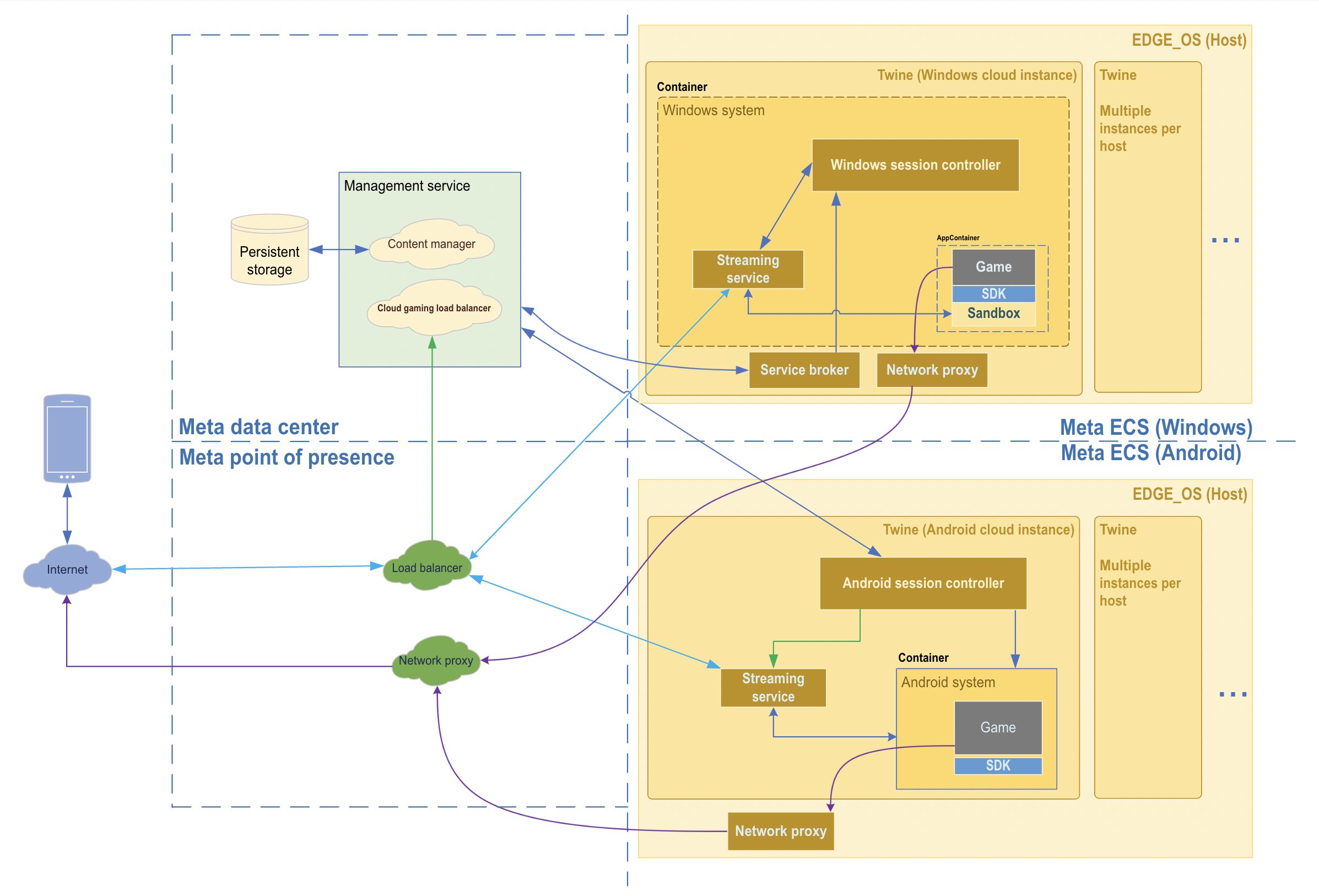
The Xbox online services architecture utilizes a distributed microservices design, ensuring scalable and reliable multiplayer gaming experiences through a network of interconnected services.
Ever wondered how your Xbox seamlessly connects you with friends across the globe for intense gaming sessions? That complex process relies on a powerful foundation; the Xbox online services architecture. It’s what allows for smooth matchmaking, persistent world states, and vibrant communities to form.
This carefully constructed system manages everything from player authentication to game updates, creating a unified and engaging experience. Understanding this architecture provides insights into the intricate workings behind your favorite console.

Xbox Online Services Architecture: A Deep Dive
Ever wondered how your Xbox lets you play games with friends all over the world? It’s all thanks to a super cool system called the Xbox online services architecture. Think of it as the invisible web that connects every Xbox console to each other and to the amazing online world. This isn’t just about letting you chat with your buddies while gaming; it’s a complex network that does a whole lot more. Let’s explore how it all works!
The Foundation: What Makes It Tick?
The Xbox online services architecture is like a giant puzzle with many pieces that all work together. It’s not just one big thing; it’s actually a collection of different services, all with their own jobs. Imagine a city; each part of the city has a specific function, like the power plant providing electricity or the water treatment plant making sure our water is clean. Similarly, different parts of the Xbox online services architecture each do their specific part to make everything work smoothly.
Core Components: The Building Blocks
Here are some of the most important parts of this architecture:
- Xbox Live Core: This is like the heart of the whole system. It’s responsible for keeping track of who’s online, what games they’re playing, and their gamer profiles. It also handles things like your friends list, messages, and achievements. It’s what enables you to see when your friend is online or send them an invite to play.
- Matchmaking Services: If you want to play a game with strangers or find the perfect opponent, these services handle the matchmaking. They look at your skill level, the type of game you want to play, and other players who match those requirements. Imagine it like a dating app, but for games!
- Cloud Storage: Remember the times when game saves were only on your console? Well, cloud storage is like a giant vault in the sky where your game progress is saved. This means that if your console breaks or if you use a different one, your saves will still be there! It also lets you play the same game on your console and on your PC seamlessly.
- Communication Services: This part handles voice and text chat, letting you communicate with others in real-time. It’s how you can strategize with your team in a game or just catch up with friends. This service is critical for many online multiplayer games.
- Commerce Services: This enables users to buy games, DLC (downloadable content) and subscriptions. It’s the online store you use to get new content for your games, and manage your Game Pass.
- Security and Anti-Cheat Systems: This system protects players from cheaters and makes sure your account is safe. They are constantly watching for suspicious activity to make sure games are fair and fun.
How Does it All Connect?
Now that we know the different parts, how do they all work together? It’s all about communication and data transfer. When you play a game online, your console is constantly sending and receiving data to and from the Xbox servers. This data includes information about your movements, scores, and actions in the game. The Xbox Live Core uses this information to keep the game synchronized for all players. Think of it like a giant dance, where every player needs to be in time with the music. The Xbox online services architecture provides that music.
Data Flow: A Closer Look
Here’s a simplified look at how data flows:
- You start your Xbox and connect to the internet.
- Your console connects to Xbox Live Core, and identifies your user.
- You launch an online game.
- Your console sends data about your game activity to the game servers.
- The game server sends information about your actions and the actions of other players back to your console.
- If you’re chatting or messaging, the communication services handles these actions.
- Your game saves are backed up to the cloud storage, which is then available from any of your devices.
- Commerce services make sure your game purchases and subscriptions are managed.
- Finally, security systems check your activity to make sure it’s safe and fair.
The Role of Cloud Computing
A big part of what makes this architecture so powerful is cloud computing. This means that the computing is not all done on your console; many operations are happening on servers somewhere on the internet. These cloud servers provide lots of computing power, storage space, and network bandwidth that are all needed to support millions of players at the same time. Cloud computing lets Xbox handle huge amounts of data and provides a consistent experience no matter where you play. It’s like having a super-powered computer that everyone can use when they need it.
Benefits of Cloud-Based Services
- Scalability: The cloud lets Xbox handle more players, so you can always find someone to play with, even during peak times. If a lot of people get online to play, the cloud can handle the extra load.
- Reliability: Cloud servers are set up with backups, which means that they are not likely to fail and lose your saved data. If one part of the system breaks, other parts will keep the system running.
- Accessibility: Your games and game saves are accessible from any Xbox device that’s connected to your Xbox Live account. It also makes it possible to stream games on many different devices, including phones and PCs.
- Updates and Maintenance: Cloud-based systems are easy to update with new features and fixes, meaning that your experience will always be getting better. Updates can be done without interrupting gameplay, or without requiring you to take your console down.
Security and Keeping it Safe
Security is a major concern when you are connecting so many players together. The Xbox online services architecture includes many layers of security to make sure players are safe. This helps to keep players from being exposed to people who would try to ruin their game. Xbox takes the security of your account and the games you play very seriously.
Security Measures: A Deeper Look
- Account Protection: Xbox uses security measures like two-factor authentication to make sure only you can access your account. That means it’s a lot harder for someone to steal your account, even if they know your username and password.
- Anti-Cheat Systems: These systems are constantly on the lookout for players who might be trying to cheat. These systems can quickly find players who are trying to use unfair techniques and stop them from ruining the game for everyone else.
- Privacy Controls: Xbox offers privacy settings that let you control what data is shared, and who can interact with you. It helps make sure you have the control to make sure you feel comfortable with the way the system works.
- Regular Security Updates: Xbox constantly updates security measures to make sure that they can deal with new types of threats and attacks. This is why you often have to download new updates.
Why It Matters to You
The Xbox online services architecture isn’t just a bunch of complicated computer stuff that happens in the background. It is actually at the core of your Xbox gaming experience. This is why it works so well for you. Without these services, the experience would not be nearly as amazing.
What Would Happen Without it?
- No Multiplayer Games: You wouldn’t be able to play with your friends or anyone else online. That means you would have to play all by yourself, and no one wants that!
- No Cross-Platform Play: Playing with friends on different devices would be impossible. You wouldn’t be able to play with a friend if they play on a PC and you play on Xbox, and you couldn’t play on your PC one day and your console the next.
- Lost Game Saves: If something happened to your console, you would lose all your game progress. This would be frustrating. It would be like starting over from the beginning every time something happened.
- Limited Features: You wouldn’t be able to use many of the features you like, such as chatting, buying games online, or unlocking achievements. You also wouldn’t be able to use things like Game Pass, or the ability to download new games.
Constant Improvement: Looking to the Future
The world of online gaming is constantly changing, and so is the Xbox online services architecture. Microsoft is always working on new ways to make the experience better and more fun. They are always listening to feedback from players to improve the gaming experience.
Future Developments
Here are some things we might see in the future:
- Improved Cloud Technology: Cloud computing is constantly improving. This means we will likely see the benefits of these improvements with better game streaming and more features in the future.
- Better Connectivity: With faster internet speeds becoming more common, this will improve online experiences, and increase the amount of people who can enjoy a great gaming experience.
- More User-Friendly Features: Look for new features that make it easier to play with friends, find new games, and engage in online experiences. This will make the whole experience easier and more streamlined.
In short, the Xbox online services architecture is the hidden system that makes everything work, letting you connect with friends, play games, and enjoy your favorite Xbox titles. It’s a complex system with many layers, but it all works together to make sure you have a great gaming experience. The next time you log on to play online, remember all the things that are happening in the background to make your time on the system fun and engaging. Without this system the Xbox wouldn’t be the system we love today.
Microsoft Xbox One Architecture Panel Twitch.TV with captions
Final Thoughts
In short, Xbox online services architecture employs a complex system of servers. These servers handle everything from player authentication to matchmaking. The architecture allows smooth gameplay and social interaction.
Effective design ensures that players connect easily with others. This complex process requires fast and reliable connections for good gaming experiences. The Xbox online services architecture is crucial.

