
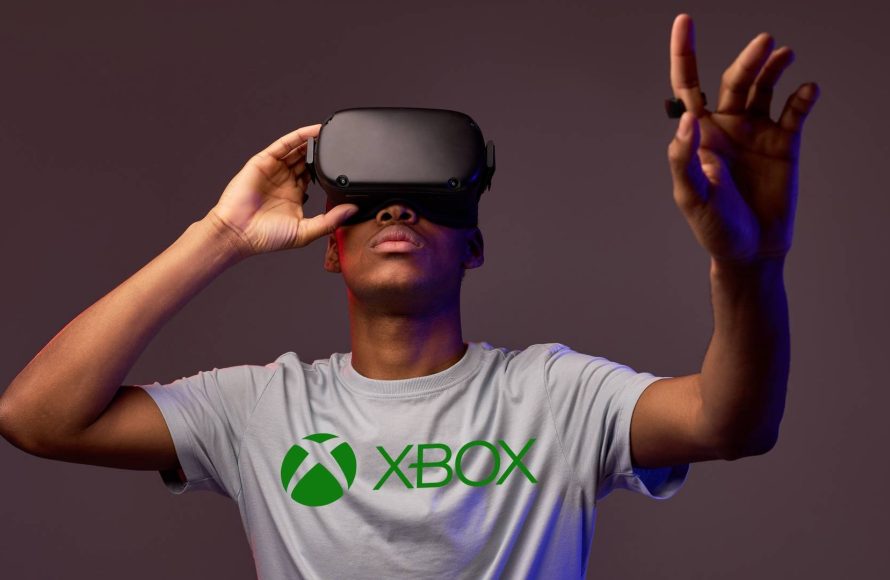
Xbox virtual reality gaming is not currently a feature on Xbox consoles. Microsoft has not yet released a dedicated VR headset or official support for VR gaming on its Xbox Series X/S platforms.
The buzz around virtual reality is intense, and many gamers are asking: when will we see Xbox virtual reality gaming? It’s a question that’s been floating around the community for quite a while now. While other platforms have embraced VR, Microsoft has remained somewhat silent on the topic.
This doesn’t mean it’s not something they are considering for future innovations, or that they don’t see value in the tech. For now, official Xbox VR isn’t on the cards. So, for dedicated console gamers, VR experiences remain on other platforms.

Xbox Virtual Reality Gaming: A Deep Dive
Okay, let’s talk about something really cool: Xbox and virtual reality (VR) gaming! Imagine stepping inside your favorite Xbox games, looking around as if you were really there, and using your hands to grab things. That’s what VR is all about. It’s like going from watching a movie to actually being in the movie. So, does Xbox have its own VR headset yet? What games can you play? Let’s explore this exciting world together.
The Current State of Xbox and VR
You might be wondering why you haven’t seen an official Xbox VR headset on store shelves yet. Well, here’s the deal: Microsoft, the company that makes Xbox, hasn’t released its own dedicated VR headset for the Xbox consoles. Instead, they have focused on making sure the Xbox works well with a variety of games and experiences, and they have explored using Windows Mixed Reality, a VR platform on PC.
Why No Official Xbox VR Headset?
It’s a big question that lots of gamers ask! There are a few reasons why we haven’t seen an Xbox VR headset so far. Developing VR tech is expensive and it changes fast! Also, making sure VR works well with all Xbox games is a huge challenge. Right now, Microsoft seems to be concentrating on making their consoles and games better in general, rather than jumping into the VR headset market right now. It doesn’t mean they’ll never make one, though! Things could change in the future, but for now, official Xbox VR is not available.
The Power of Xbox Series X and S for VR
Even though there isn’t a dedicated Xbox VR headset, the Xbox Series X and S consoles are actually pretty powerful. They have the processing power needed to run VR games well. Think of the Xbox Series X as a super-speedy race car. It’s just waiting for the right VR games to make full use of that speed and performance. Xbox Series S is not that powerful as Xbox Series X but still can handle certain VR games using the PC platform. However, the game developers need to optimize games for virtual reality. This is a complex process. But hopefully, we will see the Xbox console used for VR more in the future.
Playing VR Games Through Your PC and Xbox
While you can’t directly plug a VR headset into your Xbox console, there is a way to play some VR games using your Xbox games through your PC. Here’s how that works:
- Xbox Game Pass and PC: Microsoft’s Xbox Game Pass for PC lets you access a big library of games that can be played on your computer. Some of these games are also VR games.
- PC VR Headsets: You’ll need a compatible PC VR headset, like the Oculus Rift, HTC Vive, or Windows Mixed Reality headsets. These headsets connect to your computer, not your Xbox.
- Xbox Controller or VR controllers: You can use an Xbox controller to play some VR games, or you might use the hand controllers that come with your PC VR headset.
So, it’s not exactly “Xbox VR” in the sense that the VR headset is plugged directly into the console. But it is a way to play some games from the Xbox ecosystem in virtual reality. This method gives you a taste of VR using the power of your PC while enjoying Xbox games you might already know and love.
How to Set it Up: A Simple Guide
Setting up PC VR for Xbox games might sound tricky, but it is not difficult. Here’s a simple guide.
- Make sure your PC is ready: Check if your computer meets the minimum requirements to run the VR headset. You will need a decent graphics card, enough RAM and storage space and an updated operating system.
- Connect your PC VR headset: Follow the instructions that come with your VR headset to install the software and connect the headset to your PC.
- Install the Xbox app: Make sure you have the Xbox app installed on your PC, and log in with your Microsoft account. This helps you to access your Game Pass games.
- Find a VR compatible game: Look for games in your Xbox Game Pass PC library that have the “VR” tag or are compatible with your VR headset.
- Start the game and enjoy: Launch the game and follow the instructions to enter the virtual reality world.
Popular VR Games from the Xbox Ecosystem
Even though it’s through PC, there are some really cool VR games that you can find in the Xbox ecosystem. Here are some examples:
- Microsoft Flight Simulator: Imagine being a pilot and flying a plane, all in VR! This game is truly amazing for VR. You can see the clouds around you, the land below and all the details inside the plane’s cockpit.
- Minecraft VR: Now you can build your Minecraft world while feeling as if you are there inside it. Explore the world, mine for materials, and build whatever you can imagine. It is a different experience than just looking at a screen.
- Various Indie VR Titles: There are many smaller, but really fun, VR games available through Game Pass PC. They might be puzzle games, adventures, or even action games. It’s worth checking out the library and trying some of them.
Benefits of Virtual Reality Gaming
So, what’s the big deal about virtual reality gaming anyway? Here are some of the awesome things VR adds to games:
- Immersive Experience: Being inside the game world makes you feel like you are actually there. It’s much more engaging than looking at a screen.
- Enhanced Sense of Presence: You feel like you are really part of the game. When you look around, the world moves with you. When you reach out, you can sometimes see your hands moving in virtual reality.
- New Ways to Play: VR offers a different way to play the games you know and enjoy. You move your head, reach out with your hands, and interact with the virtual world in a more natural way. It gives you a new perspective on the game itself.
- More Realistic Gameplay: In some games, like racing or flight simulators, VR makes the experience much more realistic. You can feel as if you are actually behind the wheel or in the pilot’s seat.
The Future of Xbox and VR
While the present situation involves using PC for VR with Xbox games, the future could look different. Here are some possibilities:
Will Xbox Create its Own VR Headset?
There’s a lot of talk and hope among gamers about Microsoft eventually making an official Xbox VR headset. The technology is constantly improving, and it could be that the time isn’t far when we see a new headset. The benefit of an official headset is that it would be perfectly designed to work with Xbox consoles and games, making it easier to use.
What About Improved PC VR Integration?
Even if Microsoft doesn’t make its own headset, they could continue to improve how Xbox games work with PC VR headsets. They could make it easier to find VR compatible games, and make the whole setup process smoother. Improved integration will help everyone enjoy Xbox games in VR with less trouble.
New VR Games and Experiences
As virtual reality technology continues to get better, we’ll likely see lots of new and exciting VR games. Who knows what kind of amazing virtual worlds we’ll be able to explore? Think of stories in your games that put you right in the middle of the action, with more interactive and realistic gameplay.
Challenges of Xbox Virtual Reality Gaming
While VR is very exciting, it does come with a few challenges that need to be kept in mind:
- The Cost of VR Gear: VR headsets and accessories can be expensive, and this can be a problem for some. Also, you will require a powerful gaming PC which adds more to the price.
- PC Compatibility: VR games need powerful computers to work properly, and not everyone has the right PC. You will have to make sure you have the right specifications.
- Set Up Complexity: Setting up VR with your PC can sometimes be complicated. It might involve extra wires, software installations and troubleshooting.
- Motion Sickness: Some people feel sick when they use VR, called motion sickness. It can be a challenge to enjoy VR games if you are sensitive to motion.
- Limited Game Selection: The number of VR games for Xbox, even through PC, isn’t as big as the number of regular Xbox games. You might have fewer games to choose from.
What to Expect from Xbox VR
When we think about Xbox and virtual reality, it’s important to be both excited and a bit patient. Here’s what we can expect right now:
Currently: VR Through PC
For now, the main way to play VR games from the Xbox ecosystem is through your PC using the Xbox Game Pass for PC. This method lets you experience some great games in VR but requires the right VR gear and a good PC.
Future Potential: Waiting and Watching
We have to wait and see what Microsoft does with VR in the future. We could see an official Xbox VR headset, or we could see better ways to use PC VR with Xbox games. It’s important to stay updated about the latest news and keep our excitement levels up.
Tips for Getting Started with Xbox VR Gaming
If you are keen to try out Xbox VR gaming using your PC, here are some tips to help you get started:
- Research Your Gear: Before you buy anything, look into the different PC VR headsets and choose one that fits your needs and budget. Read some reviews before making a purchase.
- Check Your PC Specs: Make sure your PC has the power to run the VR headset and the games. This can make the difference between smooth gameplay and a choppy experience.
- Start Slow: If it’s your first time using VR, start with short sessions to get used to it. Don’t play for hours on your first try.
- Take Breaks: Don’t play too much in one go. Stop and take a break if you start to feel unwell.
- Explore Different Games: Try out various VR games in the Xbox library to find the ones you like best. You might be surprised by the different experiences out there.
Remember to keep an open mind and have fun with it! VR is a whole new way to play games, and there is so much to see and do in the virtual world.
Even though there isn’t an official Xbox VR headset yet, the possibility of experiencing some great games in virtual reality is truly amazing! We’ll continue to wait and see how Microsoft evolves in this technology. In the meantime, enjoy the PC VR experience using some of your favorite Xbox games.
Play Xbox in VR
Final Thoughts
Xbox virtual reality gaming remains an area with much anticipation. Microsoft continues to explore possibilities for VR on its consoles. While no official Xbox VR headset is available yet, the potential for immersive experiences is clear.
The future of Xbox virtual reality gaming depends on this development. Players eagerly await any news about this exciting prospect. This potential gaming advancement is highly anticipated.

