
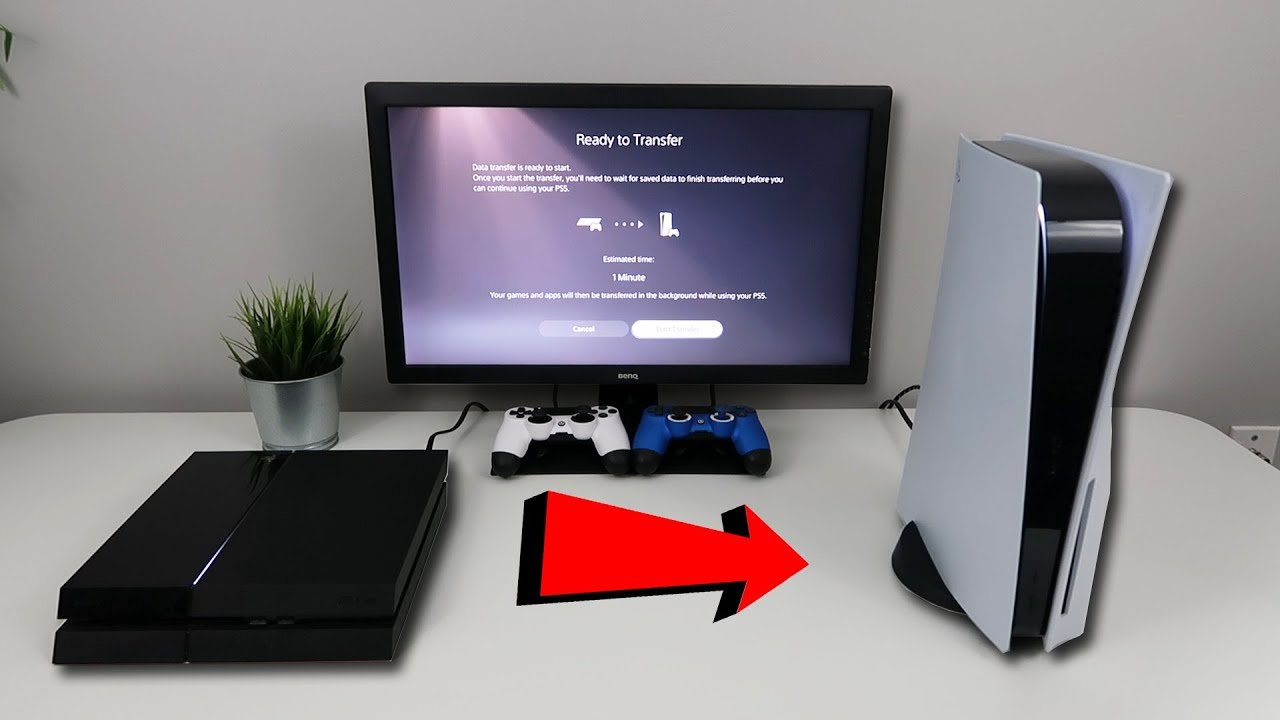
Yes, the majority of your PS4 games transfer to PS5.
Jumping into the next generation of gaming often raises questions, especially for those with extensive PlayStation libraries. A common concern is “do my ps4 games transfer to ps5?”, and thankfully, the answer is mostly yes! Sony made it easy for players to bring many favorites to the PS5.
You can play most PS4 titles on your PS5, either by inserting the disc or downloading them digitally. However, always check for specific game compatibility to be certain.

Do My PS4 Games Transfer to PS5? Getting Your Games Ready for Next Gen
So, you’ve got a shiny new PlayStation 5, and you’re super excited to play. But wait a minute… what about all those awesome games you have on your PlayStation 4? Do you have to leave them behind? The short answer is: No, you don’t! Most of your PS4 games can absolutely make the jump to your PS5. It’s not like moving to a whole new planet; it’s more like moving to a bigger and better house with all your favorite stuff. Let’s dive into how you can move those games and get playing on your new console.
Understanding Backward Compatibility
First off, let’s talk about something called “backward compatibility.” This is a fancy term that means a newer console can play games from an older console. The PlayStation 5 is designed to be backward compatible with the vast majority of PS4 games. That’s great news for you because it means a lot of your game library is ready to go on your PS5. However, it’s important to understand that not every single PS4 game will work on the PS5, though the list of exceptions is thankfully very small. You will typically find that less than 1% of PS4 games are not supported by PS5, so chances are very high that your favourite games will work fine.
Why Some Games Might Not Work
It’s pretty rare, but there are a few reasons why a specific PS4 game may not work on your PS5. Sometimes, it’s because the game relies on specific system features that aren’t exactly the same on the PS5. Or, very infrequently, there could be some incompatibility with the hardware. But don’t worry too much, these are exceptions, not the rule.
Methods of Transferring Your Games
Now, let’s talk about how to actually move your games over to your new console. There are a few ways to do this, and you can pick the one that works best for you. Let’s explore them:
Using External Hard Drive
One of the easiest ways to transfer your PS4 games to your PS5 is by using an external hard drive. This works like a big USB drive where you can store your games. This method also allows you to play these games right off the drive, saving space on the PS5’s internal storage. Here’s how to do it:
- Format Your Hard Drive: First, you’ll need to format your external hard drive so it works with your PlayStation. Connect your external drive to your PS4. Then, go to Settings > Devices > USB Storage Devices. Select your drive, and choose to format it as Extended Storage. Remember, this will erase everything on that drive so make sure you back up anything important first.
- Move Games to the External Drive: On your PS4, go to Settings > Storage. Then choose System Storage. From here select Applications and press the Options button on your PS4 controller and select ‘Move to Extended Storage’. Here you can select the games to be moved to your external hard drive.
- Connect to Your PS5: Once the transfer is complete, disconnect your drive safely and plug it into your PS5. Your PS5 will automatically detect the drive.
- Play Games: You can start playing the games directly from the external drive. Go to your Game Library and all your games will be there ready to be played.
This method is great because it keeps your PS5 internal storage free for PS5 games, which need the fast internal storage to get the best performance.
Using Network Transfer
If you don’t have an external hard drive, don’t worry! You can also transfer your games over your home network. This method uses your Wi-Fi or Ethernet connection to move the data from your PS4 to your PS5. Keep in mind, the speed will depend on your internet connection, so it might take a little longer than using an external drive. Here’s how to do it:
- Connect to the same network: Make sure your PS4 and PS5 are both connected to the same network. Either through Wi-Fi or using Ethernet cables.
- Prepare your PS4: On your PS4, go to Settings > System > Backup and Restore. You don’t need to backup for this method, but it makes sure your PS4 is ready to transfer data. Make sure your PS4 is updated to the newest firmware version.
- Start the data transfer on PS5: On your PS5, go to Settings > System > Data Transfer > PS4 to PS5. Follow the prompts on the screen. Your PS5 will search for your PS4 on the network.
- Select your games: Choose the games you want to transfer. Let it move and your games are all ready to play.
This method is really convenient if you don’t have an external hard drive and you are comfortable with doing it wirelessly.
Downloading Games Again
If you have a good internet connection, you can also choose to just download all your games again on your PS5. This is helpful if you want to start fresh or if you don’t have an external drive and your network isn’t as fast. Simply, go to your game library on the PS5 and you will see the games that you own are available to download again.
- Go to your Game Library: On your PS5, head to the Game Library.
- Find your games: Locate your PS4 games in your library. You will see a download icon next to the game.
- Download: Click on the download icon and install your games. Once done, you can simply start playing.
This is a really straightforward process, but it can take some time depending on your internet speed and the size of the games.
Save Data Transfers – Don’t Lose Your Progress!
Moving your games is great, but what about all that progress you’ve made? It’s vital to move your game saves to your PS5, or you will need to start over again. Thankfully, there are ways to bring your game save data across. You have several options for this:
PlayStation Plus Cloud Saves
If you are a subscriber to PlayStation Plus, your saves are probably already being backed up to the cloud. If this is enabled, it’s really easy to access them on your PS5.
- Upload Saves to Cloud (PS4): On your PS4, go to Settings > Application Saved Data Management > Saved Data in System Storage. Select the games and upload them to Online Storage.
- Download Saves from Cloud (PS5): On your PS5, go to Settings > Saved Data and Game/App Settings > Saved Data (PS4) > Cloud Storage. Download the saves to your console.
This is usually the easiest way, if you are already using cloud save functionality.
Using USB Drive
You can also transfer your saved game data using a USB drive. This is great if you don’t have PlayStation Plus or a strong internet connection.
- Copy Saves to USB Drive (PS4): Insert a USB drive into your PS4. Go to Settings > Application Saved Data Management > Saved Data in System Storage. Select the games and copy the saves to the USB drive.
- Copy Saves from USB Drive (PS5): Plug the USB into your PS5. Go to Settings > Saved Data and Game/App Settings > Saved Data (PS4) > USB Drive. Copy the saves to your PS5.
This method works if you can get your hands on a USB drive, and it gives you more control over what is getting transferred.
Direct Transfer During Initial Setup
When you set up your PS5 for the first time, it will ask if you want to transfer data from a PS4. If you do this, it will automatically transfer your game saves too. This is a very easy method and a good choice if you still have your old PlayStation 4.
- During the Initial Setup: When your PS5 powers up for the first time, follow the on-screen prompts. Choose to transfer data from a PS4 when it asks.
- Follow Instructions: Your PS5 will guide you through the steps, connecting to your PS4 and moving both your games and your save data.
This is a one-off process during the first start of your PlayStation 5 and will not be available on later use.
Taking Advantage of PS5 Enhancements
Once your PS4 games are on your PS5, it’s time to start playing. Many PS4 games benefit from playing on PS5. You may notice faster loading times due to the PS5’s super-fast storage. Some games can even run at a higher frame rate or resolution, making them look and perform better than ever before. It’s like a free upgrade for your old favorites!
Game Boost
The PlayStation 5 has a feature called “Game Boost”, which allows some PS4 games to run with increased stability, better frame rates or increased resolution. While not every PS4 game benefits from Game Boost, a vast majority do see some sort of improvement.
SSD Storage
One of the major upgrades on the PS5 is the very fast solid-state drive (SSD). Games installed to this drive, load much faster than they did on the PS4, which improves the overall game experience.
Enhanced Visuals
Some of your older games will have better visuals. While not every single game will look completely different, the overall presentation is smoother, sharper and more detailed. This really makes your old favorite games feel new again.
Special Cases: PS4 Disc Games
If you own PS4 games on disc, things are a little different. You can’t use discs on the PS5 Digital Edition, as this version doesn’t have a disc drive. However, if you have a PS5 with a disc drive, you can still play your PS4 disc games on the system. You simply insert the disc into the system, and the game will install.
Digital Games
For the digital games that you have purchased on your PS4 console, those will be automatically available on your PS5. You will find them in the Library, ready to download. These are linked to your PlayStation Network account, not a specific console.
Things To Remember
Here are a few things to keep in mind to make sure the transfer process goes smoothly:
- Keep your consoles updated: Make sure both your PS4 and PS5 are running the latest system software.
- Enough storage space: Make sure you have enough space on the external hard drive, or on your PS5, for all the games you want to transfer.
- Patience: Transferring data can take some time, especially if you have a lot of games. Give it time to finish.
- Check your game library: After you finish, make sure the games have transferred over and are available in the game library.
Moving your PS4 games to your PS5 doesn’t have to be a headache. With a little planning, you can bring all your favorite games with you to your new console. You can use an external drive, network transfer, or redownload the games. If you have a PS Plus subscription, moving your saves is also quite easy. And remember, many of these games may even look and play better on your new console, making the transition worthwhile. So, grab your controller, and get ready to enjoy all your old favorites on your shiny new PS5!
How to TRANSFER DATA FROM PS4 TO PS5 (EASY METHOD)
Final Thoughts
Yes, your PS4 games can transfer to PS5. You can play many PS4 titles on your new console, both digitally and physically.
Digital games you purchased are linked to your account. Download them on your PS5 from your library. Disc based games can be played by inserting the disc directly in your new console.
So, to answer the core question, ‘do my ps4 games transfer to ps5’, the answer is a confident yes, making the transition easy.

