
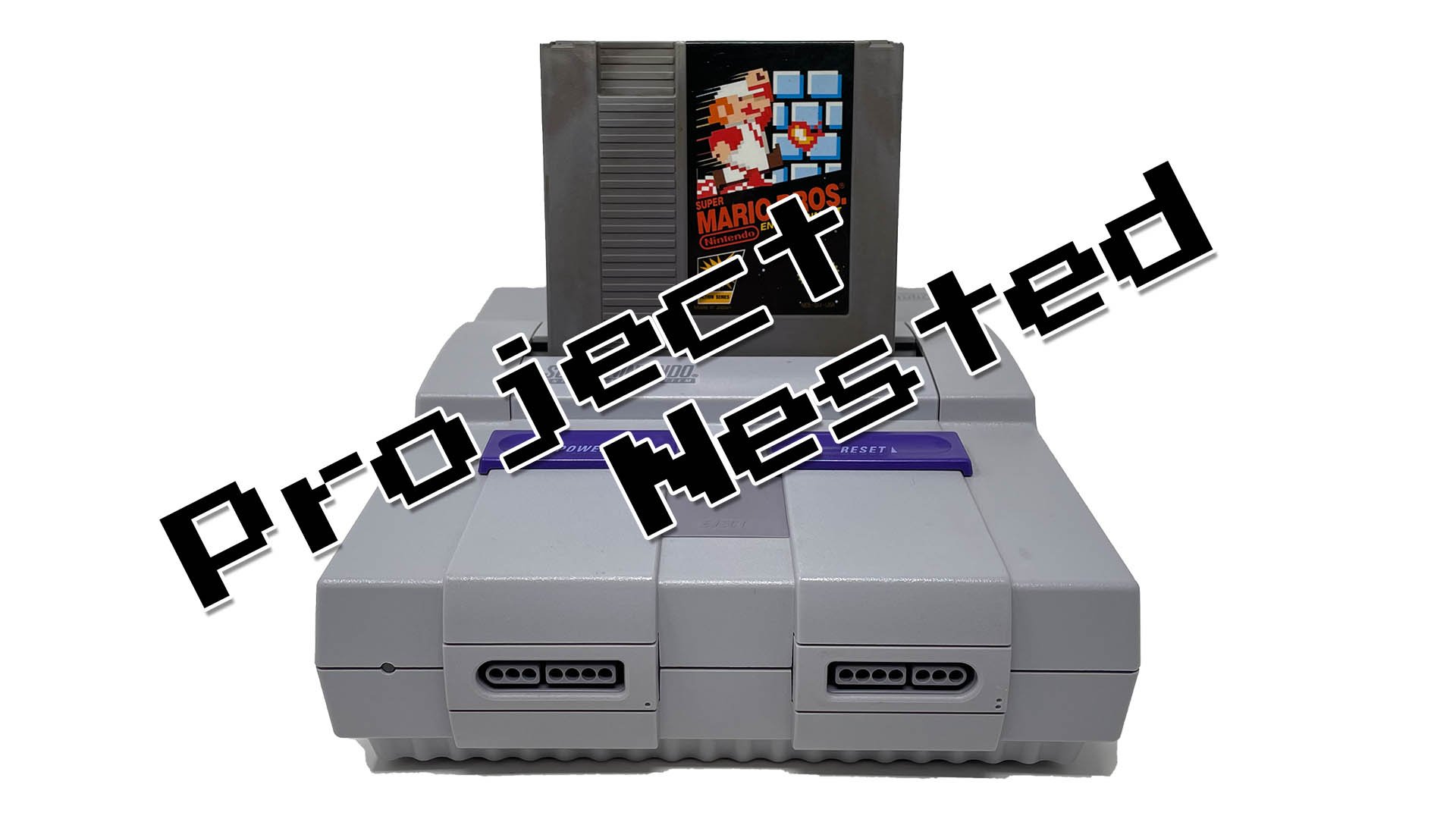
No, a SNES cannot play NES games.
Ever wondered if you could dust off your old NES cartridges and play them on your SNES? It’s a common question, given that both consoles were Nintendo creations. This leads many to ask: can a snes play nes games? Unfortunately, the answer is a straight forward no. The SNES hardware is designed differently from the NES hardware.
The two consoles use different cartridge formats and internal architectures. They also process games in distinct ways. This makes it impossible for the SNES to read or execute NES game code. They are just not compatible in that way.

Can a SNES Play NES Games? The Truth Behind the Consoles
Alright, let’s get right to it. You’ve probably wondered if your Super Nintendo (SNES) could play those awesome games from the older Nintendo Entertainment System (NES). It’s a great question and one many gamers have asked. The simple answer is: no, the SNES cannot directly play NES game cartridges. They’re not compatible, and that’s because of several important differences between the two systems.
The Tech Inside: Why SNES and NES Games Are Different
Think of it like this: the NES and SNES are like cousins, not twins. They’re both from the same family, Nintendo, but they grew up with different ideas about how to do things. The main reason they can’t share games lies in their internal workings – the hardware inside, to be precise.
Processor Power: The Brain of the Console
The NES uses an 8-bit processor, which is like the brain of the system. It’s simpler and processes information differently than the SNES. The SNES, on the other hand, has a 16-bit processor. This means it can handle more complex tasks and graphics, hence the “Super” in Super Nintendo! Because of this difference, the games made for each system are written using completely different instructions and rules, like different languages.
Imagine trying to play a piano piece written for a trumpet – it just wouldn’t work! The two instruments are very different and create sounds in a unique manner, so the same sheet music can’t be used. The same is true for the NES and SNES. The software written for one cannot be used by the other due to their different ways of processing information.
Game Cartridge Differences: Shape and Pins
If you’ve ever looked at an NES game cartridge versus a SNES game cartridge, you’ve probably noticed that they look totally different. The most obvious difference is the size and shape. NES cartridges are usually a bit larger and squarer than SNES cartridges. But more importantly, they have different “pins”.
The pins are those gold-colored connectors on the bottom of the cartridge. These pins connect to the console and allow the game to communicate with the system’s brain. The NES and SNES have different pin layouts, so an NES cartridge simply cannot physically plug into an SNES and vice versa. The systems are not compatible on a fundamental hardware level. Here’s a basic table to highlight these differences:
| Feature | NES | SNES |
|---|---|---|
| Processor | 8-bit | 16-bit |
| Cartridge Shape | Larger, Squarer | Smaller, More Rounded |
| Cartridge Pins | Different Arrangement | Different Arrangement |
These differences in design mean that each console reads the information on the game cartridges in entirely separate ways. Trying to force them together simply wouldn’t work.
Emulation: Playing NES Games on a SNES Through Other Means
While the SNES can’t play NES cartridges directly, there is a way to play NES games using an SNES – through emulation. Emulation means using software to make one system act like another. Let’s explore that further.
What is Emulation?
Emulation is when a device, like a computer or a modified game console, uses software to mimic the way another device works. It’s like having a translator that lets two different devices “understand” each other. This allows you to play games from one system on another, even if they aren’t designed to work together. In our case, this involves making the SNES ‘think’ it is an NES, so it will run NES software.
The most common use for emulation involves computers or handheld devices running software programs that mimic older consoles. But it’s also possible to get a similar result on the SNES itself by using specialized hardware and software.
How to Use Emulation on a SNES
There are certain devices, sometimes referred to as flash carts or custom cartridges, that have emulation software built into them. These cartridges can often hold multiple game ROM files. ROM files are basically digital copies of the original game cartridges. Some devices use these ROM files to play on the SNES. These cartridges have their own internal hardware that acts as a bridge between the SNES console and the NES game code, this is called emulation.
- Flash Cartridges: These specially made cartridges are designed to store and run game files from an SD card or other storage device. They often include emulation software that allows an SNES to run other system’s games, including NES games.
- Emulators: Emulators are software programs that translate the instructions of one system to another. These usually run on computers or devices like a modified Wii but can be included on special SNES cartridges.
It’s important to note that this isn’t official, and it requires extra equipment and possibly some know-how to set up. Also, the legality of using ROM files varies depending on your region. Make sure to check local laws. But it’s one way to play some NES titles on your SNES, if you really want to!
A key thing to understand is that even with emulation, there can be a few hiccups. Games might not always run perfectly, there may be glitches, or the sound may not always be correct. This is because the emulator is translating on the fly, and the SNES hardware wasn’t designed to handle these games originally.
SNES and NES: Two Separate Worlds, One Amazing Family
So, while the SNES cannot play NES games directly due to hardware incompatibilities, we now know that there are other ways. While emulation provides an option, it’s worth remembering the unique experiences these two consoles offer. The NES brought us iconic 8-bit classics that shaped the video game industry, while the SNES took things a step forward, offering better graphics and sound for many timeless 16-bit games.
The Magic of the NES
The Nintendo Entertainment System (NES) launched in North America in 1985 and was revolutionary, reviving the video game market after a crash in the early 80s. Games like Super Mario Bros., The Legend of Zelda, and Metroid became not just hits, but cultural icons. These titles, even with their 8-bit limitations, still provide engaging and memorable gameplay. The limited color palette of the NES gave the games a unique look that many still remember fondly.
The Power of the SNES
The Super Nintendo Entertainment System (SNES) was released in North America in 1991, offering a major jump in processing power and visual capabilities. Games like Super Metroid, The Legend of Zelda: A Link to the Past, and Super Mario World pushed the boundaries of what was possible on a console at the time. The SNES featured more colors on screen, more detailed environments, and complex gameplay mechanics.
Appreciating Each Console Individually
Instead of trying to combine the two, it’s fun to appreciate both the NES and the SNES for the unique gaming experiences they deliver. Each console has its own library of great games that are worth playing. Playing games as they were originally intended on the original hardware can offer a special, authentic feel.
Alternative Ways to Experience NES Games
If you’re keen on experiencing the magic of NES games without using an emulator on an SNES, there are several options available:
The Original NES Console
The most authentic way to play NES games is on the original NES console itself. If you can find one, it’s a great way to experience the games as they were meant to be played, with their original cartridges and controllers.
The Nintendo Switch Online Service
Nintendo has its own online service that lets you play retro games. The Nintendo Switch Online service, includes a large library of NES games. With a subscription, you can play these games on your Switch console, with added features like save states and online play. While this isn’t using original cartridges or hardware, it gives access to many classic titles on modern hardware.
Other Retro Consoles
There are many other retro consoles out there, some that are specifically made to play NES games. These often come with built-in games or allow the use of ROMs from a storage device. These are often great options for playing many different retro games using similar controls and hardware.
In summary, while the idea of playing NES games on your SNES might sound tempting, it is not possible in the way that you might think with the original cartridges. However, through the use of emulation, special flash cartridges, and other options, like purchasing the original hardware or playing via the Nintendo Switch Online, we can still experience both the 8-bit and 16-bit eras. Each system has its own charm, its own style, and its own games that are worth exploring. Don’t let the differences discourage you; let them encourage you to check out the wonders of both consoles.
Yes You Can Play NES Games on the SNES! (But Not All of Them Yet…)
Final Thoughts
No, a SNES cannot play NES games directly. They use different cartridge formats and hardware. The internal components are incompatible, preventing native gameplay.
You require an adapter or emulator to play NES games on your SNES. This is because, the SNES is designed for its own specific game cartridges. Thus, to answer, can a snes play nes games, the answer is that it can’t natively.

