
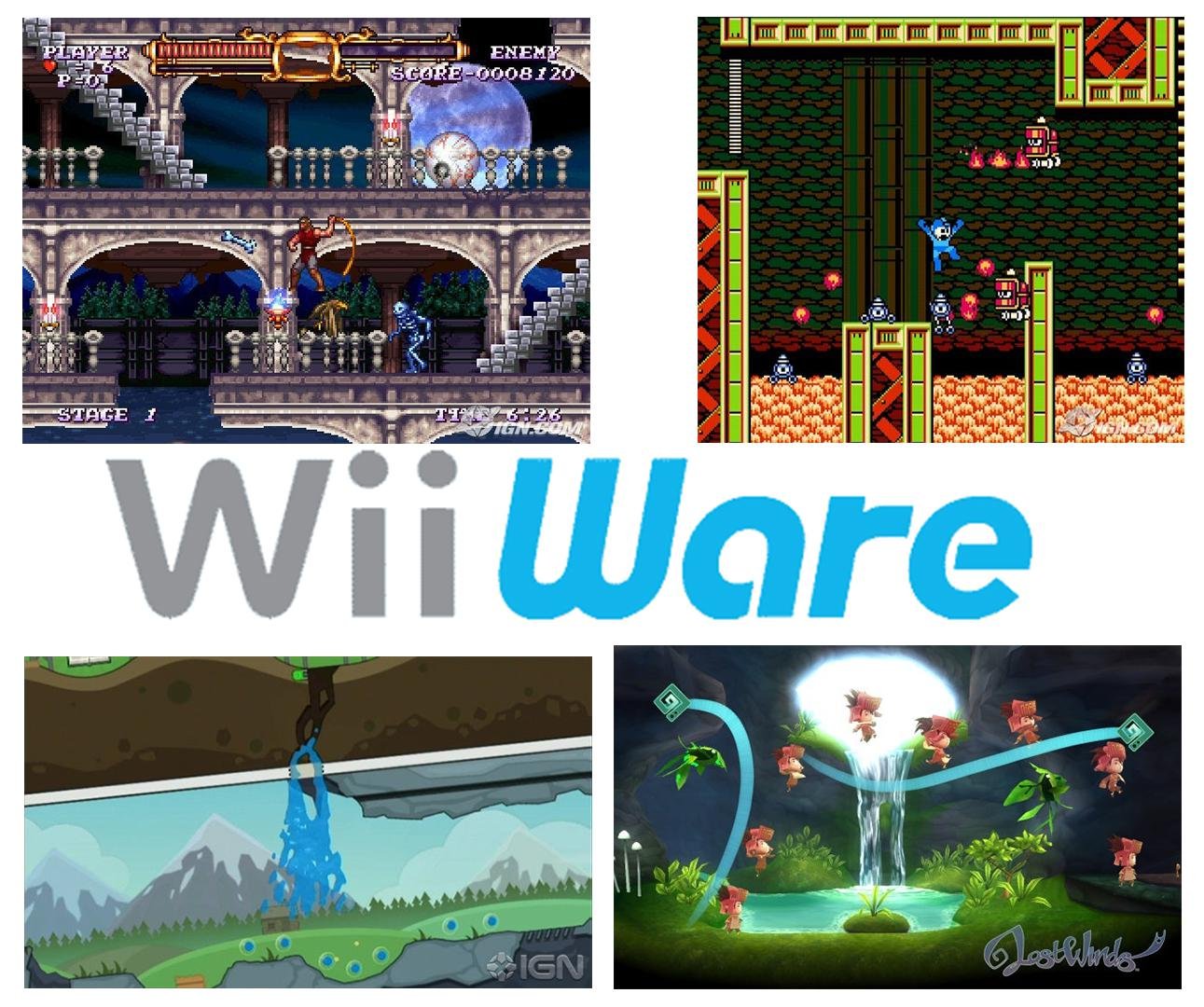
Yes, the Dolphin emulator can run WiiWare games.
Ever wondered if your favorite WiiWare titles could escape the confines of the Wii console? Many players ask: can Dolphin run WiiWare games? The short answer is a definite yes, but it’s more than just flipping a switch.
Dolphin, a powerful emulator, provides the platform for playing Wii and GameCube games on your computer. It emulates the Wii environment allowing you to enjoy a wide range of downloadable games previously only available on the console.

Can Dolphin Run WiiWare Games?
The question of whether the Dolphin emulator can play WiiWare games is a common one among fans of Nintendo’s consoles. Let’s dive deep into what WiiWare is, how Dolphin works, and whether the two can play nicely together. If you love retro gaming or missed out on the WiiWare era, this is the place to be!
What Exactly is WiiWare?
Before we get into the technical details, let’s talk about what WiiWare actually is. Think of WiiWare as Nintendo’s version of an online app store for the Wii console. Instead of buying physical game cartridges, you could download smaller games directly to your Wii. These games were usually less expensive than full retail titles and came in all sorts of styles. You could find puzzle games, classic retro remakes, platformers, and even some hidden gems you wouldn’t find anywhere else.
The Appeal of WiiWare
WiiWare offered some exciting advantages. For one, it allowed smaller developers to create and publish their games. This resulted in some very creative and unique experiences. Also, it was a great way for players to try out new ideas without spending a lot of money. The variety was impressive! From quirky platformers to head-scratching puzzlers, there was a WiiWare game for just about everyone. Some notable titles included:
- World of Goo
- Mega Man 9
- LostWinds
- Cave Story
- Art Style Series
These titles provided hours of entertainment and helped solidify WiiWare’s place in gaming history.
Dolphin Emulator: The Basics
Now, let’s move on to Dolphin. Dolphin is a powerful emulator that lets you play GameCube and Wii games on your computer, phone, or even some Android devices. It’s a way to experience those classic Nintendo titles on modern devices, often with improved graphics and performance. The emulator works by mimicking the hardware of the original consoles, allowing the games to run as if they were on a GameCube or Wii. This is pretty cool!
How Dolphin Emulates Games
The way Dolphin works is pretty complex, but here’s a basic idea: Dolphin takes the game files (often called ROMs for older consoles) and translates the instructions for your computer’s system. It’s like having a special interpreter that speaks both the language of your computer and the language of the GameCube or Wii. It requires a lot of processing power, which is why some older or lower powered computers may struggle to play some games smoothly. The team behind Dolphin keeps improving it, making more games playable and improving the speed at which they run.
The Challenge: WiiWare and Emulation
Here’s where things get interesting. Emulating WiiWare games presents unique challenges compared to regular disc-based Wii titles. WiiWare games are not stored on discs, but instead are digital downloads. This difference in how games are stored and accessed has a big impact on emulation. Here’s why it can be tricky:
Digital Format Differences
- Different File Structure: WiiWare games are stored as special files different from disc images. These files contain the game’s code, art, and sound, and require specific handling by the emulator.
- Security and Verification: WiiWare games often include digital security checks to ensure they were purchased legally. These checks can interfere with emulation.
- Wii System Menu: WiiWare games need to be loaded through the Wii System Menu, which is also emulated. Making sure this process works correctly is crucial.
Dolphin needs to accurately replicate not only the Wii hardware but also this entire digital downloading and launching process. This is a much more complex task than handling disc images.
Dolphin’s Ability to Run WiiWare Games
So, the big question: Can Dolphin handle all this? The answer is generally yes, with some important caveats.
Dolphin’s Compatibility
Dolphin has made significant progress in emulating WiiWare games. Many of the most popular titles now work very well. However, not every single WiiWare game is playable. Some games may have minor glitches, and others may not run at all. The compatibility list is constantly evolving as developers work to improve the emulator.
Factors Affecting Compatibility
Several factors can influence how well a WiiWare game runs on Dolphin:
- Emulator Version: The version of Dolphin you use is very important. Newer versions often have better compatibility and fixes for previous problems.
- Game Complexity: Some games are simpler and easier to emulate than others. Complex 3D games may require more powerful hardware.
- Game-Specific Bugs: Sometimes a specific game may have a unique issue that needs to be addressed by emulator developers.
- Computer Specifications: Your computer’s processor, graphics card, and memory all play a vital role in emulation performance.
How to Get Started with WiiWare on Dolphin
If you’re ready to try playing WiiWare games on Dolphin, here’s a basic guide on getting started:
Acquiring WiiWare Games
This is a tricky part, as you will need to get your own WiiWare files. It’s important to remember that distributing copies of copyrighted games is against the law. How you acquire your game backups is something you need to research separately and ensure you’re doing it legally. Once you have these files, it is important to check if your copy is a valid file and also ensure you are using your own legitimate copy and not illegally obtained.
Setting Up Dolphin Emulator
- Download Dolphin: Get the latest version of Dolphin from the official website.
- Install Dolphin: Follow the instructions provided by the installer, usually it is a very straightforward process.
- Configure Settings: Configure the emulator to match your PC specs. If you have a higher powered computer, you will want to use more powerful settings.
- Locate your WiiWare files: Point the emulator to where you have stored your games.
- Start Playing: Select the game and enjoy!
Troubleshooting Common Issues
You may encounter a few issues along the way. Here are some tips for troubleshooting:
- Slow Performance: Try lowering the graphics settings or closing other programs. If the problem persists you may need to consider upgrading your pc.
- Game Crashes: Make sure that you are using a compatible version of the emulator or try using a different version.
- Audio Issues: Adjust audio settings in the emulator, or update your sound drivers.
- Graphical Glitches: Try a different graphics backend (Vulkan, OpenGL) within Dolphin’s settings.
Tips for a Better WiiWare Experience on Dolphin
Here are some extra suggestions to make the most of your WiiWare emulation:
Use a Good Controller
While you can play with a keyboard, using a controller will make the experience much better. A real Wii remote will give you the most authentic feeling. You can connect your wii remote using bluetooth. You can also use other controllers, like the PlayStation or Xbox controller, or any standard gamepad.
Experiment with Settings
Different games can benefit from different settings. Don’t be afraid to try different combinations until you find what works best for each game. Consider tweaking the graphics settings, the audio settings, and even the controller settings. If one combination of settings does not work properly, you can always try a different combination.
Stay Up-to-Date
Dolphin is continuously improved. Always use the latest development build or stable build of the emulator to get the best results. The team working on it is always fixing bugs and adding new features, so it’s always good to check if there is a new update to the emulator.
Join the Community
The Dolphin community is a very helpful resource. You can find support, troubleshooting tips, and discussions about various games. It is important to ask for help when you’re having difficulty, and the online community will help you get the issue resolved.
The Future of WiiWare Emulation
The future of WiiWare emulation is looking bright. As developers continue to work on Dolphin, we can expect more and more games to become fully compatible. The progress made so far is very impressive. Dolphin continues to get better with time.
Ongoing Improvements
The team behind Dolphin is dedicated to constant improvement. They focus on:
- Compatibility: Making more games playable.
- Performance: Improving the speed and smoothness of emulation.
- Accuracy: Making the emulation experience as close to the original consoles as possible.
The Importance of Preservation
Emulation is not just about playing games; it also helps to preserve gaming history. As older consoles become more difficult to find, emulation provides a way for future generations to still enjoy these classics. Emulation also provides a way for people to play their favorite games, even if they don’t have access to the original consoles.
In conclusion, while there might be a few hurdles, Dolphin can indeed run many WiiWare games. With the right setup and a bit of patience, you can enjoy a large portion of the WiiWare library on your computer, giving you access to many great retro classics. If you have the proper hardware, patience, and the right attitude, you should have little difficulty playing many of the classic wiiware games. The work of the emulation community continues to make the experience better, so keep exploring!
How to add WADs/WiiWare/Virtual Console games to Dolphin Emulator
Final Thoughts
Dolphin emulator allows playing many Wii games. However, its WiiWare compatibility is a bit more complex. Some WiiWare games run well, while others face issues, depending on the specific title and your setup.
Therefore, “can dolphin run wiiware games” is answered with a ‘yes, partially’. The experience varies. Proper configuration and an updated version can improve your chances. It’s best to research the specific game before trying.

