
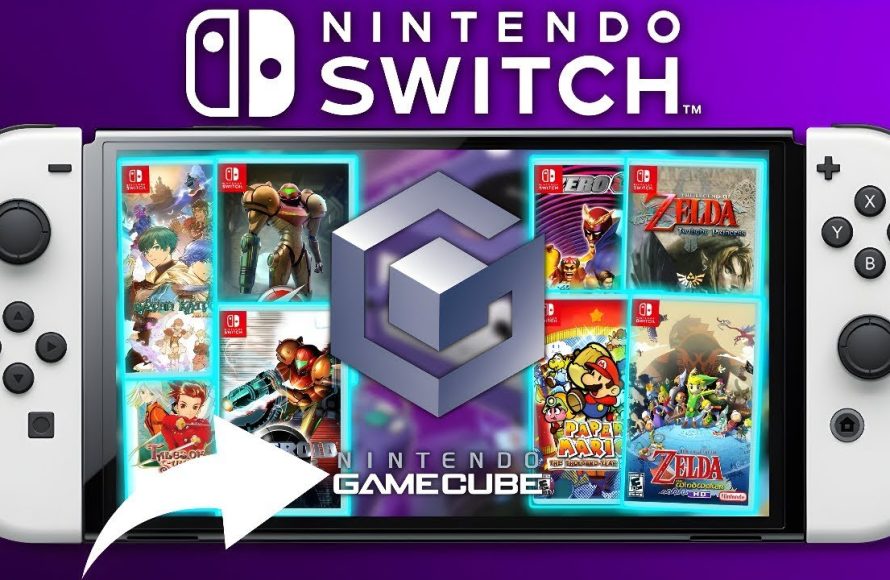
Unfortunately, you cannot directly play Gamecube games on a Nintendo Switch using official methods.
The allure of classic gaming is strong, especially for those of us with fond memories of the Gamecube. The question “can i play gamecube games on switch?” often pops up in online forums. We understand the desire to revisit those beloved titles on a modern console.
Sadly, Nintendo has not made official Gamecube emulation available for the Switch. This means there’s no easy way to pop in your old discs. So, you have to find other options if you wish to play these titles on your switch.

Can I Play GameCube Games on Switch?
So, you’re itching to play those awesome GameCube games again, but you’ve only got your Nintendo Switch handy? It’s a question a lot of gamers have: Can you actually play GameCube games on a Nintendo Switch? The short answer is: not officially, and not easily. Nintendo hasn’t made it super straightforward like they did with some older games via their online service. But don’t worry! We’re going to break down everything you need to know about the possibilities, the problems, and maybe a few things that could change in the future. Let’s jump in and figure out why it’s tricky and what, if anything, you can do.
Why Can’t I Just Pop a GameCube Disc into My Switch?
This is the most basic question, and the answer is actually pretty straightforward. The Nintendo Switch is built with totally different hardware than the old GameCube. Here’s the breakdown:
- Disc vs. Cartridge: The GameCube used mini discs, while the Switch uses game cartridges and digital downloads. They’re completely different storage formats. The Switch doesn’t have any way to read discs, that’s why you cannot simply put your GameCube disc inside the Switch and play.
- Hardware Differences: The way the processors, graphics chips, and other parts work is totally different between the two consoles. The Switch is way more powerful and uses different computer languages than the GameCube. It can’t run GameCube games without some sort of special translation (called emulation) that allows one system to pretend to be another system.
- No Built-in Compatibility: Nintendo hasn’t programmed the Switch to understand GameCube games on a fundamental level. They haven’t provided the system with any official programs, or what is also known as emulator, to directly run those old games, this is the main reason that we can’t play the GameCube games on the Switch.
Understanding GameCube Emulation on the Switch
Okay, so officially, you can’t play GameCube games on your Switch. But there’s a whole world of unofficial stuff out there, mainly through something called emulation. Emulation is basically using software to make the Switch act like a GameCube. Here’s a closer look at what that entails:
What is an Emulator?
Think of an emulator like a translator. It takes the instructions for a game written for one type of hardware (the GameCube) and converts them into instructions the Switch can understand. This allows the Switch to pretend to be a GameCube and run its games. There are several programs, known as emulators, that are able to achieve this.
Popular GameCube Emulators
There are different kinds of emulators for different consoles. When it comes to the GameCube, a few names stand out in the community. Here are the commonly used emulators for running GameCube games:
- Dolphin: This is probably the most well-known and actively updated GameCube emulator. Dolphin is very powerful and can run most GameCube games quite well on other devices like PCs. But officially Dolphin is not available on the switch.
- RetroArch: RetroArch is a front-end program that can run a bunch of different emulators within it. It has a GameCube emulator core but it is based on an older version of dolphin.
The Challenges of Emulation
Emulation is not perfect and there are always some problems, these are the potential problems when emulating GameCube games on the Switch:
- Performance Issues: Because the Switch is not actually a GameCube, the translation process can put strain on the system. Some games might run slowly, or not as smoothly as you remember.
- Setup can be tricky: Getting the emulators and games to work correctly can sometimes be complicated. You might need some experience with computers and file management.
- Legal and Ethical Concerns: Emulation itself is not illegal, but downloading copyrighted game files from websites are generally considered illegal. It’s important to understand the laws around copyright in your area before going ahead, to avoid any issues.
- Switch Modification Required: To use emulators on the Switch, your Switch console needs to be modified, which can be risky. This usually requires using custom software, which can also void your warranty or potentially brick your Switch. This should only be considered by individuals who understand this risk.
The “Homebrew” Scene and Nintendo Switch Modification
When you hear people talking about playing GameCube games on the Switch, they’re often discussing something called “homebrew”. This is where users make their own software to run on the system. This includes custom apps, emulators, and other tools not approved by Nintendo.
What is Homebrew?
Homebrew is like having the freedom to play around with the Switch’s operating system. It’s like giving the Switch new abilities by programming custom software. This often requires bypassing some security features of the console, which can have some risks.
How it Works with GameCube Emulation
Here’s how homebrew enables playing GameCube games:
- Custom Firmware: You install custom software on your Switch that allows the system to run non-official programs and apps.
- Emulator Installation: You install an emulator like RetroArch, which has a GameCube emulator core.
- Game File Loading: You load GameCube game files (usually from a digital backup) onto your Switch.
- Playing the Game: You use the emulator to start the game and play it on the Switch.
Risks of Modifying your Switch for Homebrew
It’s vital to know that modifying your Switch with homebrew comes with risks. Here are some things to consider:
- Voiding Your Warranty: Modifying your Switch can void your Nintendo warranty. If something goes wrong, Nintendo might not repair it for free.
- Bricking Your Console: There’s a small risk that you might accidentally make your Switch unusable when you modify it. This is often called “bricking”.
- Ban Risk from Nintendo: Nintendo does not allow custom software and can ban your account from online services if it detects a modified system. This might mean that you are no longer able to play any Nintendo games online.
- Not Supported by Nintendo: If you have problems running homebrew software, Nintendo’s customer support won’t be able to help you.
Alternative Ways to Experience GameCube Games
If the idea of modifying your Switch seems risky, or too technical, don’t worry! There are some alternative ways to experience those nostalgic GameCube games. Let’s take a look:
Nintendo’s Official Re-Releases and Remasters
Sometimes, Nintendo will re-release GameCube games in updated formats on the Switch. These are official ways to play classic games with better quality and without any technical issues or modification. Some titles that were originally on the GameCube have been released on Nintendo Switch with improved graphics and features. Here are some examples:
- Pikmin 1 and 2: These great strategy games were on Gamecube and now they can be played on Nintendo Switch.
- Metroid Prime Remastered: A total revamp of the GameCube classic, the remastered version is a wonderful way to play the game on the Nintendo Switch.
While not every GameCube game will get this treatment, it’s a good idea to keep an eye out for announcements and releases of re-releases and remasters of your favorite games. These are generally the easiest and safest ways to enjoy classics on your Nintendo Switch without the need for emulation and modifications.
Using Other Gaming Platforms
If you can’t play on your Switch, you might be able to play GameCube games on other platforms like:
- Original GameCube Console: If you still have your old console, you can play the original games in the way they were originally intended.
- Wii Console: The original Wii is also able to play GameCube games, if you have the right controllers and ports.
- PC via Dolphin: Using the Dolphin emulator on a computer can run most of the GameCube library well.
These alternative methods mean you don’t have to modify your Switch, and can be a great way to enjoy GameCube games on a different platform.
Future Possibilities for GameCube Games on Switch
While it’s not possible to officially play GameCube games on Nintendo Switch right now, could that change in the future? Here are some possibilities to think about:
Nintendo’s Virtual Console or Expansion Pack
Nintendo has a history of making older games available through digital services like the Virtual Console or Expansion Pack. These online services allow players to access old titles from various generations of gaming. While they haven’t released any games from GameCube on the Nintendo Switch’s online services, it’s not completely impossible they’ll decide to do so sometime in the future. With the success of the Nintendo Switch online service, maybe we could potentially see a GameCube collection join it someday, so it is worth keeping an eye on Nintendo news.
Cloud Gaming Solutions
Cloud gaming is another possible way to play older games on the Switch. Instead of playing the game directly on the Switch, it would stream from a powerful server somewhere else, and be played remotely. If this happens, we could potentially be able to play games that are graphically more intensive. But this is not yet implemented for the GameCube.
Technological Advances in Emulation
Emulation technology is always advancing. As computers get more powerful, it might become easier to run GameCube games more accurately and with less strain on the system. This could mean better performance for the Nintendo Switch in the future using community-made emulators, but it is a community effort which can take significant amounts of time to develop.
The Bottom Line: Is it Worth it?
So, can you play GameCube games on your Switch? Officially, no, not without some special effort. The unofficial methods have their risks and rewards, and it’s important to be aware of what is involved before getting started. If you are tech-savvy and willing to accept the potential downsides, community made programs might be something for you. Otherwise, official re-releases or playing on other platforms may be a more suitable path to playing those classic GameCube games. You have to decide what’s right for your level of comfort and the experience you want. Ultimately, you’ll want to weigh all your options before making a decision.
Gamecube Games in the Nintendo Switch
Final Thoughts
Sadly, you cannot directly play GameCube games on Switch using official Nintendo hardware. The Switch does not have backwards compatibility for GameCube titles.
However, you can explore unofficial methods, which might require specific setups. These solutions come with risks, and Nintendo does not support them.
Therefore, the direct answer to “can i play gamecube games on switch” is a definitive no through official means. You must rely on other methods for this specific gameplay.

