
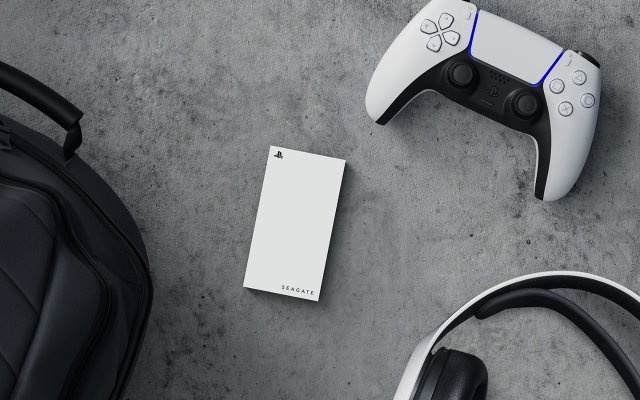
No, you cannot directly play PS5 games from an external hard drive. You can only store them there. You must transfer them back to the internal storage or an SSD to play.
The question, ‘can i play ps5 games from external hard drive’ often pops up among gamers. It’s frustrating when storage gets filled up quickly, making you think about external options. You want to keep all your favorite games readily accessible.
So, can you actually play them directly from the external device? Unfortunately, the answer is a bit nuanced. Let’s delve into the storage options for your PlayStation 5 and clear things up.

Can I Play PS5 Games From External Hard Drive?
So, you’ve got a PlayStation 5, and it’s amazing, right? But, if you’re like many gamers, you’ve probably noticed that the internal storage fills up pretty fast. All those awesome PS5 games take up a lot of space! That leads to the big question: Can you play PS5 games directly from an external hard drive? The answer, while not a simple yes or no, is very important for any PS5 owner to know. Let’s dive deep into how you can manage your PS5 storage, what’s possible with external drives, and what limitations you need to keep in mind.
Understanding PS5 Storage
Before we jump into external storage, it’s really good to understand how the PS5 handles games and storage. The PS5 uses a super fast internal solid-state drive (SSD). This SSD is one of the big reasons why games load so quickly on the PS5. It’s a big part of what makes the gameplay so smooth and fun. However, this internal storage space is also the main reason why you may need external storage at some point. We know how quickly large game file sizes can fill up the default storage.
Internal SSD: The Speed Champion
The internal SSD is designed specifically for the PS5’s architecture. This custom built SSD is lightning fast and allows the PS5 to access data quickly, which is crucial for the latest games. The speed allows game developers to create bigger and more detailed game worlds. All the great graphics and fast action require quick loading times and fast data transfer to make the experience seamless.
Storage Limitations
The downside? The PS5’s internal storage isn’t huge. You get around 825GB of storage, but after the operating system and pre-installed software take their share, you’re left with less space for your games. For instance, modern games are easily 50GB to 100GB in size, and that space goes quickly. This can become a problem if you’ve got a lot of games you want to keep installed at once. This is why thinking about using an external drive becomes very tempting.
The Role of External Hard Drives
So, where do external hard drives fit into the picture? Well, external hard drives on PS5 have a role but not in a way you might initially think. You can’t play PS5 games directly from an external hard drive, but they are still very useful. Let’s clarify that very important limitation right away: you cannot launch and play PS5 games directly from an external storage device. PS5 games must be stored on the console’s internal SSD to play. However, that does not mean external drives are not valuable. They are very important for managing your overall storage.
Storing PS5 Games
While you can’t play PS5 games from external storage, you can store them there. This is still a big deal because it allows you to free up space on your internal SSD. Think of the external hard drive as a kind of waiting room for your PS5 games. When you want to play a game you have stored on the external drive, you must move it back to the console’s internal SSD first. This system is designed to make sure the games are playing at their best.
Extended Storage for PS4 Games
Here’s where it gets interesting: you can play PS4 games directly from an external hard drive. The PS4 games are not as demanding on the hardware, so they can run fine from an external drive. This means you can keep your PS4 collection separate and still easily access and play them. This is great news for anyone who still loves their PS4 library and is now playing on the PS5.
How to Use External Storage with Your PS5
Now that we know what you can and can’t do with external storage, let’s talk about how to set it up.
Choosing the Right External Drive
First, you need the right kind of external storage device. For PS5, you’ll want an external hard drive that is:
- USB 3.0 or later compatible: This ensures that data can be transferred quickly. If you have a slower USB version, the system might not recognize it or have slow data transfer rates.
- A minimum capacity of 250GB: This is the minimum size the PS5 requires, but a larger size like 1TB or 2TB is much more practical given today’s game file sizes.
- Compatible with PlayStation systems: Any standard HDD or SSD that is made to connect by USB will work but always double-check the compatibility.
Both Hard Disk Drives (HDDs) and Solid State Drives (SSDs) will work as an external drive for the PS5. SSDs are faster than HDDs, which means that transferring games from external to internal will be faster with an external SSD. However, external SSDs are generally more expensive than HDDs. For the purpose of game storage, an external HDD works just fine and is more cost-effective.
Formatting Your External Drive
Once you have your drive, you need to format it so that the PS5 can use it. Here’s how to do that:
- Plug the external drive into one of the USB ports on your PS5.
- Go to “Settings” from the PS5 home screen.
- Select “Storage.”
- Select “Extended Storage.”
- Choose “Format as Extended Storage.”
- Follow the on-screen instructions to format the drive.
The formatting process will erase all data from the drive, so make sure there’s nothing important on it. Always back up any important data before formatting the drive.
Moving Games to External Storage
After the drive is formatted, you can start moving your games. Here’s how:
- Go to “Settings” again.
- Select “Storage.”
- Choose “Console Storage.”
- Select “Games and Apps”.
- Select “Move to Extended Storage”.
- Choose the games you want to move and start the transfer process.
Remember, when you want to play a PS5 game, you’ll need to transfer it back to the console’s internal SSD. Here’s how you move the game back:
- Go to “Settings” and then to “Storage”.
- Select “Extended Storage”.
- Select “Games and Apps”.
- Choose “Move to Console Storage”.
- Select the games you want to move back and start the transfer.
Managing Your Game Library
Using an external hard drive is a really helpful way to manage your game library, but there are a few things to keep in mind to make the process as smooth as possible.
Prioritize Games
Since you must move PS5 games to the internal drive to play them, you should think about which games you play the most often. You want to keep the games you are currently playing on the internal SSD to save yourself the hassle of transferring them back and forth. Use the external storage for games you have finished or may want to replay at a later time. This is the best way to use both storage options at the same time.
Transfer Times
The speed at which games transfer to and from your external drive depends on a few factors, like the type of drive you use (HDD or SSD) and the speed of the USB connection. Transfers can take from a few minutes to a longer period depending on the size of the game, so plan accordingly. If you are using an external SSD, your transfer times will be faster than a traditional hard drive. Keep in mind that the transfer speed might be limited by the USB ports on your PS5 as well.
Organize Your Games
Use the folders on your PS5 dashboard to organize your games. You can make folders for games you haven’t played yet, finished games, or games you are actively playing. The better you are at organizing your games, the easier it will be to find and manage your storage space. This helps ensure that the games you want to play are always in the right location.
Limitations and Things to Remember
It is important to recognize the limits when using an external hard drive for your PS5. Here are some things you should keep in mind:
No Direct Play of PS5 Games
Again, remember that you cannot play PS5 games directly from an external drive. This is the biggest limitation to keep in mind. All games must be on the internal SSD to run properly. This ensures the fastest loading times and the best possible gameplay.
PS4 Game Compatibility
You can only play PS4 games directly from an external hard drive, not PS5 games. Keep this in mind if you plan to use it mainly for PS5 games. For players who have large PS4 libraries, this is a really big benefit of using external storage. You can keep your PS4 games ready to play without having to fill up the internal SSD.
USB Port Limitations
The speed of your external drive will only go as fast as the USB port it’s connected to. The PS5 has both USB 3.0 and USB 3.1 ports, and a newer device like the PS5 will likely need to be using the USB 3.1 to get the fastest speeds. Always make sure you use the appropriate USB port for the best performance of your device.
Drive Health
Like any piece of hardware, hard drives can fail over time. Keep an eye on the health of your external drive and make sure you have a backup plan for your game data, just in case. If your device begins to have issues, consider getting a replacement to protect the data that is stored on it.
Future of PS5 Storage
Sony allows users to add a secondary NVMe SSD inside the console for additional internal storage. This NVMe SSD can be used to play PS5 games and the internal SSD. This can improve the internal storage capabilities of the console, but there are still limitations. Not all NVMe SSDs are compatible, so you should always make sure they meet Sony’s minimum requirements.
It is very possible that as technology changes, Sony may have new solutions for storage in the future. For now, using an external drive is a good solution for game storage, while the internal SSD remains the location for actual gameplay. Always make sure to stay up to date on the latest changes to console hardware and software to get the most from your console.
Using an external hard drive with your PS5 is a fantastic way to manage all of your games. While you can’t play PS5 games directly from external storage, storing them there frees up valuable space on the console’s internal SSD. It helps you keep your game library organized and ready to go. Understanding how the system works and following the tips and steps in this article will help you get the most from your PS5.
Why PS5 Games Cant Play From An External Drive
Final Thoughts
You cannot directly play PS5 games from an external hard drive. The console only allows playing PS4 games from external storage. This is a limitation of the PS5 architecture.
For PS5 titles, the external drive functions solely for storage. You must move games back to the internal SSD to play them. So, while external drives are useful for game storage, can I play PS5 games from external hard drive? the answer is no.

