
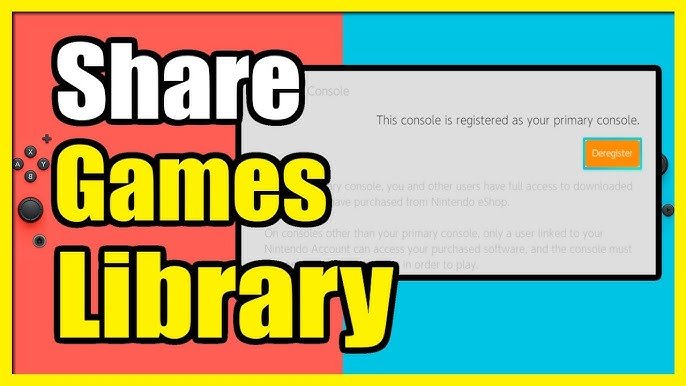
Yes, other users on the same Nintendo Switch console can play downloaded games, provided the account that purchased the game is set as the primary console for that system.
Sharing games on the Nintendo Switch can be a bit confusing, especially when you’re dealing with multiple accounts and downloaded titles. Many gamers wonder, can other users play downloaded games on switch? It’s a common question, and the answer is mostly yes, with a small caveat.
The system designates a ‘primary console’ for each account. This allows other user profiles on the same console access to games downloaded by the account set as the primary. This is how your whole family can enjoy a single purchased game on one Switch.

Can Other Users Play Downloaded Games on Switch?
Okay, let’s dive into this super important question for all Nintendo Switch fans: Can more than one person play the games you’ve downloaded? It’s not always as straightforward as you might think, and there are some key things to understand about how Nintendo handles digital games on the Switch. The short answer is: yes, other users can play your downloaded games, but there are some important rules and limitations.
Understanding Primary and Secondary Consoles
The whole system is built around the idea of “primary” and “secondary” consoles. Your Nintendo Switch has a designation, and that designation significantly impacts how other users can access your digital games. Let’s break down what these terms mean:
Primary Console
Think of your primary console as your home base for all your digital games. The first Nintendo Switch you use to download a game automatically becomes your primary console for that Nintendo Account. This is where things are easiest. On your primary console:
- Any user on the console can play any digital game you have purchased with your account.
- You do not need an internet connection to start the games.
- All save data is stored on this console.
It’s pretty simple, right? Everyone on your primary Switch can jump right in and enjoy the games you own, which makes it ideal for families or friends who share a single Switch console at home.
Secondary Consoles
Now, what happens if you get another Switch? Or your friend wants to play your downloaded game on their Switch? These other consoles are classified as “secondary” consoles. Here’s what you need to know about secondary consoles:
- Only the Nintendo account that purchased the game can play downloaded titles on a secondary console.
- You must have an active internet connection to launch and play games on secondary consoles.
- If the account owner is already playing the downloaded game on a primary console or another secondary console, it won’t work.
- Secondary consoles will verify game licenses before launching the game.
The rule here is that only the account that bought the digital game can play it on a secondary console. This is a way for Nintendo to prevent game sharing and ensure that users are purchasing games instead of just sharing their account with many consoles.
How to Identify Your Primary Console
It’s important to know which Switch is your primary console. Here’s how you can find out:
- Go to the Nintendo eShop on your Nintendo Switch.
- Click on your user icon in the top right corner of the screen.
- Select “Primary Console.”
- If the Switch is the primary one, it will show it. If the Switch is a secondary console, it will prompt you to make this console primary.
You can only have one primary console at a time. This is an essential point to remember when trying to understand how digital game sharing works on the Nintendo Switch.
Switching Your Primary Console
Sometimes, you might need to change your primary console. Maybe you upgraded to a new Switch or want to allow someone else to use your games on a different device. Here’s how to switch it:
- On your current primary console, go to the Nintendo eShop.
- Click your user icon and select “Primary Console.”
- Then, press “Deregister” to remove this Switch as your primary.
- Now, on your new desired primary console, log in with the same Nintendo account.
- Go to the Nintendo eShop, and the new console will automatically become the primary for your account.
Remember that you can only deregister your primary console from the console itself. You can’t do this through the Nintendo website.
The Impact of Different Users on the Same Switch
Let’s talk more about multiple users on the same console. This is super important for families or anyone who shares a Nintendo Switch. Here’s how it works:
On the Primary Console
- As we already discussed, all users on the primary console can play any digital game purchased with the associated account.
- Each user will have their own save data, so you don’t have to worry about messing up someone else’s progress.
On a Secondary Console
- Only the user that bought the digital game can play it on a secondary console.
- If someone else tries to play on a secondary console using your game without being the owner of the game, it will not work.
The primary console is designed for seamless sharing within a household. But, secondary consoles are designed for the actual owner of the digital games, and the games cannot be shared to any other user, except to the main account that bought the game
Playing Games Simultaneously
One of the most common questions is whether you can play the same digital game simultaneously on different consoles. Here’s the breakdown:
- You cannot play a game simultaneously on both a primary and a secondary console with the same Nintendo account. If the account owner is already playing a downloaded game on a primary console, it won’t work on the secondary device and vice versa.
- If you have the same game on two different accounts, then each accounts can play the game simutaneously on their own primary consoles.
- For multiplayer, you’ll generally need two copies of the same game, either physical or digital.
This limitation is put in place to discourage the account sharing of games, and the system is set up to encourage purchasing of games for each person that wants to play them. There are some exceptions with specific games that offer “local wireless” play even without a second purchase, but the above rules for single user games still apply.
Digital vs. Physical Games
How does all of this compare with physical game cartridges? Here’s a quick look at the key differences:
Digital Games
- Bound to the Nintendo Account that bought them.
- Subject to primary/secondary console restrictions.
- Easier to carry around since they don’t take up any physical space, and it’s easier to launch them
Physical Games
- Not tied to a specific account.
- Can be played on any Switch console.
- Can be easily lent to friends, family.
Physical games offer more flexibility in terms of sharing but do require a physical cartridge. Digital games are more convenient since they are available on the console at all times, but they are also subject to some account restrictions.
Nintendo Switch Online and Game Sharing
How does the Nintendo Switch Online service play into this? Let’s clear it up.
Nintendo Switch Online Subscription
- A subscription does not directly change the way you share digital games between users.
- Nintendo Switch Online allows access to a library of retro games with no additional costs, but the same primary/secondary console rules apply to the games available to members through the subscription service.
- There is also some Nintendo Switch games that allows to play games online, but it doesn’t change anything about the primary/secondary console rules.
Family Plans
- Nintendo Switch Online Family Plans allow up to eight accounts to be on one plan.
- Each account can use the online features and access the retro game library, but it still doesn’t change anything in sharing digital games between the users.
The key takeaway is that while Nintendo Switch Online is a great way to add online play and retro games, it does not impact the core rules of how you can share downloaded games among multiple Switch consoles or users.
Troubleshooting Common Issues
Sometimes, you might run into errors or problems when trying to play your games. Let’s talk about some frequent issues and how to fix them:
Error Code 2137-8056
This error often means that the Nintendo account owning the digital game is already being used on another console. You will need to close the game on the other console for it to launch on the other console
Internet Connection Issues
When playing on a secondary console, a stable internet connection is required to verify the game license. Ensure you are connected to the internet properly. If your connection keeps dropping, restart your modem and try to reconnect.
Primary Console Issues
If you have difficulty in registering your primary console, or if you are getting an error, ensure that you have only one primary console with your account registered. If the problem persists, you might need to contact Nintendo support.
Tips for Managing Downloaded Games
Here are some tips to help you manage your digital games smoothly:
- Keep track of which console is set as your primary console.
- Always check that you have a stable internet connection, especially when playing on secondary consoles.
- If you have multiple users on the same console, consider using individual user profiles to keep save data separate.
- Keep up to date with Nintendo announcements, in case they update or change the policies related to digital game sharing.
By following these tips, you can minimize confusion and ensure that everyone can enjoy the games on your Nintendo Switch.
The Nintendo Switch’s digital game system might seem a bit complicated at first, but once you grasp the concepts of primary and secondary consoles, it’s not so difficult. The most important thing to understand is that the primary console allows for easy sharing between all users on the console, while secondary consoles require more management by the owner of the Nintendo account. This setup allows the flexibility to play on multiple devices while also preventing excessive game sharing.
Enable Game Sharing on Nintendo Switch (no CFW required)
Final Thoughts
Yes, other users can play downloaded games on switch, but a primary account must be set. This account purchased the games. other accounts on the console will access the game library if the console is their primary one.
Non-primary consoles, even with a shared account, have certain restrictions. Other users can other users play downloaded games on switch but may not be able to play concurrently. The primary account always gets first access.

