
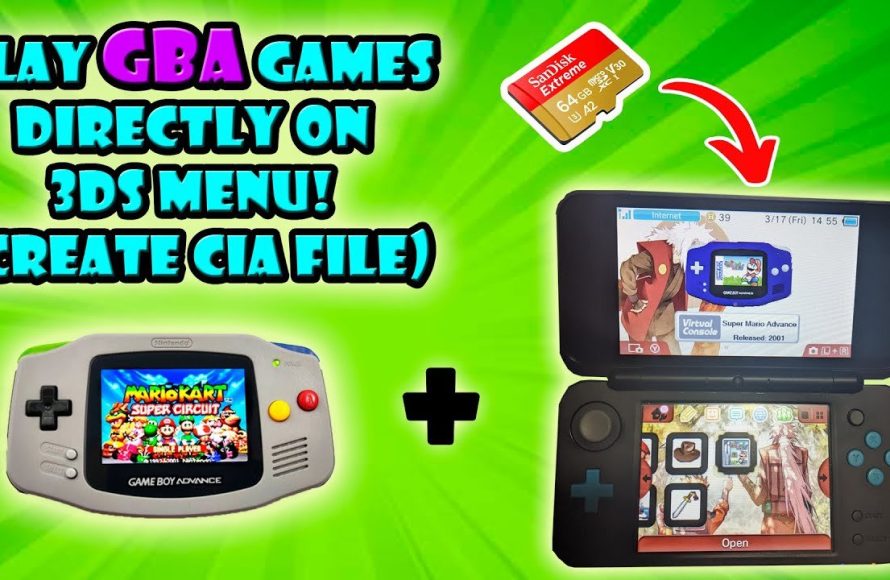
Unfortunately, the Nintendo 3DS cannot natively play Game Boy Advance games.
Many gamers wonder, can the 3DS play Game Boy Advance games? This is a frequent question among retro enthusiasts who love their Nintendo handhelds. The 3DS boasts a vast library of its own titles and backwards compatibility with DS games.
However, the hardware lacks the specific architecture to directly run Game Boy Advance cartridges. You will need alternative methods if you’re hoping to revisit GBA classics on a 3DS system.

Can the 3DS Play Game Boy Advance Games?
The question of whether the Nintendo 3DS can play Game Boy Advance (GBA) games is a really common one, especially among people who love older video games. The short answer is: it’s a bit complicated! While the 3DS isn’t directly compatible with GBA cartridges in the same way it is with DS games, there are ways to enjoy some GBA titles on your 3DS. Let’s explore all the ins and outs of this topic.
The 3DS and its Compatibility
First, let’s talk about how the 3DS handles different types of games. The 3DS is famous for playing its own 3DS games, of course. It can also play regular Nintendo DS games, which was a great feature when it first came out. You just pop the DS cartridge into the slot and you’re good to go! But the Game Boy Advance uses a different kind of cartridge that doesn’t fit into the 3DS slot. This means there’s no physical way to directly put in a GBA game cartridge into your 3DS system.
Why the Difference in Cartridges?
The Game Boy Advance cartridges and Nintendo DS cartridges look quite different, and use different ways of connecting to the systems. The GBA cartridges are a bit thicker and have different pins. Nintendo designed it like this because each system uses different technology, and each generation improved the technology, sometimes at the cost of older system compatibility for convenience. The 3DS, being newer, has its own way of reading game data that’s not compatible with how GBA games work.
Think of it like this: imagine trying to plug a phone charger from the early 2000s into a modern smartphone. The plugs are different and aren’t compatible. It’s the same with GBA games and the 3DS.
The Ambassador Program: A Glimmer of Hope
Okay, so if you can’t put a GBA cartridge directly into your 3DS, how can you play them at all? This is where the “Ambassador Program” comes in. This was a special program that Nintendo offered to people who bought the 3DS early on. If you bought your 3DS early enough, Nintendo gave you ten free GBA games to download and play on your 3DS! However, if you did not buy the console during the window where the program was active, there is no way to obtain the official GBA games digitally from Nintendo’s eShop.
What Games Were Included in the Ambassador Program?
The GBA games offered through the Ambassador Program were a selection of classics. This included games like:
- The Legend of Zelda: The Minish Cap
- Metroid Fusion
- Mario Kart: Super Circuit
- Wario Land 4
- Fire Emblem: The Sacred Stones
- F-Zero: Maximum Velocity
- Kirby & The Amazing Mirror
- Yoshi’s Island: Super Mario Advance 3
- WarioWare, Inc.: Mega Microgames!
- Mario vs. Donkey Kong
These games are only available on systems that had been a part of the program. They are not available for purchase for newer 3DS systems. For those who did receive them, they could revisit classic GBA games on a slightly bigger, brighter 3DS screen. The GBA games were not sold separately at all on Nintendo’s digital store.
How Did the Ambassador Program Games Work?
The Ambassador games work through something called an emulator. An emulator is like a program on the 3DS that makes it think it’s a Game Boy Advance. This lets the 3DS run GBA games, even though it wasn’t designed to do so normally. The emulator is included in the system’s software, specifically the old firmware that included the Ambassador program. This means the games run well, but the game data was stored as files on the system instead of the physical cartridges.
Virtual Console: A Missed Opportunity
After the Ambassador program, many players were hoping that Nintendo would add more GBA games to the 3DS eShop, as part of the Virtual Console service. Nintendo offered games from other older systems, like the original Game Boy, the Game Boy Color, and even the NES and SNES. This was another great way to enjoy old classics. However, for whatever reason, Nintendo did not release any more GBA games on the 3DS eShop for purchase. This is still a point of frustration for fans of the console and the GBA library, but is unlikely to ever change.
Why No More GBA Games?
The question about why Nintendo didn’t bring more GBA games to the Virtual Console on 3DS is one that fans often ask. There are many possibilities: Maybe it was due to technical reasons that made it hard to emulate some games; maybe they had other projects they wanted to prioritize. Perhaps they were saving the GBA library for a later console. Or maybe it just wasn’t as profitable for Nintendo. Whatever the reason, the lack of GBA games beyond the Ambassador Program was a disappointment.
What About Hacking and Homebrew?
Now, let’s talk about something a little bit more advanced: hacking and homebrew. Hacking a 3DS means that you modify it to be able to do things it wasn’t originally intended to do. Homebrew software is programs and games made by people, not Nintendo.
Using Homebrew to Play GBA Games
When you modify a 3DS, you can install homebrew software. This includes GBA emulators. There are some GBA emulators available, which people have created to play those games. These emulators allow you to load GBA ROM files (which are the game data, often stored on a computer). Using an emulator through this method, you can play almost all GBA games that exist through a modified 3DS.
It’s important to know that modifying your console in this way can have risks. Nintendo may not be able to offer support if you break anything, and it’s important to be aware of the laws regarding where you live. Be certain that you understand the risks and responsibilities involved when looking at installing third-party software.
Key Differences: Physical Cartridges vs. Digital
When you play a game from an actual cartridge, the game is read directly from the cartridge itself. The 3DS is made to work like this with 3DS and DS games. But when you are using an emulator, the game is loaded from a file stored on the 3DS or the console’s SD card. This way, the 3DS uses its own processing power to run that game. It uses a digital copy of the game. This difference is important. The data is read from a different location, but the experience is usually very close to the experience on the original system.
Advantages and Disadvantages
Let’s look at the benefits and downsides to using the physical GBA cartridges and emulating GBA games on the 3DS:
- Physical Cartridges:
- Advantages: It’s how the games were originally played; it has a real, tangible appeal. You have the original packaging and games. No additional software is required.
- Disadvantages: They don’t work on the 3DS; you need the original hardware to play them.
- Digital Emulation (Official Ambassador Program):
- Advantages: Convenient as the games are stored on your 3DS. There is an official method of playing some GBA games on the 3DS.
- Disadvantages: Limited to a very small collection of GBA games. You cannot play any other games. Not available for all users.
- Digital Emulation (Homebrew):
- Advantages: Access to almost every GBA game. No physical cartridges needed.
- Disadvantages: Requires modifying your 3DS. There can be technical risks when installing this software.
What about the Nintendo Switch?
You might be wondering if the Nintendo Switch plays GBA games. As of right now, the answer is also a little complex. The Nintendo Switch currently has no direct way to play original GBA cartridges, and there is no official virtual console system for GBA games. It does have a system for older games, with “Nintendo Switch Online”. However, this focuses on NES and SNES games, and not GBA. Nintendo may release GBA games in the future, but there is no set date or guarantee. Just like the 3DS, some players have also turned to homebrew on the Nintendo Switch to play GBA games using emulators.
Summary
To sum it up, while the Nintendo 3DS can’t play GBA games using the original cartridges, you can enjoy some GBA titles through the old Ambassador Program, or by using emulators and third party software. It’s a bit more involved than just popping in a cartridge, but it opens a world of possibilities for playing great older games. Whether you choose the official options or homebrew ones, the joy of classic games is still available. It is worth the effort if you’re a fan of the great games that were released on the Game Boy Advance.
3DS Can Play Game Boy Advance Games Without Emulation
Final Thoughts
The Nintendo 3DS cannot directly play physical Game Boy Advance cartridges. However, some 3DS systems can play select Game Boy Advance titles through the “Virtual Console” service. These games are digital downloads and are not available on all 3DS models.
Ultimately, while the original cartridges won’t work, the Virtual Console provides a way that some Nintendo 3DS consoles can play some games. This answers the main question: can the 3ds play gameboy advance games? The capability is limited.

