
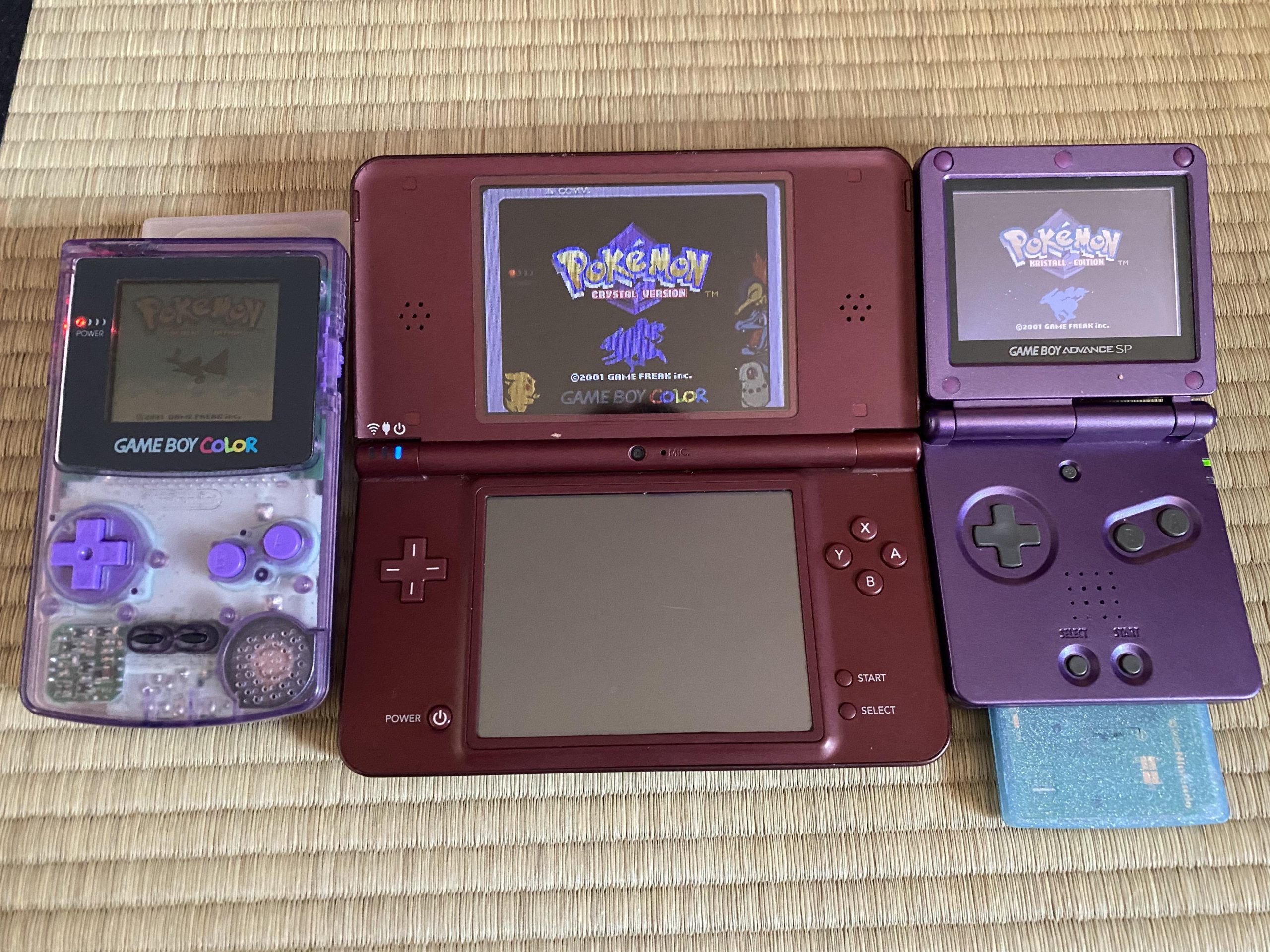
No, the DSi cannot natively play original Game Boy or Game Boy Color games.
Many gamers wonder, can the DSi play Game Boy games? It’s a common question, given the handheld’s extensive library. Unfortunately, the DSi’s hardware is not compatible with the older Game Boy cartridges.
While you can’t directly insert those classic games, the DSi does offer some Virtual Console titles which are recreations of older games. This might provide a similar experience but it’s not quite the same as playing the original cartridges.

Can the DSi Play Game Boy Games? A Deep Dive
Let’s talk about the Nintendo DSi, that cool little handheld console that many of us remember fondly. It came out after the Game Boy Advance but before the Nintendo 3DS. You might wonder, since it plays Nintendo DS games, can it also play older Game Boy games? It’s a good question, and the answer is a bit more complex than a simple yes or no. We are going to explore all the different aspects of this in detail, so that you can understand completely that if DSi can actually play Game Boy Games or not.
The DSi’s Hardware and Compatibility
To really understand if the DSi can play Game Boy games, we need to peek under the hood a bit. The DSi is a powerful little machine for its time, boasting two screens, cameras, and even the ability to connect to the internet (for some things). It’s designed to play games made specifically for the Nintendo DS platform. This means the game cartridges are different from those used on the Game Boy and Game Boy Advance. These systems, Game Boy, Game Boy Color and Game Boy Advance use different kinds of cartridges. The DSi itself, is not designed to run these older cartridges.
The Absence of a Game Boy Cartridge Slot
The biggest clue about whether the DSi can natively play Game Boy games is the lack of a physical cartridge slot for those games. Game Boy, Game Boy Color, and Game Boy Advance games all use cartridges with a very different shape and connection type than the Nintendo DS. The DSi doesn’t have the right hardware to read those cartridges. It has a slot that fits only the special Nintendo DS game cards. Think of it like trying to fit a square peg into a round hole – it simply won’t work.
Why This Matters?
The slot for a game cartridge is not just a hole; it has all sorts of wires and connectors inside that talk to the game chip on the cartridge. The system needs to be wired specifically to interact with different types of chips. Since the DSi only has the hardware to interact with DS cartridges, it can’t read games that use older Game Boy cartridges. The technology inside these games is different and incompatible.
Virtual Console: The DSi’s Software Approach
Okay, so we know the DSi can’t read Game Boy cartridges physically. But what about a software-based way to play those old games? Nintendo had this fantastic idea called the Virtual Console. It allowed players to download and play classic games from older systems on their newer consoles. Unfortunately, the DSi’s Virtual Console offering was limited. Nintendo decided not to bring Game Boy games to the DSi’s Virtual Console store.
DSiWare: Where Retro Games Resided
While the DSi didn’t get classic Game Boy games, it did have a digital download service called DSiWare. It was similar to an app store, but for the DSi. It had lots of fun games, both new and original, but you won’t find titles from the original Game Boy, Game Boy Color, or Game Boy Advance catalog. You could, however, sometimes find games inspired by those classics.
Exploring DSiWare Titles Inspired by Retro Gaming
While not direct ports, DSiWare did have its share of games that drew inspiration from the old Game Boy titles. There are puzzle games and platformers that echo the feeling of playing a classic. These games were made specifically for the DSi, taking advantage of its two screens and the hardware. DSiWare served a variety of games, and some players enjoyed them as alternatives, even if they were not actual Game Boy games. Although, they are not same as playing the classics, these were original games that you can only play on your DSi, like:
- Art Style Series: Games like ‘PiCOPiCT’ and ‘Aquia’ offered unique puzzle experiences that were visually inspired by classic gaming styles.
- Puzzle League: While not a direct port, this game provided a similar action puzzle experience to what players enjoyed in classic Game Boy games.
- Various Indie Games: Many indie developers at the time created smaller games that had a retro feeling to them. They had art styles and gameplay elements reminiscent of the simpler times of the Game Boy era.
Emulation: A Technical Look
So, if the DSi doesn’t do it officially, what about through emulation? Emulation is the method of using software to make one device act like another. It lets your computer or even a handheld play games designed for a completely different system. Now things get more complex.
What is Emulation?
Emulation, in simple words, is like a translator for computers and games. A game designed for a Game Boy talks in the language of that system’s hardware. An emulator, on the other hand, translates that language so that your DSi (or another device) can understand it. If you don’t have the correct language pack, or the translator doesn’t exist, it wont understand anything. It’s a way of making software and hardware act like something they’re not originally designed to be.
Emulation on the DSi: The Challenges
While it’s technically possible to emulate some very simple systems, emulating a system like a Game Boy or a Game Boy Advance on the DSi comes with its own set of obstacles. The DSi is not a powerful machine, so getting smooth gameplay of Game Boy games can be really difficult. Plus, these emulators can be complex and require extra software to be placed on the DSi. This method is often not very user-friendly.
Legal and Ethical Considerations of Emulation
When we talk about emulation, it’s very important to mention the legal and ethical parts. Nintendo owns the rights to their games, and copying or using emulators for games that you don’t actually own is usually considered illegal. It’s good to remember that we should always support the creators of the games we love, whether that’s buying the official game copies or using the official virtual services if they exist. Playing games through official routes ensures that the creators are compensated for their hard work.
Homebrew and Custom Firmware: A Technical Path
For the more tech-savvy among us, there’s another path: homebrew and custom firmware. Homebrew refers to software that’s made by individual programmers, not official game companies. Custom firmware changes the way your DSi works, so it can do things that Nintendo didn’t originally intend it to do.
What is Homebrew?
Homebrew is the world of software development for consoles outside of the official channels. People make homebrew software to add new features or even build new games for their devices. Many of these developers have a love for retro gaming and make emulators for old consoles. Homebrew on the DSi is one such case where it’s possible to load different software.
How Does Custom Firmware Help?
Custom firmware is a bit like giving your DSi a software makeover. It replaces the DSi’s default system software and allows it to run all sorts of programs. This new firmware can allow your DSi to do things like run homebrew emulators, play multimedia, or other features that the original DSi software did not have. However, installing custom firmware is a technical process, so be careful if you go down this path.
Potential Risks of Custom Firmware
It is also very important to note that using custom firmware carries some risks. If it is not done correctly, it can “brick” your DSi, making it unusable. It can also void any warranties, and in some cases, it can lead to unexpected problems that can affect how the system runs. It’s also true that it can be complex to set up properly and usually requires lots of tech knowledge.
The Nintendo 3DS: A Better Alternative for Retro Gaming
If you are really passionate about playing old games on a Nintendo handheld, there is a better option: the Nintendo 3DS. The 3DS is the DSi’s successor, and it has the ability to play certain Game Boy games on its Virtual Console service. It can also play DS games, so you still have all the games you enjoyed on your DSi, plus a bonus of some classic retro games.
The 3DS Virtual Console Advantage
The Nintendo 3DS has a more complete Virtual Console library than the DSi. You will find many classic Game Boy and Game Boy Color games available for purchase and download on the 3DS eShop. Nintendo has worked to make these games play well on the 3DS, which makes for a more comfortable and easier retro gaming experience.
How it Compares to the DSi
When we compare the 3DS to the DSi for retro games, the 3DS clearly wins. With its built-in Virtual Console, it’s much easier and safer to play classic titles without needing to resort to custom firmware or emulation. This is very important, as the DSi can’t play most of the original Game Boy games on its official software.
Summary of Why DSi Can’t Officially Play Game Boy Games
Let’s recap why the DSi can’t officially play Game Boy games:
- Different Cartridge Slots: The DSi doesn’t have a cartridge slot for old Game Boy games.
- Hardware Limitations: The DSi is designed to only read the Nintendo DS cards, not Game Boy cartridges.
- No Game Boy Games on Virtual Console: Nintendo didn’t release old Game Boy titles on the DSi’s Virtual Console service.
- Emulation Challenges: Emulating Game Boy games on the DSi is hard due to the machine’s power and some legal limitations.
So, while the DSi is a great console, it is just not designed to play your favorite Game Boy, Game Boy Color, or Game Boy Advance games directly. If you want the official route, your best bet is to use the Nintendo 3DS, or even play them on the original hardware for the real experience.
Ultimately, while the Nintendo DSi remains a memorable handheld, its lack of support for Game Boy games is a reminder of the technological differences that exist between different console generations. If you are passionate about reliving classic Game Boy adventures, you’re better off exploring official and legitimate means on the 3DS or dedicated classic systems.
Wait? Nintendo DSi CAN PLAY Game Boy Advance Games?!
Final Thoughts
Ultimately, the Nintendo DSi cannot directly play original Game Boy or Game Boy Color cartridges. The DSi’s hardware lacks the necessary slot and compatibility for these older formats. However, Nintendo did offer some virtual console versions of classic titles.
So, while the physical cartridges are incompatible, some classic games became available through the DSi Shop. It’s crucial to understand that when asking ‘can the dsi play gameboy games’, the answer is only through the digital store for selected titles, not physical copies.

