
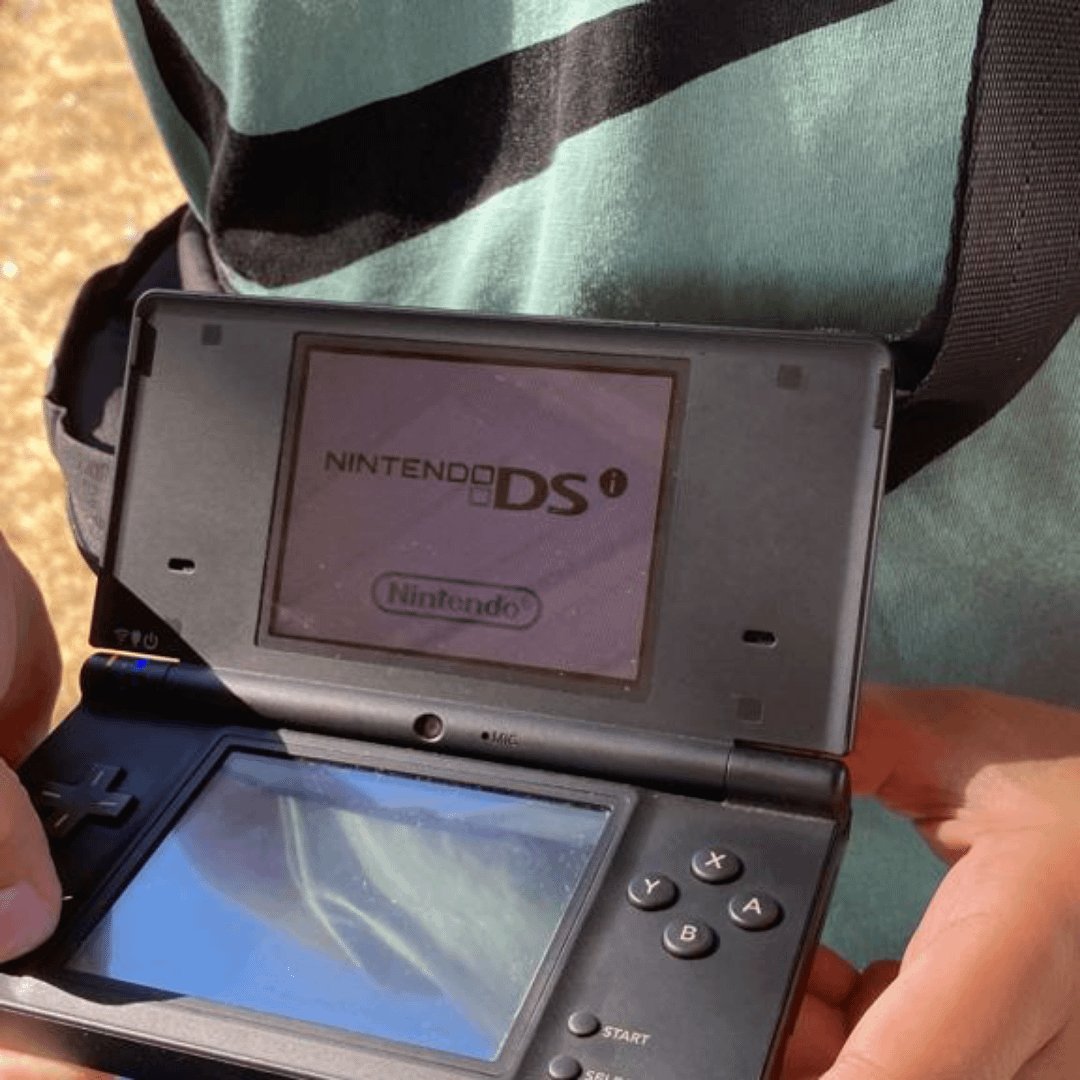
Unfortunately, the Nintendo DSi cannot play GBA games.
Many Nintendo fans wonder, can the dsi play gba games? It’s a common question considering the DSi’s predecessor, the Nintendo DS, could. Sadly, the DSi removed the Game Boy Advance cartridge slot.
This means you’ll need to dust off your old GBA or DS Lite to enjoy those classic titles. While the DSi offered new features, backward compatibility with GBA was not one of them.

Can the DSi Play GBA Games? Exploring Compatibility
The Nintendo DSi, a popular handheld gaming console, brought many exciting features. But if you’re a fan of classic Game Boy Advance (GBA) games, you might be wondering: can the DSi actually play those games? The simple answer is, not directly like you might hope. Let’s dive deep into the details and understand why.
Understanding the DSi Hardware
To understand why the DSi can’t play GBA games in the traditional way, we need to take a look at its hardware. The DSi was designed as an evolution of the Nintendo DS. It introduced features like dual cameras, DSiWare downloads, and an improved online experience. However, there was a key piece of hardware missing: the Game Boy Advance cartridge slot.
The original Nintendo DS had a slot for both DS cartridges and GBA cartridges. This made it a fantastic option for anyone who wanted to play both new DS games and their favorite GBA classics. The DSi, however, removed the GBA cartridge slot to make the console sleeker. This seemingly small change has a major impact on our ability to play GBA games. Because the DSi no longer has the physical slot that GBA cartridges use, it cannot physically read those games.
The GBA Cartridge Slot: Why It Matters
The GBA cartridge slot on the original DS was more than just a hole to put games in. It had a specific reader. This reader was designed to access the unique data stored on a GBA cartridge. The DSi eliminated this reader and made significant internal changes as a part of an overall hardware upgrade. It’s important to know that without this specific hardware, the DSi has no way of recognizing or playing GBA game cartridges.
Think of it like a DVD player trying to play a VHS tape. Both contain video and information, but they require different technology to read and play them. The same applies to the DSi and GBA games. The DSi is designed for DS games, not GBA cartridges. So, even if you tried to force a GBA game into the DSi, it simply would not work.
Exploring Software Emulation
Okay, so the DSi can’t read GBA cartridges. But what about software emulation? Emulation is when a computer program is used to mimic another system. So, could a DSi game or application emulate the GBA system so that you can play GBA games that way? The answer here is a bit more complex and involves some technical challenges.
The Challenge of GBA Emulation on the DSi
While the idea of emulation sounds great, the DSi’s hardware is not ideally suited for GBA emulation. Here’s why:
- Processor Power: The DSi processor, while an improvement over the original DS, is still not powerful enough to run a smooth and accurate GBA emulator. GBA games require considerable processing power to mimic the system’s functions correctly. The DSi’s hardware is just not designed for that level of demanding emulation.
- Memory Constraints: Emulation needs memory to load the game, run the emulator, and keep track of everything happening in the game. The DSi’s memory is limited, which would greatly impact performance. This is especially true when compared with modern devices that are able to smoothly emulate older consoles.
- Software Support: Developing a stable and user-friendly GBA emulator for the DSi would be a difficult process. It’s hard to create an emulator that works flawlessly on such different hardware.
These challenges mean that, while it might be technically possible to create a basic emulator, it would likely have major issues. You might encounter slowdowns, glitches, sound problems, and compatibility problems with many GBA games.
Homebrew and Unofficial Methods
The “homebrew” scene refers to the community of users who develop custom applications and software for consoles, often outside of the official channels. There have been a number of attempts to create GBA emulators for the DSi using homebrew methods. These projects often require special software and can be a bit complicated for the average user.
However, the results are still typically not great. These homebrew solutions are often unstable and can’t play many games, or with a lot of performance issues. They are very often difficult to set up correctly, and may come with other risks like the risk of “bricking” or damaging the console if not installed correctly. For most users, homebrew emulation is not a very good solution. It’s not user friendly and is unlikely to work the way you’d hope.
Alternative Ways to Play GBA Games
So, the DSi can’t directly play GBA games. But, if you really want to play your old classics, what are some other solutions?
Using Other Nintendo Consoles
Several Nintendo consoles can play GBA games. If you have access to any of these devices, you might be able to enjoy your library of GBA classics:
- Nintendo DS/DS Lite: As we mentioned earlier, the original DS and the DS Lite both have the GBA cartridge slot. These consoles are the most direct and compatible way to play GBA games on Nintendo handhelds. If you already have the original DS or DS Lite, you are all set.
- Game Boy Advance/Game Boy Advance SP: The original GBA and GBA SP are, of course, perfect for playing GBA games. They are designed specifically for GBA cartridges, and you will experience these games as they were originally intended.
- Nintendo GameCube (with Game Boy Player): The GameCube’s Game Boy Player was an add-on that would allow you to play GBA games on your TV. If you have a GameCube and this add-on, you can enjoy GBA games on a bigger screen.
- Nintendo Wii U (via Virtual Console): While the Wii U isn’t a handheld system, it did have the option to download a selection of GBA games through its Virtual Console service. If you have a Wii U, this may be another option, although the availability of games is somewhat limited as the online store was discontinued.
Emulation on Other Devices
Emulation on devices other than the DSi can provide a better experience. Consider these options for emulating your GBA titles:
- Computers: A computer with a good GBA emulator is one of the best ways to enjoy these classic titles. Many available emulators allow you to play GBA games on your computer. The additional processing power available in modern computers makes it a great platform for smooth emulation.
- Smartphones: Many smartphone operating systems, like Android, have access to reliable GBA emulators. These emulators are typically easy to set up and allow you to play GBA games conveniently on your phone. Just be aware of your local laws and regulations around game roms, because they can vary.
- Dedicated Handheld Emulators: Several handheld devices specifically designed for emulation are available. These devices often have the power needed to emulate a number of different retro consoles very well, including the GBA.
DSiWare and GBA
The DSi has a digital marketplace called DSiWare. You might wonder if there is any official way to play GBA games using DSiWare. Unfortunately, the answer is no. While there are many fun games available via DSiWare, Nintendo never released any official GBA titles in this format. The digital service focused primarily on original titles built for the DSi.
Why No GBA Games on DSiWare?
The reason for this lies in both technology and market decisions. The DSi was aimed at a new audience with new features. Nintendo was trying to focus on the new features of the DSi. The company also likely wanted to incentivize the sale of their newer products, such as the 3DS, which was the successor to the DSi. They also wanted to push forward their own new digital platforms.
The DSi’s Focus on Original Content
It’s important to remember that the DSi was designed to be its own platform. It introduced original games and apps via DSiWare. Nintendo wanted users to experience new software built specifically for the DSi’s unique features, such as the cameras and dual screens. While this may be disappointing for GBA fans, it makes sense in the context of Nintendo’s strategy.
A Summary of the GBA-DSi Compatibility Question
Let’s recap everything we’ve covered about the DSi and GBA games:
- The Nintendo DSi does not have a GBA cartridge slot. This prevents it from playing GBA games in the usual way.
- The DSi’s hardware is not powerful enough to reliably emulate GBA games. This makes software emulation very difficult and often unreliable.
- There are unofficial, homebrew methods that attempt GBA emulation, but these are generally unstable, complicated, and not recommended for most users.
- Several other Nintendo consoles, like the original DS, DS Lite, and Game Boy Advance, can play GBA cartridges.
- Emulation on computers, smartphones, and dedicated handheld devices is a reliable way to play GBA games.
- There are no official GBA games available for download on the DSiWare platform.
While the DSi cannot directly play GBA games, it is still a great console. Many other options allow you to experience the great library of GBA titles.
The absence of GBA compatibility on the DSi highlights the constant evolution of technology. While it might be sad for some GBA game fans, there are still plenty of ways to enjoy those classics on different devices.
Wait? Nintendo DSi CAN PLAY Game Boy Advance Games?!
Final Thoughts
Ultimately, the DSi cannot directly play Game Boy Advance games. It lacks the necessary cartridge slot. You must use another device to enjoy GBA titles.
The DSi was a great device, but its design focused on downloaded content. This means physical GBA cartridges won’t work. So, the answer to ‘can the dsi play gba games’ is definitively no.

