
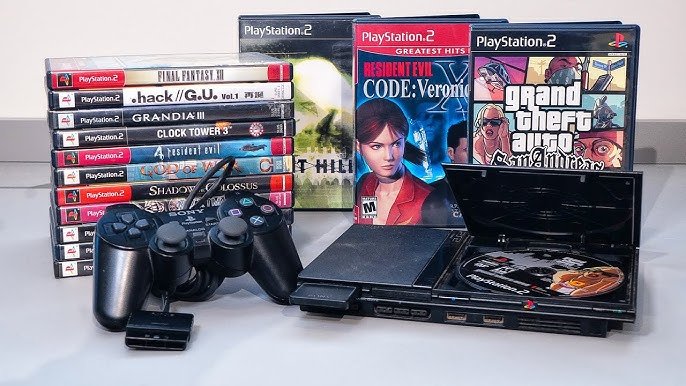
Only some early PlayStation 3 models can play PlayStation 2 games; later models removed this feature.
Remember those days spent immersed in the worlds of the PS2? Many gamers wonder, “can the playstation 3 play playstation 2 games?”. It’s a valid question, given the backward compatibility present in earlier console generations.
The answer, unfortunately, isn’t a simple yes for all PS3s. Sony did include this feature in initial PS3 versions, but this was later removed for cost and hardware reasons. So, if you still have those old PS2 discs, you will have to check your PS3 model.

Can the PlayStation 3 Play PlayStation 2 Games?
That’s a question many gamers have asked, especially those who grew up with the PlayStation 2 (PS2). It was such a popular console, and its game library is full of classics! When the PlayStation 3 (PS3) came out, it made sense to wonder if you could play all those old favorites on the new machine. The short answer is: it’s a bit complicated. Let’s dive into the details!
The Early Days: PS3 Models with Full PS2 Support
When the PS3 first came out, some models could play PS2 games perfectly. These were the original “fat” PS3 consoles, specifically the 20GB and 60GB models. These machines had special hardware inside them – the actual PlayStation 2 chips – which allowed them to play PS2 discs flawlessly. Think of it like having a PS2 built right into your PS3! These are sometimes called “backwards compatible” PS3s.
How It Worked
These early PS3s had both the Emotion Engine (the main processor of the PS2) and the Graphics Synthesizer (the graphics chip) from the PS2. Because they had the actual hardware, they could run PS2 games without needing to translate or emulate anything. It was like inserting a PS2 disc into an actual PS2. This made for the best possible PS2 experience on a PS3.
Identifying These Models
Identifying which PS3s had this backwards compatibility is very important. Here is how you can check:
- Look at the model number: The 20GB model number is CECHBxx and the 60GB model number is CECHAxx. These are the magic numbers for backwards compatibility through dedicated hardware. You can find the model number on a sticker on the back of your PS3.
- Check the box: If you still have the original box, it will often say if it supports PS2 games.
- The appearance: The 20GB and 60GB models are “fatter” than the later PS3 consoles, and they have a shiny chrome trim.
Partial Software Emulation: A Different Approach
After the first few PS3 models, Sony removed the actual PS2 hardware from the console. This was likely done to reduce the cost of manufacturing the PS3. However, they still wanted to provide some PS2 compatibility, so they used a process called software emulation. This method is where the PS3’s processor tries to act like a PS2, running PS2 games using software and the PS3’s components. But it’s not exactly same as running real PS2 hardware.
How Software Emulation Functions
Software emulation is like teaching a translator to understand and speak a new language. The PS3’s main processor (the Cell processor) and graphics chip try their best to simulate the functions of the PS2’s Emotion Engine and Graphics Synthesizer. However, this isn’t as efficient as having the actual hardware. The console has to work harder to process PS2 games through software, and this can sometimes cause issues.
Problems with Software Emulation
Software emulation was not perfect. A major problem was that not all PS2 games ran perfectly. Some games had:
- Glitches: Visual problems like flickering or incorrect colors
- Frame rate issues: Games would sometimes run slower or choppier than on a real PS2
- Compatibility issues: Some games wouldn’t play at all
Identifying Software Emulation Models
Here is a how to identify PS3s that use software emulation:
- 60GB (CECHCxx, CECHExx): These models still had limited PS2 compatibility through software emulation and some of the ps2 hardware. They do not have as good compatibility as CECHAxx and CECHBxx models, but some games are able to run on it.
- 80GB (CECHGxx, CECHKxx): These models removed some of the PS2 hardware, and relied primarily on software emulation. Their compatiblity is not as good as the earlier models with hardware support.
- All Slim and Super Slim PS3 models: None of the Slim or Super Slim PS3 models have any PS2 hardware inside. Any PS2 compatibility they have comes purely from software emulation. The compatibility is limited, and is not supported as a default feature.
PS2 Classics on the PlayStation Store: A Digital Alternative
While physical disc compatibility for PS2 games was limited on the PS3, there’s another way to experience some classic PS2 titles on your PS3: through the PlayStation Store. Sony has released digital versions of selected PS2 games that are playable on all PS3 consoles. This is a completely separate way to play PS2 games on your PS3.
How Digital PS2 Classics Work
The digital PS2 games available on the PlayStation Store are specifically made to run on the PS3. Sony takes the original PS2 game and tweaks it so it can run smoothly on the PS3’s hardware. These games usually run much better than the software emulation used for PS2 discs.
Advantages of PS2 Classics on the PlayStation Store
There are a few good reasons to try the digital route:
- Improved Performance: PS2 Classics tend to run better than trying to play the original discs on non-backwards compatible models. They often have better frame rates and fewer glitches.
- Convenience: You don’t need the original discs. You can download the game right onto your PS3’s hard drive.
- Wider Compatibility: PS2 Classics work on all PS3 models, including the Slim and Super Slim versions.
Disadvantages of PS2 Classics
Unfortunately, there are some limitations with this method:
- Limited Selection: The selection of PS2 games on the PlayStation Store is not very large. Many popular titles were never released as Classics.
- Cost: You have to buy the games again, even if you already own the original discs.
- Availability: Sometimes these games are removed from the store, making it difficult to play again if you haven’t purchased them.
Checking Your Specific PS3 Model
So, how do you know what your specific PS3 can do? Let’s go over some simple steps.
Finding Your PS3’s Model Number
First, turn your console around. On the back, you will see a sticker with information on it. Look for a series of letters and numbers, usually at the bottom of the sticker, that begin with “CECH.” This is your PS3’s model number.
Once you have that number, you can use the guide below to see what kind of PS2 compatibility your PS3 offers:
| PS3 Model Number | PS2 Compatibility |
|---|---|
| CECHAxx (60GB) | Full hardware-based backwards compatibility |
| CECHBxx (20GB) | Full hardware-based backwards compatibility |
| CECHCxx, CECHExx (60GB) | Partial software emulation |
| CECHGxx, CECHKxx, and later models (80GB) | Limited software emulation |
| All Slim and Super Slim models | No hardware emulation, Some PS2 classics via the store |
Understanding the Implications
The type of PS2 compatibility your PS3 has makes a big difference in what you can do with it.
Full Hardware Compatibility (CECHAxx and CECHBxx)
If you have one of these models, congratulations! You have the most capable PS3 when it comes to playing PS2 games. You can enjoy almost every PS2 game you own with the best possible performance, using your old discs.
Partial Software Emulation (CECHCxx and CECHExx)
The software emulation on these models will let you play some of your PS2 collection, but you will likely run into issues with some titles. Frame rate problems or glitches might ruin your gaming experience in some titles. Testing your games will be the best way to see how your PS3 handles them.
Limited Software Emulation (CECHGxx, CECHKxx, and later models)
These models are the most limited when it comes to PS2 disc compatibility. The software emulation is not comprehensive, and you won’t be able to play all PS2 games you own. PS2 Classics on the PlayStation Store will be your best bet, if you are looking to play PS2 games on these consoles.
Other Options to Play PS2 Games
If your PS3 doesn’t have the best PS2 compatibility, or you are looking for other ways to enjoy PS2 games, consider these options:
- Original PS2 console: The best way to play PS2 games is on an actual PS2 console. The graphics are designed for this console.
- PlayStation 4 and PlayStation 5: While they don’t play PS2 discs, these consoles offer PS2 games through the PlayStation Store in a digital format.
- Emulators: PC emulators can play PS2 games, but you will need a powerful computer and might have to tweak the settings.
The ability of the PS3 to play PS2 games changed a lot throughout its production run. Early models had full compatibility thanks to dedicated hardware, while later ones used software emulation, and finally, limited compatibility in its final run. Knowing your console’s model number, and the ways it handles PS2 games will help you know how best to play your old games. Whether it’s the original discs, digital downloads, or even playing on a different console, there are a couple of ways you can still enjoy your favorite PS2 games.
"Can PS3 Play PS2 Games? Quick Compatibility Guide"#gaming #ps3share #retro #ps2 #snes
Final Thoughts
Some PlayStation 3 models offered backward compatibility for PlayStation 2 games, but not all. This feature was primarily found in the early, original PS3 units. These models included the necessary hardware.
Later PlayStation 3 versions removed this hardware. Consequently, they cannot play PlayStation 2 games. So, whether “can the playstation 3 play playstation 2 games” is true depends entirely on the specific PS3 model. Always check the model number.

