
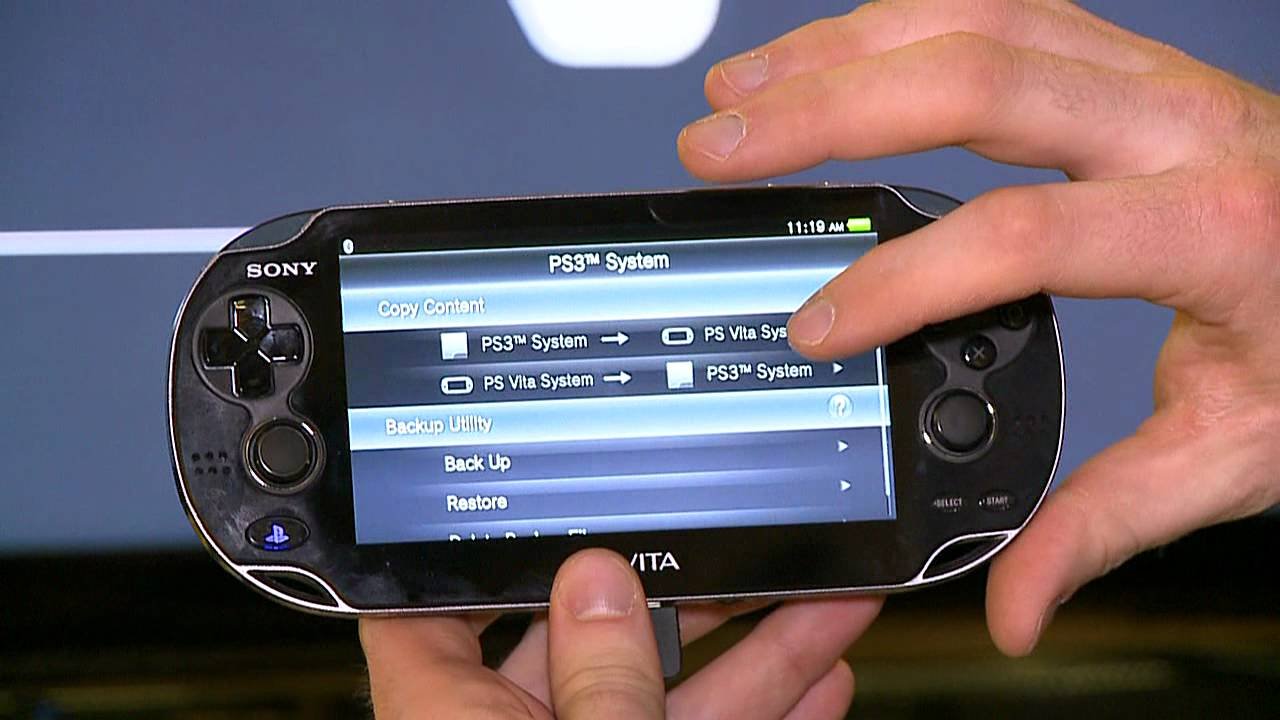
Yes, the PlayStation Vita can play PSP games, both digital downloads and some physical UMD titles through the PlayStation Store.
Many gamers wonder if they can revisit their beloved PSP library on Sony’s successor, the PlayStation Vita. The good news is that you certainly can. This is a huge benefit for those who still have fondness for classic portable titles.
So how does this work exactly? Most PSP games are available digitally via the PlayStation Store. You will download the game directly to your Vita. This allows you to easily carry a whole collection of PSP titles with you.

Can the PlayStation Vita Play PSP Games?
Yes! The PlayStation Vita can absolutely play PSP games, and it does it in a really cool way. Think of it like having two amazing handheld consoles in one. You get the super-powered Vita and a whole library of classic PSP titles too! It’s not quite as simple as popping in a PSP game disc though; let’s explore how it all works.
How Does the Vita Play PSP Games?
Unlike the way the PlayStation Portable (PSP) used UMD discs, the Vita plays PSP games digitally. This means you’ll need to buy and download the games from the PlayStation Store. Think of it like buying apps for your phone. The Vita has an emulator, a special program that makes the PSP games run smoothly on the newer hardware. It’s kind of like having a translator that lets the old PSP games speak the Vita’s language.
What is an Emulator?
An emulator is like a magic box. It’s a program that lets one computer system behave like another. In our case, the Vita’s emulator pretends to be a PSP. This lets the Vita run the PSP games perfectly. Without the emulator, PSP games would not work on the Vita. Emulators are fantastic because they allow us to experience games that were made for older consoles. They also help to keep these classics alive, so people can enjoy them for years to come.
Finding and Downloading PSP Games
You won’t find PSP games in physical stores anymore for the Vita. You’ll need to visit the PlayStation Store on your Vita. It’s like an online shop just for PlayStation games. Here’s how you can get started:
- Turn on your PlayStation Vita and connect to Wi-Fi. This is the same way you get online with your phone or tablet.
- Find the PlayStation Store icon on your Vita’s screen. It usually looks like a shopping bag with the PlayStation logo.
- Use the store’s search bar or browse for “PSP” or the title of the game you want. There are lots of choices, so take your time and look around.
- Once you have found your game select it and go to purchase. You’ll need some money in your PlayStation Store wallet. You can add funds with a credit card or PlayStation Store gift card.
- After buying, download it. The game will go to the Vita’s memory or memory card. Then you can play!
Memory Cards and Storage
It is important to know that PSP games and your Vita games are stored on a memory card that is separate from the storage on the device itself. These memory cards are special and you have to make sure you have enough space to hold all of the games you want to download. You should also know that these memory cards are specific to the Playstation Vita, and won’t work with a different system. It is always a good idea to get a larger memory card if you know that you like to download a lot of games.
Which PSP Games Can I Play?
The great news is that most PSP games are available on the PlayStation Store and can be played on the Vita. Some big hits like Final Fantasy, Monster Hunter, and Metal Gear Solid are available. Not every single PSP game is available, but most are. Sony has worked hard to get as many of the popular titles as possible on the digital store. That means you will have access to a wide variety of genres including RPGs, action games, puzzle games, and much more.
A few specific highlights that are generally available include:
- God of War: Chains of Olympus and Ghost of Sparta. These action-packed games are awesome to play on the Vita.
- Grand Theft Auto: Liberty City Stories and Vice City Stories. Open-world crime adventures you can take on the go.
- Final Fantasy VII: Crisis Core and Final Fantasy Tactics: The War of the Lions. These titles are great for gamers who love stories and strategic gameplay.
- Monster Hunter Freedom Unite and Portable 3rd. Dive into the world of hunting monsters.
Checking Compatibility
Before you buy a game, it’s always smart to check if it is compatible with the Vita. Usually, the PlayStation Store will tell you this right on the game’s page. Also, if a game has a special note about not working with the Vita, make sure you read that carefully before you purchase anything.
Benefits of Playing PSP Games on the Vita
There are a lot of benefits to playing PSP games on a Vita system. Here are just a few of them:
- Better Graphics: Many PSP games look even better on the Vita’s bright and colorful screen. It makes the older games look like new again.
- Dual Analog Sticks: The Vita has two analog sticks compared to the PSP’s one. This makes controlling some games a lot easier and more fun, specially games that use a 3D camera.
- Save Anywhere Feature: The Vita allows you to save at any point in the game, rather than relying on the in-game save points. This is a big convenience for playing on the go.
- One System, Two Libraries: The Vita can also play Vita games, so you have access to a massive library of games all on one handheld console.
- Convenience: Digital downloads are much easier to manage than carrying around lots of UMD game discs. It’s much easier to switch games in the library.
Things to Keep in Mind
While the experience of playing PSP games on the Vita is really good, here are a few things to remember:
- No Physical Games: You cannot use actual PSP UMD discs on the Vita. It needs to be downloaded from the PlayStation Store.
- PSN Account Required: You’ll need to create a PlayStation Network (PSN) account to buy and download games.
- Memory Card Space: Games can take up a fair amount of space, so a big memory card is a good idea, especially if you want to download a lot of games.
- Not All Games are Available: While most PSP titles are available, there may be some games that are not. Make sure to search on the PSN store to make sure your favorite games are available to download.
- Store Availability: While most regions have the PlayStation Store available to download PSP games, it is possible that some regions won’t have a specific title available.
Improving Your PSP Gameplay on Vita
There are a couple of things you can do to get an even better experience with PSP games on the Vita. Here are a couple of things to try:
Using the Custom Control Settings
The Vita lets you customize the controls for PSP games. Because the PSP only had one analog stick and fewer buttons, you can remap the PSP controls to take advantage of the Vita’s features. You could map the camera control for example to the second analog stick, or some other control functions. This makes playing many PSP games more comfortable.
The process to customize controls is simple, simply go to the control setting in a game, and change the configuration to your liking. You can experiment with the different settings to find out what’s most comfortable for you.
Changing Screen Settings
You can also change the way your game looks on the screen. You can adjust the size of the game image, how clear the image is, and many other settings, in the setting menu, that are specific to each game. Sometimes, you might want the screen stretched out to fit the Vita screen, or you might want to keep the original aspect ratio of the PSP. Try the different setting and see which one you prefer.
Keeping Your Software Up to Date
The system software of the Vita has to be kept up to date in order to make sure that the system is working well. Software updates usually improve the system performance and add in features that help make everything work better. So, make sure that you always have the most recent version of the software installed on your Vita. The system will generally let you know if an update is available.
What About Other PlayStation Classics?
While this article focuses on PSP games, the Vita also has the capability to play many classic PlayStation 1 (PS1) games that you can download from the PlayStation Store. So, in addition to PSP games, you can play a lot of classic PlayStation games, like the original Final Fantasy games, Resident Evil 1, or other titles.
This really turns your Vita into a powerhouse of portable PlayStation gaming, giving you the chance to enjoy titles from the original PlayStation era, as well as all of the great games from the PSP.
In summary, the PlayStation Vita is a great device for playing many PSP titles. It provides a portable way to play these classic games, as well as access to a great library of its own games. With its bright screen and advanced controls, it can give you an amazing experience with these great games.
Does PS Vita Play PSP Games? 🎮 #psvita #retrogaming
Final Thoughts
Yes, the PlayStation Vita can play most PSP games. You can access these titles via the PlayStation Store and download them directly onto your system. This feature makes the Vita a great option for enjoying classic PSP games.
Many players find the Vita’s controls and screen beneficial for playing these games. The device truly serves as a wonderful portable option for past generations. So, yes, can the playstation vita play psp games? absolutely, making it a worthwhile investment.

