
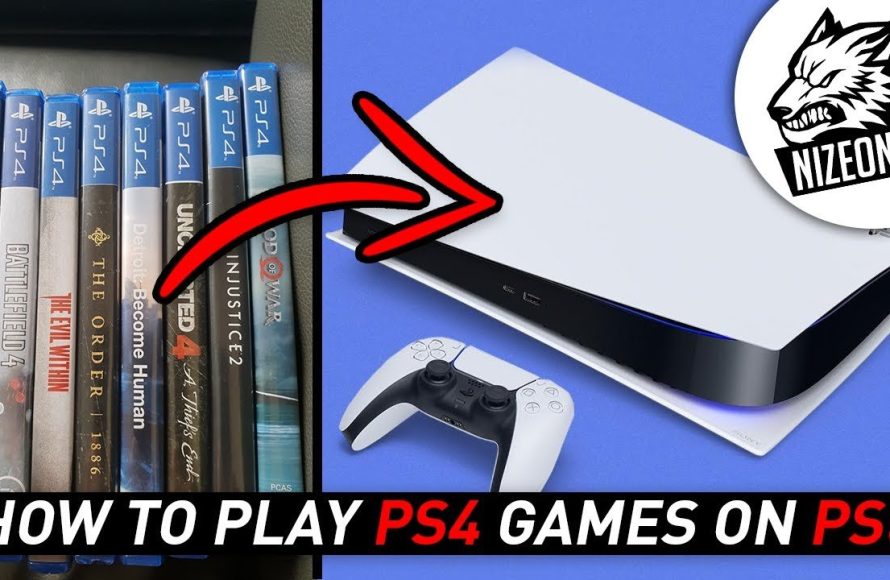
Yes, you can play a PS4 game on a PS5.
Eager to dive into your older PlayStation titles on the new console? You’ve probably asked yourself, “can u play a ps4 game on a ps5?” The good news is that the PS5 boasts excellent backward compatibility. This means most of your existing PS4 game library will work perfectly on the newer hardware.
Sony designed the PS5 to support a vast selection of PS4 titles. You can simply insert the disc or download them from your digital library. It’s a smooth transition for your favorite games.

Can You Play a PS4 Game on a PS5?
So, you’ve got a brand new, shiny PlayStation 5, and you’re itching to play, but what about all those PlayStation 4 games you’ve got sitting on your shelf or in your digital library? The good news is, yes, you can definitely play most of your PS4 games on your PS5! It’s a big win because it means you don’t have to say goodbye to all your old favorites. Let’s dive deeper into how this works, what you need to know, and if there are any games that might not play along.
The Magic of Backward Compatibility
The ability of a new console to play games from an older console is called “backward compatibility.” It’s like your old DVDs working in a new DVD player or like your old video games cartridges working in a new console. The PlayStation 5 is pretty good at this, offering backward compatibility for the vast majority of PS4 titles. This wasn’t always the case with past PlayStation consoles, so it’s a welcome feature that keeps the library of awesome games available. Think of it like this: your PS5 is like a super-powered upgrade, but it still remembers how to play your old favorite games.
Why is Backward Compatibility Important?
Backward compatibility is great for lots of reasons. First, it saves you money. You don’t have to buy the same game again just to play it on your new console. You can just pop in the game disc or download it from your account. Second, it keeps more games accessible. There are tons of great games on the PlayStation 4, and it would be sad if we couldn’t play them on the PS5. Backward compatibility also allows gamers to experience the rich history of Playstation gaming.
It’s a feature that many gamers appreciate as it extends the life and value of their game collections. It means you can carry on with that epic journey, replay a classic, or show your younger siblings what the “good old days” were like without needing to dig out older, less powerful hardware. It truly bridges the gaming experience across generations.
How to Play PS4 Games on Your PS5
Getting your PS4 games running on your PS5 is usually pretty straightforward. Here’s a look at how it works for both physical discs and digital downloads:
Playing PS4 Games from a Disc
If you have a physical copy of a PS4 game, here’s what you do:
- Turn on your PS5. Make sure your console is powered up and ready to go.
- Insert the PS4 game disc. Just like you would with a PS5 game, carefully insert the PS4 game disc into the disc drive of your PS5.
- Wait for the game to install. The console will read the disc and start installing the game data. This might take a few minutes, depending on the game. Don’t worry, you only need to do this the first time you play a game.
- Start playing! Once installed, the game should appear on your home screen. You can then simply select it and start gaming.
That’s it! It’s as simple as putting the disc into your console.
Playing PS4 Games from Digital Downloads
If you have purchased your PS4 games digitally through the PlayStation Store, here’s how you can play them on your PS5:
- Make sure you are logged in to the same PlayStation Network account. Your PS5 should be logged into the same account you used to purchase the PS4 games on your PS4 console.
- Go to your Game Library. On your PS5’s home screen, look for your game library. It looks like a row of games.
- Find your PS4 game. In your library, look for the PS4 game you want to play. You might have to scroll a little bit. You can also use the filter option to search for specific titles.
- Download the game. If the game is not already installed, you will see a download button. Simply select that download button and your game will start downloading.
- Start playing! Once downloaded, the game should appear on your home screen. You can then simply select it and start gaming.
This method is also super easy because your purchased games are available across platforms, as long as it’s the same account.
Are All PS4 Games Playable on PS5?
While the PS5 is backward compatible with a vast majority of PS4 games, there are a few exceptions. The overwhelming majority of PlayStation 4 games work without issue on the PlayStation 5, but there is a tiny list of games that are not compatible. These are usually very niche titles, which are either very old or not popular. The list of games that do not work is small and is unlikely to impact the majority of gamers.
Sony has maintained a list of those games, which they call incompatible games. It is essential to know those games, but these games are mostly very old games, so it’s unlikely to be something that affects your game collection. However, it is good practice to check this list before making a purchase. It is important to remember that this list can change.
Why Some Games Aren’t Compatible
The reasons behind certain games not being compatible with the PS5 are varied. Sometimes it’s due to the game using specific coding or hardware features that aren’t supported by the PS5. For other games, compatibility can be related to licensing and other legal constraints. These are not as simple as they might appear at first glance. Usually, these are the reasons behind those issues.
PS4 Games on PS5: Performance and Enhancements
One of the cool things about playing PS4 games on a PS5 is that many of them actually perform better! The PS5 has more powerful hardware, which can translate to improved frame rates, faster loading times, and even slightly better graphics for some PS4 games.
Enhanced Loading Times
The PS5 has a super speedy solid-state drive (SSD) that dramatically reduces loading times compared to the PS4’s mechanical hard drive. This means when you play your PS4 games on your PS5, you’ll often experience significantly shorter load times. This is especially noticeable in open-world games, where loading screens can be a real pain on the PS4. With the PS5, you can jump into the action much quicker, making your gaming sessions more enjoyable and efficient.
Improved Frame Rates
Some PS4 games will see a boost in frame rates when played on the PS5. Frame rate refers to how many frames the game produces per second, and higher frame rates can make gameplay feel smoother and more responsive. This is also called the “frame per second rate” or “FPS.” It gives the player more smooth gameplay. While not all PS4 games get a frame rate boost on the PS5, you can see an improvement in the overall performance of many PS4 games which is awesome. This helps the gaming experience a lot.
Slightly Improved Graphics
While PS4 games on the PS5 won’t suddenly look like they were designed for the PS5 (there is no “magic” that changes all of the graphics), the PS5’s extra horsepower can result in slightly better visuals for some games. You might notice crisper details and more stable performance. It is because the PS5 is more powerful than the PS4 console, that is why the game automatically makes use of more resources. However, it’s important to remember that these are still PS4 games, so don’t expect an extreme visual change. It will not be a full graphical upgrade, but you will notice slight improvements.
PS5 Upgrades for Specific PS4 Games
Beyond the general performance boost of PS4 games on a PS5, some game developers have gone the extra mile to offer special PS5 upgrades for certain PS4 titles. These enhancements can take different forms, such as improved graphics or better frame rates. Usually, these upgrades come as a separate download that will then optimize the game for the PS5 hardware. This is usually a free upgrade that is available to people who own the PS4 version of the game.
How to Get PS5 Upgrades
If a game you own has a PS5 upgrade, you might be prompted to download it when you go to play the game on your PS5. In other cases, you may have to manually go to the PlayStation Store and search for the game’s upgrade option. The upgrades are usually free for players who already own the PS4 version. Here’s how you can access those free upgrades:
- Insert the PS4 Game Disc: If you have a physical copy of the game, insert the disc into your PS5.
- Go to the Game Hub: On the PlayStation main screen, select your game.
- Look for the Upgrade Option: Sometimes, an option for an upgrade will be displayed at the game hub or on the left hand side of the game icon, on the home screen. If that doesn’t appear, it may be on the PlayStation store page for that game.
- Download the Upgrade: Download the PS5 upgrade. It usually begins automatically and is a small file size.
- Play the upgraded version: Now you can play the upgraded version of the game on your PS5 console.
Using PS4 Accessories on PS5
Another point to consider is if your PS4 accessories work on your PS5 console. The good news is that many, but not all, PS4 accessories are compatible with the PS5. This is awesome news because it means you can still use your existing stuff without the need to buy new equipment.
PS4 Controllers on PS5
One of the questions that many players ask is, can you use PS4 controllers on PS5? Yes, you can use your DualShock 4 controller on the PS5. However, it is only compatible with PS4 games on the PS5. You cannot use PS4 controllers to play PS5 games on the PlayStation 5 console. It is designed that way to give players the experience with the PS5 Dual Sense controller. You’ll need the PS5’s Dualsense controller to play any of the PS5 exclusive titles, but for PS4 titles, you can use the older PS4 controllers. If you are playing with a friend or family member, one can use the dualsense controller and another can use the dualshock controller on a single PS5 game.
Other PS4 Accessories
Generally, most PS4 accessories such as headsets, racing wheels, arcade sticks, and even camera accessories will work with PS4 games on the PS5. However, it is always good practice to check the game and console manufacturer websites to make sure that those accessories will work with your PS5 console and PS4 games. While most of them will work, it is better to be safe than sorry.
Cloud Saves and Game Transfers
Another important point to understand is that cloud saves are compatible across PS4 and PS5, meaning if you have saved your game on your PS4, you can continue the same game on your PS5 without losing any progress. This makes the upgrade experience much smoother.
How Cloud Saves Work
PlayStation Plus subscribers can save their PS4 game progress to the cloud. It’s like having a backup of your game so you can pick up where you left off on your new console. Then, once you launch a game on your PS5, you can download the saved game data and continue playing with the same progress. It is a feature that helps gamers to keep playing without any data loss. The cloud save feature is a very important and valuable feature for gamers that make the whole process much smoother.
Transferring Game Data
You can also transfer your game data from your PS4 to your PS5 using a USB storage device or a wired or wireless network. This is another option besides cloud saves and is good for people who don’t have PlayStation Plus subscription. These methods will also ensure that you do not lose your progress when upgrading to the PS5. Both methods are easy and straightforward.
PlayStation Plus and PS4 Games on PS5
If you have PlayStation Plus subscription, you have another perk as some of the monthly offered free games are also playable on your PS5. This means that some of the free games offered through the Playstation Plus program are also available for the PS5 console. It’s another great way to build your library on the PS5 if you also owned the PS4 console.
PS Plus Game Library
PlayStation Plus subscribers can also access PS4 titles from the “PS Plus Game Catalog.” This is a collection of games that you can play as long as you are a subscriber. If you subscribed, then you have access to hundreds of PS4 games to play on your PS5 console.
PS Plus Collection
At one time, there was the “PS Plus Collection,” which offered access to some of the top PS4 games available. While this collection is no longer directly available as a perk of the base Playstation Plus subscription, the games within the collection are now part of the PlayStation Plus game catalog. You can access these games with a subscription to PlayStation Plus Extra or Premium. This makes it an excellent way to play many classics from the PS4 generation.
Key Takeaways: Playing PS4 Games on PS5
So, to sum it up, playing your PS4 games on your PS5 is easy and worthwhile! It allows you to continue to experience older classic games, and also means you can continue to add to your collection from the huge library of games available for the PlayStation 4. Here’s a quick recap:
- The PlayStation 5 is backward compatible with most PS4 games.
- You can play PS4 games from both discs and digital downloads.
- Some PS4 games get performance boosts on the PS5, like faster loading times and smoother frame rates.
- Some games have specific PS5 upgrades that enhance graphics or performance.
- Most PS4 accessories, including controllers, work with PS4 games on the PS5.
- Cloud saves and other transfer methods allow you to keep your game progress.
- PlayStation Plus subscribers get added benefits with access to more PS4 games.
Overall, the backward compatibility feature of the PS5 is a great addition for gamers. It means you don’t have to say goodbye to your old favorites, and you might even see an improvement in those games. It’s a great way to get even more value out of your PlayStation 5. It’s like having the best of both worlds all in one powerful console.
In short, dive in, have fun, and enjoy all of your PS4 games on the awesome new PlayStation 5! This is a feature that will be beneficial for all players of the PlayStation.
Can you Play a PS4 Disc Games on PS5 Console (Fast INFO)
Final Thoughts
Yes, you can play most PS4 games on a PS5. The backwards compatibility feature is a key aspect. It allows users to enjoy their existing libraries on the newer console.
Therefore, if you’re wondering “can u play a ps4 game on a ps5”, the answer is mostly yes. A very small number of titles might not work.

