
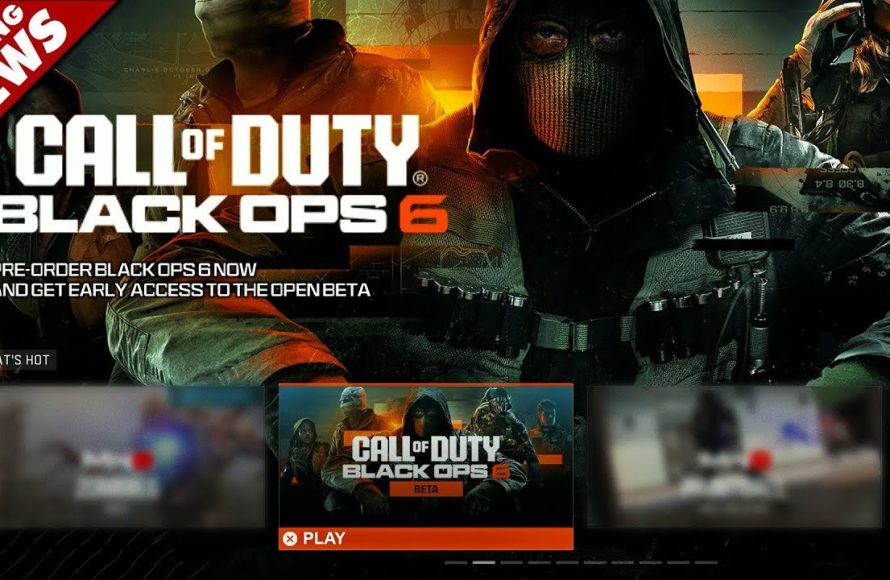
Unfortunately, you cannot game share the Call of Duty: Black Ops 6 beta on PS5.
The excitement surrounding the Black Ops 6 beta is palpable, and many players are wondering, “can you game share bo6 beta ps5?” It’s a valid question, given how common game sharing is on the PlayStation platform.
Unfortunately, beta access usually doesn’t extend to the game sharing features of PSN. This means that only the account which secured beta access via pre-order, codes or another means, will be able to play the beta. If you’re keen to try it, consider preordering on your own account to get access.

Can You Game Share BO6 Beta PS5?
Okay, so you’re super excited about the Black Ops 6 beta on your PlayStation 5, and you’re wondering if you can share the fun with your friends or family. It’s a totally valid question, and we’re here to break down exactly how game sharing works, especially when it comes to beta access for games like BO6. Let’s dive into everything you need to know.
Understanding PlayStation 5 Game Sharing
Before we specifically talk about the BO6 beta, it’s important to understand the basics of game sharing on the PlayStation 5. Sony allows you to share digital games with someone else using the ‘Console Sharing and Offline Play’ feature. Think of it like loaning your disc, but instead of a physical copy, it’s the digital version. This is pretty awesome because it lets you play the same games with another person without needing to purchase another copy.
How Console Sharing Works
Here’s a breakdown of how this system works:
- Primary Console: You have to designate one PS5 as your “primary console.” This is the PS5 that you are playing with your PlayStation account.
- Secondary Account: Anyone playing on that primary console can access all your digital games even if they are using different profiles.
- Sign-In Requirement: Your main account, the one that purchased the game, must be signed in on another PS5. So you could potentially share games on that other device (the secondary console), but you always have to have the main account signed in to verify the license.
Limitations of Game Sharing
While game sharing is great, it does come with some limitations. Remember, it’s designed to allow people in the same household or close network to share games, not to share with the whole world.
- Only one Primary Console: You can only set one console as your primary PS5 at a time.
- Online access verification: The account that purchased the game will need to connect online to verify it before the game will work on a secondary console.
- Account Limitations: Sharing won’t let you play together online using the same copy of the game at the same time. Each person needs their own copy to play online at the same time.
Game Sharing and the BO6 Beta – The Specifics
Now, let’s talk about the juicy part: the Black Ops 6 beta. Can you use game sharing to play the BO6 beta on multiple PS5s? This is where things get a little more complicated.
Beta Access: Usually Tied to Accounts
Typically, access to game betas is linked directly to the account that received it. When you get a beta code, or get access through pre-ordering, it’s linked to that specific account’s PlayStation Network ID. This means that while your games that you fully own are shareable through primary account settings, beta access does not always follow the same rules. It’s generally not tied to a primary console but instead to the single account that has the access.
The Challenge of Sharing Beta Access
Here’s why sharing the BO6 beta via regular game sharing might not work:
- Beta Codes Are Single-Use: If you get a code, it usually activates on a specific account and can’t be used on another.
- Account-Based Entitlement: If you get access by pre-ordering digitally, the access is tied to the account that made the purchase and is not directly available to a secondary account through primary console settings.
- Limited Sharing Potential: While you can share full games with the primary account and play on both, beta access is different. You can download the beta on multiple consoles through the primary account, but only one account at a time can play it.
Scenarios and Possibilities
Let’s look at some specific scenarios to make it clearer:
- Scenario 1: You have the Beta Access and share Primary console.
- You have the beta access on your PSN account
- Your friend is using your primary console.
- They can play the normal game, but the beta is unlikely to work because it is tied to your personal account.
- Scenario 2: You have the Beta Access, but not with Primary Console.
- You have the beta access and have logged in on your friend’s console.
- They are not able to access the beta, as this is not how the system is set up.
- Scenario 3: You Have Two PS5s.
- You have the beta access on your PSN account, and it is the primary account on both devices.
- You can only play the beta on one console at a time, even if you log into both.
Official Statements & Community Feedback
It is important to check for official statements from the game developer, Activision, or PlayStation regarding how the BO6 beta will function specifically. They will have the final word. These are often found on the game’s official website, social media channels, or PlayStation blog.
Also, looking at forums and social media posts might show what other players are experiencing in terms of accessing the beta through the console sharing feature. It’s important to keep an eye on how other people play the beta to see what is possible.
Where to find official information
- Official Game Website: The official Black Ops 6 website often has a FAQ or support section detailing beta access.
- PlayStation Blog: This is a great resource for info about PlayStation features and new games.
- Social Media: Follow the official PlayStation and Call of Duty accounts on platforms like X (formerly Twitter) for announcements.
Community Feedback
- Reddit Forums: Subreddits dedicated to Call of Duty and PlayStation are great for seeing other people’s real-world experiences.
- Gaming Forums: Check out sites like GameFAQs or specific Call of Duty forums to see how other players are doing regarding game sharing betas.
What About Alternative Ways to Play Together?
If game sharing the BO6 beta isn’t working out, don’t worry; there are still ways you and your friends can play together.
Playing Online Together
The most common way is to each own a copy of the full game and then join online lobbies to play together. The beta will likely have online multiplayer modes, so when the game is released it will be easy for you and your friends to play together online on your own separate consoles.
- Multiplayer Lobbies: The game will have various online game types, like Team Deathmatch or Domination, where you can create a party and invite friends to play.
- Co-op Modes: Some Call of Duty games also feature co-op modes, such as Zombies, where players team up to complete objectives. This is very fun to play together.
How Beta Codes Could Work
Sometimes, game companies provide different types of beta codes. While the most common one is for a single account, some companies may have giveaways or promotions where they offer codes that can be used by other users on the same console. However, it’s important to note that these are less common and not the standard method.
Possible exceptions for Content Creators or Influencers
In some cases, when a beta is released some content creators will be given special beta codes to share with their audience. This is not a guarantee but could present a possibility for you to acquire beta access outside of just a single pre-order.
What to do When Game Sharing doesn’t work
Sometimes game sharing just won’t work. This is a pain, but here are some things you can do:
Check Your Network Connection
Always make sure that your PlayStation 5 has an internet connection. Sometimes games require you to be online to work, and when you’re not, it can lead to problems accessing games that you should otherwise have access to.
Check for Account Issues
Sometimes, there are problems related to logging in, verification, or other account issues. Always ensure that the PSN account that purchased the game is logged into the console you are trying to use. This may include logging in or out and re-authenticating your account.
Contacting Support
If you still can’t game share, you should get in contact with either PlayStation Support or the developer (Activision, in the case of Call of Duty). They should be able to help you with any issues you are having.
- PlayStation Support: You can find their contact information on the PlayStation website, along with chat and community forum support options.
- Activision Support: Look for the Call of Duty support options on the Activision support website. They will have information about the game and common error issues.
So, while the idea of game sharing the BO6 beta might seem ideal, it’s usually not how beta access works. It’s mostly linked to the specific account that receives the beta. However, there are still ways to enjoy the game with friends and family, like playing the full game online together after it launches, or through special codes that may become available. Keep an eye on official channels for updates on how the beta will work and don’t be afraid to reach out to support if you have any questions.
How To Game Share Call Of Duty Black Ops 6 On PS5! (100% Working EASY!) DOWNLOAD FREE
Final Thoughts
Ultimately, the possibility to game share the Black Ops 6 beta on PS5 remains uncertain. Sony’s policies and the beta’s specific terms will dictate if sharing is permitted.
Keep an eye on official announcements from Activision or PlayStation for definitive information regarding ‘can you game share bo6 beta ps5’. It is best to wait for an official confirmation to avoid any issues.

