
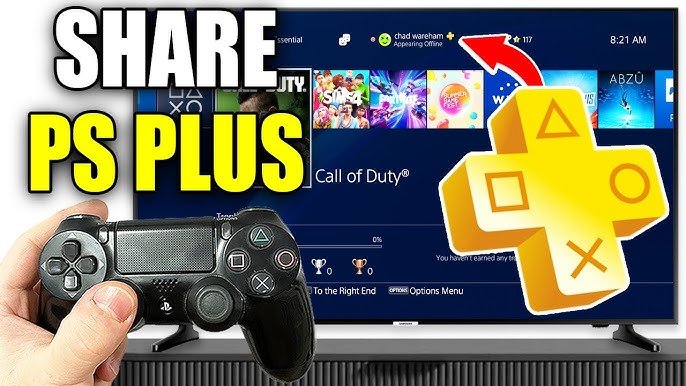
No, you cannot directly game share PlayStation Plus benefits. While you can share games via console sharing, PlayStation Plus features like monthly games and online multiplayer remain tied to the account that owns the subscription.
Ever wondered if you could share that sweet PlayStation Plus goodness with your friends or family? It’s a question many gamers ponder: can you game share playstation plus? The answer, while not a straight yes, has some important nuances.
While the PlayStation allows you to share digital games on your console, that sharing doesn’t extend to the PlayStation Plus subscription itself. This means that access to online multiplayer and free monthly games is linked to the specific account that paid for the service.

Can You Game Share PlayStation Plus?
Let’s dive deep into the world of PlayStation gaming and one of the most asked questions: “Can you game share PlayStation Plus?” It’s a pretty common question because we all love playing games with our friends and family. Wouldn’t it be awesome if you could share all the cool benefits of PlayStation Plus with everyone in your house? Well, the answer isn’t a simple yes or no. It involves a few important things you need to know about how PlayStation accounts and the PlayStation Plus subscription work.
Understanding PlayStation Accounts and Primary Consoles
Before we get into the nitty-gritty of sharing, it’s super important to understand how PlayStation accounts and primary consoles work. Each PlayStation console has a setting called “Primary PS4/PS5”. This setting tells the console which user is the main account holder on that system. You can only have one primary account on a console. This is the key to understanding how game sharing works. Think of it like this: the primary account is like the landlord of the console, and other accounts are like the tenants.
How to Set a Primary Console
Here’s a quick guide on how to set your primary console:
- PlayStation 4: Go to Settings > Account Management > Activate as Your Primary PS4.
- PlayStation 5: Go to Settings > Users and Accounts > Other > Console Sharing and Offline Play.
Remember, you can only set one console as your primary console at a time for each account. If you change your primary console, you need to deactivate the setting on the old one. This is an important step, so remember it!
The Basics of PlayStation Plus and Game Sharing
Now, let’s talk about how PlayStation Plus fits into this. PlayStation Plus is a subscription service that gives you several great advantages. You get access to online multiplayer gaming, free monthly games, exclusive discounts, and cloud storage for your saved games. These perks are fantastic for gamers! But can you share these with others? The answer is partially yes, with some conditions. The primary account holder has the main benefits and shares certain aspects with secondary accounts using the same console. Here’s the breakdown:
The Game Sharing Concept
The idea behind game sharing is simple: one account owns the digital game or service, and other accounts on the same console can access it. This is a very useful method when you have multiple people using the same gaming console. When it comes to PlayStation Plus, sharing revolves around that primary console and the main account holder.
Sharing PlayStation Plus Benefits on Your Primary Console
Here’s the exciting part! If your account with PlayStation Plus is set as the primary account on a PlayStation console, other user accounts on that same console can access some of the key benefits. This means everyone in your household can enjoy some of the perks.
Key Shared Benefits:
- Online Multiplayer: All users on the primary console can play online multiplayer games even if only the primary account has PlayStation Plus. This lets your siblings, friends, or anyone using your console to join in online games!
- Downloaded Games from PlayStation Plus: If the primary account has downloaded free games from PlayStation Plus, other user accounts on the primary console can play these games. This is a great way for everyone to try new games without needing to buy them separately.
Things that are NOT shared:
However, it’s important to know what cannot be shared. Each user account still maintains their own unique game saves, profile and preferences, which are not directly shared across different accounts. Here’s a look at what you can’t share:
- Free Monthly Games for Separate Accounts: Each account gets their own library of free monthly games. Only the primary account can claim those free games and play them on the primary console. While users on the same console can play games claimed by the primary account, they cannot claim the monthly games on their account.
- Cloud Saves: Each user account needs to have its own PlayStation Plus account to use cloud saves. So, this benefit is not shareable. If you switch profiles, you will not be able to get the saves from your primary account.
- Exclusive Discounts: Discounts obtained through a PlayStation Plus subscription can only be utilized by the account holding the subscription. Secondary users on the primary console cannot use these discounts on their accounts.
Game Sharing Across Multiple Consoles
Now what happens when you have more than one console? This is where things get a bit trickier. Game sharing is primarily designed to work on a single, designated primary console. Here is how it works:
Sharing with a Secondary Console
The game sharing on a secondary console is pretty limited. If you log in to a secondary console using your account (the one with PlayStation Plus), other accounts on that secondary console won’t get many of your subscription benefits. They will only be able to play the games you have digitally purchased. They won’t have access to the PlayStation Plus free games or the online gaming unless they have their own subscription.
So you can play the purchased games with your account on any other console, but the game sharing is not enabled on these consoles.
The Limitations with Multiple Consoles
Here’s what that means in simple terms: you can’t share all the benefits of PlayStation Plus across multiple consoles. If you want multiple users to enjoy all the advantages, each would need their own account with an active PlayStation Plus membership. This helps protect the service and makes sure everyone pays for the benefits they use.
PlayStation Plus Tiers and Game Sharing
PlayStation Plus now has different tiers: Essential, Extra, and Premium. All these tiers can be shared within a primary console the same way as described above. The user with the PlayStation Plus account can access their games, perks on the primary console, and other users on that console can play the shared benefits, so all the users can play online and play games downloaded with this account.
How Different Tiers Affect Sharing
- Essential: The basic tier allows access to online multiplayer gaming, free monthly games, and exclusive discounts. These are shareable with accounts on the primary console.
- Extra: This tier adds a vast game catalog. Accounts on your primary console can access these games if the main account holder has access and downloaded them.
- Premium: This highest tier includes everything in the other tiers, plus classic games, game trials, and cloud streaming. This also works in the same way as the rest, the main account can access the content, and other users on primary console can play the shared benefits.
Step-by-Step Guide to Game Sharing
Here’s a simple walkthrough on how to properly set up game sharing on your primary console:
Setting Up Game Sharing:
- Log in: Sign into your PlayStation console with the account that has PlayStation Plus.
- Activate as Primary: Go to the settings and set this account as the primary account on your console (as described in the “How to Set a Primary Console” section).
- Download Games: Download any free games you want from PlayStation Plus or any games you own digitally that you wish to share.
- Other Users: Other user accounts on the same console can now access the games and PlayStation Plus benefits mentioned earlier.
Tips for a Smooth Game Sharing Experience
Here are some pro tips to make game sharing a smooth experience
- Choose your primary console carefully: Choose the console that you use the most as your primary console, as this provides the best experience.
- Keep track of accounts: Make sure everyone in your house knows which account is the primary one and which one has the PlayStation Plus subscription.
- Avoid switching primary too often: Switching primary console too often can cause issues and delays, so try to keep the same primary console whenever possible.
- Communicate: Always talk with your family or friends about your gaming situation so everyone knows the sharing rules.
Potential Problems and Solutions
Sometimes, you might run into a few issues with game sharing. Let’s address some common problems and how you can fix them.
Common Problems
- Locked Games: Sometimes games may appear with a small lock icon next to them on secondary accounts. This indicates that the account does not have the license. Solution: Make sure the account with the primary subscription has set the console as their primary console. Make sure the games were claimed with the primary account.
- Multiplayer Issues: If you cannot access online multiplayer on your secondary account, make sure the primary account has an active PlayStation Plus subscription. You also need to make sure you are playing on the primary console.
- Download Issues: Problems with downloading free games may mean that you need to download the game with the primary account, and then secondary accounts can play it.
Troubleshooting Steps:
- Double-Check Primary: Ensure your account with PlayStation Plus is still set as the primary account.
- Restart Console: Sometimes simply restarting the console can solve the problem.
- Check Subscription Status: Verify that your PlayStation Plus subscription is active.
- Contact Support: If all fails, consider reaching out to PlayStation support for more assistance.
The Ethical Side of Game Sharing
While game sharing is a cool feature, it is important to remember that the service is intended for household users. So, it is allowed for friends and family living in the same place. However, we always have to remember and follow the guidelines of the service. For the best gaming experience, it is important to ensure you are always doing things correctly and according to the PlayStation’s Terms of Service.
In conclusion, you can share certain PlayStation Plus benefits, but only if you understand the rules and limitations. Knowing the role of primary consoles and account specific benefits will ensure everyone enjoys the gaming experience correctly. It’s about getting the best gaming experience for all while using the features as they were designed to be used. So, now you’re well-equipped to share games with your household. Happy gaming!
How to Share Playstation Plus on PS5! PS5 Share PS Plus Games & More with All Users (Easy Guide!)
Final Thoughts
In conclusion, sharing your Playstation Plus subscription directly isn’t possible. You can, however, use console sharing features to allow another account access to games you have purchased, as well as some of your PS Plus benefits.
While this method does not share the actual subscription, it still enables others to play content. The critical question remains: can you game share Playstation Plus? The direct answer is no, not exactly.

