
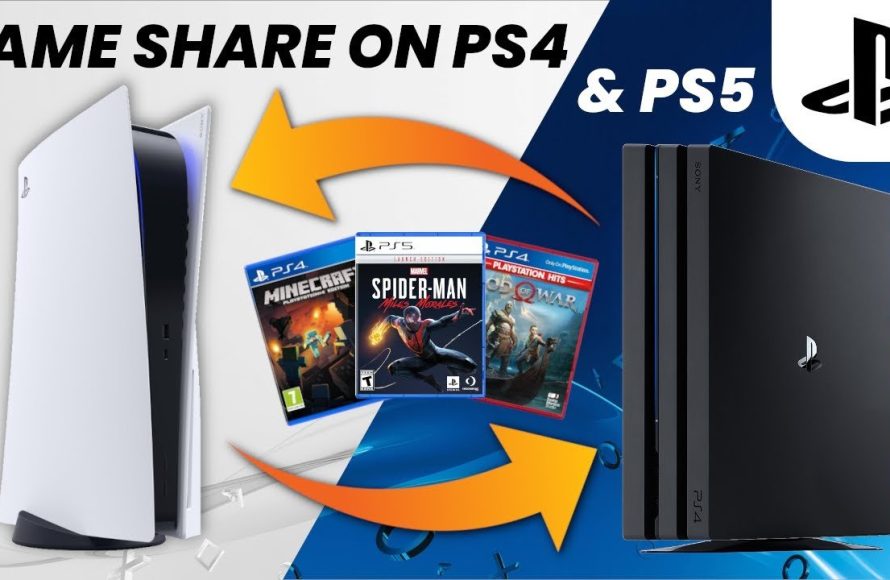
No, you cannot directly game share a PS5 game to a PS4 console.
Ever wondered if you could play your shiny new PS5 games on your old PS4? Many gamers ask, “can you game share ps5 to ps4” hoping to extend their library to friends and family who haven’t upgraded. Unfortunately, the architecture differences between the two consoles prevent this type of direct game sharing.
While a PS5 can play some PS4 games, it doesn’t work the other way around. This means you can’t share digital PS5 titles with a PS4. This limitation is a key difference between the console generations.

Can You Game Share PS5 to PS4? Exploring the Possibilities
So, you’ve got a shiny new PlayStation 5 and a trusty old PlayStation 4, and you’re wondering if you can share your amazing PS5 games with your friends or family who are still rocking the PS4. It’s a great question, and the answer isn’t a simple yes or no. Let’s dig in and explore what’s possible when it comes to sharing games between these two consoles.
Understanding Console Generations and Game Compatibility
Before we get to the nitty-gritty, it’s important to understand how PlayStation generations work. Think of it like different models of cars. A brand new sports car isn’t usually compatible with the parts of a really old pickup truck, right? In the same way, the PS5 and PS4 are built differently. They use different technology and therefore games made for the PS5 often require the PS5’s unique hardware to run. This leads to a key point, games that are specifically designed for the PS5 cannot be played directly on the PS4. You can’t put a PS5 disc into a PS4 and expect it to work.
The PS5’s Architectural Leap
The PS5 uses a completely different internal setup than the PS4. It boasts a super-fast custom solid-state drive (SSD), a new graphics processing unit (GPU), and a different central processing unit (CPU). This new architecture allows for incredibly fast loading times, better visual quality, and more complex game worlds. It’s like comparing a rocket ship to a regular plane – they both fly, but one is way more advanced and it needs completely different fuel and infrastructure.
PS4’s Legacy Hardware
On the other hand, the PS4 uses a traditional hard drive and older processing technology. It has a great library of games and is still a fantastic console. However, it simply cannot run games built specifically with the PS5’s advanced capabilities in mind. It lacks the required processing power and the memory speed of the PS5. The difference in hardware is the primary reason why you can’t directly transfer or play a PS5 game on a PS4.
Direct Game Sharing: The PS5 and PS4 Divide
So, let’s tackle the main question: can you directly share games from your PS5 to a PS4, like giving your disc to a friend? The short answer is no, you cannot directly share PS5 games onto a PS4. This means you can’t copy a digital PS5 game from your PS5 console to someone’s PS4, and you can’t put a PS5 disc into a PS4 and expect it to play. The consoles are just too different for that to work.
Why Direct Sharing is Not Possible
The key reason is that PS5 games are developed using a specific software architecture that is exclusive to the PS5. The game code is written in a way that the older PS4 hardware cannot understand or run. Think of it like trying to play a Blu-ray movie on a DVD player – the player simply isn’t compatible with the newer format. The PS4 can only run games that are specifically coded for the PS4 architecture.
Digital Game Licenses and Restrictions
The digital game licenses are another factor. When you buy a digital game, you are purchasing a license to play that game on your specific account. This license is usually tied to the console where the game was purchased, and the software knows this. You can often share your PS4 games with other PS4 owners through account settings, but this option isn’t present between PS5 and PS4.
Remote Play: A Potential Workaround, But Not True Sharing
While you can’t directly share PS5 games onto a PS4, there’s something called Remote Play that lets you play your PS5 games on other devices, including a PS4. However, it’s important to understand that Remote Play is not the same thing as game sharing.
How Remote Play Works
Remote Play streams your PS5 gameplay to another device over the internet. Your PS5 is doing all the actual game processing. The PS4 acts like a display, sending your controller inputs back to the PS5 and showing the game on the PS4 screen. It’s like having a mini-TV that’s connected to your PS5 from a distance.
Setting up Remote Play: Step-by-Step
Here’s how to set up Remote Play to play your PS5 games on a PS4:
- Connect Both Consoles to the Same Network: Ensure both your PS5 and PS4 are connected to your home Wi-Fi network.
- Enable Remote Play on PS5: On your PS5, go to Settings > System > Remote Play, and turn on “Enable Remote Play.”
- Enable Remote Play on PS4: On your PS4, download the PS Remote Play app from the PlayStation Store.
- Link Your PS4 to Your PS5: Open the PS Remote Play app on your PS4, and follow the on-screen instructions to link it to your PS5. This usually involves logging into the same PlayStation Network account on both consoles.
- Start Playing: Once connected, you can start playing your PS5 games on your PS4.
Limitations of Remote Play
While Remote Play is a cool feature, it’s essential to know it has some limitations:
- The PS5 Must Be On: Your PS5 needs to be powered on and connected to the network for Remote Play to work. It’s not like the PS4 can magically run the PS5 games itself.
- Internet Connection is Key: Remote Play relies heavily on a stable and strong internet connection. Poor Wi-Fi can cause lag and disconnections, making the game difficult to play.
- One Player at a Time: Only one player can use Remote Play at a time. The PS5 is streaming to one device and one device only at the same time. Another family member cannot play the games on the main ps5, while the other person is playing through Remote play.
- Not True Game Sharing: Remote Play is really about letting you play your PS5 games remotely; it doesn’t allow a second person to play a copy of a game that’s not also installed on their own console. The other person on remote play is essentially mirroring the game that is already on ps5.
How about PS4 games on PS5?
Now, let’s flip the script a little. While you can’t directly share PS5 games to a PS4, the PS5 is backwards compatible with a vast majority of PS4 games. This means you can play most of your PS4 games on a PS5. The games work the same as they did on the old console, but with better visual quality.
How to Play PS4 Games on PS5
- Disc Games: Simply insert your PS4 disc into the PS5. The console may require you to download an update before you can play the game.
- Digital Games: If you bought a digital PS4 game on the PlayStation Store with your account, you will find these games in the library section on your ps5, as the game licenses will be attached to your account. They’re available for download on your PS5.
Can You Share PS4 Games From PS5 to PS4?
Here’s where it gets a bit more interesting. If you have PS4 games on your PS5, can you use them on a PS4? Yes, you can share them with others on a different PS4 through account sharing. Here’s how:
- Setting Up Account Sharing: Sign in with the same PlayStation Network account on both PS4s.
- Activating as Primary PS4: On the PS4 where you want the games to be playable, go to Settings > Account Management > Activate as Your Primary PS4. This makes the games available for everyone who has an account on that console, so other members of family can also play these shared PS4 games.
Important Note: Primary PS4 Activation
Your primary console is the console where you can play games you bought on your account and other accounts on that PS4 can play them as well. If you are the account holder, and you wish to have your games available on another console, remember that only one PS4 can be the primary console for your account at the same time, so if you activate another console as primary, the previous console will not be able to play shared games. You can still play on your own account but you can not share with other user on that previous console.
Cross-Generation Play and Cross-Buy Games
Let’s briefly touch on cross-generation play and cross-buy games, as they can sometimes be confused with game sharing. These features allow you to play online with other players who may be using a different PlayStation console than you, and sometimes if you purchase a game on one PlayStation platform you will get it free on another console.
Cross-Generation Play
Many games now support cross-generation play. This means that if you are playing a game on PS5, you can play online with your friends who are playing on a PS4, and vice-versa. However, each player still needs to own their own copy of the game and have their own separate PlayStation system.
Cross-Buy Games
Some games come with the ‘cross-buy’ feature, especially digital ones. This means that buying a game once on either PS4 or PS5 gives you the right to play it on both consoles. When it is cross-buy games, you usually have to download the separate game version for each console. This isn’t the same as game sharing, but it’s a way to get the game on both consoles when you purchase it once, for the same user account.
PS Plus and Game Sharing
The PlayStation Plus service does not directly change how you can share games from your PS5 to a PS4, it only affects what you can get free from the service. But let’s talk a little about that, so you have a clear understanding of what it can do and what it can’t do.
PS Plus Benefits
- Monthly Free Games: PlayStation Plus gives you access to free games every month. These games are available only during your subscription time and you lose the access when the subscription expires.
- Online Multiplayer: To play multiplayer games online on PlayStation systems you need to be a subscriber of PS Plus.
- Exclusive Discounts: Subscribers also receive exclusive discounts on games and downloadable content.
PS Plus limitations
- PS Plus games are still licensed: Even the free games you get with PlayStation Plus are licensed to your account and cannot be shared with other accounts.
- PS Plus does not allow game sharing from PS5 to PS4: The service does not make it possible for a player with a ps5 to share the free games they get to a player who has a ps4, as all the same limitations still apply.
Practical Examples and Scenarios
Let’s make this a bit more practical with some scenarios you might encounter:
Scenario 1: Family with PS4 and PS5
You have a PS5 and your sibling has a PS4. You bought a brand new game on the PS5 that is exclusive for ps5, such as Returnal. Can your sibling play that game on their PS4? The answer is no, not directly. However, you could use remote play if you wanted them to experience your game on their PS4, provided your internet can cope.
Scenario 2: Friends with Different Consoles
You and a friend both love a certain game. You have a PS5 and they have a PS4. If it’s a cross-gen game, you can both play online together and if you purchased it digitally, you can use the share play feature of Playstation console. Each person will need their own copy of the game.
Scenario 3: Sharing Old PS4 Games on your PS5
You have a library of digital PS4 games on your account, and you decide to buy a PS5. Can you play them on the PS5? Yes, you can. Are the games better? Yes, in general the older titles will run at higher resolutions and faster framerates on the PS5. You can even use your PS4 discs on PS5 and they will be playable and you do not need to buy them again, but you need to use the disc each time to play it.
How to Game Share on PS4 and PS5! (and how to get the PS Plus collection on PS4) (EASY) (2021) | SCG
Final Thoughts
You cannot game share PS5 titles directly to a PS4. The systems have different architectures, making backward compatibility for game sharing impossible. PS4 games, however, can be shared with other PS4 consoles.
This limitation means you can not play your PS5 purchased games on another player’s PS4. Therefore, the answer to ‘can you game share ps5 to ps4’ is definitively no.

