
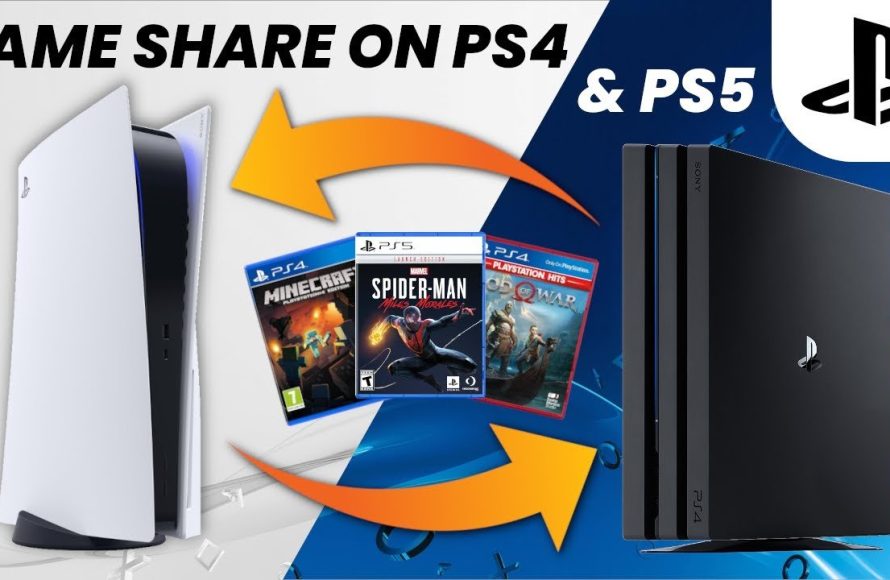
Yes, you can game share Spider-Man 2 on PlayStation consoles, using the standard PlayStation Network account sharing features.
So, you’re eager to swing through New York as Spider-Man with a friend, and you are wondering, can you game share Spider-Man 2? It’s a common question for gamers who want to enjoy the latest titles without buying multiple copies.
Luckily, PlayStation allows you to share your digital library with someone else. This means you and a buddy can experience this amazing game. Just be sure to follow Sony’s guidelines for account sharing.

Can You Game Share Spider-Man 2?
Alright, let’s dive right into the web-slinging question everyone’s been asking: can you game share Spider-Man 2? It’s a super popular game, and naturally, you and your friends might want to experience it together, without everyone buying their own copy. The short answer? It’s a bit more complicated than a simple yes or no. It all depends on which console you’re using and how you go about it. Let’s explore the details of game sharing this fantastic action-adventure title, and what you can expect.
Understanding Game Sharing Basics on PlayStation 5
First, let’s talk about the platform where Spider-Man 2 calls home: the PlayStation 5 (PS5). Sony’s console does allow for game sharing, but not in the way you might expect. It’s not like handing over a physical disc to a friend. Instead, it involves the use of a feature called “Console Sharing and Offline Play.” Here’s a breakdown of how it works:
Console Sharing and Offline Play
The Console Sharing and Offline Play feature on PS5 lets you designate one PS5 as your “primary console”. Think of it like this: your primary console is the one where all your digital purchases are automatically playable by any other user on that same console. This means, if your friend uses their own account on your primary PS5, they can play games you have bought, including, possibly, Spider-Man 2. This is how you might share with someone in the same house.
- Primary Console: One PS5 is designated as your “primary” console. This is usually your home console.
- Sharing: Any user on this primary console can play games you’ve purchased digitally.
- Offline Play: You can also play your digitally purchased games on your primary console when you are offline.
But, there’s a catch. Your game sharing setup involves using each other’s accounts, and each console can have only one account activated at a time to allow game sharing. This requires some trust and a bit of know-how, because you’ll have to switch account often.
How to Set Up Game Sharing on PS5
Setting up game sharing on PS5 involves a couple of steps. First, you’ll need to activate your friend’s account on your primary PS5, and then make sure your console is set up correctly, so that your friend can use your games. Here’s a detailed guide:
- Log in with your friend’s account: On your PS5, sign out of your account and sign into the PlayStation Network with your friend’s account.
- Activate Console Sharing and Offline Play: Go to Settings, then to Users and Accounts, then to Other, and then to Console Sharing and Offline Play. Select “Enable” on this setting. This makes the PS5 your friend is logged into as their primary PS5. Your friend’s game licenses will be available on your PS5.
- Switch Back to Your Account: Log out of your friend’s account and log back into yours.
- Your friend does the same on their PS5. Your friend has to log in to your account on their PS5 and “Enable” Console Sharing and Offline Play. This makes your account’s games available on their console, but they must use your account on their console to do that.
- Start the Game: Your friend can now play Spider-Man 2 (or any game you’ve purchased) on their PS5 using your account.
Important: Remember that each account can only have one primary console. If your friend changes their primary console, you lose access to their games until they switch it back. This process requires logging in and out of your accounts.
Game Sharing Limitations and Considerations
While the Console Sharing feature sounds great, it does come with some limitations. These limitations are in place for security and to prevent rampant unauthorized sharing. Let’s break them down:
Account Access and Security
Game sharing involves sharing your account credentials. This means both you and your friend will need to trust each other. Be careful about who you share your account information with, since they will have access to your purchases, your payment information, and your PSN ID. You might want to only do this with close friends and family whom you really trust.
Simultaneous Play
Here’s another important point: you generally cannot play the same game at the same time on two different consoles with the same account. If you try, one of you might get kicked out of the game. This prevents multiple people from playing the same copy of the game at once. The user who bought the game will be the primary user in terms of playing the game.
Digital Game Ownership
It’s also worth mentioning that game sharing only works with digital games purchased on the PlayStation Store. If you have a physical disc copy of Spider-Man 2, the console sharing method will not apply. The disc will be required to play on any console.
Network Requirements
The primary user, who owns the game, doesn’t need to be online to play on their primary PS5 console. But other users may need to be connected to PlayStation Network (PSN) to check game licenses. This means, your friends’ PS5 console will need to have an internet connection to confirm that the other user has permission to play the game.
Can You Game Share Spider-Man 2 on Other Platforms?
Spider-Man 2 is, for now, exclusive to PS5. But the topic of game sharing can extend to other consoles and platforms. Since there is no other way to play Spider-Man 2, these are still good topics to cover.
Game Sharing on Other Consoles
While game sharing is available on other consoles such as Xbox, the way game sharing works with other devices is often different. For example, Xbox has “Game Pass,” which is a subscription service where you can download games, but it operates on a subscription basis and not necessarily the same way the Console Share works with PS5.
Game Sharing on PC
PC gaming platforms like Steam, Epic Games, and others offer their own forms of game sharing which vary. On Steam, for example, there is a feature called “Family Sharing” where you can share your game library with specific accounts. Each service has their own unique ways to share, and it is often best to check each game service for its specific rules. Again, since Spider-Man 2 is not on PC at this time, it is not relevant to the specific question of this article.
Is It Worth Game Sharing Spider-Man 2?
Now that we have talked about the details of how you might share Spider-Man 2 on PS5, let’s think about whether it is worth the hassle. The pros and cons depend on your situation.
Pros of Game Sharing
- Cost-Effective: Game sharing can save money if you and a friend both want to play Spider-Man 2. You only need to buy one copy of the game.
- Shared Experience: You and your friend get to play the game together. This can be fun if you want to talk about it as you both experience the story.
Cons of Game Sharing
- Account Sharing Risk: Sharing your account information poses a security risk. You should think hard about who you trust with your information.
- Play Restrictions: You can’t play the same game at the same time with the same account. This means you need to coordinate with your friend and decide who will be using the game at which time.
- Technical Knowledge: Setting up game sharing requires some technical understanding and can be confusing to those who are not used to the process.
Considering these pros and cons, game sharing can be a great option for those who are comfortable with the process. If you value the benefits of shared play and cost savings, it may be the right choice. However, you also have to be aware of and okay with the potential drawbacks, especially security concerns.
Tips for Safe and Responsible Game Sharing
If you decide to game share Spider-Man 2 (or any game), keep these tips in mind to keep your accounts safe and to avoid any problems:
- Trust Your Friend: Only share your account with people you trust. Sharing with strangers is not a good idea.
- Change Passwords Regularly: You can change your passwords every now and then.
- Be Clear About Time Sharing: Make sure you are clear with your friend about who gets to play the game when, to avoid any conflicts.
- Review the Settings Regularly: Periodically double check your console’s sharing settings to make sure everything is as it should be.
Game sharing can be a cool way to save money and play together, but it’s not without its risks and requirements. You need to be careful to keep your accounts safe and only share your information with people whom you trust. Be sure to coordinate with those you game share with, so everyone has a good experience!
How to Game Share on PS5! (EASY) (2024) | SCG
Final Thoughts
In short, sharing PlayStation games digitally usually works with the primary account’s console. However, limitations always exist regarding simultaneous play. This is essential to know.
Ultimately, ‘can you game share spider man 2’ depends on your console settings and Sony’s current policies. Therefore, checking the specific PlayStation Network terms before attempting is important. Always be mindful of their rules.

