
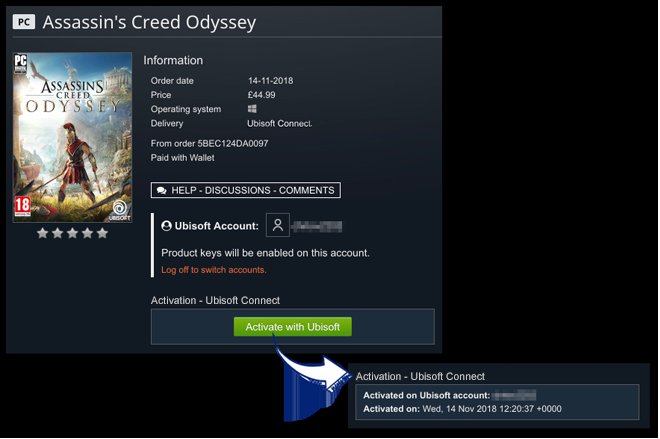
Yes, you can gift games on Ubisoft through their online store, Ubisoft Connect.
Want to surprise a friend with a new game? You might be wondering, can you gift games on Ubisoft? The good news is, yes, the option exists, and it’s a great way to share your favorite gaming experiences with others.
Gifting on Ubisoft is relatively straightforward. This feature makes celebrating birthdays or just treating someone, much easier than ever. Let’s explore how you can send a Ubisoft game as a present.

Can You Gift Games on Ubisoft? Exploring Ubisoft Connect’s Gifting Features
So, you want to share the fun of a new Ubisoft game with a friend? That’s awesome! The question on everyone’s mind, though, is: can you actually gift games through Ubisoft? Let’s take a good look at how gifting works on Ubisoft Connect, the platform where you play your Ubisoft games.
Understanding How Gifting Works on Ubisoft Connect
Gifting on Ubisoft Connect is pretty straightforward, but there are a few things you need to know. It’s not as simple as just buying a game and sending it over. The gifting process involves a specific way you need to purchase the game. You can’t just buy a game for yourself and then decide later to gift it. The key is, you must select the “Buy as gift” option at the time of purchase. Here’s how it generally works:
- You, the giver, will need to have an active Ubisoft Connect account.
- Your friend, the receiver, also needs an active Ubisoft Connect account.
- When you find the game you want to give, look for the “Buy as gift” or a similar option, usually on the game’s purchase page.
- After selecting “Buy as gift”, you might need to add your friend’s Ubisoft Connect username.
- After the purchase the game will be in the gifted list of the receiver and they can redeem it.
This method makes sure the game goes straight to your friend’s account, without any hassle. The gifted game will appear in your friend’s account after the purchase and they can begin the download process to play.
Who Can You Gift Games To?
Okay, so you know how to gift, but who can you gift to? Ubisoft makes it nice and simple. You can gift games to anyone who has a Ubisoft Connect account. It doesn’t matter where they are in the world, as long as they have an account, you can send them a game. So, if your best buddy lives in a different country, they can still enjoy a game you gift them. Here’s a quick breakdown:
- Your friends need a Ubisoft Connect account.
- As long as they have an Ubisoft Connect account, they do not need to be in the same country.
- You don’t have to be friends within the Ubisoft Connect platform, you will search the username of your friend and select them.
This opens up a whole world of possibilities for sharing games and experiences with your online gaming buddies.
What Games Can You Gift on Ubisoft Connect?
Most games available on the Ubisoft Connect platform can be gifted. You are usually not limited to certain games. From the newest titles like Assassin’s Creed Mirage, to classic favorites such as The Division, if the option to “Buy as a gift” is there, you are good to go. There can be certain limitations, especially with pre-orders or some specific promotions, so it’s always good to double-check. Let’s clarify some key points:
- Most of the games on Ubisoft Store are giftable.
- There can be some exceptions with pre-orders or promotions.
- Always check the “Buy as Gift” option on the game’s page.
So, generally speaking, you have a huge list of games to choose from when deciding what to give as a gift on Ubisoft Connect.
How to Find the “Buy as Gift” Option
Sometimes, finding that “Buy as gift” option can be a little tricky. Don’t worry, it’s usually in the same place. Here’s how you can spot it while browsing on Ubisoft Connect:
Navigating the Ubisoft Store
The Ubisoft store is where the magic begins. Start by going to the store, either through the app on your computer, or the Ubisoft website.
- First, look for the game you want to gift.
- Click on the game to go to its details page.
- On the game page, look for the “Buy” button, there should be a small arrow or button next to “Buy”.
- Click on the arrow or button to open a dropdown menu.
- You will see two options – Buy for myself and Buy as a gift.
- Choose “Buy as gift” to start the gifting process.
Gifting Process
After selecting “Buy as gift”, you will move to the next step in the gifting process. Here’s how the rest usually goes:
- The page will ask you for the username of your friend’s Ubisoft account.
- You need to provide the exact username of your friend to proceed.
- Then, you’ll go to the payment process like normal.
After you complete the purchase, your friend will see the gifted game on their Ubisoft account.
Things To Consider When Gifting
While gifting is great, there are a few things you should consider before clicking the “Buy as gift” button. Let’s look at some of these important points.
Region Locks and Game Availability
While Ubisoft allows gifting across regions, there are still some things to keep in mind. Some games might have regional restrictions due to different laws.
- Always double-check if the game you’re gifting is available in your friend’s region.
- Different countries may have different game versions.
Game Editions and DLCs
Ubisoft games often come in different editions, like standard, deluxe, or ultimate. Make sure you choose the correct version. If your friend already has the basic version of a game, you can’t gift the basic version again, make sure you are buying the right edition.
- You can gift different game editions like Deluxe, Ultimate, Gold Editions etc.
- DLCs (downloadable content) can also be gifted the same way, as long as the game allows that option.
- Make sure the receiver of the DLC owns the base game.
Payment Methods
Ubisoft accepts different payment methods for gifting, just like normal purchases. These might include:
- Credit cards
- Debit cards
- PayPal
- Ubisoft Wallet
- Other region specific payment options
Make sure you have a valid payment method when you decide to gift.
Sales and Discounts
Keep an eye out for sales and special offers. You can often find great deals on games, making gifting more affordable. Ubisoft is known to have regular sales and promotions during which you can grab some games at lower price.
- Make use of sales periods like Black Friday, Cyber Monday, and Holiday sales.
- Check for bundle offers and special promotions.
What Happens After You Gift the Game?
After you’ve sent the gift, what happens next? Well, your friend will get a notification that they received a gift on Ubisoft Connect. Here’s how it works on the receiver’s side:
How Your Friend Receives the Gift
- Your friend will receive a notification on their Ubisoft Connect account.
- They will see that they have a new game in their games list, ready for installation.
- They can begin downloading and playing the game.
Managing Gifted Games
Gifted games are managed the same as games that are bought by the user themselves. They can see the gifted games in their game library and can start downloading. The gifting process is nice and easy, so your friend can start playing right away.
Troubleshooting Common Gifting Issues
Even with the best systems, things can sometimes go a bit wrong. Let’s look at some common issues you might face and how to fix them.
Recipient Not Receiving the Gift
If your friend doesn’t see the gift, here’s what you should do:
- Confirm if your friend has an active Ubisoft Connect account.
- Double check the Ubisoft username you have entered.
- Check that you have sufficient funds for the game purchase.
- Check your purchase history to confirm that the gift transaction was successful.
- Ask your friend to restart the Ubisoft Connect app.
- Contact Ubisoft support if the issue is not resolved.
Payment Issues
If you are having trouble with payment, here are a few pointers:
- Ensure you have sufficient funds on your chosen payment method.
- Double check you are entering the payment information correctly.
- Try using another payment method.
- Confirm your region and the payment method you are using, they should match.
- Try again after some time, the payment service might be facing some technical difficulties.
If these steps do not resolve the issue, contact Ubisoft Support.
Game Not Available in Recipient’s Region
Sometimes, even if the gift goes through, your friend might not be able to use it because it’s not available in their region. Here’s how to handle that:
- Ask your friend to double check the region that their account is linked with.
- If the game is not available in their region, you might need to ask for a refund from Ubisoft support.
- In some cases, a different version might be available, but this usually means another purchase.
Always try to find games that are available in your friend’s region.
Why Gift Games on Ubisoft Connect?
Now, let’s talk about why gifting games is a great option. There are many reasons why this feature is super helpful and a nice thing to do.
Share the Fun
The main reason to gift a game is to share the joy of gaming with your friends. If you found a game you love, what’s better than to enjoy the adventure together? Gifting opens up that possibility.
Great for Special Occasions
Gifting games makes for a nice gift for birthdays, holidays, or just as a friendly gesture. Instead of a physical gift, a digital game can be instantly received and played.
Easy Way to Connect
Gifting can be an easy way to start playing together. If you buy a game you both can play, you now have something to do together. It strengthens friendship, and creates awesome memories.
A Few More Tips for Gifting on Ubisoft Connect
To make sure your gifting experience is smooth and trouble-free, here are a few more tips.
Plan Ahead
Don’t wait for the last minute to gift a game. Especially during busy times like holidays, try to buy earlier. Also, think about what type of games your friend likes, so that you choose the right one for them.
Check for Compatibility
Make sure your friend’s computer or console can run the game. Some games have higher requirements, so check before buying.
Keep Receipts
Always keep the receipt for your purchase. In case you need to contact customer support, it’ll come in handy.
Gifting on Ubisoft Connect is an awesome way to connect with your friends and share fun experiences. By following these easy steps, you can gift games without any hassle. Just remember to double-check a few important things, and you’ll be able to share the joy of gaming with your friends and family.
How to Buy Games in Ubisoft Connect App (2024)?
Final Thoughts
Yes, you can gift games on Ubisoft, but with a few important limitations. You can only gift games through the Ubisoft Connect PC platform and only within the same region. The recipient must also own a Ubisoft account.
Directly gifting from console stores is not an option. Remember, before purchasing any gift, ensure it aligns with your friend’s interests and gaming needs. Can you gift games on ubisoft? the answer is yes, provided you follow the platform’s rules.

