
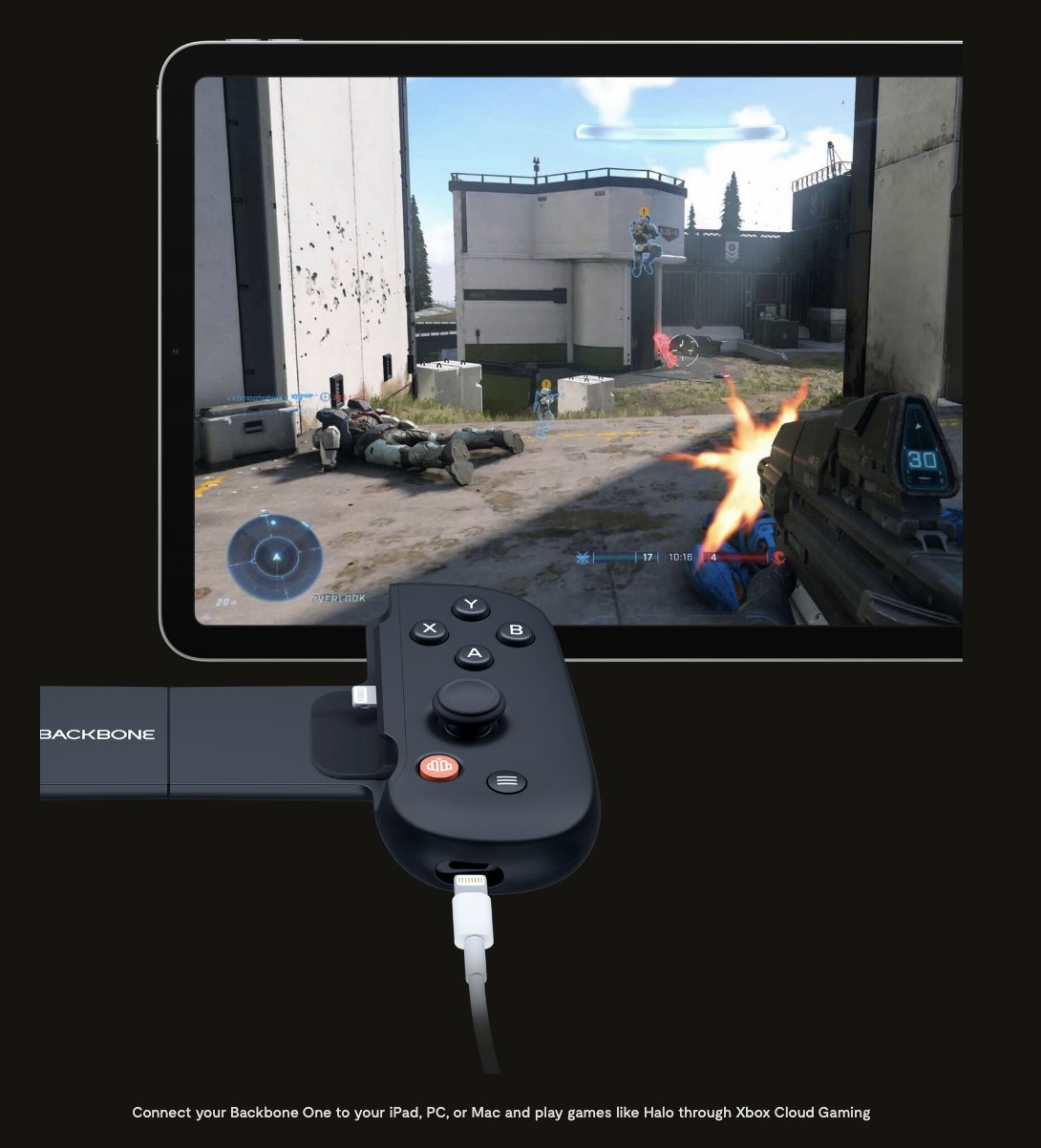
You cannot play absolutely any game on Backbone. It primarily supports games available on mobile app stores and those accessible through cloud gaming services compatible with its controller.
Curious about gaming on the go? Many people ask, can you play any game on backbone? Well, the answer isn’t a simple yes. This portable controller connects to your phone and offers a console-like experience.
While it is convenient, Backbone doesn’t magically enable every game ever created. It works best with mobile titles, and games on platforms like Xbox Game Pass or GeForce Now. Think of it as a great tool for supported games.

Can You Play Any Game on Backbone?
That’s a fantastic question! The Backbone One is a really cool game controller that turns your phone into a portable console. But, just like not every key fits every lock, not every game works perfectly with the Backbone. Let’s explore what kind of games work best and why.
The Backbone One: What It Is and How It Works
Before we dive into games, let’s quickly talk about what the Backbone One actually is. Think of it like a super-powered phone grip with controller buttons! It physically connects to your phone, either an iPhone or an Android, making it feel like you’re holding a Nintendo Switch or a similar handheld game console. It doesn’t have its own processor or games; instead, it uses your phone’s power to run everything. This means the games you play are actually running on your phone, just controlled with the Backbone’s buttons and joysticks.
Connecting and Compatibility
The Backbone One connects to your phone’s charging port. For iPhones, it’s the Lightning port, and for Android phones, it’s USB-C. It’s important to have the correct version for your phone. When it connects, it pulls power from your phone and doesn’t need its own battery. The Backbone also has a passthrough charging port, so you can still charge your phone while you play.
Games That Work Well with Backbone
Okay, so we know how the Backbone connects. Now, for the fun part! What games are great to play with it? Generally, any game that supports a standard game controller is likely to work well with the Backbone. This includes a large variety of game types:
- Console Games with Streaming Services: This is where the Backbone really shines. Services like Xbox Cloud Gaming, PlayStation Remote Play, and NVIDIA GeForce NOW allow you to stream games from your consoles or computers directly to your phone. If the game works with a controller on those platforms, it should be perfect for the Backbone. You’re basically playing AAA titles on your phone, anywhere!
- Mobile Games with Controller Support: Many popular mobile games now support game controllers. Think of titles like Call of Duty Mobile, Fortnite, Minecraft, Genshin Impact, and Asphalt 9. These games often have settings where you can activate controller support, and the Backbone will work like a charm!
- Apple Arcade Games: Apple Arcade has a huge selection of games that are designed with controller use in mind. These work seamlessly with the Backbone, giving you that proper console feel.
- Emulator Games: If you enjoy retro gaming, emulators allow you to play games from older systems like the SNES, Sega Genesis, or even the PlayStation 1. Most emulators support controller input, which makes playing those classic games on your phone with the Backbone a ton of fun.
- Steam Link Games: If you have a powerful PC, Steam Link lets you play your Steam library on your phone. As long as those games support controllers, you can play them on the go using the Backbone.
Here’s a quick table showing examples of games and which services they work with:
| Game | Service/Platform | Controller Supported |
|---|---|---|
| Halo Infinite | Xbox Cloud Gaming | Yes |
| The Last of Us Part 1 | PlayStation Remote Play | Yes |
| Fortnite | Mobile | Yes |
| Minecraft | Mobile | Yes |
| Rayman Legends | Apple Arcade | Yes |
| Super Mario World (via emulator) | Emulation | Yes |
| Cyberpunk 2077 | Steam Link | Yes |
Games That Might Not Work Perfectly (or at All)
Now, the less happy part of the story: games that aren’t great with the Backbone. Remember, the Backbone acts like a standard controller. If a game doesn’t support controllers, it won’t be ideal for playing with the Backbone. Here’s what kind of games might give you trouble:
- Touch-Only Mobile Games: Many mobile games are designed to be played using touch controls on the screen. If these games don’t offer controller support in their settings, the Backbone won’t be useful and you’ll likely be stuck using the touch controls on your phone. This can be a major bummer if you were hoping for a console experience.
- Some Older Mobile Games: Older mobile titles might not have been programmed with controller compatibility in mind, and probably won’t work with the Backbone without some special workarounds which might not be easy or very effective.
- Certain Indie Titles: Though not all of them, some indie games, particularly those that have a very specific control scheme, may not be very compatible with standard controllers and could be difficult to play with the Backbone.
- Games That Need Very Precise Touch Input: Games that need you to tap very specific parts of the screen, or use gesture based controls might not be compatible. Even if the game does support controllers, the gameplay experience can be far from optimal.
This is usually because the game developers have not added this feature. It’s best to check if the game supports a controller before trying it with the Backbone.
How to Check If a Game Is Compatible with Backbone
So, how do you know if your favorite game will work with the Backbone? There are a few ways to check:
In-Game Settings
This is the most straightforward method. Launch the game on your phone and look for controller or gamepad options in the settings menu. If you see a controller option, this usually means the game is compatible.
Backbone App
The Backbone app is designed to help you find compatible games. It shows games on your phone that already work with the controller. The app can also provide you with suggestions of other games you might enjoy that work well with it.
Online Reviews and Forums
Before getting a game, or using it with the Backbone, check online forums or reviews about the game. Other players often leave reviews describing if it works with a controller. This can provide very valuable user experience feedback and insights.
Game Store Description
Many games on the app store will specifically say if they have controller support in their description. Make sure to read the description before buying, or downloading a free game.
Optimizing Your Backbone Experience
Just having the Backbone is not enough. Here are a couple of points on how to make sure your experience is the best it can be:
Software Updates
The Backbone company releases software updates for the controller and the app from time to time. These updates often improve compatibility, fix bugs, and even add new features. Make sure that your Backbone device has the latest software for best performance.
Internet Connection
If you’re using streaming services like Xbox Cloud Gaming or GeForce NOW, your internet connection is essential. A strong and stable Wi-Fi signal will help you minimize lag, so that your gameplay is smooth. If you’re on mobile data, keep in mind your data caps.
Phone Case
While the Backbone is designed to fit most phones, some thick or bulky phone cases might interfere with the connection. It’s advisable to remove your case when you want to use the controller, so that the connection is secure.
The Future of Gaming with Backbone
The Backbone One is more than just a controller; it is a bridge that connects mobile devices to the world of console-quality gaming. As more and more games add controller compatibility, and as cloud gaming gets better and better, the value of Backbone becomes more clear. It offers a convenient, on-the-go way to enjoy games without carrying a separate console. We can expect even better controller support in games in the future.
In the end, while you can’t play any game on the Backbone, it supports a vast library of games available through mobile platforms, streaming services, and emulators. With a bit of research, you can always find something amazing to play. This small device offers a big way to enjoy your gaming.
Play Xbox Games on iPhone – Away from Home (NY to FL) – Backbone One
Final Thoughts
Backbone works beautifully with games supporting controllers. The app enhances gameplay with organization features. The device works directly with iOS and Android devices.
This controller shines with mobile titles and cloud gaming services like Xbox Game Pass. It handles games from the Apple Arcade. It’s also great for remote play.
So, can you play any game on backbone? No, not any game. It plays games with controller support and some remotely. The key is controller compatibility for the best experience.

