
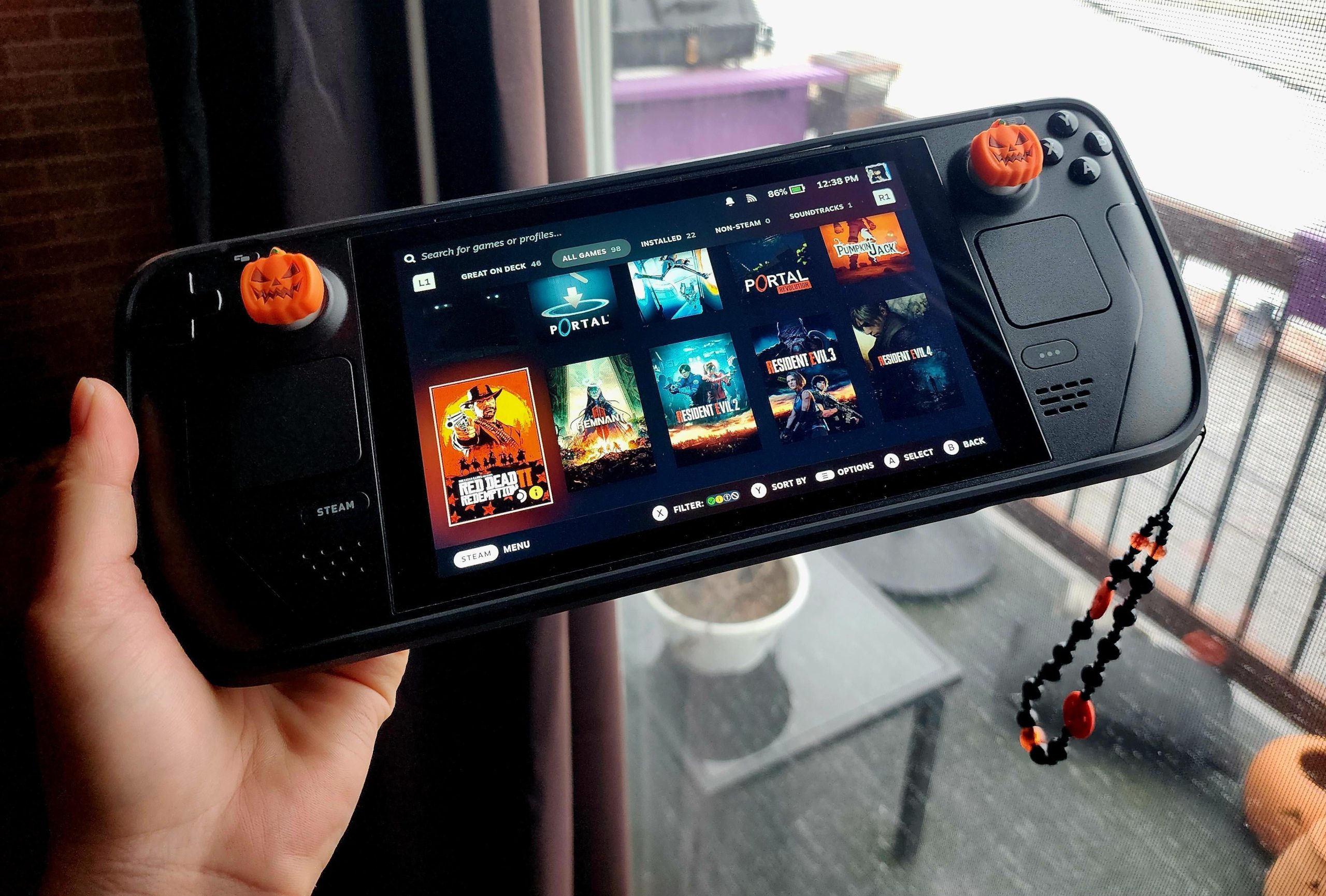
Yes, you can play most games on Steam Deck, but compatibility varies; some may require adjustments or may not function optimally.
The question on everyone’s mind is: can you play any game on Steam Deck? It’s a valid one, given the device’s portability and promise of a full PC gaming experience. The reality is, while Valve has made great strides, it’s not a perfect world.
You will find the majority of Steam’s library works quite well, thanks to Proton. However, some titles need tinkering or simply won’t run flawlessly. It depends on the specific game.

Can You Play Any Game on Steam Deck?
The Steam Deck has become a super popular handheld gaming device, and one of the biggest questions people have is, “Can it play any game?” Well, the short answer is: not quite, but it gets pretty close! Let’s dive into the details and see just how much this little machine can handle.
Understanding the Steam Deck’s Power
First, we need to understand what makes the Steam Deck tick. It’s basically a mini-computer that’s designed to play games. Think of it like a small, powerful laptop that’s been made specifically for gaming. The Steam Deck runs on a version of Linux called SteamOS. This operating system is built around Steam, the online game store. While it may seem a bit different from what you’re used to on a regular computer, this is how Valve keeps the Steam Deck running smoothly. It is a portable computer and can do more than just play games!
The Hardware Inside
Inside the Steam Deck you’ll find some impressive components:
- Custom AMD Processor: This processor is the brain of the Steam Deck, handling all the calculations needed to run games. It’s pretty powerful for such a small device.
- Integrated Graphics: It uses an integrated graphics chip. This means the graphics processing is included as part of the main processor, which is helpful for a handheld’s power needs. This is not same as a high-end computer with its own dedicated graphics card, but it does a really good job of running many modern games.
- RAM: It has a good amount of memory, called RAM, which helps it run multiple things at once without slowing down.
- Storage: The Steam Deck stores your games and operating system on a storage drive, just like any computer. You can also expand this with microSD cards for more space to store your favorite games.
These parts work together to make games playable, but it’s important to note that this is not the highest-end hardware out there. Therefore, while it can run many games, it won’t handle every title perfectly.
The Steam Deck Game Compatibility
Now we get into the heart of the question: which games can you actually play? Steam has a rating system to help you figure this out:
- Verified: These games have been tested by Valve, the makers of the Steam Deck, and are guaranteed to work great right out of the box. They’ll have good controls, clear text, and run smoothly on the device. You just start playing, and it works!
- Playable: These games can be played on the Steam Deck, but they may require a little tinkering with settings. You might have to adjust things to get the best experience. It might not be perfect but it works.
- Unsupported: These games are not designed to run on the Steam Deck. They may have problems running, and you shouldn’t expect them to work. Sometimes it’s because of things like certain DRM protections or they just weren’t built to run on Linux.
- Unknown: If a game is not categorized it means that Valve hasn’t tested it yet on steam deck.
Keep in mind that these classifications can change. Valve regularly tests and re-evaluates games. New games come out all the time, so it’s good to check the compatibility of a specific game before you buy it, if you are hoping to play it on the Steam Deck.
Factors Affecting Game Playability
Even if a game is marked as “Playable,” there are several things that can affect how well it actually works on the Steam Deck:
- Performance: The Steam Deck might not run some games at the highest graphics settings or with the smoothest frame rates. You might need to turn settings down a bit for a smoother experience.
- Controls: Some games are made with mouse and keyboard in mind, and the Steam Deck uses controllers. Sometimes games need to be adjusted to play well with a controller, and some may have complicated control schemes that don’t work as well on a controller.
- Text Size: Small text can be difficult to read on the Steam Deck’s smaller screen. “Verified” games usually have text that is easy to read, but games rated “Playable” might be hard to see.
- Anti-Cheat: Some online games use anti-cheat software that doesn’t work well with the Steam Deck’s Linux-based system. This can prevent those games from being played online.
Using Proton to Expand Game Choices
Here’s where it gets a bit technical, but it’s important to understand. The Steam Deck uses something called Proton. Proton is a special tool that lets many Windows-based games run on SteamOS. It’s like a translator that helps Windows games understand the Linux system. It doesn’t work for every game, but it opens the door for a much wider range of games to be playable on the Steam Deck.
Proton and its different Versions
Proton is constantly updated, and new versions improve compatibility. So, games that might have had issues before could become playable after a Proton update. Steam also gives you the option to choose different versions of Proton to run a game if its not running smoothly with its default version. Valve has provided Proton compatibility layers so that we can play most of the windows based games on the Linux operating system which powers the steam deck.
- Proton Experimental: This version is for testing new changes. It sometimes includes cutting-edge improvements but might not always be stable.
- Proton Stable: This is the most commonly used and reliable version of Proton, giving players a smooth experience.
- Proton GE: This version of proton is made by the community and is regularly updated with new improvements. Its a great option if the regular proton is not working good enough with a game.
Games Outside of Steam
The Steam Deck doesn’t just play games you buy on Steam. You can also install games from other stores or even your own collection of old games.
Epic Games Store and others
It’s possible to install the Epic Games Store and other game launchers on the Steam Deck. It requires a bit more effort, but you can do it. There are a number of methods and software tools available for the steam deck to get these alternate games launchers installed, and tutorials can be found on the internet.
- Third-Party Launchers: You might need to use tools like Heroic Games Launcher to get games from Epic or GOG running on the Steam Deck.
- Emulators: The Steam Deck can also run emulators for older consoles, allowing you to play retro games.
Running Windows on Steam Deck
It is possible to install Windows on the Steam Deck. This can help you play games not easily supported by SteamOS and Proton. However, installing Windows means you’ll have to install drivers yourself and figure out the controls again, which may involve some work and not give you the best user experience. It also won’t make all the games play perfectly, but it may help with some that struggle under Proton.
Performance Expectations
Keep in mind that the Steam Deck, while powerful for a handheld, is not as powerful as a high-end gaming computer. Here are some realistic performance expectations:
- Indie Games: Many indie games run great on the Steam Deck with little or no problems.
- Older AAA Games: Games from a few years ago or older usually run very well, if not perfectly.
- Modern AAA Games: For the newest, most demanding games, you will probably need to lower the graphics settings and frame rate targets to get a smooth experience. Some games might not be possible to play well enough, and it is best to check online before purchasing them to play on a steam deck.
The performance of the steam deck also depends on the type of games. Games with demanding graphics like Cyberpunk 2077 will require much more power to play smoothly compared to less demanding games.
Battery Life Impact
Running games on the Steam Deck can impact the battery life significantly. Demanding games will use more power and drain the battery faster, while less intensive games will use less power. You might only get 1 or 2 hours of gameplay for the most demanding games and up to 6-8 hours for less demanding ones. Playing with headphones, turning off the screen brightness, and enabling battery saving settings can all help to improve the battery life.
Checking Game Compatibility
Before purchasing games for the steam deck, make sure to check steam’s official listing for that particular game and see how the game ranks on the steam deck. The rating will let you know about how the game is likely to run on the steam deck.
The Steam Deck Experience
So, can the Steam Deck play any game? The answer is not entirely, but it is impressive what it can play. It’s a fantastic device that lets you enjoy many games on the go. It continues to get better as Valve keeps updating it and working on game compatibility.
Tips for Optimizing your Gameplay
If you’re having trouble playing a game, you can try a few things:
- Lower graphics settings: Reducing resolution, texture quality, shadows, and other settings can help a game run more smoothly on the Steam Deck.
- Experiment with Proton versions: Try different versions of Proton to see if one works better with a particular game.
- Check online guides: The Steam Deck community is very helpful. You can usually find guides and tips for optimizing specific games.
- Use FSR: AMD FidelityFX Super Resolution (FSR) can help improve performance in certain games.
While the Steam Deck isn’t perfect and can’t play every game, it brings a massive library of games to a portable device. With the efforts that Valve is putting into improving its gaming library and proton technology, we will see even more games being available for steam deck. So, while the answer isn’t a flat “yes,” it’s pretty close. You have tons of amazing games at your fingertips on the Steam Deck.
STEAM DECK The "TRUTH" about Supported vs Unsupported Games!
Final Thoughts
Ultimately, the Steam Deck’s compatibility is vast but not absolute. Some games might require adjustments or simply won’t function. You must consider individual game requirements.
So, the answer to “can you play any game on steam deck” is complex. While a large library is available, certain titles present challenges. It depends on the specific game in question.

