
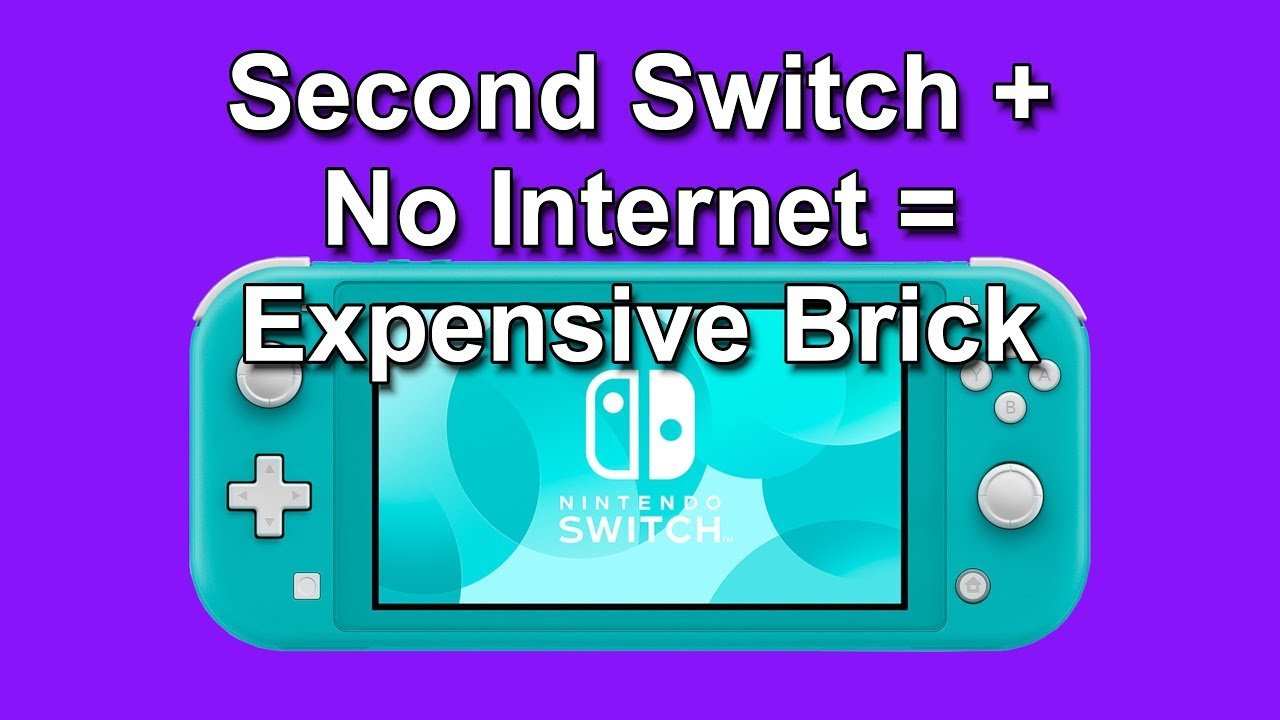
Yes, you can play most digital Switch games offline, but some features or games require an internet connection for initial download verification or online multiplayer.
Ever wondered if your digital Nintendo Switch games will still work when you’re far from Wi-Fi? It’s a common question: can you play digital switch games offline? Many gamers prefer the convenience of digital downloads. So, it’s important to know if your games are playable without the internet.
The good news is, the majority of your digital library can be enjoyed on the go without needing an active connection. However, a few exceptions do exist, particularly when it comes to initial game setup. Some games have online requirements.

Can You Play Digital Switch Games Offline?
Okay, let’s dive deep into the world of Nintendo Switch and figure out if you can actually play those awesome digital games when you’re not connected to the internet. It’s a super important question, especially if you’re planning a road trip, a flight, or just chilling somewhere without Wi-Fi. The short answer is yes, mostly! But, like most things, there are some details we need to understand.
How Nintendo Switch Handles Digital Games
Before we get into the nitty-gritty of offline play, let’s quickly chat about how your Nintendo Switch uses digital games. When you buy a game from the Nintendo eShop, you’re not getting a physical game cartridge. Instead, you’re downloading the game directly to your console’s memory or to a microSD card if you’ve got one installed. These downloaded games are tied to your Nintendo Account. This account is kind of like your personal key to all your digital games.
The Primary Console and Offline Play
Here’s the first big thing to know: Your Nintendo Switch has a special setting called the “primary console.” Think of it as your main, go-to Switch. When you set a Switch as your primary console, it means that the account on that console can play digital games without having an internet connection. This makes sense, right? It’s your console, and the games should be available whenever you want to play them.
How to Set Your Primary Console
Setting up your primary console is super easy. Here’s how you do it:
- Go to the Nintendo eShop on the Switch you want to use as your primary console.
- Select your user profile icon in the top right corner.
- Scroll down and select “Primary Console.”
- If the console isn’t your primary one yet, it will give you an option to make it the primary console. Click on the appropriate option.
Important Note: You can only have one primary console at a time for each Nintendo Account. If you have multiple Switches, only one of them can be the primary console for your specific account.
Secondary Consoles and Internet Checks
What about all those other Switch consoles that aren’t your primary console? Well, things get a little different there. If you’re using a Nintendo account on a Switch that isn’t set as its primary console, it will need to connect to the internet every now and then to make sure you can still play the digital games that you own. This is basically a way of Nintendo checking if you actually own the game. It’s like showing your library card at the library – you need to prove you’re allowed to borrow the book.
How Often Does a Secondary Console Check In?
The exact frequency of these internet checks can vary, but in general, a secondary console will perform a check when you first boot up a game. If the check fails, you’ll be unable to play the game until a successful check occurs. This check is pretty quick when you are connected to the internet. It doesn’t interrupt gameplay, it simply verifies that you are allowed to play. These checks are done for all the digital games you have downloaded. Keep in mind that Nintendo may update the conditions or frequency of the game verification, so it is good to check their website for the latest update.
Offline Play for Single Player Games
Good news! Most single-player digital games work completely fine offline on your primary console. That means your favorite role playing games (RPGs), puzzle games, and platformers are ready to go when you don’t have any internet. You can play these games anytime, anywhere without any worry about getting disconnected. You can delve deep into any storyline of the single player games without having any internet issues.
Remember, the key is whether the Switch you are using is the primary console for your Nintendo Account. If it is, you can usually play your single player games without issues.
Multiplayer Games and Offline Play
Multiplayer games are where things get a bit more complex when we’re talking about offline play. Many multiplayer games, especially those that rely on online play, won’t work if you don’t have an internet connection. There are two main types of multiplayer games:
- Local Wireless Multiplayer: These games let you play with friends who are nearby, using their own Switch consoles. You don’t need the internet for this. As long as you’re within the game’s communication range, you can play locally.
- Online Multiplayer: This kind of multiplayer needs an internet connection. You will not be able to play these games with others if you don’t have an active Wi-Fi connection.
For example, some games offer a local play option so that you can play with your family or friend nearby without having any internet connection, while others are exclusively online-only, so no internet means no gaming.
If a game focuses primarily on online multiplayer, like many online shooters or racing games, they will not function properly if there is no internet connection. Be sure to check the game packaging or the Nintendo eShop page to determine the multiplayer method offered by the game.
If you are traveling, a good thing to do would be to try to see which are your favorite games that you play with your friends, and see if they have local-wireless option, and download the games before your travels. So you will have them ready without requiring an active internet connection.
Nintendo Switch Online Service and Offline Play
The Nintendo Switch Online service also plays a small part in this conversation, even though it is not directly about being able to play digital games offline. This is a subscription service, like Netflix for games. It also gives access to a collection of classic games from the NES and SNES eras.
If you have a Nintendo Switch Online subscription, you will be able to play a select library of NES and SNES games. But even these games will need to be verified from time to time. Here is the catch, even though you downloaded the games as part of your subscription, you still need to periodically connect to the internet to verify your Nintendo Switch Online status.
How Often Do Nintendo Switch Online Games Need to Verify?
The Nintendo Switch Online games, similar to other digital games, need to connect to the internet periodically, even on your primary console. This check is more frequent for secondary consoles, and less frequent for primary consoles, although Nintendo doesn’t specify a specific amount of time for internet check.
The good news here is that you don’t have to constantly be online. You can play those classic games offline for several days before the Switch wants to check your membership status.
Managing Your Digital Games for Offline Play
So now that you know how the different kinds of games work with offline play, here are some practical tips on managing digital games for when you are in offline mode.
Preparing for Offline Play
Here are some essential things to consider before going into offline mode:
- Set Your Primary Console: Before heading out, make sure that the Switch you will be taking with you is set as your primary console for your Nintendo Account.
- Download Games Beforehand: If you think you might want to play a game offline, download it before you lose your internet connection. This way, you have the game ready to go without the need to search for Wi-Fi at the last moment.
- Check for Updates: Make sure to download any available updates for your games before going offline. This ensures the game is fully updated, and you can avoid any complications while you are traveling.
- Test the Game: Once you have downloaded the game, try to launch the game at least once when you still have access to internet connection, to ensure the game works properly. This will also ensure that the digital games you are downloading are verified by Nintendo server, so they can be played offline.
- Charge your Console: This one is obvious, but make sure your console is fully charged for extended offline play.
- Install a microSD card: if you plan to download a large library of games, ensure that you have enough memory on your console, or you can get a microSD card to expand your storage.
Tips for Playing Offline on a Secondary Console
If you know that you will be playing games on a secondary console, here are some tips you might want to consider:
- Frequent Internet Checks: If you are going to use your secondary console for an extended period of time, remember that the console will need to periodically check in with Nintendo servers. Therefore, keep this in mind before planning to play for a long period of time.
- Plan Ahead: Try to launch all of the games at least once when you still have access to internet. This way you are ensuring that the Nintendo verification process happens, so you can play the downloaded game on the secondary console.
Understanding Nintendo Switch Game Types for Offline Play
It’s also good to recognize different game types and how they work with offline mode. This can help you make better choices for those times you are away from the internet.
Single Player Focused Games
As we discussed before, single-player focused games are generally the most reliable for offline play. These games usually have a solid story, and they don’t need any internet connectivity. This is great for playing games on long car rides or flights.
Story-Driven Games
These are great games to play when you are offline. Games that emphasize on narrative are a perfect way to pass the time when you are offline, as they do not require internet.
Puzzle Games
Puzzle games are another excellent choice for offline gaming. They require your thinking ability and concentration. There is no requirement to have internet to solve puzzles, making them a great choice when you are without Wi-Fi.
Simulation Games
Many Simulation games are designed to be played without an internet connection. Some, however, might have features that only work with an internet connection. Therefore, you should be aware of the features that you will lose when you go offline.
Multiplayer-Focused Games
As we mentioned before, multiplayer games have more restrictions on offline mode. Therefore, it is good to check the multiplayer method before going to offline mode. Some multiplayer games offer both an online and local option. Therefore, when you don’t have any internet, the games with a local option can still be enjoyed by playing with a friend nearby.
Games with Online Features
Games that have online features will have some parts disabled when you are without internet. This can include things such as leaderboards or online competitions. Be aware of these limitations before you go offline, so you won’t be disappointed when you are offline.
In a nutshell, your Nintendo Switch has a ton of awesome games you can play offline. Making sure you have your primary console set up correctly is key to enjoying those games on the go. Just download the games you want beforehand, and you’ll have endless hours of fun on your travels or without Wi-Fi.
Can you play Nintendo eShop games offline?
Final Thoughts
Yes, you can play most digital Switch games offline. The main point is that single-player experiences usually work without an internet connection. Certain multiplayer games or online features, must of course, be accessed while connected to the internet.
However, once a game is downloaded to your system, you generally have offline play access. Cloud saves and some specific game updates do require a connection though. Thus, ‘can you play digital switch games offline’ is mostly a yes.

