
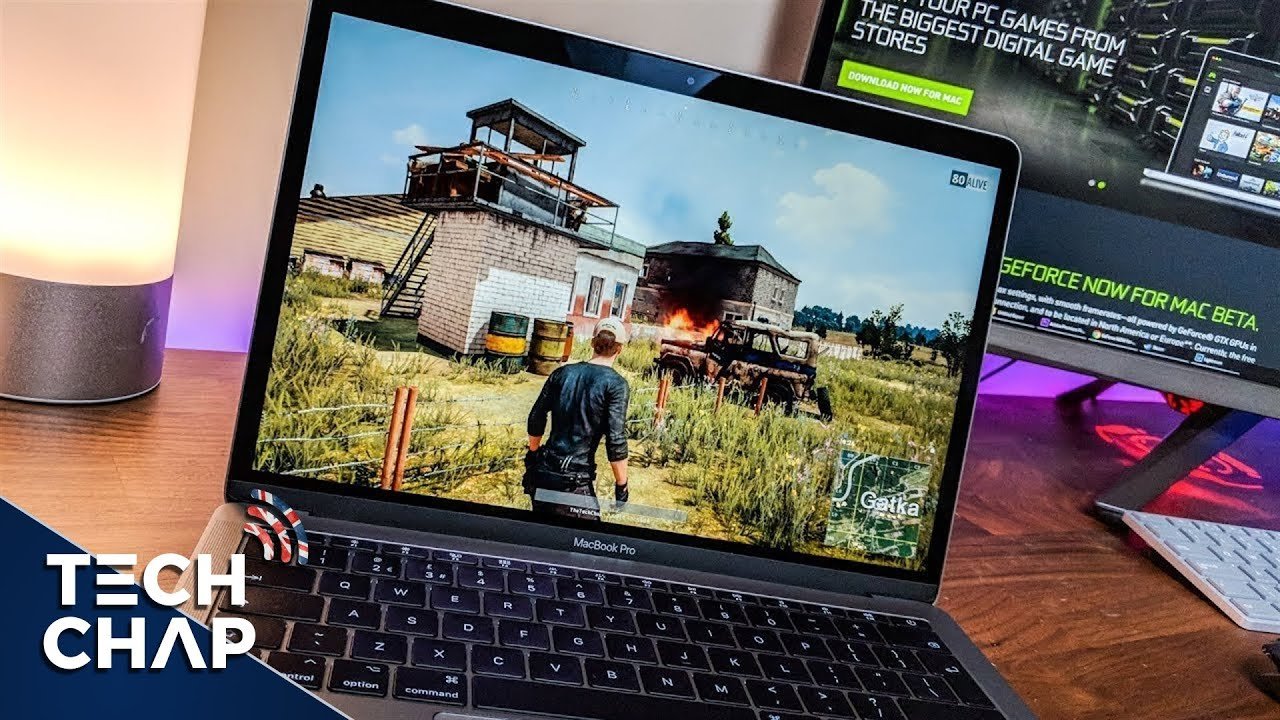
Yes, you can play games on a Macbook, although the selection and performance may vary compared to dedicated gaming PCs.
Thinking of jumping into some digital worlds on your Apple laptop? The question frequently arises: can you play games on a Macbook? It’s a common query with a somewhat nuanced answer. Many people enjoy casual gaming on their Macbooks with the games available on the App Store.
You’ll find several games that work well, including some big titles. However, don’t expect every new AAA release to run perfectly. This is because Macbooks aren’t primarily built for intense gaming. The graphics capabilities and available game titles are factors to consider.

Can You Play Games on a MacBook?
So, you’ve got a shiny MacBook, and you’re wondering if it can also be your gaming machine? That’s a great question! The short answer is: yes, absolutely! But, it’s not quite as simple as “yes” or “no.” Let’s explore what kinds of games you can play, and what to expect when you game on a MacBook. MacBooks aren’t generally built with gaming as their primary purpose, but they’re way more capable than you might think.
The MacBook Gaming Landscape: What to Expect
MacBooks are famous for their sleek design, their user-friendly operating system (macOS), and their focus on creative tasks and productivity. However, they’ve made great strides in the gaming world. When we think about gaming, we usually imagine high-end graphics cards and beefy processors, which are often found in gaming PCs. MacBooks, on the other hand, typically prioritize power efficiency and portability. This means they are good, but may not always compete directly with powerful gaming computers.
Understanding Integrated Graphics
Most MacBooks, especially the thinner and more portable models, come with what’s called “integrated graphics.” This means that the graphics processing unit (GPU) is built into the same chip as the main processor (CPU). This is efficient for everyday tasks, but it can be a limitation when trying to play graphically intensive games. The integrated graphics uses the computer’s system memory (RAM) instead of having its own dedicated memory. This shared memory is one of the reasons why gaming is not ideal in some MacBook. Games with complex and detailed graphics often require a dedicated graphics card with its own memory.
However, there’s good news! Apple has been improving its chips. Some of the newer MacBooks, especially those with Apple silicon chips (like the M1, M2, and M3 series), have integrated graphics that are much more powerful than older models. This means that you can play a wider range of games on the newer MacBooks. But still these are not quite as fast as dedicated graphics cards.
Dedicated Graphics in Some MacBooks
While most MacBooks use integrated graphics, there are some models, particularly older 16-inch MacBook Pro models, that have dedicated graphics cards. These cards have their own memory and provide significantly better performance for gaming. If you have one of these models, you’ll be able to play more demanding games at higher settings.
Types of Games You Can Play
Not all games are created equal. Some games are designed to run on a wide range of computers, while others need high-end gaming PCs. Here’s a look at the types of games you can enjoy on a MacBook:
Indie Games
Indie games, made by small, independent developers, are a fantastic fit for MacBooks. These games often feature unique art styles, creative gameplay mechanics, and compelling stories. They’re typically less demanding on your computer’s hardware than big-budget AAA games. This is good news because you’ll find that they usually run great on macs. Here are some popular indie games to play:
- Stardew Valley
- Minecraft
- Hollow Knight
- Among Us
- Terraria
Casual Games
If you’re looking for something light and fun to play during a short break, there are tons of casual games available for macOS. These are easy to pick up and play, and they usually do not need a super powerful computer. These games are typically simpler and don’t require a lot of processing power or graphical strength. There are so many of these available in the Mac app store or on Steam.
Older AAA Titles
Many older AAA games, which were previously very popular, can run well on MacBooks, particularly on those with the new apple silicon chips. If you have a slightly older or lower powered Mac, you can still often play many older AAA titles at decent frame rates and resolutions. Here are a few examples:
- Bioshock series
- Portal and Portal 2
- Half-Life series
- Civilization Series
- Mass Effect series
Some Modern AAA Games
With the newer Apple silicon, some modern AAA games can also be played on Macbooks. However, even with the powerful silicon chips, some high-end AAA games will not run well or at all on a MacBook. Even if a game is available for mac os, you might have to lower the graphics settings quite a lot to get a smooth frame rate. This means you might not be able to play the game at its best or at all.
Mac-Native Games
There are many games that are made to run specifically on macOS. These games are often optimized to take the best advantage of Apple’s hardware. You will find that many developers will create a version of their game for macOS and make it work really well. You should check in the Mac app store, steam and other online game stores to see which games are available for mac.
Where to Find Games for Your MacBook
Now that you know what kind of games you can play, where do you find them? Here are some of the best places to get your games:
The Mac App Store
The Mac App Store is a great place to find games. It’s easy to use and has a good selection of games, especially casual games and indie titles. The app store also ensures that the games are safe and virus free. This is an easy way to download and install games on your MacBook, and you do not need to use third-party programs to install these.
Steam
Steam is one of the most popular online game stores. It has a huge library of games, including indie games, AAA titles, and everything in between. Steam has a special section for games that support macOS. It’s easy to check if a game is compatible with your MacBook before buying it. This is very important because not all games on Steam will run on MacOS.
Epic Games Store
The Epic Games Store is another online game store that has a growing collection of games. You can often find free games and exclusive releases on Epic. Similar to steam, the Epic store clearly shows what system requirements are for any game, and you can check these to see if your MacBook can play the game.
GOG.com
GOG.com (formerly Good Old Games) specializes in older games that are optimized to work on modern systems. It’s a great place to find classic games that are compatible with macOS. They also have a number of modern games available as well.
Cloud Gaming Services
One of the interesting developments in the gaming world is Cloud Gaming. This is where you stream a game from a server on the internet to your MacBook. Because all the processing power is done on the server, this allows you to play very high-end games on almost any computer. This also bypasses any of the MacBook’s graphics limitations. Some of the popular cloud gaming services include:
- Nvidia GeForce NOW
- Xbox Cloud Gaming
- Google Stadia (now closed)
Cloud gaming works well if you have a fast and stable internet connection. However, you need to be aware that you will experience some lag compared to playing the game on a local computer.
Tips for Better Gaming on Your MacBook
Okay, so you’re ready to start playing. Here are some tips that can improve your gaming experience on your MacBook:
Check System Requirements
Before you buy a game, check the system requirements. This will tell you if your MacBook can run the game well. Make sure the CPU, GPU (graphics card), RAM, and disk space are up to par with what the game needs. You may have to lower the graphics settings, or choose an alternative game, if you have an older or less powerful MacBook.
Close Unnecessary Apps
When you’re gaming, close all other apps. This can free up system resources, allowing your MacBook to concentrate on running the game. Open apps consume a lot of ram and CPU cycles, so you want to free up as much as possible when gaming.
Adjust Graphics Settings
Most games have graphics settings that you can change. If the game is running slowly or if you get lag, try lowering the graphics settings like resolution, shadows, and special effects. This can make the game run more smoothly. You want to prioritize having a consistent frame rate when playing.
Keep Your macOS Updated
Make sure that your macOS is always updated to the latest version. Apple often includes performance improvements in their updates. These improvements will help with games, and make sure your mac runs at it’s best. Also, games sometimes require the newest macOS versions to run properly.
Use External Accessories
Using a good gaming mouse or gaming keyboard can greatly improve your gaming experience. These accessories are designed to be more responsive and accurate than the built-in keyboard and trackpad. A good monitor will also improve gameplay and makes the images look sharper and better.
Use a Cooling Pad
If your MacBook is getting hot while gaming, a cooling pad can help keep it cool. A cooler computer can run more efficiently, and it can avoid thermal throttling. These cooling pads are not that expensive, and a worthy investment if you plan to do a lot of gaming.
Game Mode in macOS Sonoma
macOS Sonoma introduced a new “Game Mode” that can improve gaming performance. When you enable this mode, it prioritizes CPU and GPU resources for the game. This means less resources will be used by background tasks, and a higher performance for gaming. This will improve framerate and reduce latency. This mode is activated automatically once you are playing a game, and is very helpful.
The Future of MacBook Gaming
MacBooks are becoming increasingly capable gaming devices. Apple’s own silicon chips have shown huge performance gains. As these chips continue to be improved, we can expect to see more games running smoothly on MacBooks. Many games that previously were only playable on PCs, are now playable on Mac. The combination of better hardware and software optimizations will make gaming on Mac even better in the future. The development of better graphics capabilities on Apple’s own chipsets will help with the long term future of mac gaming.
The gaming industry is now starting to focus more on cross-platform titles as well. This means many games are now available on multiple platforms, including PCs, consoles, and Macs. This means that many new games will be playable on Macs, right from day 1.
In summary, while MacBooks might not be the first choice for a hardcore gamer, they’re definitely capable of offering a fun and enjoyable gaming experience. With the right expectations and a few adjustments, you can certainly play many games on your MacBook and have a great time.
Remember, you can enjoy a variety of games on your MacBook, from casual titles to some AAA games with a few tweaks. It’s all about finding the right games that work well with your MacBook’s capabilities and making the necessary adjustments.
Gaming on Mac in 2025
Final Thoughts
Yes, you can play games on a Macbook, though it’s not primarily built for heavy gaming. Many popular games are available for macOS, and Apple Silicon chips handle some titles surprisingly well.
Native Mac games offer a good gaming experience. You can also explore cloud gaming services for a wider selection. The selection will vary compared to dedicated gaming computers.
Ultimately, if you’re asking, ‘can you play games on a macbook?’ the answer is yes, with some limitations. Your gaming experience depends on the specific games and your Macbook’s specifications.

