
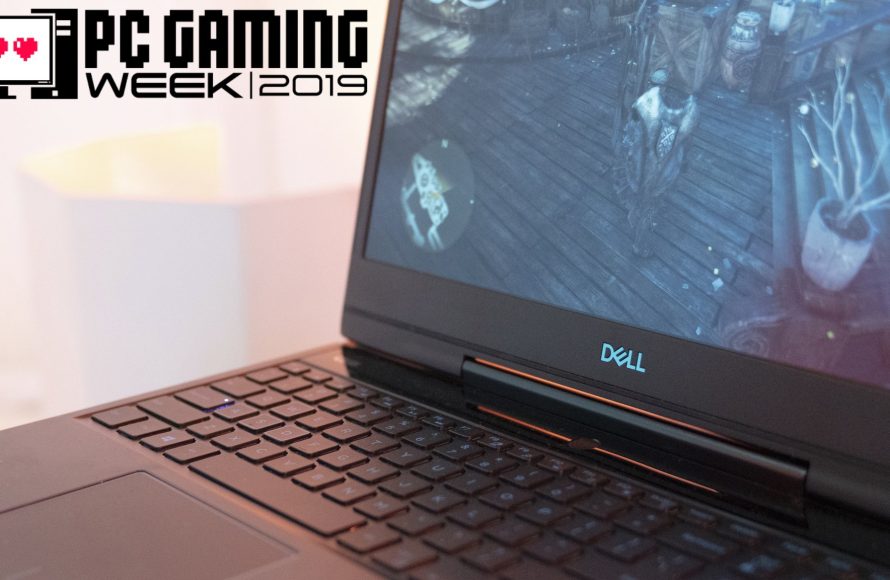
Yes, you can play PC games on a regular laptop, but the performance will greatly depend on the laptop’s specifications and the game’s requirements.
Ever wondered if your everyday laptop can handle the latest PC games? The question “can you play PC games on a regular laptop” pops into many people’s minds. It’s a valid concern considering not everyone owns a dedicated gaming machine.
The reality is, while you might get some games running, expect varying results. Low-end laptops will struggle with demanding titles. However, many less resource-intensive games will perform well.

Can You Play PC Games on a Regular Laptop?
So, you’ve got a laptop, and you’re itching to play some cool PC games. Maybe you’ve seen your friends playing awesome adventures, building amazing worlds, or racing super-fast cars, and you’re wondering if you can join the fun. The big question is: can a regular laptop actually handle these games? The short answer is, it depends. Let’s explore what makes a laptop good for gaming and what to consider when deciding if your laptop is up to the challenge.
Understanding “Regular” Laptops
First, let’s talk about what we mean by a “regular” laptop. Most of the laptops you see people using for school, work, or browsing the web are what we’d call regular. These laptops are built to handle everyday tasks like writing papers, making presentations, watching videos, and checking emails. They’re designed to be portable, have good battery life, and be affordable. They typically don’t have the super-powered parts that gaming laptops have.
The Key Differences: Regular vs. Gaming Laptops
Gaming laptops, on the other hand, are designed for one thing: playing games. They are equipped with special components that allow them to run graphics-heavy games smoothly and without lagging. Let’s look at the key differences between the two:
- Graphics Card (GPU): This is the most significant difference. Gaming laptops have a dedicated graphics card, which is like having a super-powered engine for images. Regular laptops often have integrated graphics, where the graphics processing is handled by the same chip that runs everything else. This is less powerful for gaming.
- Processor (CPU): Gaming laptops need a fast and strong processor to handle the complex calculations that games require. Regular laptops usually have processors that are good for everyday tasks but may struggle with demanding games.
- RAM: Games need a good amount of memory (RAM) to run smoothly. Gaming laptops usually have more RAM than regular ones.
- Storage: Games can take up a lot of space. Gaming laptops usually have faster storage drives (SSDs) and more of it than regular laptops.
- Display: Gaming laptops often have better screens with faster refresh rates, meaning the image updates more frequently, making motion look smoother. They often have higher resolution screens, too.
- Cooling System: Gaming laptops need powerful cooling systems to prevent overheating since they are processing so much information. Regular laptops might overheat and struggle when running very demanding games.
The Challenge of Playing Games on Regular Laptops
So, what happens when you try to play a game on a regular laptop? It really comes down to what kind of game it is. Some older games or simpler games might run just fine. These are the kinds of games that don’t need a lot of power. They are designed to run smoothly on less powerful hardware. For example, games with simple graphics, like many indie games, 2D platformers, or older puzzle games, might work perfectly well.
However, many modern games, especially big, high-graphics games, might not run well at all. You might experience:
- Lag: The game might run slowly, making it hard to control your character or see what’s happening. It will seem jerky or delayed.
- Low Frame Rates: The game might appear choppy and not smooth. The images on the screen will refresh slowly.
- Freezing: The game might stop completely or “freeze” in the middle of the game and could cause you to loose your progress.
- Overheating: Your laptop might get very hot, and the fans might get very loud. Overheating can damage your laptop over time.
- Game Crashes: The game might suddenly close, sometimes losing your progress.
These problems all happen because the laptop’s parts are being pushed too hard, and they just can’t keep up. Think of it like trying to drive a small car in a race against powerful race cars. The small car might run for a bit but will soon fall behind and probably won’t finish the race.
What Kind of Games Can a Regular Laptop Handle?
Not all games are created equal. Some games are much more demanding than others. Here is a quick look at the types of games your regular laptop might handle:
Less Demanding Games
These games are usually easier on your laptop’s hardware:
- Older Games: Games that came out several years ago often have lower hardware requirements. Look for games that were released more than 5-7 years ago.
- Indie Games: Many indie games focus on good gameplay rather than super-fancy graphics, making them suitable for regular laptops.
- 2D Games: Games that use 2D graphics (like a cartoon) are usually easier to run than 3D games.
- Puzzle Games: Puzzle games usually don’t need much power to run.
- Simple Simulation Games: Some simulation games like farming or city-building with basic visuals can run okay.
- Casual Games: Many casual games that you might find on mobile can also be played on regular laptops without issues.
Demanding Games
These games usually require a gaming laptop or a desktop computer with powerful components:
- AAA Titles: Big-budget games with the latest, high-end graphics. These include things like modern first-person shooter games, open-world role-playing games, and realistic racing games.
- Modern 3D Games: Games with complex 3D environments and advanced graphics effects are difficult for regular laptops.
- Multiplayer Games: Some multiplayer games, especially if they are complex and have a lot of action on screen at the same time, are very hard on regular laptops.
How to Check If Your Laptop Can Run a Game
Before you buy a game, it’s always a good idea to see if your laptop can run it. Most games on the market will have specific minimum and recommended system requirements. These are usually listed on the game’s store page (like on Steam or the game’s official website). Here is how you can usually find them:
- Minimum Requirements: This is the absolute least amount of power your laptop needs to run the game. Even if your laptop meets these requirements, it may not run smoothly.
- Recommended Requirements: This is the amount of power your laptop needs to run the game well, with good graphics and smoothness. If your laptop is close to the recommended requirements, you will have a much better gaming experience.
If you find these specifications, compare them to the specifications of your laptop. You can find the specifications of your laptop by doing the following:
Checking Your Laptop’s Specs on Windows
- Click the Start button, then click on the “Settings” icon.
- Click on “System.”
- Click on “About”.
This will give you information about your Processor (CPU), RAM, and Windows version. You will have to do a few more steps to find out the type of graphics card (GPU). You can find this information by following these steps:
- Type “Device Manager” in the search bar and open it.
- Click on the arrow next to “Display adapters.”
- This should show your graphics card model.
Checking Your Laptop’s Specs on MacOS
- Click the Apple logo in the top left corner of your screen.
- Click “About This Mac.”
This will show you your Processor (CPU), RAM, and Graphics card (GPU). If your laptop’s specifications do not meet the minimum requirements for the game, the game is very unlikely to run smoothly. However, if your laptop meets the minimum requirements or is near the recommended requirements, you may be able to play, with some modifications, such as lower graphic settings in game.
Adjusting Game Settings
Even if your laptop isn’t super powerful, you may be able to get some games to run by adjusting their settings. Here are some things you can try:
- Lower the Resolution: The higher the resolution, the more work your graphics card has to do. Setting the resolution to a lower setting can help your game run smoother.
- Reduce Graphics Settings: Turning off or lowering the graphics quality, such as texture quality, lighting, and shadows, can make a big difference.
- Turn Off Special Effects: Special effects like motion blur and bloom can use a lot of processing power. Turning these off can improve performance.
- Close Background Programs: Make sure you close other programs you don’t need while playing a game. Other programs running at the same time can use the processing power and make it hard for the game to run.
Experimenting with these settings can make the difference between a playable game and a game that lags. Don’t be afraid to try different settings and see what works best for you. Sometimes, small changes can make a big impact.
Other Things to Consider
Laptop Cooling
When you play games, your laptop can get very hot. This heat can cause problems with performance. To help prevent overheating, you can:
- Use a Laptop Cooler: These devices can help dissipate heat and keep your laptop cool.
- Play in a Cool Area: Try to play your games in a place where there is good airflow and the temperature is lower.
- Don’t Block Vents: Make sure nothing is blocking the vents on your laptop where air is flowing. Avoid using your laptop on soft surfaces like blankets.
Laptop Age
Older laptops are more likely to have trouble running modern games. If your laptop is several years old, its components may be outdated, and they probably won’t meet even the minimum requirements for many of today’s games. Even if an older game is able to meet the requirements, it will run much smoother on a newer machine. So this is something to consider when determining if a regular laptop is suited for playing games.
Game Optimization
Sometimes, even if your laptop meets the requirements, a game might not run well because it hasn’t been well-optimized by the developers. This means the game itself is using more processing power than it needs. In these cases, even a high-end gaming computer might struggle, so it is not always the fault of your regular laptop if a game runs poorly.
Can You Upgrade a Regular Laptop for Gaming?
One question you might have is can you improve a regular laptop to help it run games better. Generally, with a regular laptop, there are not many upgrades you can do. You cannot upgrade the graphics card. Some older laptops did allow for upgrades, but today’s regular laptops usually have graphics card built in directly to the circuit board. While you cannot upgrade the graphics card, you can upgrade the laptop’s RAM or upgrade its hard drive to a Solid State Drive (SSD).
Adding more RAM and using an SSD can help your laptop load games faster and process information more smoothly. But upgrading RAM or switching to an SSD will only make some difference in the performance, but it won’t turn a regular laptop into a gaming machine. If you want the best performance from the latest games, you probably will need to invest in a true gaming laptop or desktop computer.
In short, upgrading the RAM or storage is not a guaranteed method to play the latest game releases. It can certainly help, but it is only a solution for older games that your laptop already might meet the minimum requirements for.
In summary, while a regular laptop may not be able to play every game, you can still have lots of fun exploring older games or casual games. Knowing what your laptop is capable of and adjusting game settings will help you get the best gaming experience possible.
This School Laptop is Better Than Your Gaming PC…
Final Thoughts
Ultimately, whether you can play PC games on a regular laptop depends heavily on the specific games and your laptop’s hardware. Many less demanding titles will run fine. However, graphically intensive games often require dedicated graphics cards not typically found in standard laptops.
For some gaming, a regular laptop works. If you want high frame rates and top settings, you need a machine built for gaming, so remember if you ask can you play pc games on a regular laptop? the answer will vary depending on your needs.

