
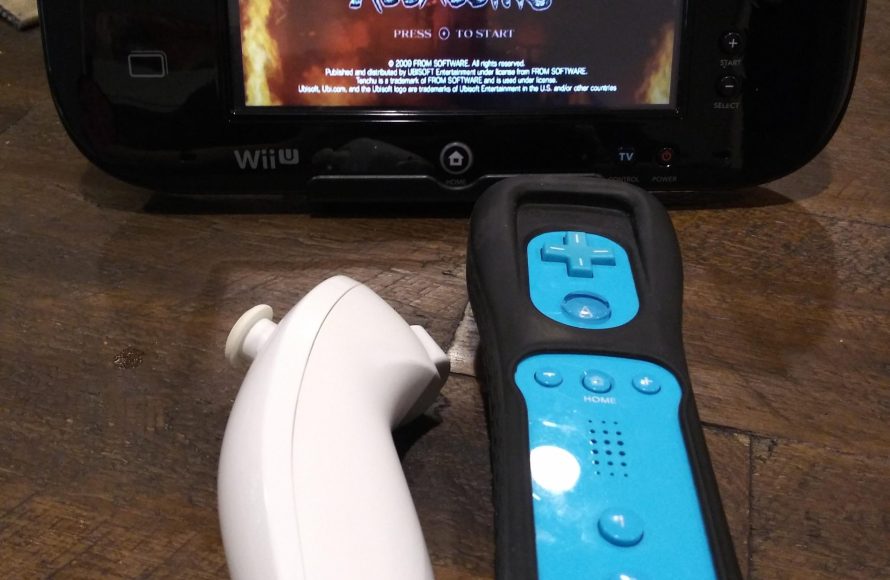
No, you cannot play Wii games directly using the Wii U GamePad. You need a Wii Remote to play Wii games on the Wii U.
Ever wondered if your Wii U GamePad could finally replace that pile of Wii Remotes? The question of whether you can play wii games on the wii u controller pops up frequently for gamers. It’s certainly tempting to imagine using the sleek touchscreen for all those classics.
Unfortunately, the Wii U’s design prevents the GamePad from acting as a regular Wii remote for playing Wii games. You will always need the motion-sensing Wii Remote to play older titles. This is due to the older games relying on Wii Remote’s specific functionalities.

Can You Play Wii Games on the Wii U Controller?
So, you’ve got a Wii U, and you’re itching to play those awesome Wii games you still have lying around. Maybe you’re wondering if that fancy Wii U GamePad can be your main controller for these older titles. It’s a great question! The answer, though, is a little more involved than a simple yes or no. Let’s jump into the world of Wii and Wii U compatibility and see what’s what with your controllers.
Understanding the Wii and Wii U Setup
Before we get into the controller specifics, let’s take a quick look at how the Wii and Wii U consoles work with games. The Wii U was designed to be backward compatible with the Wii. This means that you can play almost all your favorite Wii games on your Wii U console, which is fantastic news! However, the way the Wii U handles Wii games is a bit unique. When you start a Wii game on the Wii U, it actually launches the original Wii operating system. It’s like your Wii U turns into a Wii for a little while.
This is important because it means that the rules for controller compatibility change when you’re playing a Wii game on your Wii U. The Wii U GamePad, the tablet-like controller that comes with the Wii U, doesn’t directly work with the Wii operating system. So, if you just start a Wii game expecting to use the GamePad, you might be a little surprised.
The Wii U GamePad and Wii Games: What’s the Deal?
Okay, so here’s the thing: the Wii U GamePad cannot act as a standard controller for Wii games. It’s a bummer, we know! While the GamePad is the main controller for the Wii U’s own games, it simply wasn’t designed to interact with the Wii operating system in that way. This is because the GamePad communicates differently with the console than the older Wii Remotes.
Think of it like this: Imagine trying to use a smartphone to control an old-fashioned television. They just don’t speak the same language! The same is true for the Wii U GamePad and the Wii operating system when playing Wii games.
So, What Can You Do with the GamePad While Playing Wii Games?
- Display the Game: Even though you can’t control the game, the Wii U GamePad can still display the Wii game. This is a pretty cool feature! If someone else wants to use the TV, you can keep playing your game on the GamePad screen.
- Navigate Wii Menu: You can use the touch screen to select a game or setting within the Wii operating system menu, but once the game is up and running the gamepad function as a screen only.
These are the only two functions of the Wii U Gamepad when playing Wii Games.
Wii Remotes: The True Controllers for Wii Games
If you can’t use the GamePad, what can you use? The answer is the good old Wii Remote, also known as the Wiimote! These motion-sensing controllers were the primary way to play Wii games, and they are still the main option for playing Wii games on your Wii U.
Types of Wii Remotes and Accessories
There are several types of controllers and accessories that work with the Wii games. Knowing them well will help you enjoy your game without any limitations:
- Wii Remote (Wiimote): This is the standard controller for most Wii games. It features motion controls and buttons.
- Wii Remote Plus: An updated version of the original Wiimote, it includes enhanced motion tracking.
- Nunchuk: An attachment for the Wiimote that adds an analog stick and additional buttons.
- Classic Controller: A controller designed like a traditional gamepad, for games that don’t require motion controls.
- Classic Controller Pro: A revised version of the Classic Controller with a more comfortable grip.
- Wii Balance Board: Used for games like Wii Fit, it tracks your balance and weight.
Setting Up Your Wii Remotes on Wii U
Here’s how to get your Wii Remotes working with Wii games on your Wii U:
- Make sure the Wii U is turned on.
- Navigate to the Wii menu on your Wii U. You can do this from the main Wii U menu.
- Turn on your Wii Remote. Press the power button on your Wii Remote.
- Sync your Wii Remote. Open the small cover on the back of your Wii Remote where the batteries are, and press the red sync button there. Do the same with the small red button on the front of the console where the SD card slot is.
- Follow on-screen instructions. If the sync is successful, you will see the LED blinking on the controller and then it will lock on.
- Start your Wii Game. With your Wii Remote synced, you are now able to use it to control the game.
If the sync button doesn’t work, there are a few things to try: 1. Make sure your Wii Remote batteries are charged. 2. try to use another Wii Remote if the sync fails, this will help you to understand if the Wii Remote is the problem or the console. 3. Clean the Wii Remote and the console’s infrared sensor window. Dust or debris might block the sync signal. 4. If none of these work, contact the Nintendo customer support or repair center.
Why Can’t the Wii U GamePad Control Wii Games?
This is a question many have and is valid. There are several reasons why Nintendo didn’t program the Wii U GamePad to control the Wii Games.
Technical Reasons
The Wii U GamePad uses a different communication method compared to the Wii Remotes. The Wii Remotes use infrared signals, while the GamePad communicates wirelessly with the console using its own proprietary protocol. The Wii operating system in the Wii U is not programmed to understand the GamePad’s language.
Design Choices
Nintendo probably didn’t want to mess with the original Wii experience. The Wii was all about motion controls and the Wii Remote was the primary interface. Forcing people to use a completely different controller for older games might be very confusing and might go against the overall feeling of the original Wii. The company also wanted to show the Wii U’s different experience, that’s why it used a different controller for its games.
Backward Compatibility
The main aim of Nintendo was to offer backward compatibility to the Wii games using the Wii U console. Although it added compatibility for Wii games on Wii U, the backward compatibility did not extend to controllers. The primary goal was to enable playing Wii games on the console, but not to alter the fundamental way users interacted with those games. It’s like when you plug an old video game console on the new TV, it works but it won’t transform into the new TV.
The Advantages of Using Wii Remotes
Although it might seem a little bit of extra work, using Wii Remotes to play Wii games on the Wii U does have its advantages!
- Preserves the original Wii Experience: Using Wii Remotes ensures that you play the Wii games the same way as before, this means you get the full fun of motion control.
- Motion Controls: Many Wii games rely heavily on motion controls, and the Wii Remote is perfect for that. The GamePad does not offer the same movement sensor functionality.
- Multiplayer Fun: If you have multiple Wii Remotes, you can easily have multiplayer fun with Wii games.
Alternative Ways to Play Wii Games on Wii U
While the Wii U GamePad does not work as a controller for Wii games, there are a few other ways you might be able to play them:
- Wii Classic Controller or Classic Controller Pro: If you prefer a more traditional controller, you can use the Wii Classic Controller or the Classic Controller Pro. These attach to your Wii Remote and work great for games that don’t need motion controls.
- Wii Virtual Console: Some Wii games are available as digital downloads through the Wii U’s eShop. These games usually have better controller integration.
However, it is worth noting that availability of these options depends on the game and region. Not all Wii games are available for purchase on the eShop.
Troubleshooting Controller Issues
Sometimes, even with the right controllers, you might run into problems. Here are some common issues and how to deal with them:
Controller Syncing Problems
- Check Batteries: Make sure your Wii Remote’s batteries are fully charged.
- Sync Again: Try resyncing your Wii Remote to the console by pressing the sync button on both.
- Interference: Remove any electronic devices that could be causing interference.
Controller Not Responding Correctly
- Sensor Bar: Make sure the sensor bar, it is the black rectangular bar that sits above or below your TV, is properly placed and working.
- Controller Distance: Try to stay within the recommended range of the sensor bar.
- Clean: Clean the controller and the sensor bar with a microfiber cloth to remove any dust or dirt
Game Specific Issues
- Game Instructions: Sometimes, games need specific button combinations or controller accessories. Make sure to read the game instructions.
- Game Compatibility: Make sure that your game is compatible with the Wii U console. Although Wii games are generally compatible with Wii U, certain games may not play correctly.
If none of these solutions works, consider getting help from the Nintendo support center.
Key Takeaways
Let’s sum it all up! You cannot use the Wii U GamePad to control Wii games. The GamePad can only display the game on its screen but does not function as an active controller. To play Wii games on your Wii U, you must use Wii Remotes, along with their needed attachments for a complete control experience. This way you will enjoy your game completely as it was originally intended.
How to Play Wii Games On Your Wii U Gamepad
Final Thoughts
No, you cannot directly play Wii games using the Wii U GamePad. The Wii U controller mainly functions as a screen and for Wii U titles.
Wii games require the Wii Remote and Nunchuck, or the Classic Controller. These peripherals work with the Wii U console as it has backward compatibility. The Wii U system maintains this functionality.
Therefore, when playing Wii games, you must utilize the appropriate controllers. So, while you can play Wii games on the Wii U, the answer is no, ‘can you play wii games on the wii u controller’.

