
If you can’t remember your Epic Games email, use the “Forgot Password?” option on the Epic Games login page. This allows you to reset your password using the associated email or username, which can help you recall your email.
It’s frustrating when you can’t remember your Epic Games email, isn’t it? You’re all set to jump into a game, but a forgotten email address throws a wrench in the works.
Many gamers encounter this hurdle, especially if they use multiple emails across platforms. It can be a real bother when you just want to get back to playing.

Can’t Remember Epic Games Email: A Comprehensive Guide
Oh no! You’re ready to jump back into your favorite Epic Games world, maybe for some Fortnite action or to explore a new indie title, but there’s a tiny problem: you can’t remember which email address you used to sign up. It happens to the best of us! Don’t worry, you’re not alone, and you definitely haven’t lost your account forever. We’ll guide you through all the steps to get you back in the game. This guide will cover everything, from basic troubleshooting to more advanced solutions to recover your Epic Games account.
Why Forgetting Your Epic Games Email Is a Common Problem
First things first, let’s acknowledge that forgetting your Epic Games email is more common than you might think. There are a few good reasons why this happens:
- Multiple Email Addresses: Many of us have several email addresses for different purposes – one for work, one for personal stuff, maybe even one just for gaming. It’s easy to get them mixed up!
- Old Email Addresses: You might have used an email you rarely check anymore when you created your account. Maybe it’s an old school email or one you used during a specific period and now barely remember.
- Brain Farts: Let’s be honest, sometimes our brains just decide to take a day off. You might have created your account a long time ago and the details have simply faded.
- Password Managers: If you rely heavily on password managers, you might not have committed your email to memory since it was always automatically filled in.
The good news is that Epic Games has systems in place to help you out. So, take a deep breath, we’re about to dive into the solution.
Initial Steps When You Can’t Remember Your Epic Games Email
Before jumping into the more complex methods, lets try some easy things first. These steps might sound simple, but they could get you back in game quickly.
Try Your Most Common Email Addresses
Start by trying all the email addresses you use regularly. This seems obvious, but sometimes the simplest solution is the best. Take a moment to think about which emails you use the most, which ones you might have used when you were creating the account and try them one by one. Even trying the ones you are not sure about is a good option.
Check for Auto-Filled Emails
If you use a web browser or your mobile device, try to log in to the Epic Games website, or launcher. Sometimes, your device or browser might have saved your login information automatically. Your browser may autofill the login area, so try to look in the suggested emails, if you’re in luck, your email might appear.
Look in Your Email Inboxes
Take a moment and look through your usual emails. Search for the emails from “Epic Games”. You might find some old emails where Epic Games has verified your email address. This email address is most likely the one you used to create your Epic Games account. These emails may contain the email address that you signed up with. Try to check promotion, spam, and social tabs also.
Using Epic Games Account Recovery Options
If the simple methods did not work, don’t worry, Epic Games has you covered with more helpful tools to get you back in action.
The “Forgot Your Password” Feature
Even if you can’t remember your email, the “Forgot Your Password” option on the Epic Games login page is your friend. Here’s how it works:
- Go to the Epic Games website or open the Epic Games Launcher.
- Click on the “Sign In” button, and then select the “Forgot Your Password?” link. It’s usually located right below the password box.
- A new page will ask you to type in your email address. You have to try all your email addresses and see if they respond or not.
- If an email address is linked with an account, then you’ll receive an email with a password reset link. If you do not get any email, that email address isn’t linked to an epic games account, or you might have typed it wrong.
- Follow the instructions in the email. If you find the account, then you will be able to reset the password and also confirm your account’s email address.
This method works if your email address is still active, and you are able to access it. This is often the fastest method to regain access to your Epic Games account.
Using Your Connected Accounts for Login
Did you connect your Epic Games account to your Facebook, Google, Playstation, Xbox, or Nintendo account? This is your next best move!
- If you linked your accounts, go to the sign in page on the Epic Games website or launcher.
- Then, choose the option of signing in with your linked social media account, or gaming console account.
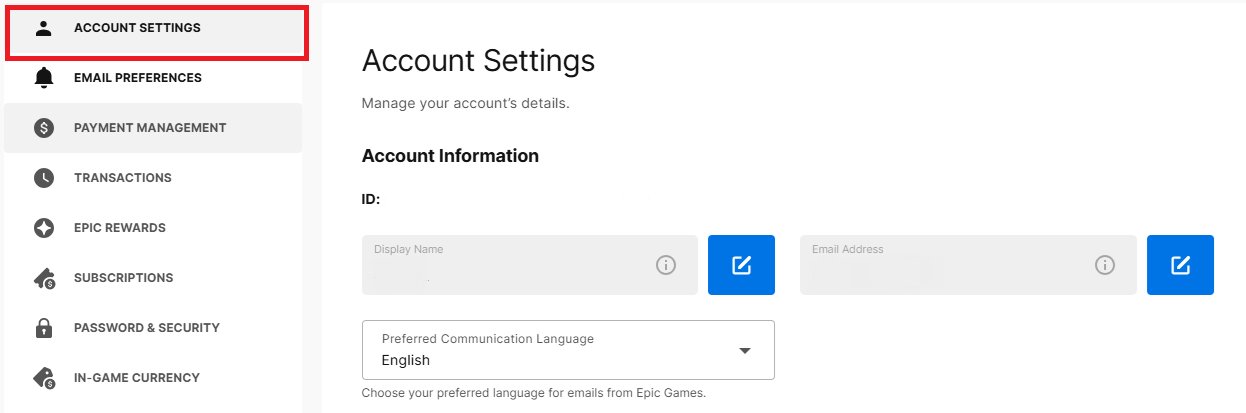
- If your accounts are linked correctly, you will be logged into your Epic Games account, and you can find the linked email address in the account settings.
The Epic Games Support Route
If you’ve exhausted the above methods, it’s time to contact Epic Games Support for some assistance. Here’s how to get in touch:
- Go to the Epic Games support page on their website.
- Look for the “Contact Us” or “Support” option and click on it.
- You’ll be asked to fill out a form detailing your problem. Clearly explain that you can’t remember your Epic Games email address. Give them any information that you know, such as usernames or game progress details you recall.
- Epic Games will try to help you find your account. They might ask you for additional information to prove you own the account. This might include the date when you created the account, purchase details of in-game items, or any other helpful details. Be patient and provide as much information as you possibly can.
Providing Sufficient Information to Epic Games Support
When contacting Epic Games support, the more information you give, the better. These are some details that you should collect before getting in touch with support:
Game Titles and Progress
Can you remember any of the game titles you played or how far you got in them? Give them an overview. Any details about game progress can help. Mention the name of the game, the character you played, game progress, or any specific detail about your gaming activities. Such details help the support team confirm your account.
Purchase History
If you’ve purchased anything in any Epic Games game or from the Epic store, let the support team know about it. This is very helpful for them to find your account. Give them details about the payment type, amount you spent, the item you purchased, and the date of the purchase.
Username
Even if you can’t remember your email address, do you recall your username? This is a key element for finding your account. Epic Games uses your username to identify you in their system. If you are able to find your old usernames, that might also work.
Connected Account Details
If you had any linked social media or console accounts, provide details about them. These details may help prove that you own the account, and help the support staff identify your account.
Location Information
You should also provide an approximate location that you used to access the Epic Games account. If you had moved around locations, mention those location, or country you were using when you created the account. Any historical information related to your access of the account may prove helpful.
Last Device You Used
Mention the device that you used to play or access the Epic Games account previously. Whether it was a computer, mobile phone, or console, make sure you mention it. This information might help Epic Games identify your account using system logs.
Preventing Future Email Mishaps
Now that you’re on the way to getting your account back, lets plan for the future. These tips can help you from losing your access again.
Write It Down (Safely!)
The simplest, yet very effective method is to write your email on a piece of paper, and put it in a safe place. A small notebook or safe box. This is a low tech method, but it works very well. Try to avoid writing on online documents.
Password Managers
You could also use a password manager. Password managers not only store your passwords, but also your email addresses for various websites. Just ensure that you’re using a password manager that is safe, secure, and you have a backup for it. You can use password manager’s to store all login information.
Regular Account Check Ups
Once you have recovered access to your account, make it a habit to check your account details. Visit your account settings regularly and make sure that your email is current, and that you remember it. This will help you to stay on top of account recovery, and avoid issues in the future.
Create a Dedicated Gaming Email
Try to create a new email address just for gaming accounts. This method can make it easier to remember which email is associated with which service. This prevents your work emails from getting too many promotional emails.
Take screenshots
You can also take screenshots of the login page once you have successfully logged in. This will help you remember your email address in case you forget. Take these screenshots and save them at a safe place. This will help you remember in the future.
A Note on Account Security
While you are working on recovering access to your account, let’s discuss a bit on account security.
Enable Two-Factor Authentication
Two-factor authentication (2FA) provides an additional layer of security, making it harder for people to access your account. Turn on 2FA in your account settings. It usually asks for an additional code from your email or mobile phone, in addition to your regular password.
Use Strong, Unique Passwords
Make sure you create a long and unique password for all your online accounts. Avoid using easily predictable passwords such as pet’s name, or birthdays. Use a combination of uppercase, lowercase, and symbols, and random letters. Do not use the same passwords for multiple accounts. A good way to make this easier is to use password managers.
Be Careful of Phishing Scams
Phishing scams are tricks that scammers use to try to steal your account details. Do not share your login details, credit card details, or two factor authentication codes with anyone. Be very careful when you click on links or download files from unknown sources. Be aware of the red flags, and do not give away your account details or click on suspicious links. Always go directly to the official Epic Games website.
Keep Your Software Updated
Always keep your Operating Systems, gaming consoles, and game launcher apps updated. These updates contain security patches that help keep your device and accounts safe. Outdated software is more vulnerable to attacks.
Dealing with a forgotten email address can feel frustrating, but it’s a common issue and definitely fixable. By following these steps and staying patient, you’ll be back in your Epic Games account in no time. Remember to take preventative measures so you don’t find yourself in this situation again. Happy gaming!
HOW TO GET YOUR EPIC GAMES ACCOUNT BACK WITHOUT EMAIL AND PASSWORD (Fortnite OG)
Final Thoughts
If you’ve lost access to your Epic Games account, forgetting your registered email is a major hurdle. Resolving this requires going through Epic’s account recovery process. You must attempt password reset first, using all possible emails.
This method often helps if you just misplaced it. Then contact their support, detailing your situation. They’ll guide you through verification steps. Dealing with ‘cant remember epic games email’ issues requires patience, but is resolvable.

