
Yes, most Quest 2 games transfer to Quest 3.
Upgrading to the Quest 3 is exciting, but you might wonder, do quest 2 games transfer to quest 3? It’s a great question many new users are asking. The good news is that the vast majority of your existing Quest 2 library will indeed work on the newer headset.
Meta designed the Quest 3 with backward compatibility in mind. This means you won’t need to repurchase most of the games you already own. You can continue enjoying your favorite VR titles right away on the new hardware.

Do Quest 2 Games Transfer to Quest 3? The Complete Guide
So, you’re excited about the shiny new Meta Quest 3, and you’re probably wondering, “Will all my cool games from my Quest 2 work on it?” That’s a great question! It’s like moving to a new house – you want to make sure all your favorite toys come along. The good news is, for the most part, the answer is a big, happy YES! Let’s dive into the details and explore exactly how this works.
The Magic of Backward Compatibility
The main reason your Quest 2 games will work on the Quest 3 is because of something called “backward compatibility.” Think of it like this: imagine you have a video game console, and the company makes a newer, better one. Backward compatibility means the new console can still play the games that came out for the older console. It’s a really handy feature that lets you keep enjoying all the games you’ve already bought and loved.
Meta, the company behind the Quest headsets, has made it a point to ensure that most Quest 2 games are compatible with the Quest 3. This means you won’t have to leave behind your favorite virtual worlds or start your game library from scratch when you upgrade to the new headset. It’s a huge plus for people who have invested time and money into building their game library. This continuity is a part of what makes the Quest ecosystem so user-friendly and appealing.
How Does It Actually Work?
Okay, so how does the Quest 3 actually know how to play a Quest 2 game? It’s all about software. The Quest 3 uses an updated version of the same operating system as the Quest 2. This operating system, often called the Meta Quest OS, acts like the brain of the headset. Because the operating systems are so similar, most of the games created for the Quest 2 can run perfectly well on the Quest 3. It’s not like plugging an old game cartridge into a completely different console; the Quest 3 has the necessary understanding to play these older titles. It’s a well-thought-out feature that avoids frustration and allows for a smoother transition to the new device.
Benefits of Game Transfer
Having your games transfer over to the Quest 3 has many great benefits. Here are a few:
- No Repurchasing: You won’t have to buy games you already own, saving you a lot of money! Imagine buying all your favorites again – that would be costly.
- Instant Gratification: As soon as you set up your Quest 3, you can jump straight into playing your favorite games, no waiting required. You get to play the games you already love on a better device right away.
- Continued Progress: All your saved games, high scores, and achievements move with you. So you don’t have to start all your games over, which could be very frustrating.
- A Huge Game Library: You instantly have a large collection of games to play on day one of owning your Quest 3. This is awesome for long time Meta Quest users.
Are There Any Exceptions?
While most Quest 2 games work perfectly on the Quest 3, there are a few rare exceptions. These exceptions are often due to a couple of reasons:
Developer Updates
Sometimes, a game might not fully work on the Quest 3 right away if the developers haven’t optimized it for the new hardware. The Quest 3 has more power, and developers might need to make some tweaks to take advantage of that extra power, such as faster loading times, improved graphics, or other enhancements. Most developers are quick to update their games, and generally, these issues are fixed very quickly.
It’s very rare for a game to never work at all. The games usually work straight away, but developers might update the games to provide better performance on the new device. Keep your games updated and you should be good to go.
Rare Technical Issues
In very rare cases, there might be a technical issue that prevents a particular game from working correctly on the Quest 3. This could be due to something unique about the game’s coding. If you run into this issue, contact the game developer or Meta customer support, and they will likely fix the issue. These kinds of issues are usually very uncommon and are sorted out relatively quickly.
How to Transfer Your Games to Quest 3
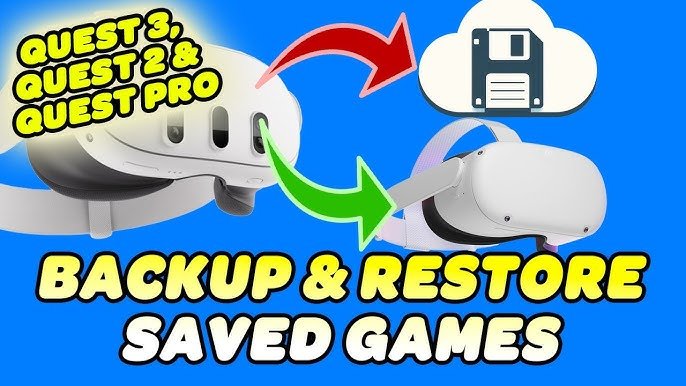
Transferring your games is pretty simple! It happens automatically when you log into your Meta account on the Quest 3. The great thing is that you do not need to perform a manual transfer of your games. All of your games are saved on the cloud, so when you log in to your new Quest 3, your games will be available to you right away.
Here’s a Step-by-Step Breakdown:
- Set Up Your Quest 3: First, go through the setup process for your brand new Meta Quest 3. Make sure it’s connected to your Wi-Fi.
- Log in to Your Meta Account: Use the same Meta account (the one you use on your Quest 2) on your new Quest 3. This is super important as it connects your game purchases to your new headset.
- Download Your Games: You won’t need to install all of your games at once, just go into your library and select the games you wish to play. Download the games individually, when you want to play them.
- Start Playing: Once the games finish downloading, you can start playing them! It’s that easy. You will feel right at home within your familiar virtual worlds.
This automated process makes transferring games very easy. You can download your games again on the Quest 3 and start playing straight away.
Understanding the Meta Quest Ecosystem
The Meta Quest ecosystem is all about making VR gaming simple and accessible. The seamless game transfer between Quest 2 and Quest 3 is part of this commitment. It’s all part of the plan to give everyone the best experience possible. Meta has designed the ecosystem to be very user-friendly, so switching to a new device is a smooth process. Here’s a deeper look:
The Meta Account
Your Meta account is the key to everything. It stores all of your game purchases, progress, and preferences. This account follows you through all your Meta devices, which enables you to keep your games as you upgrade. It also allows for cross-play, if the game supports it. The Meta account is the heart of the Meta ecosystem. So when setting up your new device, make sure you use your correct Meta account.
The Meta Store
The Meta Store is where you buy all of your games. When you purchase a game it is linked to your account, not just to the device you bought it on. That’s why your games are all available to you when you log into a new device. This allows for easy game management and ensures you can access all your games across different devices. The store is also frequently updated with new games and demos.
Cloud Saves
Most of your games will also save data in the cloud. This cloud saving feature means that you don’t need to worry about losing your game progress when you switch devices or if you reset your current headset. Your game saves are securely stored. You can continue playing right where you left off. This is a very important and very useful feature.
Enhanced Experience on the Quest 3
While your Quest 2 games transfer over, you might notice they look and perform better on the Quest 3. This is because the Quest 3 has more powerful hardware. Here are a few ways you might experience the difference:
Improved Graphics
The Quest 3 has a better processor and graphics card, which means games can have more detailed textures and smoother visuals. You’ll be able to see and appreciate more detail in the games you are already familiar with. It might even feel like you’re playing a brand new version of the game.
Faster Loading Times
The faster processor also means that games load quicker on the Quest 3. You’ll spend less time waiting for games to start up or for different areas to load. This faster experience makes game playing more enjoyable. Less time waiting, more time playing!
Enhanced Performance
Many games will run more smoothly on the Quest 3. Some games may have increased frame rate which makes your experience in the game more immersive. The improved performance and reduced lags means you can enjoy your games more fully.
Potential Game Updates
In the future, you may start to see developers releasing enhanced versions of their Quest 2 games that take even greater advantage of the Quest 3’s capabilities. These updates could include new features, better graphics, and increased levels of detail. This means the games you love could get even better on your new headset.
Things to Consider
Before you jump into your Quest 3, there are a few other things you may want to consider:
Storage Space
The Quest 3 comes with a few different storage options. Your games take up space, so you may want to consider that when buying the headset. The more games you plan on downloading, the more storage space you’ll need. Think about how many games you plan to have on your headset.
Battery Life
Playing games on a VR headset can use up the battery pretty quickly. You may need to consider purchasing an additional battery or charging dock for extended play times. Also, the newer hardware of the Quest 3 could possibly impact battery life, so keep this in mind. It is important to plan your play sessions accordingly.
Comfort and Fit
The Quest 3 has a new design, so you might want to spend some time making sure it fits comfortably. Having a headset that fits properly makes for a better VR experience. It is important to find the perfect fit so you can play games for longer without getting uncomfortable.
By keeping these points in mind, you will ensure you have a good experience with your new headset and that you are ready to fully enjoy all of your old games.
In summary, most of your favorite Quest 2 games will transfer to your new Quest 3, allowing you to jump right into playing. The process is simple, and you get the added bonus of improved graphics and performance. The Meta Quest ecosystem is designed for an easy and enjoyable experience when upgrading your headset. It’s truly a user-friendly experience which benefits everyone.
Do ALL Quest 2 Games WORK on Quest 3? 128 or 512?
Final Thoughts
Yes, the vast majority of your Quest 2 games transfer to Quest 3. You can continue playing your purchased library. This is a must for any upgrade, as you retain your digital ownership.
The transfer process is typically automatic; you don’t need to repurchase games. ‘do quest 2 games transfer to quest 3’ is a frequent question, and the answer remains a definite yes for most titles. Enjoy your favorites on the new hardware.

